Bubuka
The Mastervolt Battman Pro Digital Meter (Part #70405070) is an advanced battery monitor designed for 12V and 24V DC battery systems. It provides comprehensive and critical information about the status of your battery bank under all operating circumstances. This device features a large, splash-proof (IP65) display and a power bar, ensuring durability and readability in various environments. The Battman Pro is engineered to warn users when the battery bank is nearing empty, helping to prevent unexpected power loss and extend battery life.
Produk Leuwihview jeung Fitur
The Battman Pro offers detailed insights into your battery's performance and health. Key features include:
- Ngawaskeun Komprehensif: Nembongkeun voltage, ayeuna, amp-hours, time remaining, and battery capacity in percentage.
- Dual Battery Outlets: Monitors two battery banks – a service battery (fully monitored) and a starter battery (voltage ngan).
- Splash-Proof Display: IP65 rated display ensures protection against water splashes, suitable for marine or outdoor applications.
- Sistem Peringatan: Alerts users when the battery bank is low, preventing deep discharge.
- Special Battery Status Events: Tracks and displays specific events related to battery health.
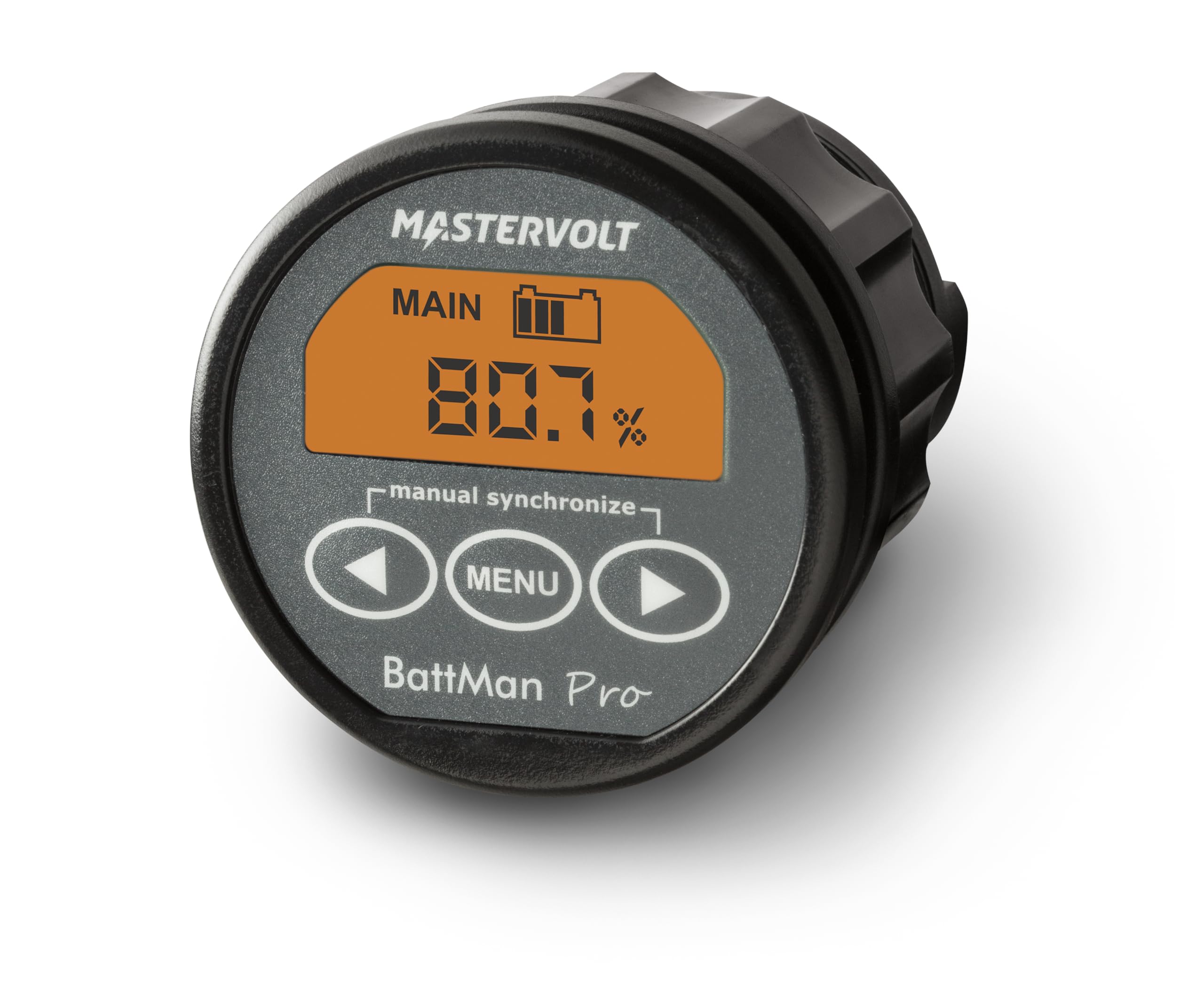
Gambar 1: Hareupeun view of the Mastervolt Battman Pro Battery Monitor, showing the digital display with "MAIN" and "80.7%" charge, along with the "manual synchronize" text and control buttons (left arrow, MENU, right arrow).
Setup sareng Instalasi
Proper installation is crucial for accurate readings and safe operation. While specific wiring diagrams are typically provided in the full installation manual, the following general steps apply:
- Pamasangan: Choose a suitable location for the Battman Pro display unit. Ensure it is easily accessible and visible, and that there is sufficient space behind for wiring connections. The unit is splash-proof (IP65), making it suitable for exposed locations.
- Sambungan Daya: Connect the Battman Pro to your 12V or 24V DC system. Ensure correct polarity.
- Shunt Installation: A current shunt (sold separately or included in a kit) must be installed in the negative line of your main service battery bank. All loads and charging sources for the service battery must pass through this shunt for accurate current measurement.
- Voltage Sense Wires: Sambungkeun voltage sense wires to both the service battery bank (for full monitoring) and the starter battery (for voltage monitoring only).
- Konfigurasi: After physical installation, the unit may require initial configuration, such as setting battery capacity and type, through the on-screen menu. Refer to the detailed wiring diagram and configuration guide that accompanies the product for precise instructions.
penting: Always disconnect battery power before performing any wiring or installation work. If you are unsure about any step, consult a qualified marine or automotive electrician.
Parentah Operasi
The Battman Pro is designed for intuitive operation. The display provides real-time data, and the buttons allow for navigation and settings adjustments.
Émbaran tampilan:
- Voltage (V): Némbongkeun vol ayeunatage of the monitored battery bank.
- Ayeuna (A): Displays the current flowing into (charging) or out of (discharging) the battery bank.
- Amp-hours (Ah): Indicates the net amp-hours consumed or replenished.
- Sesa waktos: Estimates the time until the battery is empty, based on current draw and capacity.
- Battery Capacity (%): Shows the state of charge as a percentage of the total battery capacity.
- Special Battery Status Events: Provides alerts or information regarding specific battery conditions.
Fungsi Tombol:
The Battman Pro features three primary buttons below the display:
- Panah kénca (◀): Typically used to navigate backward through menus or decrease values.
- MENU: Used to access the main menu, confirm selections, or cycle through display screens.
- Panah katuhu (▶): Typically used to navigate forward through menus or increase values.
Manual Synchronize: The display includes a "manual synchronize" function. This is used to manually reset the battery monitor's state of charge to 100% when the battery is known to be fully charged. This ensures accuracy over time, as minor discrepancies can accumulate.
Pangropéa
The Mastervolt Battman Pro is designed for durability and requires minimal maintenance. However, regular checks can ensure its longevity and accurate performance:
- beberesih: Lap layar sareng c sacara berkalaasing kalawan lemes, damp cloth. Avoid abrasive cleaners or solvents that could damage the display or housing.
- Cék sambungan: Annually inspect all wiring connections to the shunt and the monitor for corrosion or looseness. Ensure all terminals are clean and securely fastened. Loose connections can lead to inaccurate readings or system malfunctions.
- Apdet parangkat lunak: Check the Mastervolt website periodically for any available firmware updates for your Battman Pro model. Updates can improve performance or add new features.
- Kaséhatan batré: While the monitor provides data, regularly inspect your battery bank for signs of damage, corrosion, or swelling. Ensure proper ventilation around batteries.
Pamérésan masalah
If you encounter issues with your Battman Pro, consider the following common troubleshooting steps:
- Henteu aya tampilan/kakuatan:
- Check all power connections to the monitor.
- Verify the fuse in the power supply line (if applicable).
- Ensure the battery bank has sufficient voltage.
- Inaccurate Readings (Current/Ah/Capacity):
- Ensure the current shunt is correctly installed in the negative line of the service battery, and all loads/charges pass through it.
- Check for loose or corroded connections at the shunt and the monitor.
- Perform a "manual synchronize" after fully charging the battery to recalibrate the state of charge.
- Verify that the battery capacity setting in the monitor's menu matches your actual battery bank capacity.
- "Battery Empty" Warning Appears Prematurely:
- Check the battery capacity setting in the monitor's menu.
- Ensure the battery bank is indeed fully charged when performing a manual synchronize.
- Consider having your battery bank tested by a professional to confirm its actual health and capacity.
- Display Freezes or Behaves Erratically:
- Try power cycling the unit by temporarily disconnecting its power supply.
- Check for any signs of physical damage or water ingress (though the unit is IP65, extreme conditions can still cause issues).
If these steps do not resolve the issue, contact Mastervolt customer support or a certified technician for further assistance.
spésifikasi
| Atribut | Rincian |
|---|---|
| merek | Mastervolt |
| Nomer modél | 70405070 |
| Ngaran produk | Battman Pro Digital Meter |
| Voltage Kasaluyuan | 12V / 24V DC |
| Ampumur | 2 Amps (operating current) |
| Battery Outlets | 2 (Service: full monitoring; Starter: voltage ngan) |
| Tipe tampilan | Digital, Large |
| Protéksi Ingress (IP) Peunteun | IP65 (tahan cipratan) |
| Ukuran (Kira-kira.) | 2.5" (Diameter) x 3.1" (Depth) |
| Item Beurat | 1 pon |
| Monitored Parameters | Voltage, Ayeuna, Amp-hours, Time Remaining, Battery Capacity (%), Special Battery Status Events |
Garansi sareng Rojongan
For specific warranty information regarding your Mastervolt Battman Pro Battery Monitor, please refer to the warranty card included with your product or visit the official Mastervolt websitus. Sarat jaminan biasana nutupan cacad manufaktur pikeun période anu ditangtukeun ti tanggal pameseran.
For technical support, troubleshooting assistance beyond this manual, or to inquire about spare parts and service, please contact Mastervolt customer service directly. Contact details can usually be found on their official websitus atanapi dina bungkusan produk.
Mastervolt Official Websitus: www.mastervolt.com


