Produk Leuwihview
The PDP Wired Controller for Xbox One and Windows is designed to provide a reliable and immersive gaming experience. It features a sleek design, non-slip grips, and textured shoulder and trigger buttons for enhanced control. The controller includes vibration feedback and a convenient audio control button for adjusting game and chat audio levels. A 3.5mm audio jack allows for headset connection.

Gambar: Top view of the PDP Wired Controller in red, showcasing its translucent casing jeung perenah tombol.
Guide Setup
Follow these steps to set up your PDP Wired Controller for use with your Xbox One console or Windows PC.
- Buka bungkus Controller: Carefully remove the controller and its detachable 2.4-meter cable from the packaging.
- Sambungkeun kabel: Insert the smaller end of the detachable cable into the port on the top of the controller. Ensure it is securely connected.
- Nyambungkeun ka Konsol/PC:
- For Xbox One: Plug the USB end of the cable into an available USB port on your Xbox One console.
- Pikeun Windows PC: Plug the USB end of the cable into an available USB port on your Windows PC. The system should automatically detect and install the necessary drivers. If drivers are not automatically installed, please visit the official PDP support websitus pikeun ngundeur supir.
- Daya Hurung: Once connected, the controller should power on automatically. The Xbox button on the controller will illuminate.
- Sambungkeun Headset (Opsional): If desired, plug your 3.5mm compatible headset into the audio jack located at the bottom of the controller.
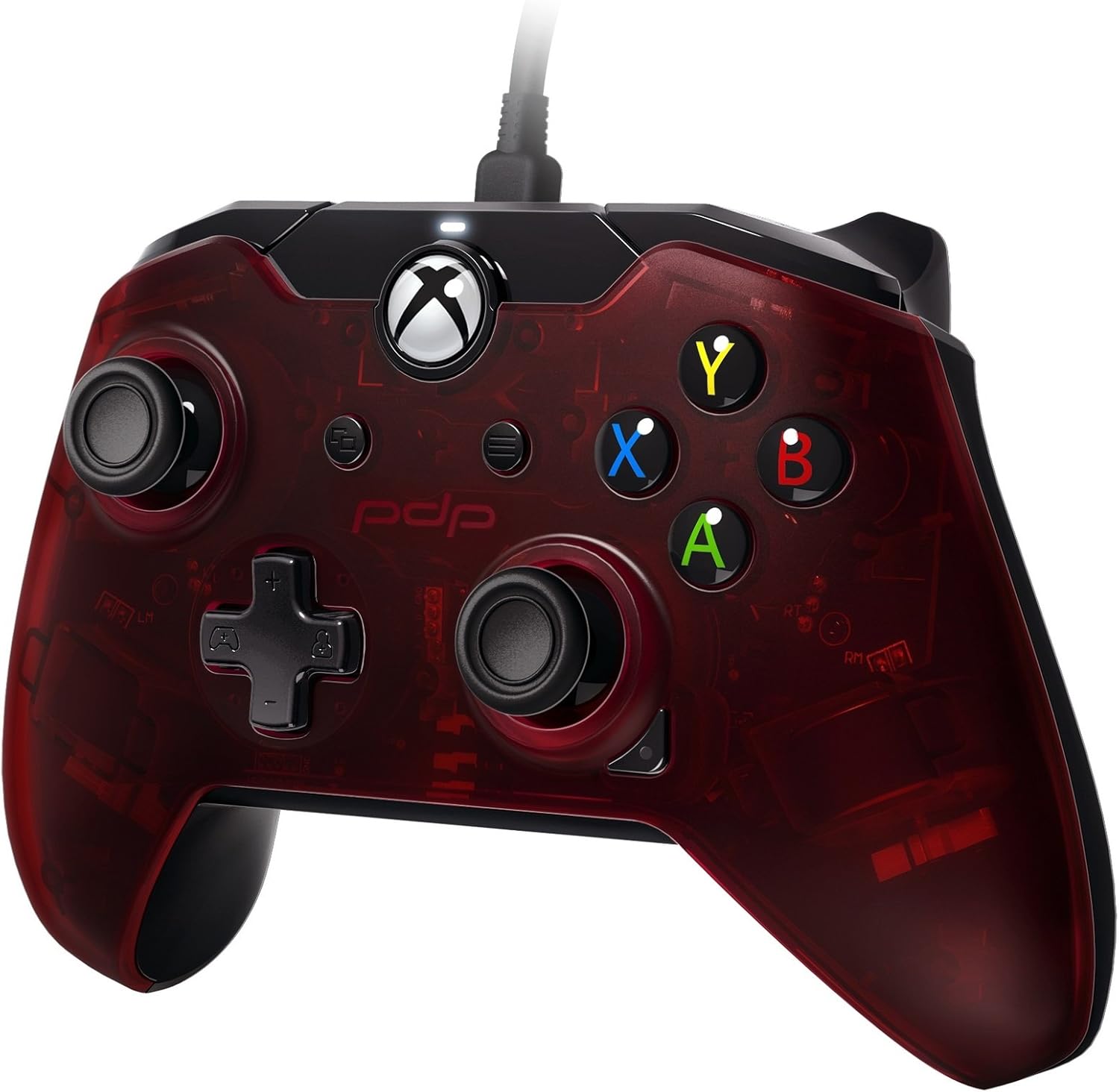
Gambar: Angled view of the PDP Wired Controller, highlighting the detachable cable connection and the textured surface of the grips.
Parentah Operasi
This section details the primary functions and controls of your PDP Wired Controller.
- Kontrol Standar: The controller features standard Xbox One button layout including A, B, X, Y buttons, D-pad, Left and Right joysticks, Left and Right bumpers (LB, RB), and Left and Right triggers (LT, RT).
- Eupan Balik Geter: The controller provides vibration feedback to enhance your gaming immersion. This feature is automatically enabled when supported by the game.
- Kadali Audio: Located on the front of the controller, there is an audio control button. This allows you to adjust game and chat audio levels directly from the controller without pausing your game. Refer to your game or console settings for specific audio mixing options.
- Textured Grips and Triggers: The non-slip grips and textured shoulder and trigger buttons are designed for comfort and improved control during extended gaming sessions.
Pangropéa sareng Perawatan
Proper maintenance will ensure the longevity and optimal performance of your controller.
- beberesih: Paké kaen lemes, garing pikeun ngusap handap controller. Keur kokotor bandel, rada dampen the cloth with water. Avoid using harsh chemicals or abrasive cleaners, as these can damage the controller's finish.
- Perawatan kabel: Always handle the detachable cable by the connector, not the cable itself, when plugging or unplugging. Avoid sharp bends or kinks in the cable to prevent internal damage. Store the cable neatly when not in use.
- Panyimpenan: Nyimpen controller dina tiis, tempat garing jauh ti sinar panonpoé langsung jeung hawa ekstrim.
- Hindarkeun tetes: While durable, repeated drops can damage internal components. Handle the controller with care.
Pamérésan masalah
If you encounter issues with your PDP Wired Controller, refer to the following common solutions.
- Controller teu ngabales:
- Ensure the USB cable is securely plugged into both the controller and the console/PC.
- Try plugging the controller into a different USB port on your console or PC.
- Balikan deui konsol Xbox One atanapi PC anjeun.
- Henteu aya Audio Ngaliwatan Headsét:
- Verify your headset is fully plugged into the 3.5mm audio jack on the controller.
- Check the audio settings on your Xbox One or PC to ensure the controller's audio output is selected and volume levels are adequate.
- Use the audio control button on the controller to adjust volume.
- Buttons/Joysticks Unresponsive or Drifting:
- Ensure the controller is clean and free of debris around the buttons and joysticks.
- For PC users, ensure you have the latest drivers installed from the official PDP support websitus.
- If the issue persists, contact PDP customer support for further assistance.
spésifikasi
| Fitur | Rincian |
|---|---|
| Nomer modél | 048-082-NA-RD |
| Kasaluyuan | Xbox One, Windows PC |
| Konektipitas | USB kabel |
| Panjang kabel | 2.4 meters (detachable) |
| Audio Jack | 3.5 mm |
| Diménsi | 8.2 x 10.8 x 20.6 cm |
| Beurat | 80 g |
| Language (Product Information) | Italiano, Inglés |
Garansi sareng Rojongan
For warranty information, technical support, or to download the latest drivers, please visit the official PDP websitus atanapi ngahubungan rojongan customer maranéhanana.
While specific warranty terms may vary by region, PDP products typically come with a manufacturer's warranty covering defects in materials and workmanship. Please retain your proof of purchase for warranty claims.
For additional assistance, you may also refer to the product's listing on Amazon for details regarding return policies and optional protection plans.


