1. Bubuka
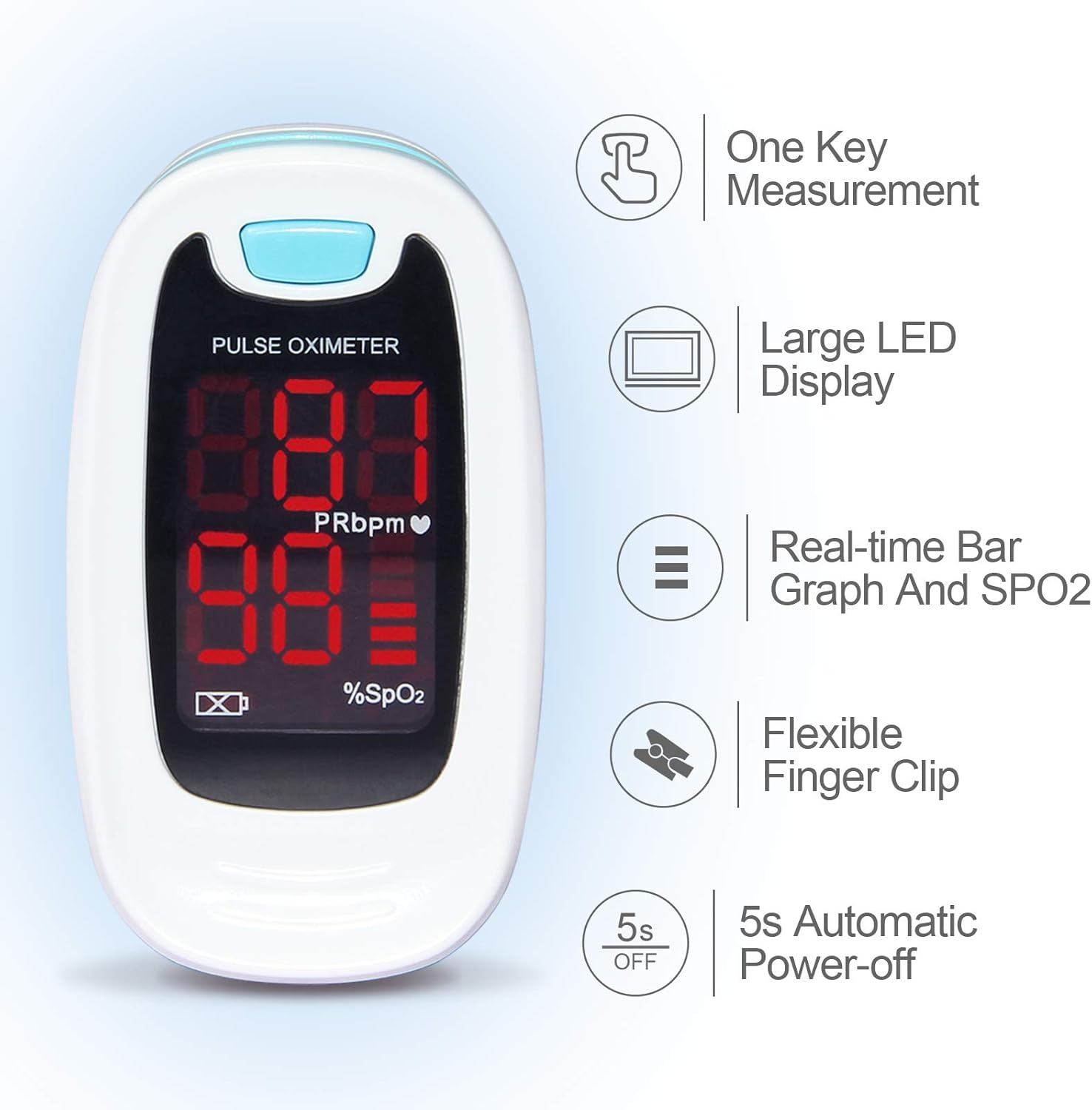
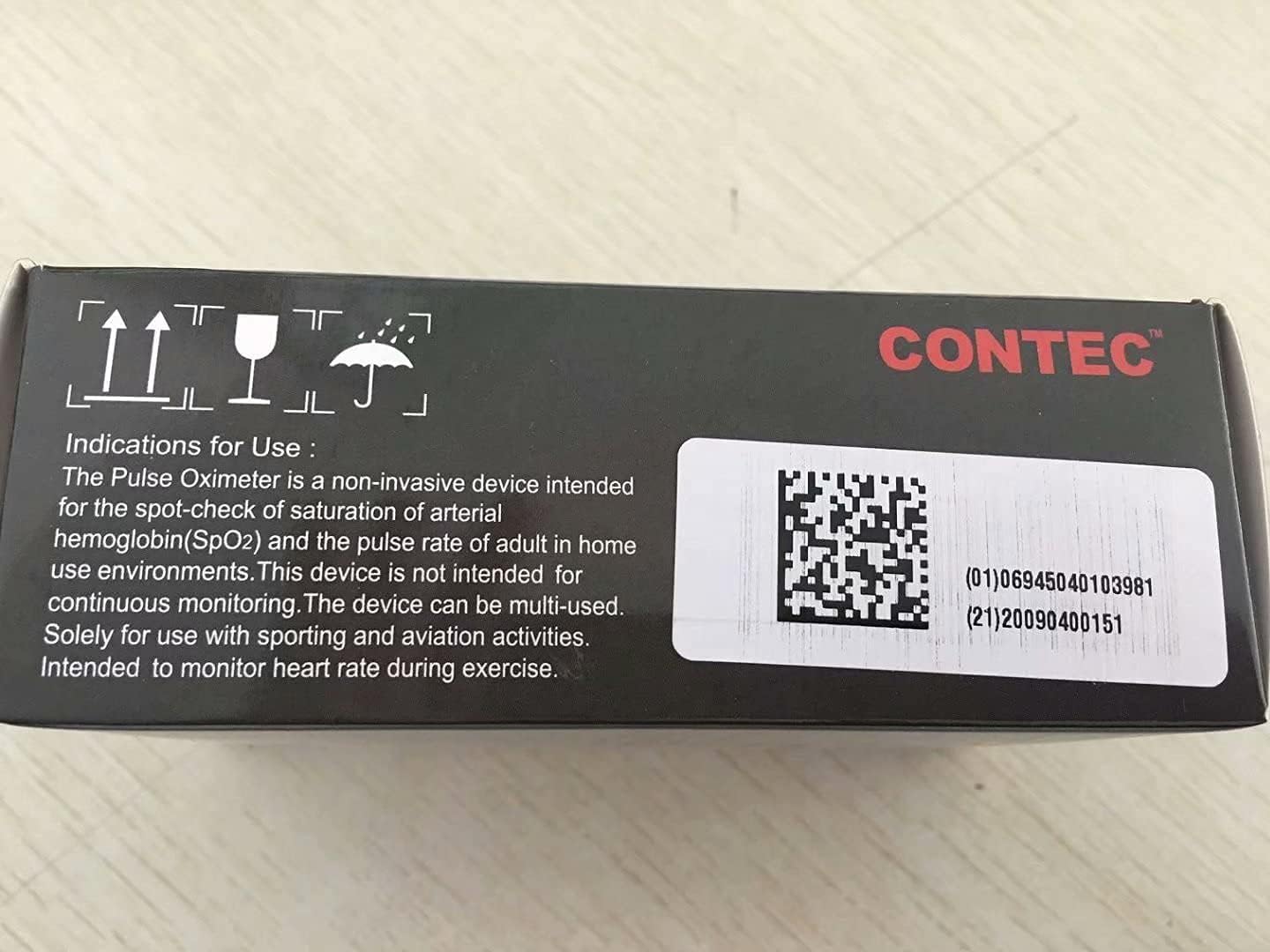
The CONTEC CMS50M Fingertip Pulse Oximeter is a portable, non-invasive device designed for spot-checking of arterial hemoglobin oxygen saturation (SpO2) and pulse rate (PR) through the finger. It is suitable for use in home environments and for sporting and aviation activities. This device is not intended for continuous monitoring or as a medical device for diagnosis or treatment.
It features a small volume, light weight, and is convenient for carrying. The device displays pulse rate value and a bar graph for easy reading.

Gambar 1: Hareupeun view of the CONTEC CMS50M Fingertip Pulse Oximeter showing the display with SpO2 and PR readings.
2. Eusi Paket
Saatos muka bungkusan, pariksa yén sadaya barang aya sareng dina kaayaan anu saé:
- Main unit (CONTEC CMS50M Fingertip Pulse Oximeter)
- Lanyard
- Manual pamaké
Note: Batteries are not included in the package and must be purchased separately.

Figure 2: The CONTEC CMS50M Pulse Oximeter shown with its included lanyard.
3. Setélan
3.1 Pamasangan batré
The device requires two AAA batteries (not included). Follow these steps to install them:
- Teang tempat panutup kompartemen batre dina tonggong alat.
- Geser panutupna ka handap dina arah anu dituduhkeun ku panah.
- Insert two AAA batteries, ensuring the polarity (+ and -) matches the diagrams inside the compartment. Note that one positive terminal may align with a spring, which is an uncommon but correct orientation for this device.
- Pasang deui panutup kompartemen batré ku cara ngageser deui dugi ka ngaklik kana tempatna.
Gambar 3: Tukangeun view of the pulse oximeter showing the battery compartment. Ensure correct battery polarity during installation.
3.2 Ngalampirkeun Lanyard
To attach the lanyard:
- Thread the thin loop end of the lanyard through the lanyard hole on the device.
- Pass the larger end of the lanyard through the small loop you just created and pull it tight to secure.
- The lanyard features a quick-release buckle for easy detachment if not needed.
4. Parentah Operasi
4.1 Nyandak Pangukuran
- Buka clamp tina oksiméter.
- Insert one of your fingers (preferably the index or middle finger) into the rubber opening of the oximeter with the nail surface upward. Ensure the finger is fully inserted and rests on the sensor.
- Ngaleupaskeun clamp.
- Press the power button on the front panel once to turn on the oximeter.
- Keep your hand still during the measurement. Do not shake your finger.
- The SpO2 and Pulse Rate values will appear on the display within a few seconds.

Figure 4: Proper finger placement in the pulse oximeter for accurate readings.
4.2 Ngartos Tampilan
The bright LED display shows the following information:
- SpO2 (%): Blood Oxygen Saturation Level.
- PRbpm: Pulse Rate (beats per minute).
- Grafik batang: Indicates pulse intensity.
- Indikator batré: Nembongkeun umur batre sésana.
Gambar 5: Detil view of the pulse oximeter display, highlighting SpO2, PRbpm, and the pulse intensity bar graph.
4.3 Automatic Power-off
The device will automatically power off after approximately 5 seconds of inactivity or when the finger is removed from the sensor.
5. Pangropéa
5.1 Ngabersihan Alat
To ensure longevity and hygiene, clean the oximeter regularly:
- Wipe the surface of the device with a soft cloth dampened with medical alcohol (75% ethanol) or isopropyl alcohol.
- Clean the inside of the finger clip with the same method.
- Keun alat nepi ka garing sagemblengna sateuacan dianggo.
- Ulah ngalelepkeun alat kana cai atanapi larutan pembersih naon waé.
5.2 Ngagantian batré jeung Panyimpenan
When the low battery indicator appears on the display, replace the batteries promptly. If the device will not be used for an extended period, remove the batteries to prevent leakage and damage.
Store the oximeter in a cool, dry place, away from direct sunlight and extreme temperatures.
6. Cara ngungkulan
| Masalah | Mungkin Cukang lantaranana | Solusi |
|---|---|---|
| Taya tampilan sanggeus power-on | Batré pareum atawa salah dipasang. | Replace batteries or re-install them with correct polarity. |
| Display unstable or inaccurate readings | Finger not properly inserted; finger shaking; ambient light interference; cold fingers. | Re-insert finger correctly and keep still. Avoid strong light. Warm hands if cold. |
| Pesen "Ramo Kaluar" ditampilkeun | Finger not detected or removed. | Ensure finger is fully inserted into the sensor. |
7. Spésifikasi
- model: CMS50M
- merek: CONTEC
- Rentang Pangukuran (SpO2): 35%~100%
- Ukuran produk: 2.24 x 1.34 x 1.22 inci
- beurat: 1.76 ons (tanpa batré)
- Sasayogian tanaga: 2 x batré AAA (teu kaasup)
- Lingkungan Operasi: Temperature: +10°C ~ +40°C, Relative humidity: ≤75%, Atmospheric Pressure: 700 hPa ~ 1060 hPa

Figure 6: Dimensions of the CONTEC CMS50M Pulse Oximeter.
8. Important Information and Disclaimers
This product is intended for sports and aviation use only and is not a medical device. It is not intended for continuous monitoring. Solely for use with sporting and aviation activities. Intended to monitor heart rate during exercise.
Pernyataan ngeunaan suplemén dietary teu acan dievaluasi ku FDA sareng henteu dimaksudkeun pikeun ngadiagnosa, ngubaran, ngubaran, atanapi nyegah panyakit atanapi kaayaan kaséhatan.
9. Garansi jeung Rojongan
For warranty information and customer support, please refer to the official CONTEC websitus atanapi hubungi penjual langsung. Simpen resi pameseran anjeun kanggo klaim garansi.
Manufacturer: CONTEC
Titimangsa sadia munggaran: 27 Méi 2017


