Produk Leuwihview
The Zoom AC-2 Acoustic Creator Pedal is a direct box designed to restore the natural tone of your acoustic guitar. It features instrument modeling, a 3-band equalizer, boost function, tuner, and reverb effects. This pedal is engineered to enhance the sound of acoustic-electric guitars, providing a rich and resonant output suitable for various performance and recording environments.
fitur konci ngawengku:
- 16 source guitar type/body presets for accurate tone reproduction.
- Pra-kualitas luhuramp and reverb effect.
- Piezo/magnetic input pickup selector.
- 3-band equalizer for precise tone shaping.
- Adjustable input and output gain/sensitivity via a single volume knob.
- Anti-feedback control.
- Built-in chromatic visual-LED tuner.
- Boost switch for up to 9 dB of additional gain.
Eusi pakét
Pariksa yén barang-barang ieu kalebet dina pakét anjeun:
- Zoom AC-2 Acoustic Creator Pedal
- AC Adapter (Zoom AD-16)
- Manual Operasi
Lamun aya item nu leungit atawa ruksak, mangga ngahubungan pangecér Anjeun.
Kontrol jeung Fungsi
Familiarize yourself with the various controls and their functions on the AC-2 pedal.
Kadali Panel Top

Gambar: Top view of the Zoom AC-2 Acoustic Creator Pedal, highlighting the main controls and input/output jacks.
- SOURCE GUITAR Knob: Selects one of 16 guitar body types/presets to accurately reproduce the acoustic tone. Rotate to choose between Dreadnought, Round Shoulder, Square Shoulder, Jumbo, Parlor, Single Cutaway, Resonator, Upright Bass, Mold, Nylon Strings, Orchestra, Triple O, Double O, YMH, Silent, and 12 Strings.
- Tombol REVERB: Adjusts the level of the reverb effect applied to the output signal.
- Tombol VOLUME: Controls the overall output volume of the pedal. This knob also adjusts input gain.
- EQUALIZER (BASS, MIDDLE, TREBLE) Knobs: Adjusts the low, mid, and high frequencies of your guitar's tone.
- PICKUP Switch (PIEZO/OFF/MAGNETIC): Selects the type of pickup connected to the input. Choose PIEZO for piezo pickups, MAGNETIC for magnetic pickups, or OFF to bypass the pickup type processing.
- kenop naekeun: Controls the amount of gain added when the BOOST footswitch is engaged.
- ANTI F.B. (Anti-Feedback) Button: Activates the anti-feedback function to suppress unwanted feedback.
- TUNER Display: Shows the note being played and indicates whether it is sharp, flat, or in tune.
- DAYA LED: Nunjukkeun status kakuatan unit.
- TUNER [MUTE] Footswitch: Toggles the tuner on/off. When the tuner is on, the output is muted.
- Ngaronjatkeun saklar suku: Engages or disengages the boost function, providing additional gain for solos or emphasis.
Side and Rear Panel Connections

Gambar: Beulah kénca view of the Zoom AC-2, showing the 1/4" mono output and headphone output.
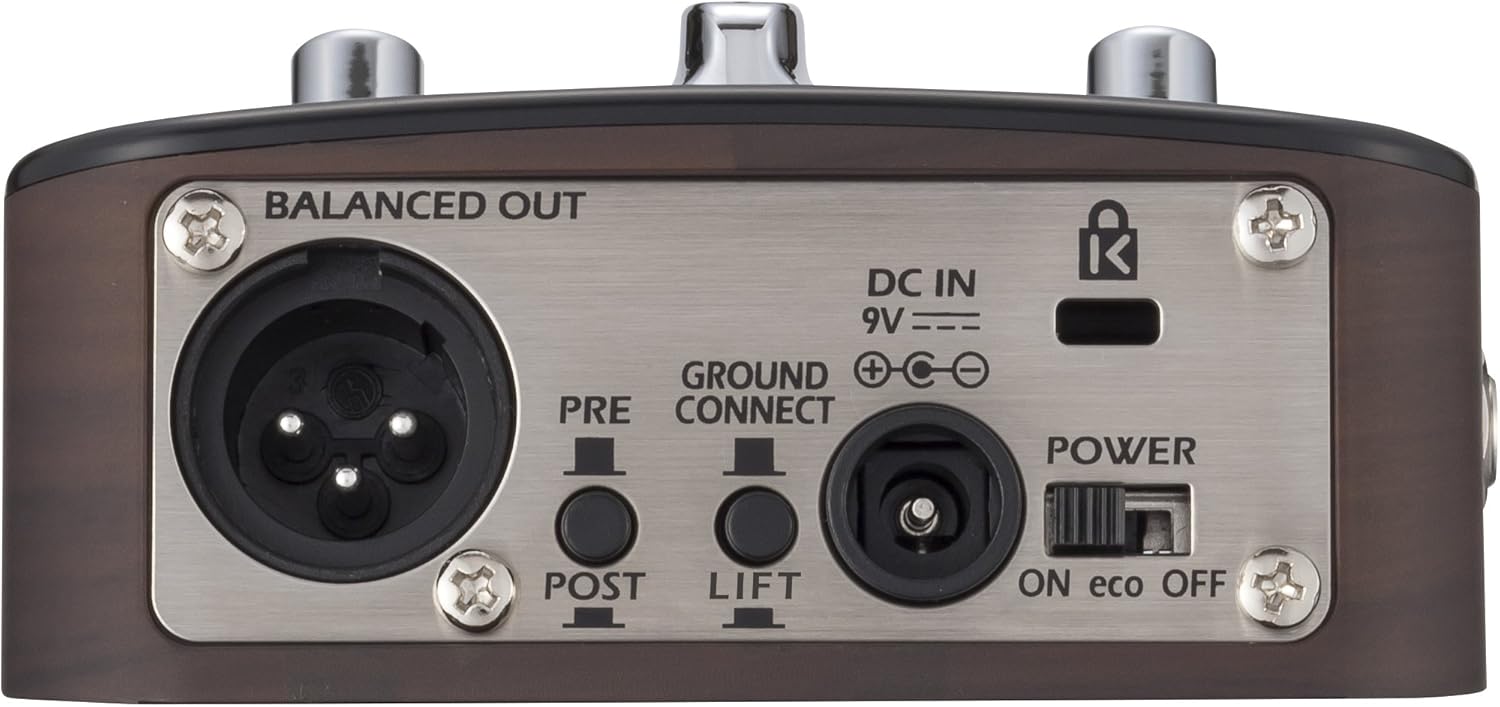
Image: Rear panel of the Zoom AC-2, detailing the balanced XLR output, DC power input, ground lift switch, and power switch.
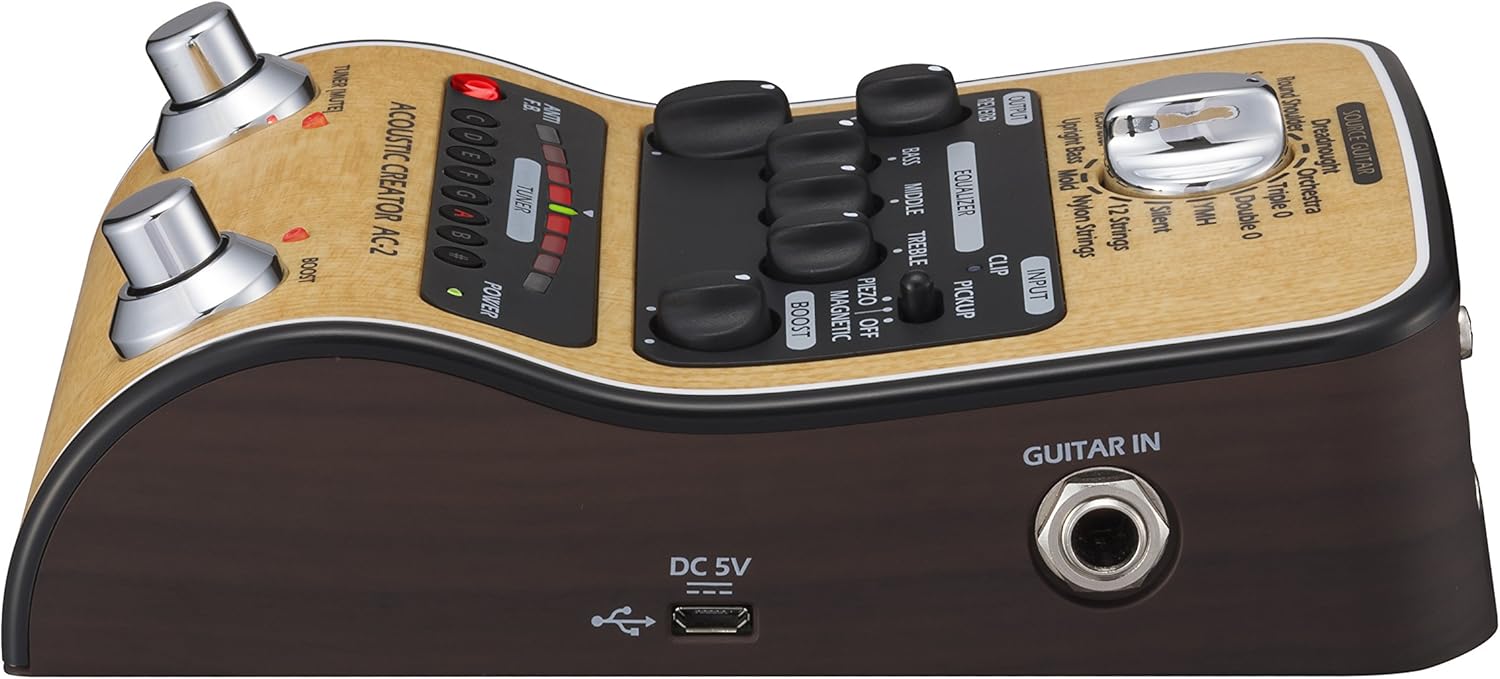
Gambar: Sisi katuhu view of the Zoom AC-2, showing the 1/4" guitar input and micro-USB port.
- GUITAR IN Jack: 1/4" mono input for connecting your acoustic-electric guitar.
- OUTPUT 1/MONO Jack: 1/4" mono output for connecting to an amplifier atawa alat audio sejenna.
- Jack TELEPON: Kaluaran stéréo 1/4" pikeun nyambungkeun headphone.
- BALANCED OUT (XLR) Jack: Balanced XLR output for connecting to a PA system or mixing console. Includes PRE/POST switch for sending signal before or after effects, and a GROUND LIFT switch to eliminate hum.
- DC IN 9V: Power input for the optional Zoom AD-16 AC adapter.
- Saklar Daya: Turns the unit on or off. The "eco" setting conserves battery life.
- Port USB: Port Micro-USB pikeun apdet firmware.
Setup sareng Konéksi
Follow these steps to set up your AC-2 pedal:
- Sasayogian tanaga: Connect the Zoom AD-16 AC adapter to the DC IN 9V jack. Alternatively, insert 4 AA batteries into the battery compartment on the underside of the unit.
- Sambungan Gitar: Connect your acoustic-electric guitar to the GUITAR IN jack using a standard 1/4" instrument cable.
- Sambungan Kaluaran:
- Pikeun hiji amplifier or other instrument input: Connect the OUTPUT 1/MONO jack to your amplifier using a 1/4" instrument cable.
- For a PA system or mixing console: Connect the BALANCED OUT (XLR) jack to the mixer using an XLR cable. Ensure the PRE/POST switch is set according to your preference (PRE for signal before effects, POST for signal after effects). Use the GROUND LIFT switch if you experience hum.
- For headphones: Connect headphones to the PHONES jack.
- Daya Hurung: Set the POWER switch to the ON position. The POWER LED will illuminate.
Operasi Dasar
- Select Pickup Type: Set the PICKUP switch to match your guitar's pickup type (PIEZO or MAGNETIC).
- Select Source Guitar: Rotate the SOURCE GUITAR knob to choose the desired acoustic guitar body type preset. Experiment with different settings to find the best match for your instrument and desired tone.
- Saluyukeun Volume: Start with the VOLUME knob at a low setting and gradually increase it to a comfortable listening level. This knob also influences the input gain, so adjust it to prevent clipping (indicated by the CLIP LED).
- Shape Your Tone: Use the BASS, MIDDLE, and TREBLE knobs in the EQUALIZER section to fine-tune your sound.
- Add Reverb: Turn the REVERB knob clockwise to add more reverb to your sound.
- Use the Tuner: Press the TUNER [MUTE] footswitch to activate the tuner. The output will be muted. Tune your guitar using the visual display. Press the footswitch again to exit tuner mode and unmute the output.
- Engage Boost: Press the BOOST footswitch to activate the boost function. Adjust the BOOST knob to set the desired gain level for solos or emphasis.
- Anti-Feedback: If you experience feedback, press the ANTI F.B. button. This will engage a feedback suppression circuit.
Video Demonstrasi
Video: Hiji leuwihview demonstrating the features and sound capabilities of the Zoom AC-2 and AC-3 Acoustic Creator pedals. This video highlights the various guitar models and effects available.
Pangropéa
To ensure the longevity and optimal performance of your AC-2 pedal, follow these maintenance guidelines:
- beberesih: Anggo lawon anu lemes sareng garing pikeun ngusap bagian luar unit. Entong nganggo pembersih abrasif, lilin, atanapi pangleyur.
- Panyimpenan: Simpen pedal di tempat anu tiis sareng garing, jauh tina sinar panonpoé langsung, suhu anu ekstrim, sareng kalembaban anu luhur.
- Ngagantian batré: If using batteries, replace them when the POWER LED dims or the unit stops functioning correctly. Always replace all batteries at the same time with new ones of the same type. Remove batteries if the unit will not be used for an extended period.
- Sambungan: Periodically check all cable connections for wear and tear. Use high-quality cables to prevent signal loss or interference.
Pamérésan masalah
If you encounter issues with your AC-2 pedal, refer to the following common problems and solutions:
| Masalah | Mungkin Cukang lantaranana | Solusi |
|---|---|---|
| Teu aya sora atanapi volume handap |
|
|
| Sora distort |
|
|
| Hum atawa noise |
|
|
| Tuner teu jalan |
|
|
spésifikasi
| Fitur | Rincian |
|---|---|
| Nomer modél | AC-2 |
| Item Beurat | 1.35 pon |
| Dimensi produk | 6.13 x 1.5 x 4 inci |
| Batré | 4 batré AA diperlukeun (Alkali dianjurkeun) |
| Panganteur Hardware | USB |
| Format Sinyal | Analog |
| Jenis Bahan | Beusi sténless |
| Sumber Daya | Battery Powered / AC Adapter (9V) |
| Voltage | 9 volt |
Garansi sareng Rojongan
Kanggo inpormasi garansi, pendaptaran produk, sareng dukungan téknis, mangga buka Zoom resmi website or contact your local Zoom distributor. Keep your purchase receipt as proof of purchase for warranty claims.
Anjeun tiasa mendakan langkung seueur inpormasi sareng sumber dukungan dina Zoom Store dina Amazon.


