1. Bubuka
The HAMMER Finnlo 3194 Varon XTR BT Ergometer is a high-quality fitness device designed for effective cardiovascular training and endurance improvement. Its varied computer programs and robust construction provide a motivating and safe workout experience. This manual provides essential information for the assembly, operation, maintenance, and troubleshooting of your ergometer.

Image 1.1: The HAMMER Finnlo 3194 Varon XTR BT Ergometer, a modern exercise bike designed for home fitness.
2. Parentah Kasalametan
Please read all safety instructions carefully before using the ergometer. Failure to follow these instructions may result in injury or damage to the equipment.
- Taroskeun ka Dokter: Before starting any new exercise program, especially if you have pre-existing health conditions.
- Majelis anu leres: Ensure all parts are correctly assembled and tightened according to the instructions.
- Surface Stabil: Place the ergometer on a flat, stable surface to prevent tipping.
- Clearance: Maintain adequate clear space around the ergometer during use.
- Barudak jeung Pets: Jauhkeun barudak sareng piaraan tina alat salami operasi.
- Batesan Beurat: Ulah ngaleuwihan beurat pamaké maksimum 150 kg.
- Pakéan anu leres: Wear appropriate athletic clothing and footwear. Avoid loose clothing that could get caught in moving parts.
- Stopan Darurat: Familiarize yourself with how to stop the machine quickly in an emergency.
3. Setup jeung Majelis
The ergometer requires assembly. The process typically takes approximately 45 minutes with the included tools and instructions.
3.1 Ngabongkar bungkusan
- Sacara saksama miceun sadaya komponén tina bungkusan.
- Inspect all parts for any signs of damage. Contact customer support if any damage is found.
- Ensure all listed components are present before beginning assembly.
3.2 Léngkah Majelis
- Pasangkeun stabilisator hareup sareng tukang kana pigura utama.
- Mount the pedals, ensuring they are tightened securely. Note that pedals are often left and right specific.
- Install the seat post and saddle. Adjust the saddle height and position for comfortable use. The deep and wide entry design facilitates easy seating.
- Attach the handlebar post and handlebars. Adjust the Vario handlebars to your preferred training position.
- Connect the console cables to the main unit.
- Colokkeun kabel listrik.
3.3 Leveling and Positioning
Use the integrated floor level adjustment feet to ensure the ergometer is stable and does not wobble on uneven surfaces. The transport rollers allow for easy repositioning of the device.

Image 3.1: A user demonstrating proper posture on the ergometer, highlighting features like easy entry, adjustable saddle and handlebars, and the XL-LCD display.
4. Parentah Operasi
The Varon XTR BT Ergometer offers a user-friendly experience with its self-explanatory computer and various training options.
4.1 Power On and Console Overview
- Connect the ergometer to a power outlet.
- The XL-LCD display will illuminate, showing various metrics such as time, distance, speed, calories, and heart rate.
- Use the quick selection keys to navigate through menus and programs.
4.2 Training Programs and Resistance
The ergometer features 41 resistance levels and 15 varied training programs, including:
- Mountain and valley excursions.
- High-intensity rides.
- Interval training for muscle relaxation.
- 3 program kontrol denyut jantung.
You can also save up to 4 user profiles to track individual progress.
4.3 Konéktivitas Bluetooth sareng Integrasi Aplikasi
The Varon XTR BT Ergometer supports Bluetooth connectivity, allowing you to connect to a tablet or smartphone for enhanced training experiences. It is compatible with popular fitness apps like Kinomap and BitGym.
- Kontrol Aplikasi: Use the Bluetooth connection to control the device via a compatible app, enabling virtual rides and interactive training.
- Ngawaskeun Laju haté: For heart rate monitoring, an uncoded chest strap must be used. The Bluetooth functionality of the computer is primarily for app control, not for receiving heart rate signals from coded chest straps.
- Palabuhan Ngecas USB: A USB charging port is available to keep your smart device powered during workouts.

Image 4.1: A user engaging with fitness apps like Kinomap for interactive and efficient training, with automatic resistance adjustment in real-time.
4.4 Operasi Tenang
The ergometer features a friction-free belt drive and a FINNLO induction braking system combined with HiTech belt drive, ensuring quiet operation. This makes it suitable for use in apartments or during quiet hours.
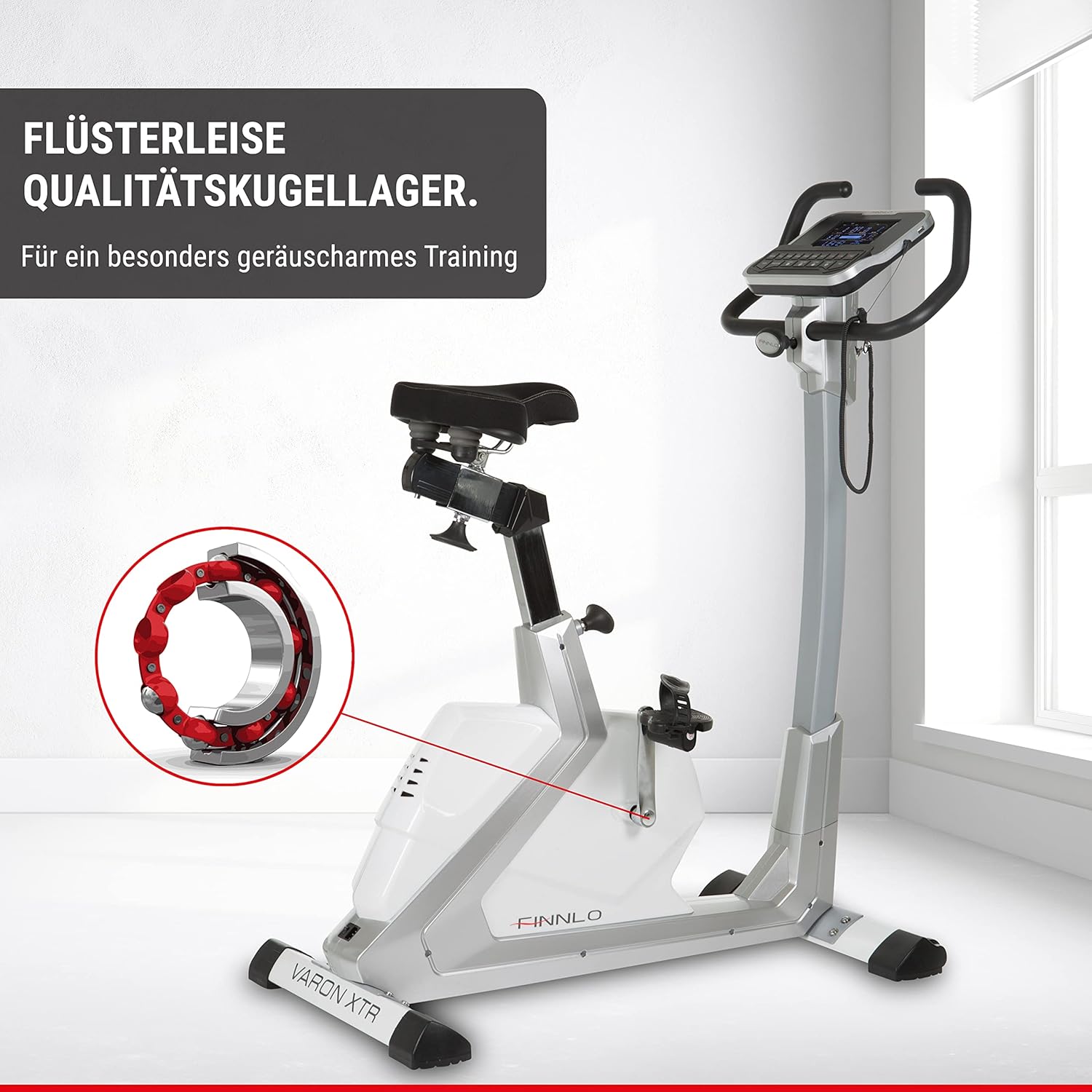
Image 4.2: Illustration of the quiet quality ball bearings, contributing to the ergometer's low-noise operation.
5. Pangropéa
Regular maintenance ensures the longevity and optimal performance of your ergometer.
- beberesih: Wipe down the ergometer with a damp lawon sanggeus unggal pamakéan pikeun miceun kesang jeung lebu. Hindarkeun pembersih abrasive.
- Pamariksaan: Périodik pariksa sagala bolts, kacangan, sarta bagian ojah pikeun tightness tur maké. Tighten sagala fasteners leupas.
- Lubrication: No specific lubrication is typically required for the belt drive system. Refer to the detailed assembly manual for any specific lubrication points if applicable.
- Panyimpenan: Store the ergometer in a dry, clean environment away from direct sunlight and extreme temperatures.
6. Cara ngungkulan
This section addresses common issues you might encounter with your ergometer.
| Masalah | Mungkin Cukang lantaranana | Solusi |
|---|---|---|
| Display is not readable or blank. | Loose power connection, power outage, display malfunction. | Check power cable connection. Ensure power outlet is functional. If issue persists, contact customer support. |
| Heart rate not displayed or inaccurate. | Incorrect chest strap type, poor contact, low battery in chest strap. | Ensure you are using an uncoded chest strap. Moisten electrodes for better contact. Check chest strap battery. |
| Cadence not transmitted to app. | App limitation, firmware issue. | This is a known limitation; cadence is displayed on the device but not transmitted to the app. No user solution currently available. |
| Noise mahiwal salila operasi. | Komponen leupas, karusakan internal. | Stop using the ergometer immediately. Inspect all visible bolts and connections. If noise persists, contact customer support. |
7. Spésifikasi Téknis
| Fitur | Spésifikasi |
|---|---|
| merek | PALU |
| Nomer modél | 3194 |
| Ukuran produk (L x W x H) | 58 x 112 x 130 cm |
| Item Beurat | 41 kg |
| Beurat Maksimum anu Disarankeun | 150 kg |
| Warna | Blue, Silver, White |
| Bahan Utama | alumunium |
| Bahan cecekelan | Alloy Steel |
| Sistim drive | Sabuk |
| Mékanisme Résistansi | Magnét |
| Sumber Daya | Kabel Listrik |
| Fitur husus | App Connectivity (Bluetooth) |
| Dianjurkeun Mangpaat | Kabugaran |
8. Garansi jeung Rojongan
For warranty information, please refer to the documentation provided with your purchase or visit the official HAMMER website. HAMMER is a German company with over 120 years of experience in sports equipment.
8.1 Rojongan Palanggan
If you encounter issues not covered in this manual or require further assistance, please contact HAMMER customer support. Contact details can typically be found on the manufacturer's websitus atanapi dina bungkusan produk Anjeun.
When contacting support, please have your model number (3194) and purchase information readily available.