Bubuka
This manual provides comprehensive instructions for the safe and efficient use of your AWEI A700BL Bluetooth Sports Headphone. Please read this manual thoroughly before operating the device and retain it for future reference.
The AWEI A700BL is a versatile headphone designed for both wired and wireless connectivity, featuring deep subwoofer audio and active noise cancellation.
Émbaran Kasalametan
- Ulah ngantepkeun headphone ka suhu atanapi kalembaban anu ekstrim.
- Hindarkeun leupaskeun atanapi nahan headphone kana dampak anu kuat.
- Ulah ngabongkar atanapi nyobian ngalereskeun headphone sorangan. Ieu tiasa ngabatalkeun garansi sareng nyababkeun karusakan.
- Bersihkeun headphone nganggo lawon anu lemes sareng garing. Entong nganggo bahan kimia anu kasar atanapi bahan anu kasar.
- Dengekeun dina tingkat polumeu sedeng pikeun nyegah karuksakan dédéngéan.
Eusi pakét
Pastikeun yén sadaya item aya dina bungkusan:
- AWEI A700BL Bluetooth Sports Headphone
- Kabel Ngecas USB
- Kabel Audio 3.5mm
- Manual pangguna (dokumén ieu)
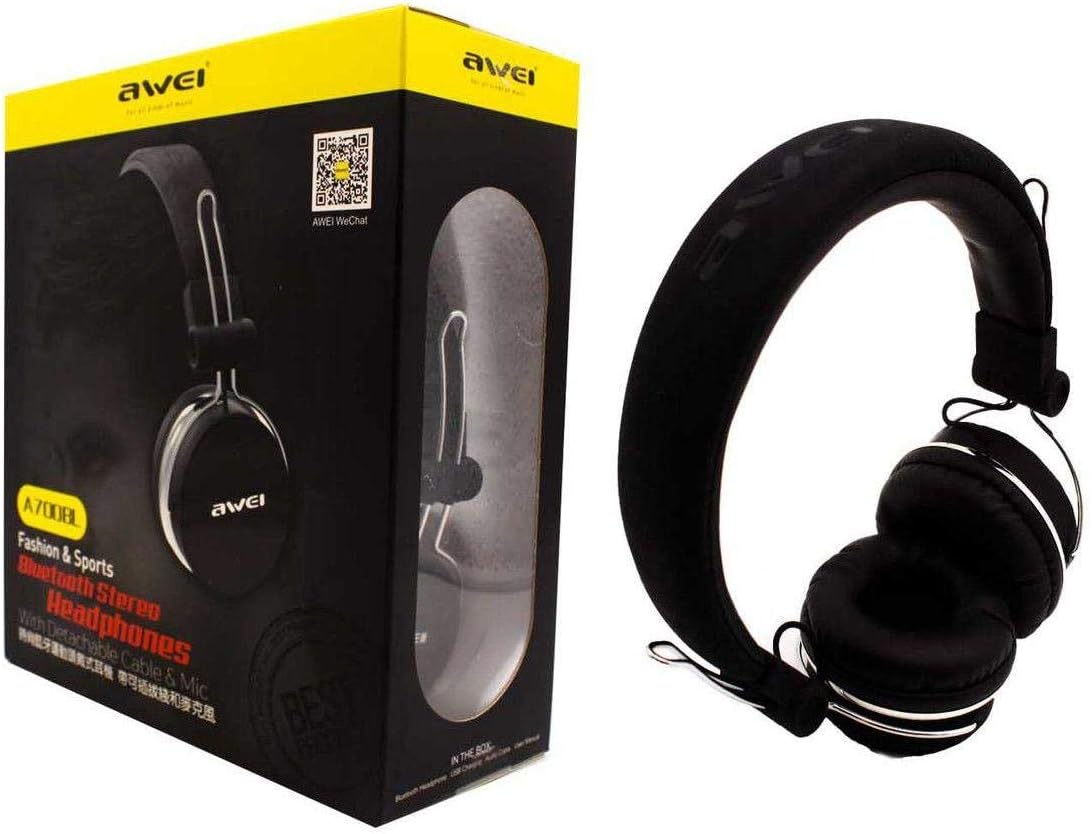
Image: The AWEI A700BL headphone shown alongside its retail packaging, illustrating the product and its box contents.
Disetél
1. Ngecas Headphone
Before first use, fully charge the headphones. Connect the micro USB end of the charging cable to the charging port on the headphone and the USB-A end to a compatible USB power source (e.g., computer USB port, wall adapter).
- Indikator LED bakal nyaangan nalika ngecas.
- Indikator LED bakal robah warna atawa pareum saatos ngecas réngsé.
- Ngeusi batre pinuh biasana butuh 2-3 jam.
2. Powering on / Pareum
- Pikeun Ngahurungkeun: Pencét terus tahan tombol Daya salila kurang leuwih 3 detik nepi ka indikator LED kedip-kedip.
- Pikeun mareuman: Pencét terus tahan tombol Daya salila kurang leuwih 3-5 detik nepi ka indikator LED pareum.
Parentah Operasi
1. Ngapasangkeun Bluetooth (Modeu Nirkabel)
- Pastikeun headphone tos dicas pinuh sareng pareum.
- Pencét terus tahan tombol Daya salila kira-kira 5-7 detik nepi ka indikator LED kedip-kedip beureum jeung biru silih genti, nunjukkeun modeu pairing.
- Dina alat sélulér anjeun (smartphone, tablet, jsb.), aktipkeun Bluetooth sareng milarian alat anu sayogi.
- Pilih "AWEI A700BL" tina daptar alat anu kapendak.
- Sakali dipasangkeun, indikator LED bakal kedip-kedip biru lalaunan, sareng anjeun tiasa ngadangu nada konfirmasi.
- Upami dipenta pikeun kecap akses, lebetkeun "0000".
Catetan: Headphone bakal otomatis nyobian nyambung deui ka alat anu dipasangkeun terakhir nalika diaktipkeun.
2. Sambungan Kabel (Mode Aux)
To use the headphones in wired mode, connect one end of the 3.5mm audio cable to the headphone's audio jack and the other end to the 3.5mm audio output of your device. The headphones do not need to be powered on for wired use.
3. Kadali dasar
| Tombol/Aksi | Fungsi |
|---|---|
| Tombol Daya (Pencét Panjang) | Daya Hurung/Pareuman |
| Tombol Daya (Pencét Sakeudeung) | Puter/Reureuh musik, Jawab/Tungtung telepon |
| Volume Naik (+) | Increase volume (short press), Next track (long press) |
| Volume Turun (-) | Decrease volume (short press), Previous track (long press) |
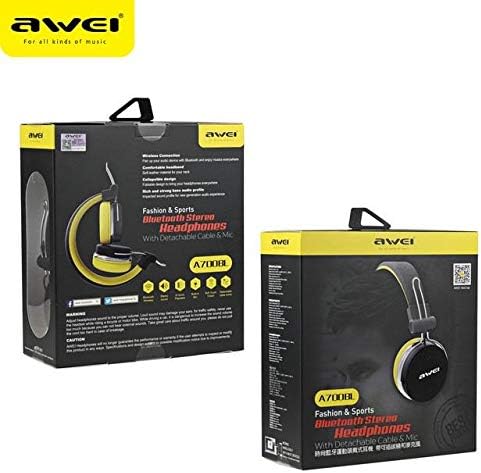
Gambar: Sisi view of the AWEI A700BL headphone, highlighting the location of control buttons and ports.
Pangropéa
- beberesih: Use a soft, dry, lint-free cloth to clean the headphone surfaces. Do not use liquid cleaners or aerosols.
- Panyimpenan: Nalika henteu dianggo, simpen headphone dina tempat anu tiis, garing, jauh tina sinar panonpoé langsung sareng suhu anu ekstrim.
- Perawatan batré: To prolong battery life, avoid fully discharging the battery frequently. Charge the headphones regularly, even if not in constant use.
Pamérésan masalah
| Masalah | Solusi anu mungkin |
|---|---|
| Headphone teu hurung. | Pastikeun headphone dicas. Sambungkeun ka sumber listrik teras cobian deui. |
| Teu bisa masangkeun via Bluetooth. |
|
| Teu aya sora dina modeu nirkabel. |
|
| Teu aya sora dina mode kabel. |
|
spésifikasi
| Fitur | Rincian |
|---|---|
| Nomer modél | A700BL |
| merek | AW (Awei) |
| Konektipitas | Bluetooth (Wireless), 3.5mm Jack (Wired) |
| Headphone Bentuk Faktor | Dina Ceuli |
| Kontrol bising | Pembatalan Noise aktip |
| Bahan | palastik |
| Jenis Batré | Ion Litium (1 diperyogikeun) |
Garansi sareng Rojongan
For warranty information or technical support, please refer to the documentation provided with your purchase or contact your retailer. Keep your proof of purchase for warranty claims.
Note: Disassembling the product may void the warranty.