Bubuka
The Pioneer MRX-5 is a versatile wireless speaker designed to deliver high-quality audio. Featuring two 77mm mid-bass drivers and a 28mm tweeter, it provides clear and powerful sound. With built-in Wi-Fi, Bluetooth, Chromecast, and PlayFi technologies, the MRX-5 supports various streaming options. Its integrated Li-Ion battery allows for up to 4 hours of portable use. The speaker also supports FlareConnect for multi-room audio integration with compatible devices.
Eusi pakét
Punten pastikeun sadaya barang aya dina pakét:
- Pioneer MRX-5 Wireless Speaker
- Kadali jauh
- Kabel Auxiliary
- LAN Kabel
- Power Adapter (not explicitly listed but implied for charging)
- Manual pangguna (dokumén ieu)
Produk Leuwihview
Familiarize yourself with the various parts and controls of your Pioneer MRX-5 speaker.
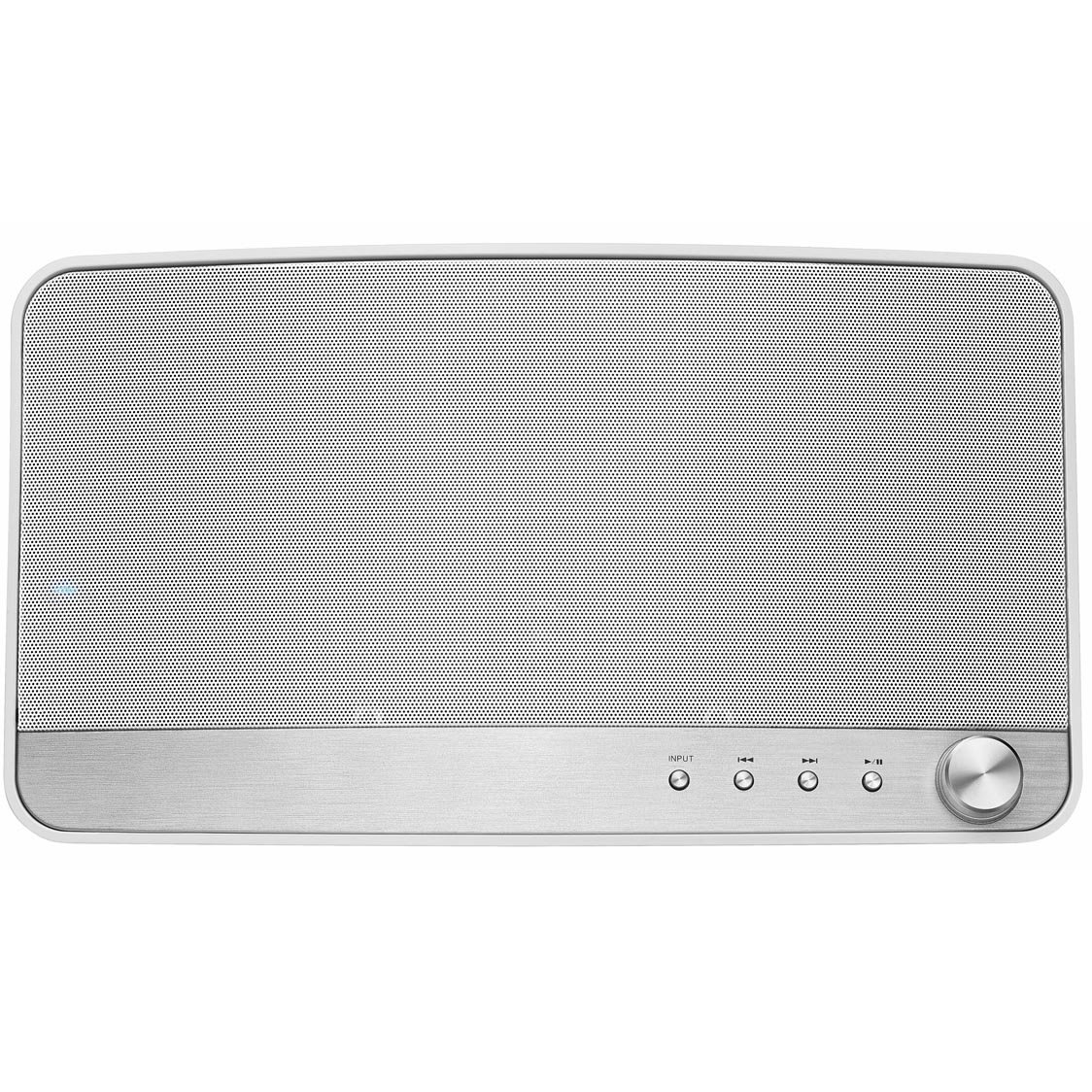
Gambar 1: Hareupeun view of the Pioneer MRX-5 wireless speaker, showcasindesain minimalis sareng gril spikerna.
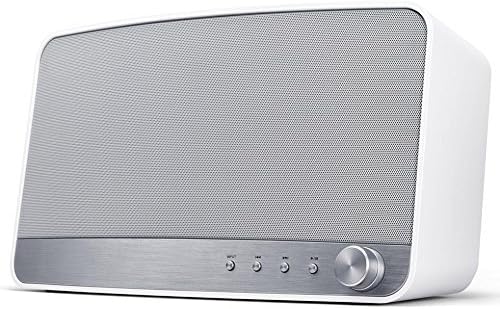
Gambar 2: Close-up of the front panel controls, including buttons for playback and a rotary volume knob.
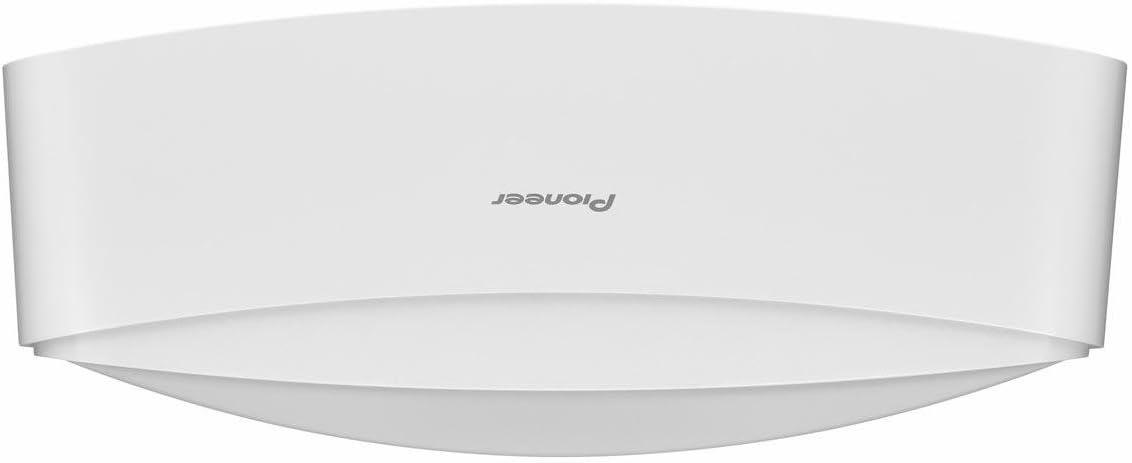
Gambar 3: Rear panel of the Pioneer MRX-5, showing the network port, standby/on button, DC IN, and AUX IN ports.
Disetél
1. Powering On sareng Ngecas
- Sambungkeun adaptor daya anu disayogikeun ka DC IN port on the rear of the speaker (refer to Figure 3).
- Colokkeun adaptor kakuatan kana stop kontak témbok.
- Pencét éta sayaga / ON button on the rear panel to power on the speaker.
- The battery charges automatically when connected to power. A full charge provides approximately 4 hours of playback.
2. Network Connection (Wi-Fi / LAN)
For optimal streaming and multi-room functionality, connect the speaker to your home network.
Sambungan Wi-Fi:
- Unduh Pioneer Remote App ti toko aplikasi alat anjeun (ios atanapi Android).
- Ensure your smartphone/tablet is connected to the same Wi-Fi network you intend to connect the speaker to.
- Open the Pioneer Remote App and follow the on-screen instructions to add and configure your MRX-5 speaker to the Wi-Fi network.
Sambungan LAN (Kabel):
- Connect one end of the provided LAN cable to the JARINGAN port on the rear of the speaker (refer to Figure 3).
- Connect the other end of the LAN cable to an available Ethernet port on your router or network switch.
- The speaker will automatically connect to the network.
3. Papasangan Bluetooth
- Pencét éta Nyambungkeun button on the rear panel (refer to Figure 3) or the Bluetooth button on the front panel (refer to Figure 2) to enter Bluetooth pairing mode. The indicator light will flash.
- Dina telepon pinter atanapi tablet anjeun, buka setélan Bluetooth.
- Select "Pioneer MRX-5" from the list of available devices.
- Sakali dipasangkeun, lampu indikator bakal eureun kedip-kedip sarta tetep solid.
Parentah Operasi
1. Kadali dasar
The MRX-5 can be controlled via the Pioneer Remote App or the physical buttons on the unit.
- Kontrol volume: Rotate the large knob on the front panel or use the volume controls within the Pioneer Remote App.
- Puter / Reureuh: Press the Play/Pause button on the front panel or in the app.
- Langkung Lacak: Use the Skip Forward/Backward buttons on the front panel or in the app.
- Pilihan Input: Use the input selection buttons on the front panel or the app to switch between Wi-Fi, Bluetooth, and AUX inputs.
2. Streaming Services and Multi-room Audio
The MRX-5 supports various streaming platforms and multi-room audio technologies.
- Chromecast bawaan: Cast audio directly from compatible apps on your smartphone or tablet.
- PlayFi: Use the PlayFi app to stream music from various services and create a multi-room audio system with other PlayFi compatible devices.
- FlareConnect: For multi-room audio, connect the MRX-5 to other FlareConnect compatible Pioneer devices. This allows sharing audio sources (e.g., turntable, TV sound) across different rooms via the Pioneer Remote App.
- Spotify/Tidal: Stream directly from these services using their respective apps or through the Pioneer Remote App.
3. Input Bantosan
To connect an external audio device:
- Sambungkeun hiji tungtung kabel bantu ka NGARÉMÉ DI port on the rear of the MRX-5 (refer to Figure 3).
- Sambungkeun tungtung nu sejen ka jack headphone atawa kaluaran audio tina alat éksternal Anjeun.
- Select the AUX input using the front panel controls or the Pioneer Remote App.
Pangropéa
beberesih
- Sok pegatkeun sambungan adaptor kakuatan sateuacan beberesih.
- Anggo lawon anu lemes sareng garing pikeun ngusap bagian luar spéker.
- Do not use liquid cleaners, aerosols, or abrasive cleaning agents, as these may damage the finish or internal components.
Perawatan batré
- To preserve battery life, fully charge the speaker before its first use.
- If storing the speaker for an extended period, charge it to approximately 50% every 3-6 months.
- Ulah nepi ka speaker kakeunaan suhu anu ekstrim, anu tiasa ngirangan kinerja batré.
- For long-term storage or when not in use, it is recommended to completely power off the device using the rear STANDBY/ON button to prevent excessive battery drain.
Pamérésan masalah
If you encounter issues with your MRX-5 speaker, refer to the following common solutions:
Teu Aya Daya / Spiker Teu Nyala
- Pastikeun adaptor daya disambungkeun sacara aman boh ka spiker sareng stop kontak témbok anu tiasa dianggo.
- Pariksa stop kontak témbok fungsina ku cara nyolok kana alat sejen.
- If operating on battery, ensure the battery is charged. Connect to power and allow some time for charging before attempting to power on.
- Press and hold the STANDBY/ON button for a few seconds to ensure it's not just in standby mode.
Taya Sora
- Pariksa tingkat polumeu boh dina speaker sareng alat Anjeun nu disambungkeun.
- Ensure the correct input source (Wi-Fi, Bluetooth, AUX) is selected.
- If using Bluetooth, ensure the speaker is properly paired and connected to your device.
- If using Wi-Fi, verify the network connection is stable and the streaming app is functioning correctly.
- If using AUX, ensure the cable is fully inserted into both the speaker and the source device.
Cannot Connect to Wi-Fi / Network Issues
- Ensure your router is powered on and functioning.
- Confirm that your smartphone/tablet is connected to the same Wi-Fi network as the speaker during setup.
- Try restarting your router and the MRX-5 speaker.
- If using the LAN cable, ensure it is securely connected to both the speaker and the router.
- Check for any firmware updates for the speaker via the Pioneer Remote App.
Gagal Nyapasangkeun Bluetooth
- Ensure the speaker is in Bluetooth pairing mode (indicator light flashing).
- Pareuman Bluetooth dina alat anjeun sareng hurungkeun deui.
- Forget "Pioneer MRX-5" from your device's Bluetooth settings and attempt to pair again.
- Pindahkeun alat anjeun langkung caket kana spiker pikeun mastikeun alatna aya dina jangkauan.
- Ensure no other devices are currently connected to the speaker via Bluetooth.
spésifikasi
| Fitur | Spésifikasi |
|---|---|
| Nomer modél | MRX-5 |
| Tipe Speaker | Wireless, Portable Bluetooth/Wi-Fi Speaker |
| Saluran Audio | 1.0 (Mono, but stereo output from two drivers) |
| Ukuran Speaker | 77 mm (Mid-bass drivers) |
| Daya Kaluaran | 5 Watt (Maksimum) |
| Téhnologi konektipitas | Bluetooth, Wi-Fi (Chromecast built-in, PlayFi, FlareConnect) |
| Sambungan kabel | AUX IN (3.5mm), LAN (Ethernet) |
| Métode kontrol | Application (Pioneer Remote App), On-device buttons |
| Jenis Batré | 1 litium-polimér (kaasup) |
| Kahirupan batré | Nepi ka 4 jam (kira-kira) |
| Ukuran (L x W x H) | 14.5 x 32 x 18 cm (5.7 x 12.6 x 7.1 inci) |
| Beurat | 2.5 Kilogram (5.5 lbs) |
| Komponén Kaasup | Remote control, Auxiliary cable, LAN cable |
Émbaran jaminan
Pioneer products are covered by a limited warranty. For specific warranty terms and conditions, please refer to the warranty card included with your product or visit the official Pioneer websitus pikeun wewengkon Anjeun. Simpen resi pameseran anjeun salaku bukti pameseran pikeun klaim garansi.
Ngarojong
For further assistance, technical support, or to download the Pioneer Remote App, please visit the official Pioneer websitus atanapi ngahubungan departemén layanan palanggan maranéhna.
- Pioneer Remote App: Search "Pioneer Remote App" in the Apple App Store or Google Play Store.
- Resmi Websitus: www.pioneer-audiovisual.eu (atanapi Pioneer régional anjeun websitus)
- Palayanan palanggan: Tingali kana inpormasi kontak anu disayogikeun dina resmi websitus pikeun wewengkon Anjeun.