Bubuka
This manual provides instructions for the safe and proper operation of your Bontempi 122971 24 Key Electronic Keyboard with Microphone. Please read this manual thoroughly before use and retain it for future reference.
Produk Leuwihview
The Bontempi 122971 is a 24-key electronic keyboard designed for musical exploration. It includes a microphone for vocal integration, four color buttons with light and sound effects, four rhythms, four sounds, and six demo songs. Tempo and volume adjustments are also available.
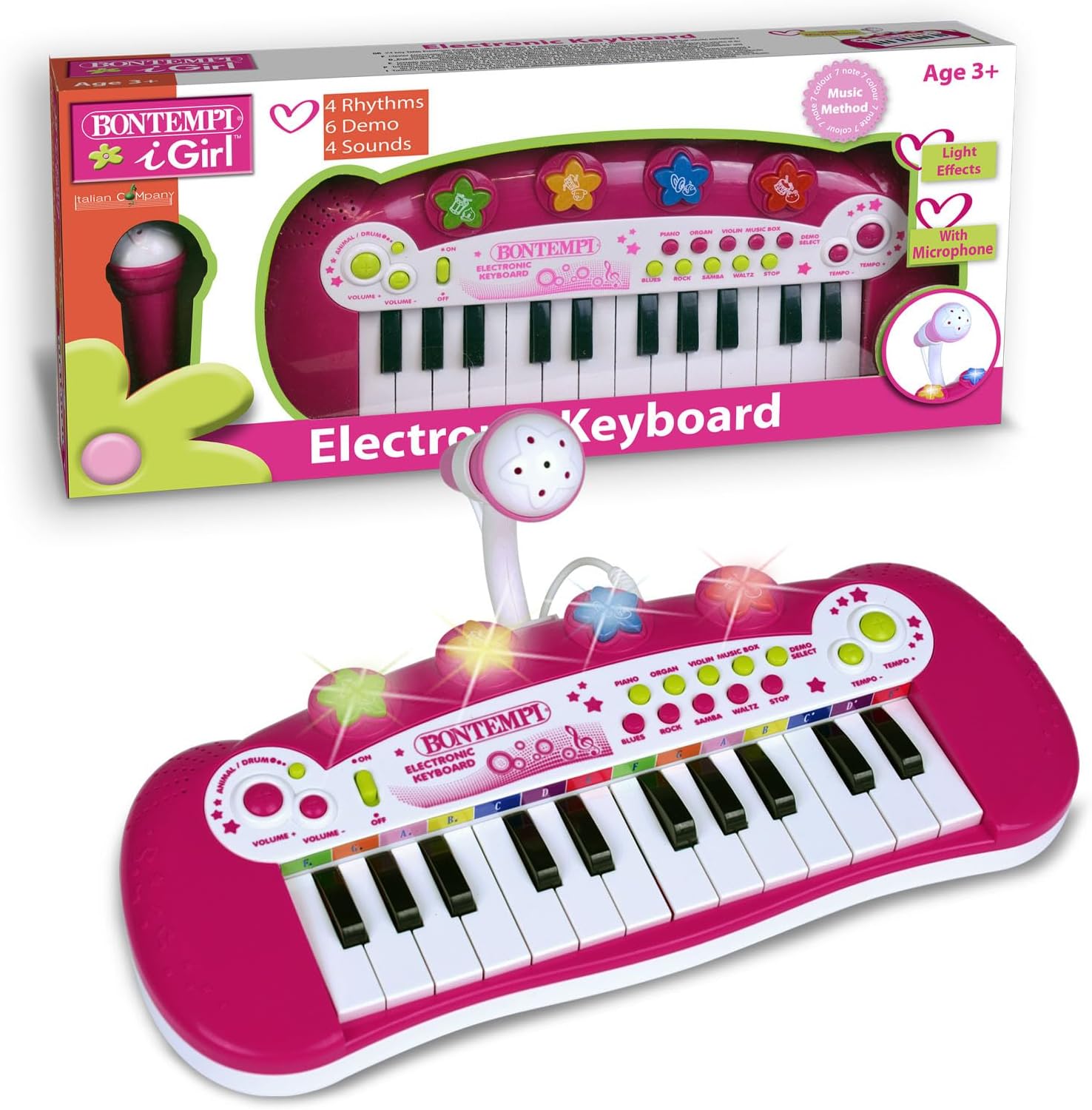
Gambar 1: Hareupeun view of the Bontempi 122971 Electronic Keyboard with Microphone. This image shows the 24 keys, the microphone stand, and the control panel with various buttons for rhythms, sounds, and demos.
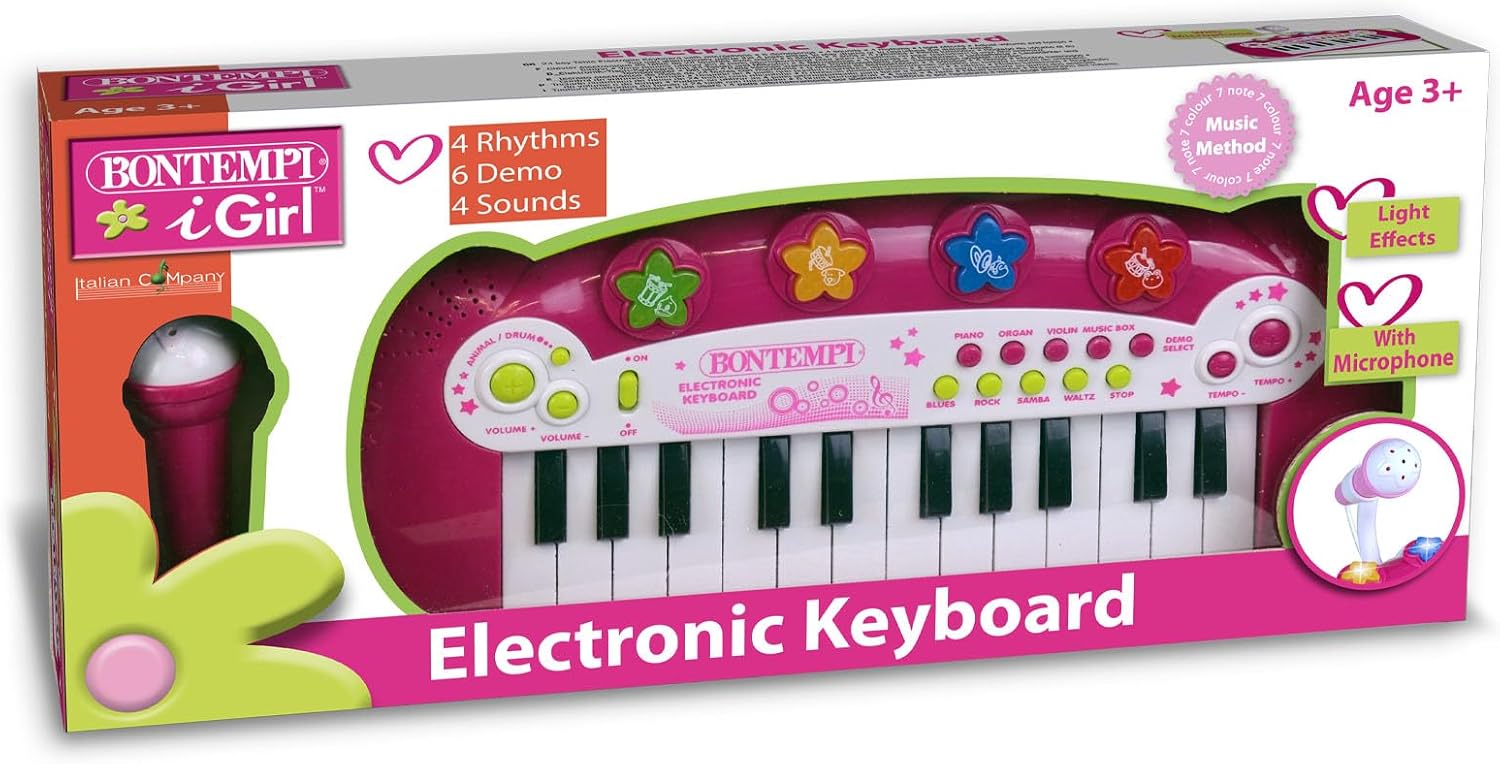
Image 2: The Bontempi 122971 Electronic Keyboard with Microphone shown within its retail packaging. The packaging highlights key features such as "4 Rhythms," "6 Demo," "4 Sounds," and "Light Effects."
Émbaran Kasalametan
- Produk ieu cocog pikeun umur 3 taun ka luhur.
- Do not expose the keyboard to water or excessive moisture.
- Hindarkeun ngaragragkeun alatna atanapi mangaruhan kana tabrakan anu kuat.
- Use only the specified power adapter (if applicable) or batteries.
- Jauhkeun bagian leutik ti barudak ngora pikeun nyegah bahaya choking.
Disetél
- Unboxing: Carefully remove the keyboard and all accessories from its packaging.
- Sambungan Daya:
- If using batteries (not included), open the battery compartment on the underside of the keyboard and insert the required batteries, ensuring correct polarity.
- If using a power adapter (not included), plug the adapter into the designated port on the keyboard and then into a wall outlet.
- Sambungan Mikropon: Insert the microphone cable into the microphone jack on the keyboard.
Parentah Operasi
Daya Hurung/Pareuman
- Press the 'ON' button to turn on the keyboard.
- Press the 'OFF' button to turn off the keyboard.
Maén kibor
- Press any of the 24 keys to play musical notes.
- Pilihan sora: Press the 'SOUNDS' button to cycle through the four available instrument sounds (e.g., Piano, Organ, Violin, Music Box).
- Pilihan irama: Press the 'RHYTHMS' button to choose from the four built-in rhythms (e.g., Blues, Rock, Samba, Waltz).
- Lagu demo: Press the 'DEMO' button to play one of the six pre-recorded demo songs. Press again to cycle through demos or stop playback.
- Penyesuaian Tempo: Use the 'TEMPO +' and 'TEMPO -' buttons to increase or decrease the speed of rhythms and demo songs.
- Penyesuaian volume: Use the 'VOLUME +' and 'VOLUME -' buttons to adjust the overall sound output level.
Ngagunakeun Mikropon
- Ensure the microphone is securely plugged into its jack.
- Speak or sing into the microphone. The sound will be amplified through the keyboard's speaker.
- Adjust the microphone volume using the main volume controls if needed.
Épék Cahaya sareng Sora
- The four color buttons on the keyboard feature integrated light and sound effects. Press these buttons to activate them.
Pangropéa
- beberesih: Wipe the keyboard with a soft, dry cloth. Do not use abrasive cleaners or solvents.
- Panyimpenan: Store the keyboard in a dry place, away from direct sunlight and extreme temperatures.
- Ngagantian batré: If using batteries, replace them when the sound becomes distorted or the lights dim. Always replace all batteries at once and dispose of old batteries responsibly.
Pamérésan masalah
| Masalah | Mungkin Cukang lantaranana | Solusi |
|---|---|---|
| No sound from keyboard. | Keyboard is off, volume is too low, or batteries are depleted/incorrectly inserted. | Ensure keyboard is 'ON'. Increase volume. Check and replace batteries if necessary. Verify power adapter connection. |
| Mikropon teu jalan. | Microphone not properly connected or volume too low. | Ensure microphone is fully plugged into its jack. Increase main volume. |
| Lampu teu jalan. | Batré lemah atawa béak. | Ganti batré. |
spésifikasi
- Jumlah modél: 122971
- Jumlah konci: 24
- Bahan: palastik
- Ukuran produk: 30 x 30 x 30 cm
- Beurat barang: 0.41 kg
- Umur Disarankeun: 3 taun ka luhur
- Fitur: 4 Rhythms, 4 Sounds, 6 Demos, Tempo Adjustment, Volume Adjustment, Microphone, Light Effects
- Batré: Not included (specific type not provided in source, typically AA or C for toys)
Garansi sareng Rojongan
For warranty information or technical support, please refer to the contact details provided on the product packaging or visit the official Bontempi websitus. Simpen resi pameseran anjeun salaku bukti pameseran.


