Bubuka
This user manual provides comprehensive instructions for the installation, operation, and maintenance of your Fosmon WaveLink Wireless Motion Sensor Door Chime. Designed for both home and business use, this system alerts you to movement within its detection range, offering enhanced security and convenience. Please read this manual thoroughly before using the product to ensure proper function and longevity.
Produk Leuwihview
The Fosmon WaveLink system consists of a plug-in receiver and a battery-powered motion sensor transmitter. It features a wide operating range, multiple ringtones, adjustable volume levels, and LED indicators for visual alerts.
Komponén
- panarima: Plugs into a standard 110V outlet, emits chimes, and features volume and chime selection controls.
- Motion Sensor Transmitter: Battery-operated unit that detects motion and sends a signal to the receiver.
- Mounting bracket and batteries for the transmitter are included.
Fitur konci
- Operasi nirkabel: Up to 500 feet (150 meters) operating range in open areas.
- Tanda anu tiasa disaluyukeun: 58 unique ringtones and 5 volume levels (0 to 110dB).
- Deteksi gerak: Detects movement within 16.4 feet (5 meters) at a 110° angle.
- Indikator Visual: LED lights on both receiver and transmitter for visual alerts.
- Sistem anu tiasa dilegakeun: Each receiver can pair with up to 10 transmitters, and each transmitter can pair with up to 10 receivers.

Figure 1: The Fosmon WaveLink Wireless Motion Sensor Door Chime system, showing the receiver and the motion sensor transmitter.

Gambar 2: Detil view of the receiver and transmitter, highlighting the LED lights, volume control, chime selection, power plug, and speaker on the receiver, and the sensor and LED light on the transmitter.

Figure 3: Illustration of the motion sensor's rotating capabilities, showing 360° rotation, 90° swivel, and 90° tilt for flexible positioning. Dimensions are also indicated: 3.39 inches (86.1 mm) height, 2.17 inches (55.11 mm) width, and 1.42 inches (36.06 mm) depth.
Disetél
1. Installing the Motion Sensor Transmitter
- Open the battery compartment on the back of the motion sensor transmitter.
- Insert one 1.5V AAA Alkaline Battery, ensuring correct polarity (+/-). The battery is typically included.
- Tutup kompartemen batré anu aman.
- Choose a suitable location for the sensor. It can be mounted on a wall using the provided bracket and screws, or placed on a flat surface. Ensure the sensor's detection area (16.4ft x 110°) covers the desired entry point or area.
- Adjust the sensor's angle using its rotating, swiveling, and tilting features for optimal coverage.
2. Setting up the Receiver
- Plug the receiver into any standard 110V AC electrical outlet.
- Ensure the receiver is within the 500-foot (150-meter) operating range of the motion sensor transmitter. Walls and other obstructions may reduce this range.

Figure 4: The compact design of the receiver, shown plugged into a standard wall outlet. The dimensions of the receiver are approximately 3.2 inches by 3.2 inches, allowing it to fit easily without obstructing other outlets.

Gambar 5: Kelamples of various placement options for the Fosmon WaveLink system in a multi-story building, illustrating its versatility for different rooms and entry points.
Parentah Operasi
1. Nyaluyukeun Volume
On the receiver, locate the volume control buttons. Press the Volume Up or Volume Turun button to cycle through the 5 available volume levels, from silent (0dB) to maximum (110dB).
2. Selecting Ringtones
On the receiver, locate the chime selection buttons. Press the Next Chime or Previous Chime button to cycle through the 58 unique ringtones. The selected ringtone will play briefly for preview.

Figure 6: A comprehensive list of the 58 available ringtones for the Fosmon WaveLink system, ranging from classic chimes to various melodies and alerts.
3. Deteksi gerak sareng Tanda
When the motion sensor detects movement within its 16.4ft x 110° detection area, it will send a signal to the paired receiver. The receiver will then play the selected ringtone and its LED indicator will flash. The transmitter's LED will also flash upon detection.
4. Ngembangkeun Sistem Anjeun
The Fosmon WaveLink system is expandable. You can pair additional motion sensor transmitters with your receiver, or pair additional receivers with your existing transmitter. Each receiver can support up to 10 transmitters, and each transmitter can support up to 10 receivers. Refer to the pairing instructions provided with additional units for detailed steps.

Figure 7: Diagram illustrating the wireless and expandable nature of the Fosmon WaveLink system, showing how multiple receivers and transmitters can be interconnected to create a wider security network.
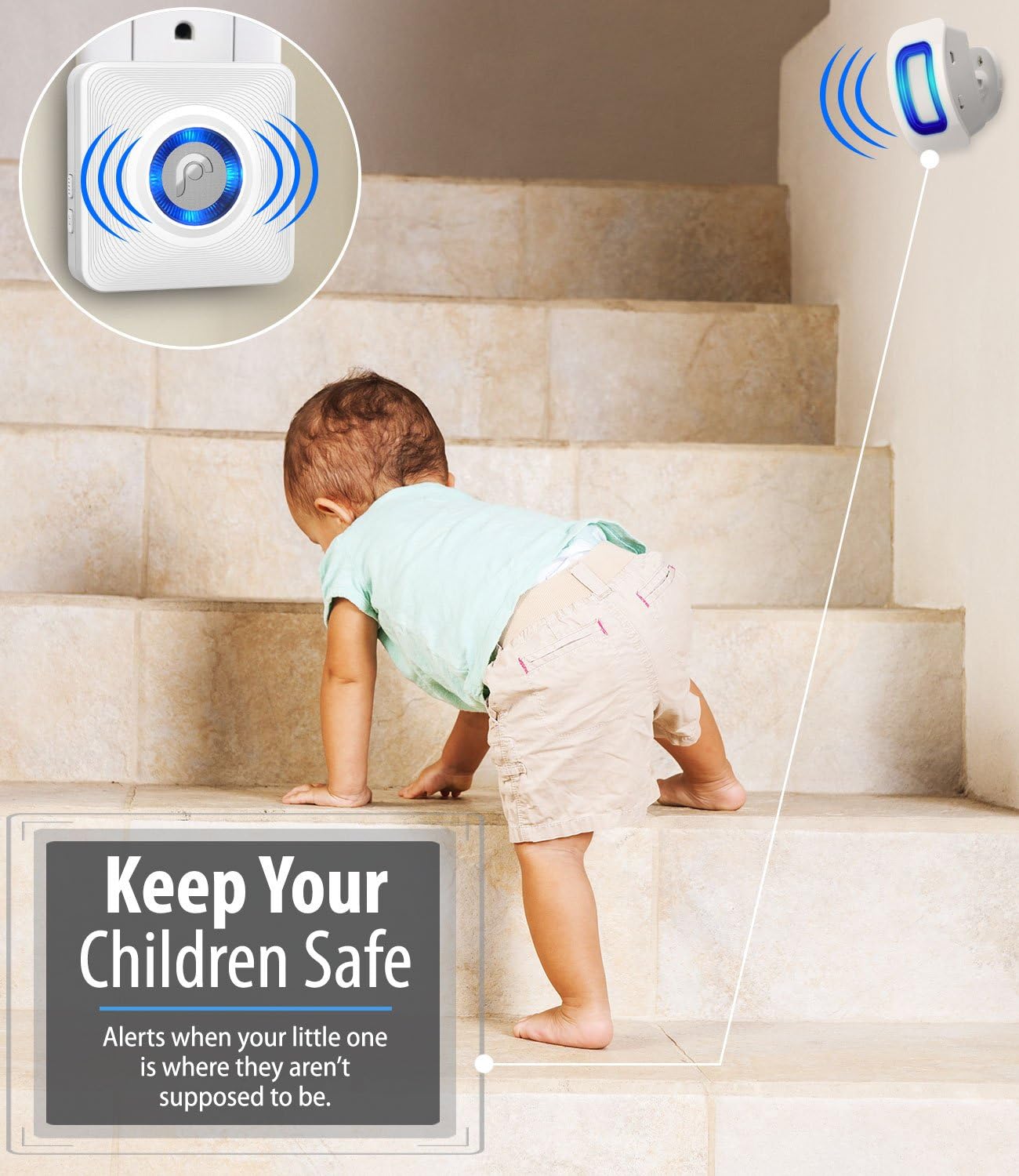
Gambar 8: Hiji example of using the Fosmon WaveLink system for child safety, with a motion sensor placed near stairs to alert parents when a child approaches an unsupervised area.
Pangropéa
Ngagantian batré
The motion sensor transmitter is powered by one 1.5V AAA Alkaline Battery. When the battery is low, the transmitter's LED indicator may flash less frequently or the signal range may decrease. To replace the battery, open the battery compartment, remove the old battery, insert a new AAA Alkaline Battery with correct polarity, and close the compartment.
beberesih
Wipe the surfaces of the receiver and transmitter with a soft, dry cloth. Do not use abrasive cleaners or immerse the units in water.
Pertimbangan Lingkungan
The operating temperature range for the Fosmon WaveLink system is 5°F to 140°F (-15°C to 60°C). While the sensor is designed for various environments, extreme temperatures outside this range may affect performance or battery life. Ensure the units are protected from direct exposure to heavy rain or snow, although they are designed with some weather resistance (IP44).

Figure 9: An illustration depicting the weather resistance of the motion sensor, indicating its suitability for outdoor use within a temperature range of -15°F to 176°F and an IP44 rating for weather resistance. Note: The specified operating temperature in the product description is 5°F to 140°F (-15°C to 60°C).
Pamérésan masalah
| Masalah | Mungkin Cukang lantaranana | Solusi |
|---|---|---|
| Receiver does not chime when motion is detected. |
|
|
| False alarms or frequent chimes. |
|
|
| Short battery life in sensor. |
|
|
| Continuous ringing or looping chime. |
|
|
spésifikasi
| Fitur | Rincian |
|---|---|
| Rentang Operasi | Maximum 500 ft / 150 m (in open area) |
| Nada dering | 58 unique ringtones |
| Tingkat Volume | 5 levels (0 to 110dB) |
| Area Detéksi | 16.4 ft (5 m) x 110° |
| Frékuénsi Operasi | 433 MHz ± 2MHz |
| Suhu Operasi | 5°F nepi ka 140°F (-15°C nepi ka 60°C) |
| Panarima Voltage | AC110V |
| Batré pamancar | 1.5V AAA Alkaline Battery |
| Transmitter Power Consumption | <10mW |
| Dimensi panarima | 3.43 x 3.15 x 1.08 inci (87 x 80 x 27.5 mm) |
| Ukuran pamancar | 3.39 x 2.17 x 1.42 inci (86 x 55 x 36 mm) |
| Beurat panarima | 2.89 oz (82 g) |
| Beurat pamancar | 1.90 oz (54 g) |
| Nomer modél | 51005HOM |
| UPC | 879565510053 |
Garansi sareng Rojongan
Fosmon products are designed for reliability and performance. For any questions, technical assistance, or support needs, please contact Fosmon Customer Support. Fosmon offers 24/7 free customer support to assist you with your product.
For the most up-to-date warranty information and support contact details, please visit the official Fosmon websitus atanapi tingal bungkus produk.


