
1. Bubuka
This manual provides instructions for the assembly, operation, maintenance, and troubleshooting of your DEVAISE 55-inch Height Adjustable Standing Desk. Please read this manual thoroughly before assembly and use to ensure proper function and safety. Keep this manual for future reference.
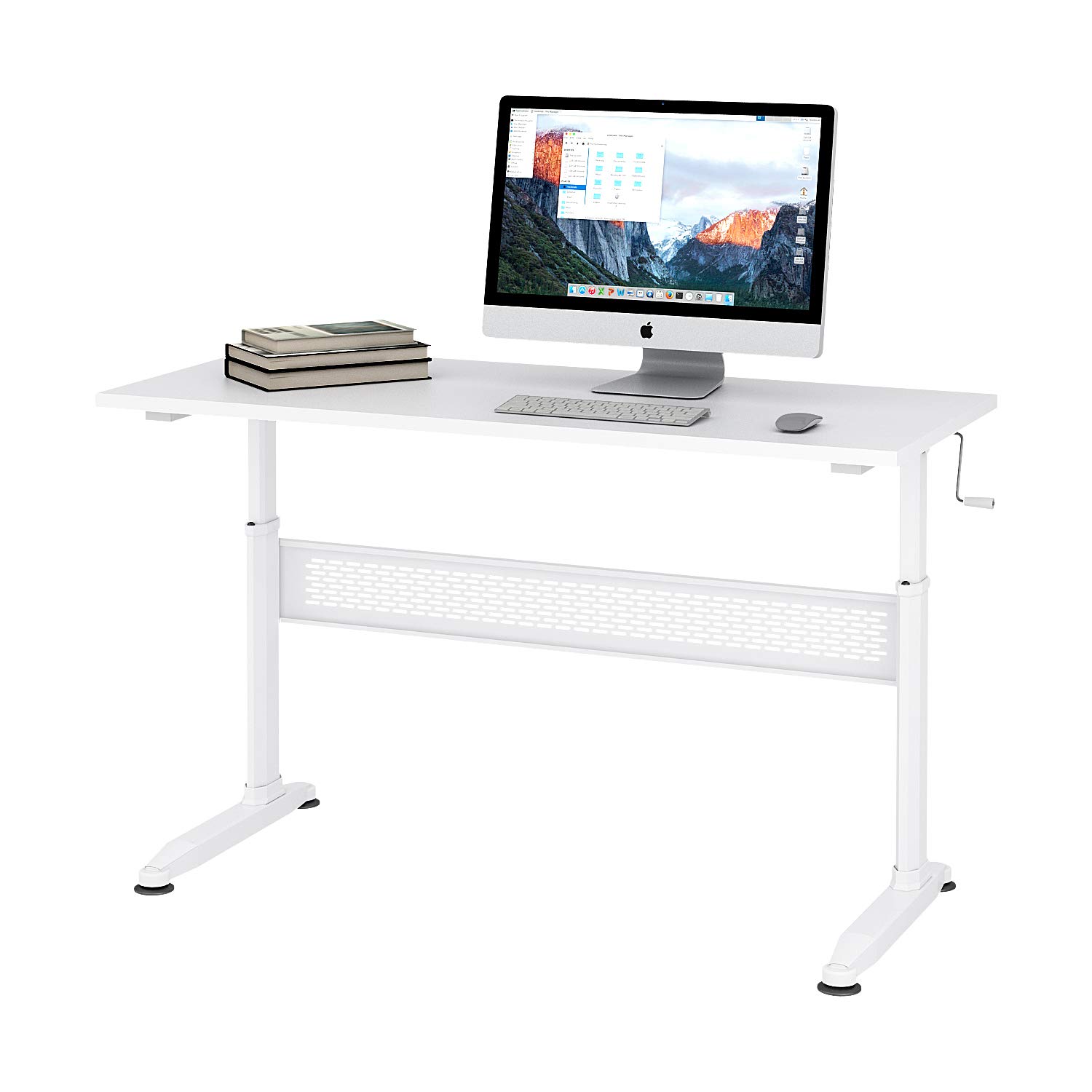
Figure 1: DEVAISE 55-inch Height Adjustable Standing Desk.
2. Émbaran Kasalametan
- Pastikeun yén sadaya komponén dipasang sacara aman sateuacan dianggo.
- Ulah ngabeuratan méja sacara kaleuleuwihi. Tingali spésifikasi pikeun kapasitas beurat maksimum.
- Keep children and pets away from the desk during height adjustment to prevent injury.
- Ulah neundeun cairan langsung dina permukaan méja tanpa tatakan gelas pelindung.
- Use caution when adjusting the desk height to avoid pinching hands or objects.
- If any parts are damaged or missing, do not attempt to assemble or use the desk. Contact customer support.
3. Eusi Paket
Pariksa heula sadaya bagianna aya sareng henteu ruksak sateuacan ngamimitian perakitan. Upami aya bagian anu leungit atanapi ruksak, mangga ngahubungi dukungan palanggan.
- Beungeut Desktop
- Suku Meja (2)
- Crossbar/Support Beam
- Engkol Pakem
- Suku anu tiasa disaluyukeun (4)
- Hardware rakitan (screws, bolts, Allen wrench)
4. Setup jeung Majelis
Assembly typically takes 10-15 minutes. An Allen wrench is provided for convenience.
- Buka bungkus sadaya komponén sareng teundeun dina permukaan anu bersih sareng lemes pikeun nyegah goresan.
- Attach the desk legs to the crossbar/support beam using the provided hardware. Ensure all screws are tightened securely.
- Attach the adjustable feet to the bottom of the desk legs. These can be adjusted later to level the desk on uneven floors.
- Carefully place the desktop surface upside down on your soft surface.
- Align the assembled leg frame with the pre-drilled holes on the underside of the desktop.
- Secure the leg frame to the desktop using the remaining hardware. Tighten all screws firmly.
- Insert the crank handle into the designated slot. The crank handle can be installed on either the left or right side of the desk.
- Carefully flip the desk upright. Adjust the feet as needed to ensure stability.
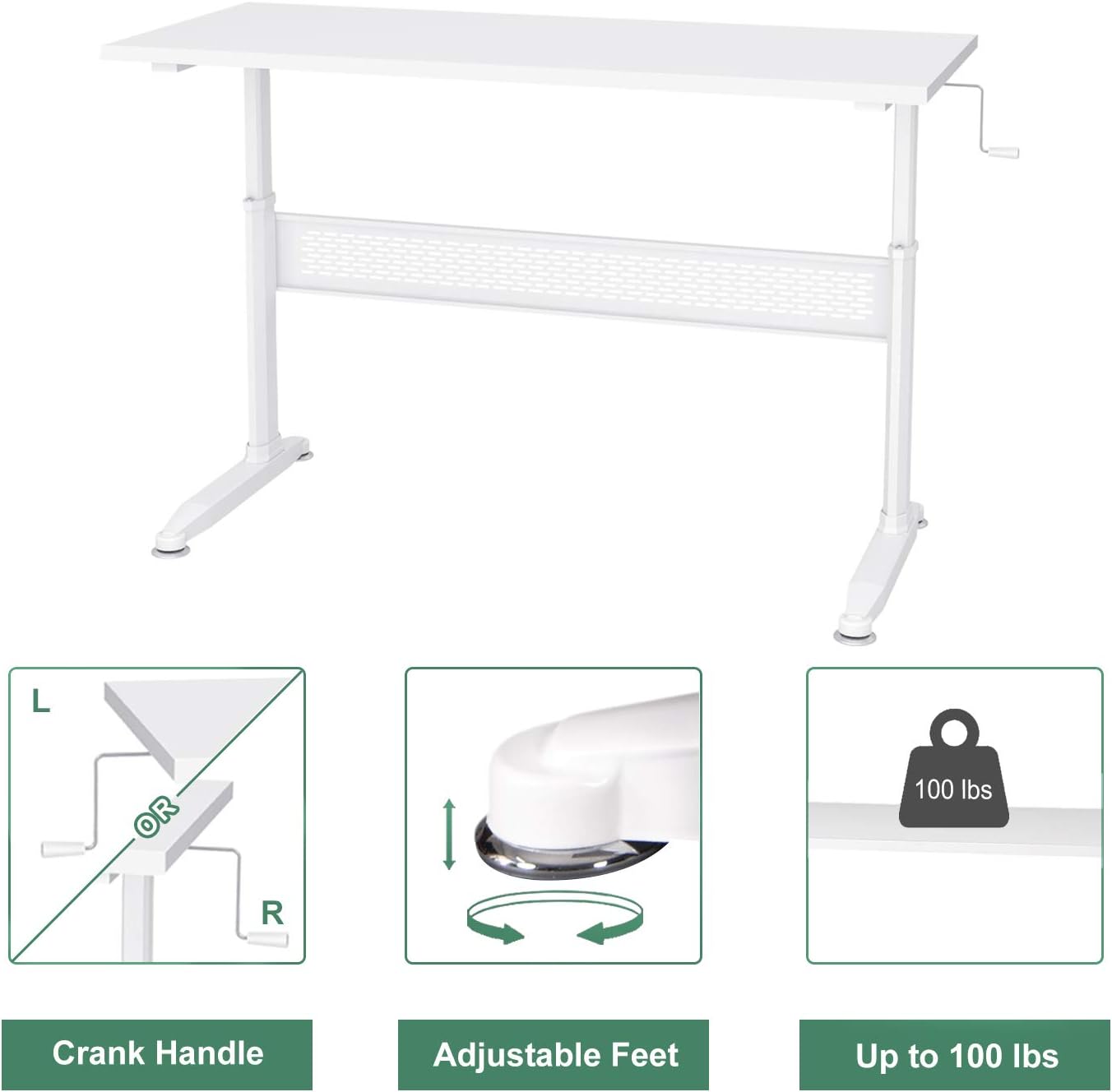
Figure 2: Key components including the crank handle and adjustable feet.

Figure 3: Hand crank installation flexibility.
5. Parentah Operasi
Nyaluyukeun Jangkungna Meja
Your DEVAISE standing desk features a manual crank system for height adjustment.
- Ensure there are no obstructions above or below the desk surface that could interfere with movement.
- Locate the crank handle on either the left or right side of the desk.
- To raise the desk, turn the crank handle clockwise.
- To lower the desk, turn the crank handle counter-clockwise.
- Adjust the desk to your desired sitting or standing height.
- The crank handle is removable. After adjusting the height, you may remove the handle and store it to maintain a clean aesthetic and prevent accidental adjustments.

Figure 4: Desk usage scenarios.
6. Pangropéa
- beberesih: Ngusap beungeut meja ku hipu, damp lawon. Hindarkeun bahan kimia anu kasar atanapi pembersih abrasive.
- Pariksa Hardware: Périodik pariksa sagala screws na bolts pikeun mastikeun aranjeunna tetep kedap. Retighten lamun perlu.
- Inspeksi Mékanisme: Inspect the crank mechanism for any signs of wear or damage. If issues are found, contact customer support.
7. Cara ngungkulan
Mejana oyag:
- Pastikeun sadaya screws assembly pinuh tightened.
- Adjust the leveling feet at the bottom of the desk legs to compensate for uneven floor surfaces.
- Verify that the desk is placed on a stable, flat surface.
Crank handle is difficult to turn:
- Check if the desk is overloaded. Reduce the weight on the desk.
- Ensure the crank mechanism is free of obstructions.
- Upami masalahna tetep, hubungi dukungan palanggan.
8. Spésifikasi

Figure 5: Desk dimensions.
| Fitur | Rincian |
|---|---|
| merek | DEVAISE |
| Modél | B01K4H3CHQ |
| Wangun | Sagi opat |
| Ukuran produk (D x W x H) | 55.12" x 23.62" x 29.1" - 44.9" (Adjustable) |
| Warna | Bodas |
| Bahan Dasar | Kayu direkayasa |
| Tipe Bahan Top | Kayu direkayasa |
| Tipe rengse | Baja |
| Fitur husus | Jangkungna adjustable |
| Item Beurat | 59.5 pon |
| Majelis diperlukeun | Sumuhun |
9. Émbaran jaminan
For specific warranty details regarding your DEVAISE Height Adjustable Standing Desk, please refer to the warranty card included with your product or visit the official DEVAISE websitus. Simpen bukti pameseran anjeun pikeun klaim garansi.
10. Rojongan Palanggan
If you have any questions, require assistance with assembly, or need to report missing/damaged parts, please contact DEVAISE customer support through their official website or the retailer where the product was purchased. Please have your model number (B01K4H3CHQ) and purchase information ready.