
1. Bubuka jeung Leuwihview
The Salter 9192 WH3R Curve Bluetooth Smart Analyser Bathroom Scale is designed to help you monitor your health and fitness progress. This scale provides comprehensive body composition analysis, including weight, body fat, body water, muscle mass, bone mass, Body Mass Index (BMI), and Basal Metabolic Rate (BMR). It features an easy-to-read LCD display, 8-user memory, and specialized athlete and child modes. Data can be synced with your smartphone via Bluetooth using the free Salter MiBody App for detailed tracking and analysis.

Image: The Salter 9192 WH3R scale connected to a smartphone displaying the Salter Health app dashboard.

Image: The Salter 9192 WH3R scale highlighting its 15-year guarantee and Bluetooth connectivity with the Salter Health app.
2. Émbaran Kasalametan
Mangga baca sadaya parentah kalayan saksama sateuacan dianggo. Simpen buku panduan ieu kanggo rujukan ka hareup.
- Always use the scale on a firm, flat surface. Using it on soft surfaces like carpet may affect accuracy.
- The scale platform can become slippery when wet. Ensure the surface is dry before stepping on.
- Do not use this device for medical diagnosis or treatment. Consult your doctor for any health concerns.
- Jauhkeun skala kaluar jangkauan sahiji barudak.
- Ulah ngalelepkeun timbangan kana cai atanapi nganggo bahan pembersih anu abrasif.
- Ensure batteries are inserted correctly according to polarity markings. Remove batteries if the scale will not be used for an extended period.
- Individuals with pacemakers or other internal medical devices should not use this product.
3. Setélan
3.1 Pamasangan batré
- Buka kompartemen batré dina handapeun skala.
- Selapkeun 3 x batré AAA, mastikeun polaritasna bener (+/-).
- Tutup kompartemen batré anu aman.
3.2 Ngundeur Aplikasi sareng Masangkeun
To utilize the full features of your scale, download the Salter MiBody App on your smartphone.

Image: The Salter Health app supports Bluetooth, Apple Health, and is available on the App Store and Google Play.
- Milarian pikeun 'Salter MiBody' in the Apple App Store (for iOS devices) or Google Play Store (for Android devices).
- Unduh sareng pasang aplikasina.
- Aktipkeun Bluetooth dina smartphone Anjeun.
- Open the Salter MiBody App and follow the on-screen instructions to create your user profile and pair your scale. You will need to enter personal details such as age, height, and gender for accurate body composition analysis.
3.3 Pamaké Profile Disetél
Skala ngarojong nepi ka 8 pamaké profiles. During initial app setup, you will create your first profile. Additional profiles can be added through the app for other family members.

Image: The Salter 9192 WH3R scale features 8 user memory and dedicated Child & Athlete modes.
- Modeu atlit: Select this mode if you engage in intense physical activity for approximately 10 hours per week and have a resting heart rate of 60 beats per minute or less. This setting adjusts the body composition algorithm for more accurate results for athletes.
- Mode Anak: This mode is for children and provides weight measurements only, without body composition analysis.
4. Parentah Operasi
4.1 Taking a Weight Measurement
- Tempatkeun timbangan dina permukaan anu datar sareng teuas.
- Gently tap the center of the scale with your foot to activate it. The display will show '0.0'.
- Step onto the scale with bare feet, standing still and centered.
- Beurat anjeun bakal ditampilkeun. Timbangan bakal otomatis pareum saatos sababaraha detik.

Image: Step onto the toughened glass platform for an instant weight reading.
4.2 Taking a Body Composition Measurement
For body composition readings, you must stand on the scale with bare feet. Ensure your feet are clean and dry. If your feet are excessively dry, lightly dampen them with a wet cloth for better contact.
- Aktipkeun skala sapertos anu dijelaskeun di luhur.
- Step onto the scale with bare feet, ensuring your feet are positioned over the metal electrodes.
- Stand still until your weight is displayed. The scale will then begin to analyze your body composition.
- The display will cycle through your body composition metrics.
- Ensure your smartphone with the Salter MiBody App is nearby and Bluetooth is enabled for automatic data synchronization.
4.3 Selecting User Profiles
After activating the scale, use the arrow buttons (< jeung >) to scroll through the user profiles (P1 to P8). Once your profile number is displayed, step onto the scale to take your measurement.
4.4 Switching Measurement Units
The scale can display measurements in kilograms (kg), stones (st), or pounds (lb).
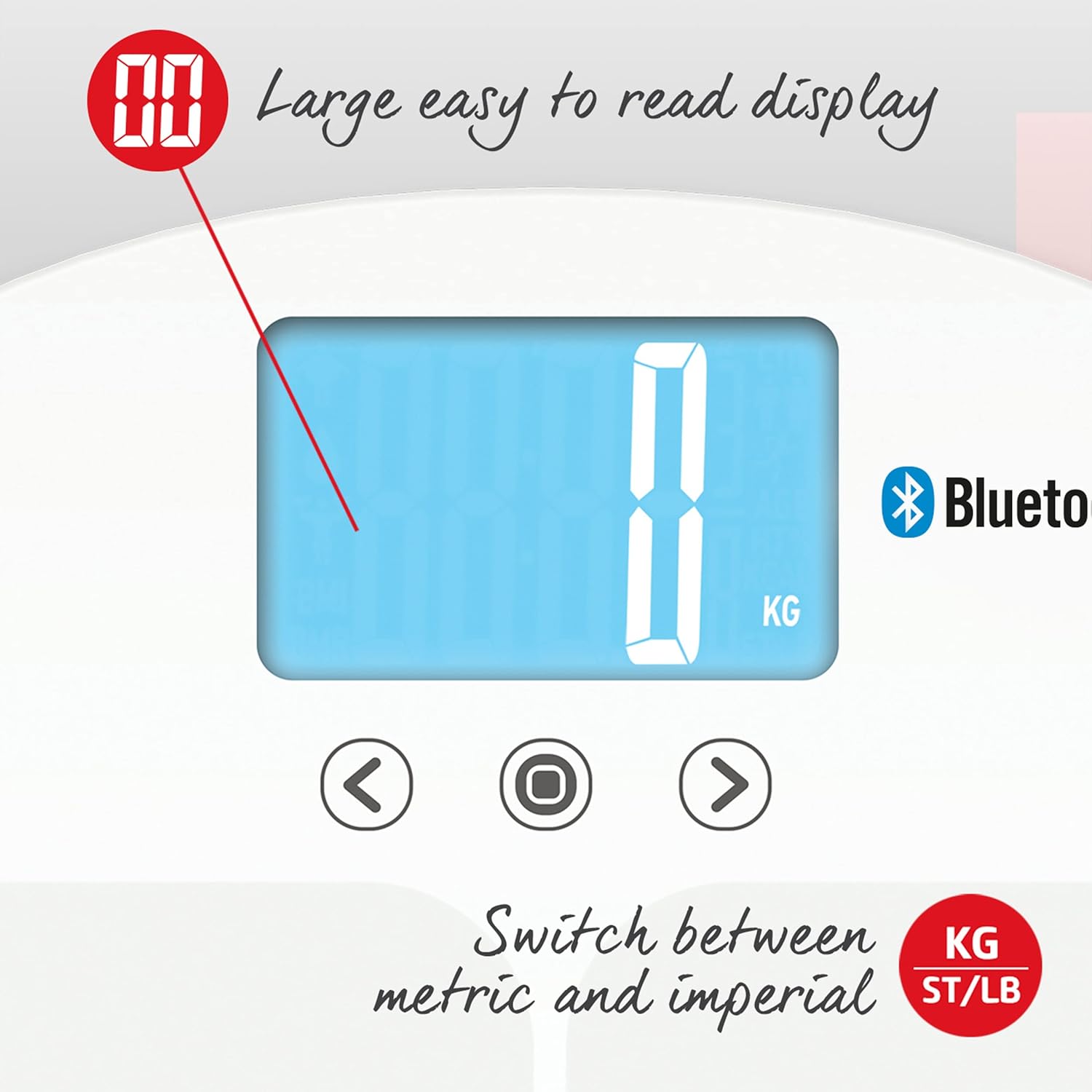
Image: The large, easy-to-read display allows switching between metric (KG) and imperial (ST/LB) units.
- On the underside of the scale, locate the unit switch button.
- Press the button to cycle through the available units (kg, st, lb) until your desired unit is displayed.
4.5 Syncing Data with the App
The Salter MiBody App automatically syncs data when the scale is used and the app is open or running in the background with Bluetooth enabled. The app provides a comprehensive dashboard, metrics overview, and allows for data export.

Image: Screenshots of the Salter Health app displaying the Dashboard, Metrics, and Groups features for tracking progress.

Image: Screenshots of the Salter Health app showing the Dashboard, Linked Accounts for sharing profiles, and data export options (PDF & CSV).
5. Ngartos Bacaan Anjeun
The Salter 9192 WH3R scale provides the following body composition metrics:

Image: Icons illustrating the various health metrics tracked by the Salter scale, including weight, body water, body fat, bone mass, BMI, BMR, and muscle mass, along with athlete and child modes and 8-user memory.
- beurat: Massa awak total anjeun.
- Lemak awak: Persentaglemak dina awak anjeun.
- Cai awak: Persentage cai dina awak anjeun.
- Massa otot: Persentage of muscle in your body.
- Massa Tulang: Persentage of bone mineral in your body.
- BMI (Indéks Jisim Awak): Ukuran anu ngagunakeun jangkungna sareng beurat anjeun pikeun nangtukeun naha beurat anjeun séhat.
- BMR (Laju Métabolik Basal): Jumlah kalori minimum anu diperyogikeun pikeun ngajaga awak anjeun tetep tiasa fungsina nalika istirahat.
For detailed interpretation of these metrics and to track your progress over time, refer to the Salter MiBody App.
6. Pangropéa sarta perawatan
- Ngabersihan skala kalayan iklanamp lawon sareng deterjen hampang. Entong nganggo pembersih anu abrasif atanapi ngalelepkeun timbangan kana cai.
- Simpen timbangan di tempat anu garing dina suhu kamar.
- If the scale is not used for a long period, remove the batteries to prevent leakage.
- Avoid dropping the scale or subjecting it to strong impacts, as this may damage the glass platform or internal components.
7. Cara ngungkulan
| Masalah | Mungkin Cukang lantaranana | Solusi |
|---|---|---|
| "Lo" ditampilkeun | Daya batre lemah. | Ganti batré 3 x AAA. |
| "Err" ditampilkeun | Measurement error (e.g., unstable surface, exceeding max weight). | Ensure the scale is on a firm, flat surface. Step off and then back on, standing still. Ensure weight is within 200 kg capacity. |
| Taya pintonan | Batréna teu dipasang kalawan bener atawa paéh. | Pariksa polaritasna batré atawa ngaganti accu. |
| App not connecting/syncing | Bluetooth off, app not open, scale not paired, or interference. | Ensure Bluetooth is enabled on your phone. Open the Salter MiBody App. Re-pair the scale if necessary. Move closer to the scale. |
| Inaccurate body composition readings | Dry feet, incorrect user profile, or medical condition. | Ensure bare feet are slightly damp. Verify correct user profile (athlete/child mode). Consult a healthcare professional if concerns persist. |
8. Spésifikasi
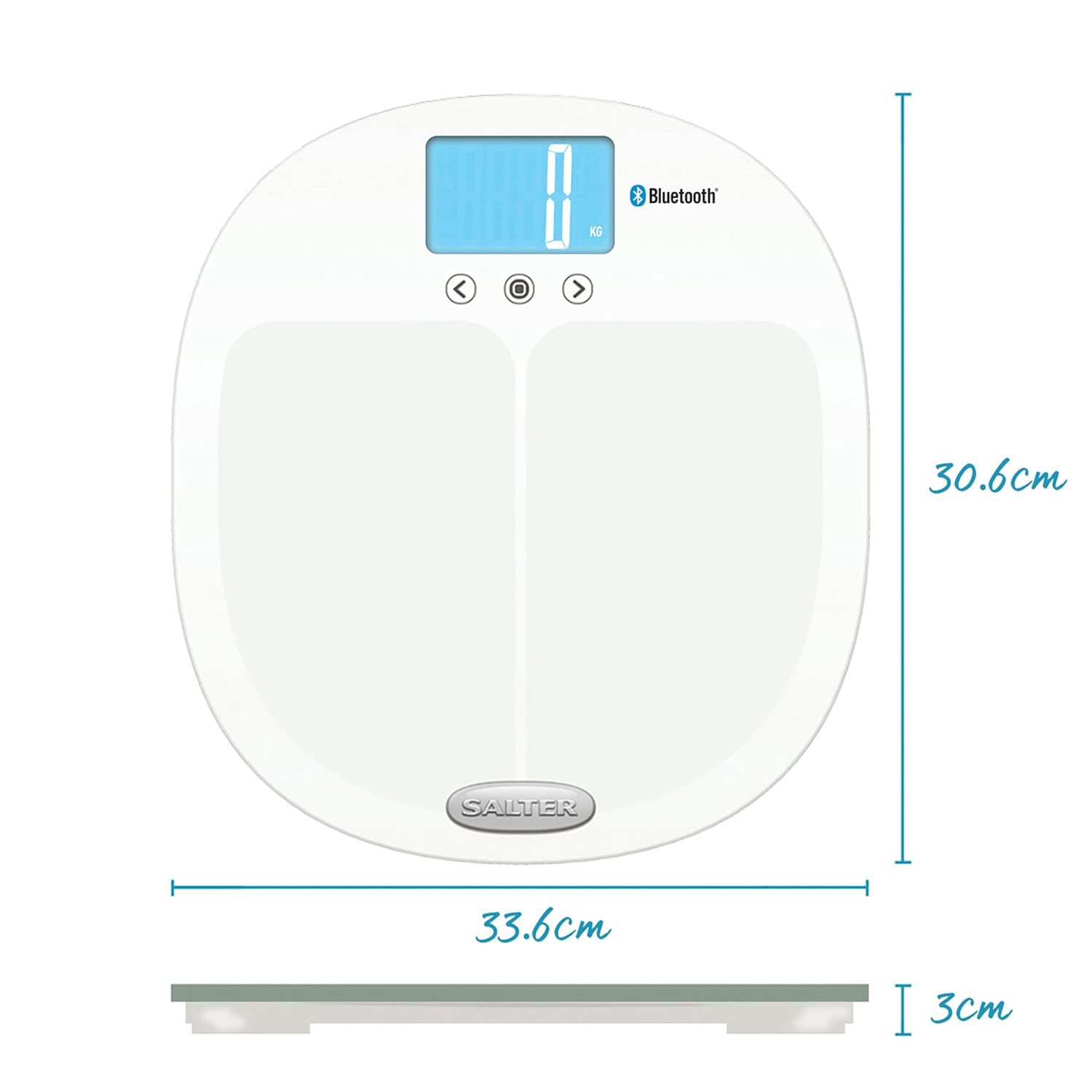
Image: Dimensions of the Salter 9192 WH3R scale.
- Jumlah modél: 9192 WH3R
- Kapasitas beurat maksimum: 200 kg (31st 6lb)
- Precision pangukuran: 0.5 kg
- Jenis tampilan: LCD
- Bahan: Kaca Toughened
- Ukuran produk (L x W x H): Kira-kira 30.6 cm x 33.6 cm x 3 cm
- Beurat barang: 1.6 kg
- Batré: 3 x AAA (kaasup)
- Mémori pamaké: 8 pamaké
- Konektipitas: Bluetooth
- Métrik diukur: Weight, Body Fat, Body Water, Muscle Mass, Bone Mass, BMI, BMR
9. Garansi jeung Rojongan
The Salter 9192 WH3R Curve Bluetooth Smart Analyser Bathroom Scale comes with a Garansi 15 taun, covering defects in materials or workmanship under normal household use. This guarantee does not cover accidental damage, misuse, or damage caused by non-adherence to the instructions.
For warranty claims, technical support, or further assistance, please refer to the contact information provided on the official Salter websitus atanapi dokuméntasi pameseran Anjeun.