Bubuka
This manual provides detailed instructions for the safe and effective use of your Stabila LAX400 ProLiner Multi-Line Laser Kit. The LAX400 is a fully automatic, self-leveling multi-line laser designed for precise alignment tasks. It projects a 360-degree level line, two vertical lines at a 90-degree angle on floors, walls, and ceilings, and plumb dots. The laser pivots 360 degrees inside its housing, and a fine adjustment knob allows for precise positioning of the right-angle lines.
Fitur konci
- Fully automatic, self-leveling operation.
- Projects a 360-degree horizontal level line.
- Projects two vertical lines at a 90-degree angle, creating a cross on floors, walls, and ceilings.
- Includes plumb dots for accurate point transfer.
- Laser pivots 360 degrees within its housing for versatile positioning.
- Fast layout fine adjustment knob for precise alignment of vertical lines.
- Dual-purpose base for use on flat surfaces or standard 5/8"x11 tripods.
- Pulsed laser lines for compatibility with optional receiver #07330.
- Class II laser with power output <1mW.
Disetél
Before operating your Stabila LAX400, ensure proper setup and battery installation.
Pamasangan batré
- Locate the battery compartment on the side of the laser unit.
- Buka panutup kompartemen.
- Pasangkeun opat (4) batré alkali AA, pastikeun polaritasna (+/-) bener.
- Tutup panutup kompartemen batré aman.
The LAX400 requires 4 AA batteries, which are included in the kit. Always use fresh, high-quality alkaline batteries for optimal performance and battery life.

Gambar: Sisi view of the Stabila LAX400 ProLiner Multi-Line Laser, showing the power switch and laser warning label.
Pilihan Pamasangan
The LAX400 features a dual-purpose base for flexible placement:
- Flat Surfaces: Place the laser directly on any stable, flat surface.
- Pamasangan tripod: The base is compatible with standard 5/8"x11 tripods for elevated and adjustable positioning. Securely attach the laser to the tripod before operation.
Operasi
Follow these steps to operate your Stabila LAX400 ProLiner Multi-Line Laser.
Powering On and Self-Leveling
- Place the laser on a stable surface or mount it on a tripod.
- Locate the ON/OFF switch on the side of the unit.
- Slide the switch to the 'ON' position. The laser will automatically begin its self-leveling process.
- Wait for the laser lines to stabilize. If the unit is outside its self-leveling range, the laser lines may flash or an audible alarm may sound. Adjust the position of the laser until it self-levels.
Understanding Laser Lines
- 360-Degree Horizontal Line: Provides a continuous level reference around the entire room.
- Vertical Lines: Two vertical lines are projected at a 90-degree angle to each other, creating a precise cross-hair. These lines extend across the floor, walls, and ceiling.
- Plumb Dots: The intersection of the vertical lines creates plumb dots for accurate point transfer from floor to ceiling.

Image: The LAX400 ProLiner projecting clear laser lines on a concrete floor.

Image: A worker utilizing the laser lines for precise alignment of metal studs on a floor.
adjustment rupa
For precise alignment of the vertical lines, use the fine adjustment knob. This knob allows you to pivot the right-angle lines left or right without moving the entire unit, enabling accurate layout adjustments.
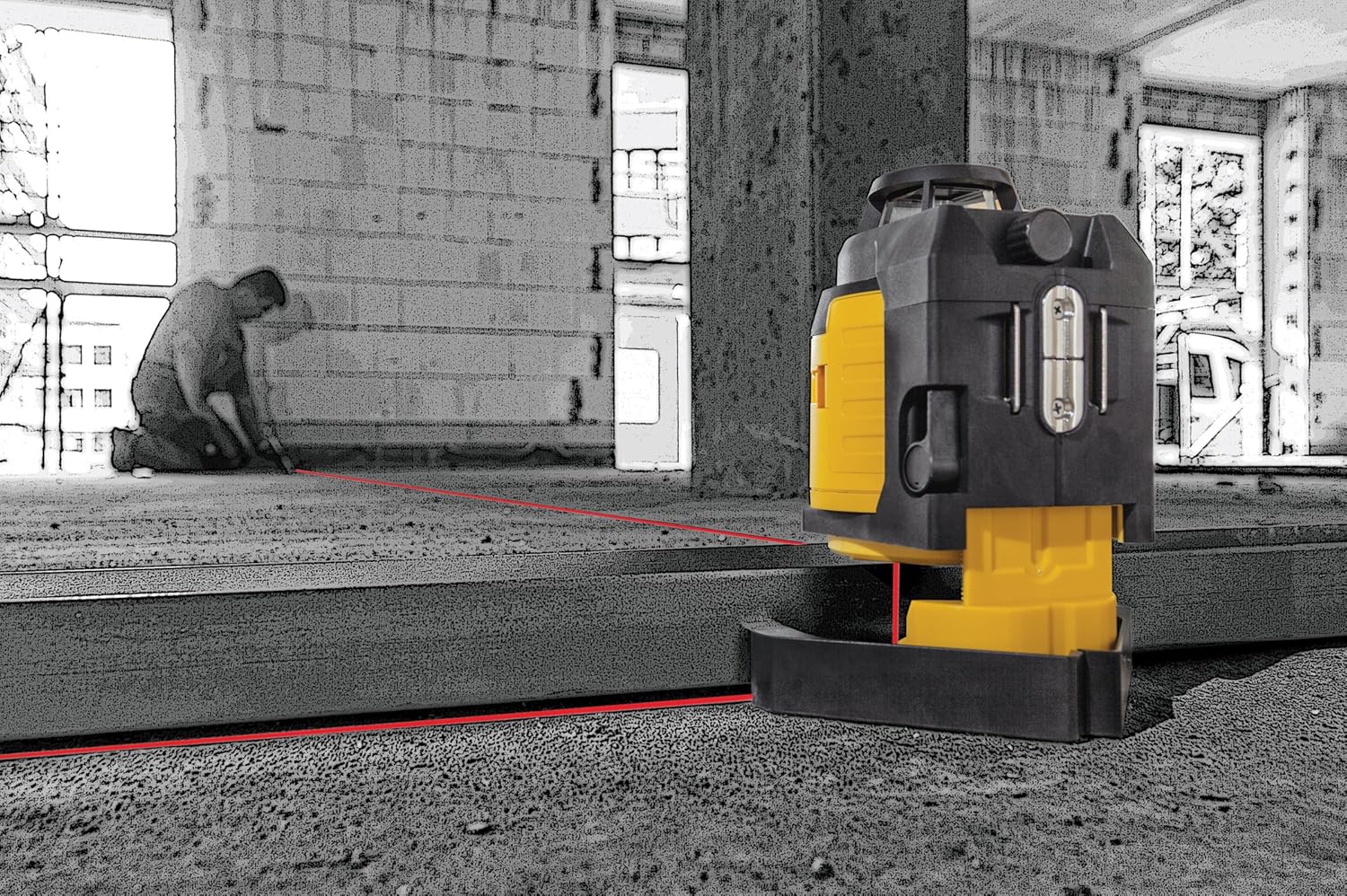
Image: The LAX400 ProLiner projecting a horizontal laser line across a wall for level reference.
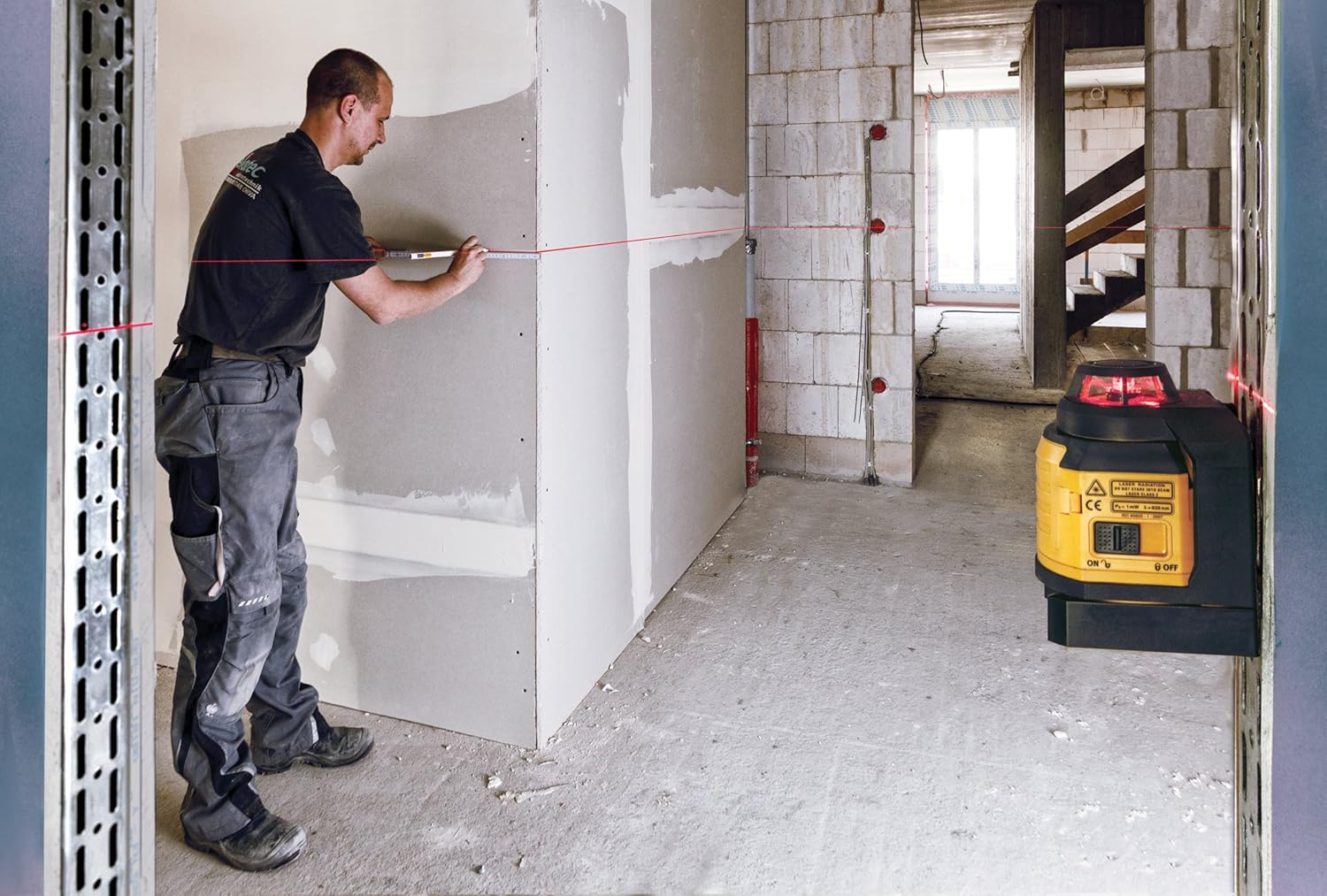
Image: A worker marking a wall, guided by the laser line for accurate placement.
Pulsed Mode (for optional receiver)
The LAX400 features pulsed laser lines. This mode is designed for use with an optional laser receiver (Stabila #07330) to extend the working range or for use in bright light conditions where the laser lines may be difficult to see with the naked eye. Refer to the receiver's manual for specific operating instructions.

Image: A worker installing a ceiling grid, using the Stabila LAX400 ProLiner Multi-Line Laser for precise alignment.
Pangropéa
Proper maintenance ensures the longevity and accuracy of your Stabila LAX400 ProLiner Multi-Line Laser.
beberesih
- Regularly clean the laser unit with a soft, damp lawon. Ulah make cleaners abrasive atawa pangleyur.
- Keep the laser output windows clean and free of dust or debris to ensure clear and accurate laser lines. Use a lens cleaning cloth if necessary.
Perawatan batré
- Cabut batré upami unit moal dianggo kanggo waktos anu panjang pikeun nyegah bocor sareng karusakan.
- Replace all batteries at the same time with new ones. Do not mix old and new batteries or different battery types.
Panyimpenan
Store the laser in its original hard case in a dry, dust-free environment, away from extreme temperatures and direct sunlight.
Pamérésan masalah
If you encounter issues with your Stabila LAX400, refer to the following common problems and solutions:
- Laser teu hurung: Pariksa pamasangan batré sareng pastikeun batréna seger.
- Laser lines flashing or alarm sounding: The unit is outside its self-leveling range. Adjust the laser's position until it is on a more level surface.
- Laser lines appear dim or blurry: Clean the laser output windows. Ensure you are operating within the recommended working distance and light conditions. Consider using the pulsed mode with an optional receiver in bright environments.
- Pangukuran anu teu akurat: Ensure the laser is properly self-leveled. Avoid bumping or moving the unit during operation. If accuracy issues persist, the unit may require professional calibration.
For further assistance, please contact Stabila customer support.
Spésifikasi teknis
| Spésifikasi | Rincian |
|---|---|
| merek | Stabila |
| Nomer modél | 03360 (LAX400) |
| Bahan | Logam, Plastik |
| Warna | Red (Laser), Yellow/Black (Unit) |
| Item Beurat | 5.7 pon |
| Modeu Operasi | Otomatis |
| Dimensi produk | 12 x 5 x 12.5 inci |
| Batré | 4 batré AA diperlukeun (kaasup) |
| Tipe sél batré | Alkali |
| Rata Kahirupan Batré | 10 Jam |
| Fitur husus | Self-leveling, Pulsed laser lines |
| Komponén Kaasup | LAX400 laser, target plate, wall bracket, high-vis laser goggles, batteries (3), manual, hard case |
| Kelas laser | Kelas II |
| Kaluaran kakuatan | <1mW |
Garansi sareng Rojongan
For information regarding warranty coverage, technical support, or service, please refer to the warranty card included with your product or visit the official Stabila websitus. Simpen resi pameseran anjeun salaku bukti pameseran pikeun klaim garansi.


