1. Bubuka
This manual provides comprehensive instructions for the installation, operation, and maintenance of the Simplex 4099-9006 Double Action, Push Pull Down Fire Alarm Station. This device is designed to initiate a fire alarm signal when manually activated, contributing to the overall safety and security of a building's occupants.
The Simplex 4099-9006 is an IDNet addressable manual pull station with an integrated LED indicator, ensuring reliable communication within compatible fire alarm systems.
2. Émbaran Kasalametan
WARNING: Installation and servicing of this device must be performed by qualified personnel only, in accordance with all local and national electrical codes, and the National Fire Alarm and Signaling Code (NFPA 72).
- Always disconnect power to the fire alarm control panel before installing or servicing the pull station.
- Pastikeun grounding ditangtoskeun pikeun nyegah shock listrik.
- Do not paint over the pull station or obstruct its operation.
- Test the pull station regularly as part of a comprehensive fire alarm system testing schedule.
- This device is not intended for outdoor use unless specifically rated for such environments.
3. Produk Langkungview
The Simplex 4099-9006 is a robust, red-colored manual fire alarm pull station featuring a double-action mechanism (push then pull). It includes an integrated LED indicator for status feedback.
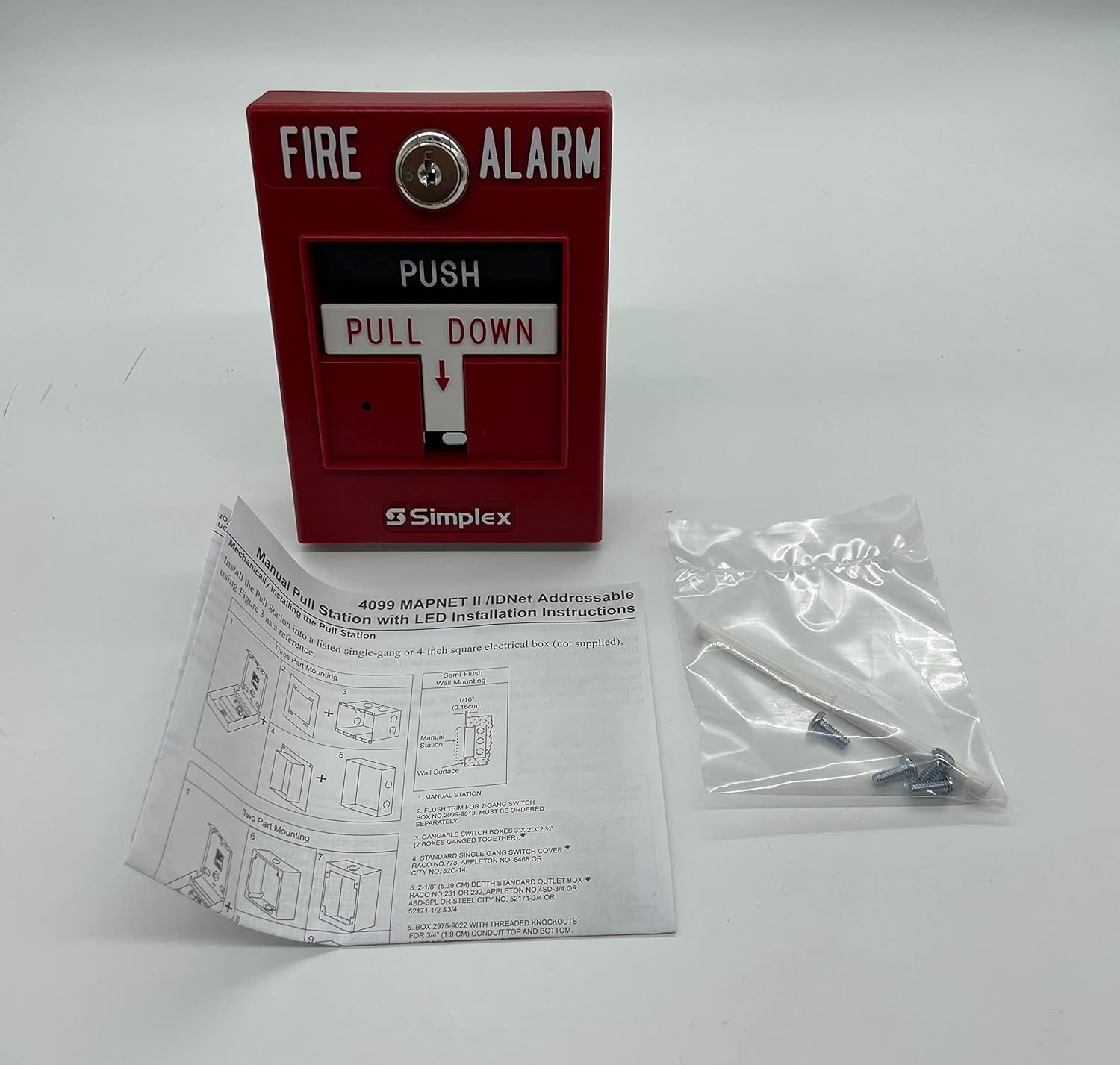
Figure 3.1: Simplex 4099-9006 Double Action Fire Alarm Pull Station. This image displays the front of the red pull station with "FIRE ALARM" and "PUSH PULL DOWN" labels, alongside a detailed instruction sheet for installation and mounting, and a small bag of mounting hardware.
Komponén konci kalebet:
- Activation Handle: The "PUSH PULL DOWN" mechanism used to initiate an alarm.
- Indikator LED: Provides visual status of the device (e.g., normal, alarm, trouble).
- Blok Terminal: For connecting to the fire alarm control panel's IDNet circuit.
- Mounting Plate/Housing: Secures the device to a standard electrical box or surface.
4. Setup & Instalasi
The Simplex 4099-9006 pull station can be installed using either single-gang or two-part mounting methods, typically on a standard 4-inch square electrical box (not supplied).
4.1 Cék Pra-Pamasangan
- Verify that the fire alarm control panel is powered off.
- Ensure the mounting location is clean, dry, and meets local code requirements for height and accessibility.
- Confirm all necessary tools and hardware are available (e.g., screwdriver, wire strippers, mounting screws).
4.2 Prosedur Pemasangan
Refer to the installation diagrams provided with the product and shown in Figure 3.1 for visual guidance.
4.2.1 Single-Gang Mounting
- Secure the pull station directly to a standard single-gang electrical box.
- Ensure the device is flush with the wall surface.
4.2.2 Two-Part Mounting
- Install the backbox or mounting plate first, typically a 4-inch square electrical box.
- Mount the pull station assembly onto the installed backbox.
- This method may be used for flush trim or surface mounting applications.
4.3 Kabel
The 4099-9006 is an IDNet addressable device. Connect the pull station to the IDNet circuit of the fire alarm control panel using appropriate gauge wiring, following the wiring diagram provided on the device or in its specific installation sheet. Ensure polarity is correct.
- Connect the incoming and outgoing IDNet circuit wires to the designated terminals.
- Pastikeun yén sadaya sambungan aman sareng bebas tina kolor.
4.4 Post-Pamasangan
- Once installed and wired, restore power to the fire alarm control panel.
- Verify the LED indicator on the pull station shows a normal operating status (typically a slow flash).
- Perform a functional test of the pull station as described in the "Operating Instructions" section.
5. Parentah Operasi
The Simplex 4099-9006 features a double-action activation mechanism to prevent accidental alarms.
5.1 Ngaktipkeun Alarm
- TEKEN: Firmly push the "PUSH" bar located at the top of the activation handle.
- TARIK KA HANDAP: Once the "PUSH" bar is depressed, pull the handle "PULL DOWN" until it latches in the alarm position.
- Upon activation, the pull station will send an alarm signal to the fire alarm control panel, and the integrated LED will illuminate steadily (or change to a rapid flash, depending on system programming) to indicate an alarm state.
5.2 Resetting the Pull Station
To reset the pull station after an alarm, a special key (not included with this specific model, as indicated by "No Key" in the product title, implying a different reset mechanism or system-level reset) or tool is typically required to return the handle to its normal, non-alarm position. For the 4099-9006, the reset mechanism is internal and does not require a key. Simply push the handle back into its original position. The fire alarm control panel must also be reset to clear the alarm condition from the system.
6. Pangropéa
Regular maintenance ensures the reliable operation of your Simplex 4099-9006 pull station. All maintenance should be performed by qualified personnel.
6.1 Cék rutin
- Inspeksi Visual (Bulanan): Check for any physical damage, obstructions, or signs of tampering. Ensure the pull station is clean and clearly visible.
- LED Status (Monthly): Verify the LED indicator is showing a normal operating status (e.g., slow flash).
6.2 Functional Testing (Annually or as per local codes)
Functional testing should be conducted by a certified fire alarm technician.
- Notify building occupants and the monitoring station before testing.
- Activate the pull station as described in "Operating Instructions".
- Verify that the fire alarm control panel receives the alarm signal and initiates appropriate responses (e.g., sounding alarms, notifying monitoring station).
- Setel ulang stasiun tarikan sareng panel kontrol alarm kahuruan.
- Confirm the pull station returns to a normal operating state.
6.3 beberesih
Bersihkeun bagian luar stasiun tarikan nganggo lap anu lemes,amp lawon. Ulah nganggo pembersih atanapi pangleyur anu abrasif, sabab ieu tiasa ngaruksak lapisan atanapi komponén internal.
7. Cara ngungkulan
This section addresses common issues you might encounter with the Simplex 4099-9006 pull station. For complex issues, contact a qualified fire alarm technician.
| Masalah | Mungkin Cukang lantaranana | Solusi |
|---|---|---|
| Pull Station does not activate alarm. | Incorrect activation procedure; wiring issue; device fault; control panel issue. | Ensure proper push-then-pull action. Check wiring connections. Verify control panel status. Contact technician if problem persists. |
| LED indicator is off or shows trouble. | No power; wiring fault; device fault; control panel trouble. | Check power to the control panel. Inspect wiring for breaks or shorts. Consult control panel manual for trouble codes. Contact technician. |
| Alarm palsu. | Accidental activation; faulty device; wiring issue. | Reset the pull station and control panel. Inspect for physical damage or obstructions. If recurring, contact technician. |
| Pull station handle does not reset. | Internal mechanism issue; debris. | Ensure no debris is obstructing the mechanism. Gently attempt to push the handle back. If it remains stuck, the unit may need replacement. |
8. Spésifikasi
| Fitur | Rincian |
|---|---|
| Nomer modél | S4099-9006 |
| Jenis produk | Double Action Manual Fire Alarm Pull Station |
| merek | Simpléks |
| Produsén | SIMPLEX Grinnell |
| Warna | Beureum |
| Métode aktivasina | Push then Pull Down |
| Key Requirement for Reset | No Key Required (Internal Reset) |
| Konektipitas | IDNet Addressable |
| Fitur terpadu | Indikator LED |
| Item Beurat | 0.5 Pon (kira-kira 8 ons) |
| Dimensi produk | 6 x 6 x 4 inci (kira-kira) |
| UPC | 643485653004 |
| Tanggal Kahiji Sadia | 21 Désémber 2015 |
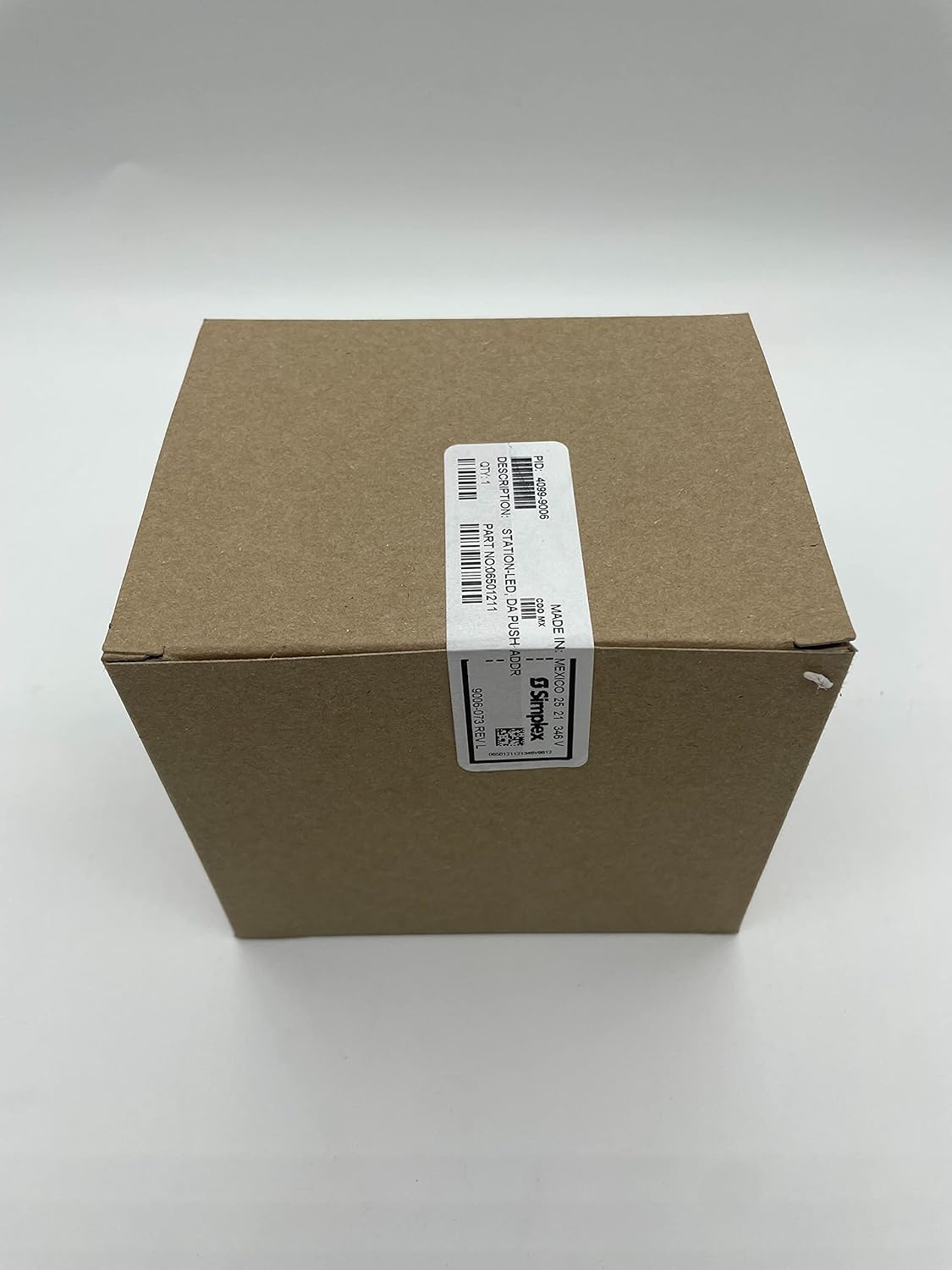

Figure 8.1: Product packaging for the Simplex 4099-9006, showing the brown cardboard box with product identification labels. The labels confirm PID 4099-9006 and Part No. 06501211.
9. Jaminan & Dukungan
9.1 Émbaran jaminan
This Simplex product is typically covered by a manufacturer's warranty against defects in materials and workmanship. Specific warranty terms and duration may vary. Please refer to the original purchase documentation or contact Simplex customer service for detailed warranty information.
Note: The product listing mentions "12 months warranty" and "30 days return if not satisfied". This information is from a third-party seller and may not reflect the official manufacturer's warranty. Always verify with the manufacturer.
9.2 Rojongan Téknis
For technical assistance, installation guidance, or troubleshooting beyond the scope of this manual, please contact a certified fire alarm technician or the manufacturer directly.
Simplex Customer Support: Please visit the official SimplexGrinnell websitus atanapi tingali bungkus produk anjeun kanggo detil kontak.
Pikeun patarosan umum, anjeun ogé tiasa ngarujuk kana Simplex brand page on Amazon.


