Bubuka
The Korg SH-CS100 Sledgehammer Clip-on Guitar Tuner is designed for precise and reliable instrument tuning. This device offers ultra-high tuning accuracy of +/- 0.1 cents and an extended battery life of approximately 100 hours, powered by a single AAA battery. Its clip-on design allows for easy attachment to instrument headstocks, utilizing vibration sensing for accurate tuning in various environments.
Precautions Kasalametan
- Ulah ngalaan unit ka suhu ekstrim, kalembaban, atawa sinar panonpoé langsung.
- Hindarkeun ragrag atanapi tundukkeun unit kana tabrakan anu kuat.
- Entong nyobian ngabongkar atanapi ngarobih unit. Rujuk sadayana jasa ka tanaga anu mumpuni.
- Jauhkeun tina jangkauan barudak leutik.
- Cabut batréna upami unit ieu moal dianggo salami waktos anu lami pikeun nyegah bocor.
Eusi pakét
Pariksa yén pakét anjeun ngandung barang-barang ieu:
- Korg SH-CS100 Sledgehammer Clip-on Guitar Tuner (1 unit)
- AAA Battery (pre-installed or included separately)
Disetél
- Pamasangan batré:
The Korg SH-CS100 uses one AAA battery. If not pre-installed, open the battery compartment, insert the AAA battery according to the polarity markings, and close the compartment securely.

Gambar: Sisi view of the Korg SH-CS100 tuner, illustrating the location of the battery compartment and the control wheel.
- Ngapasangkeun Tuner:
Clip the tuner securely onto the headstock of your guitar or bass. Ensure the clip makes firm contact with the instrument to effectively pick up vibrations. The display can be rotated for optimal viewsudut ing.
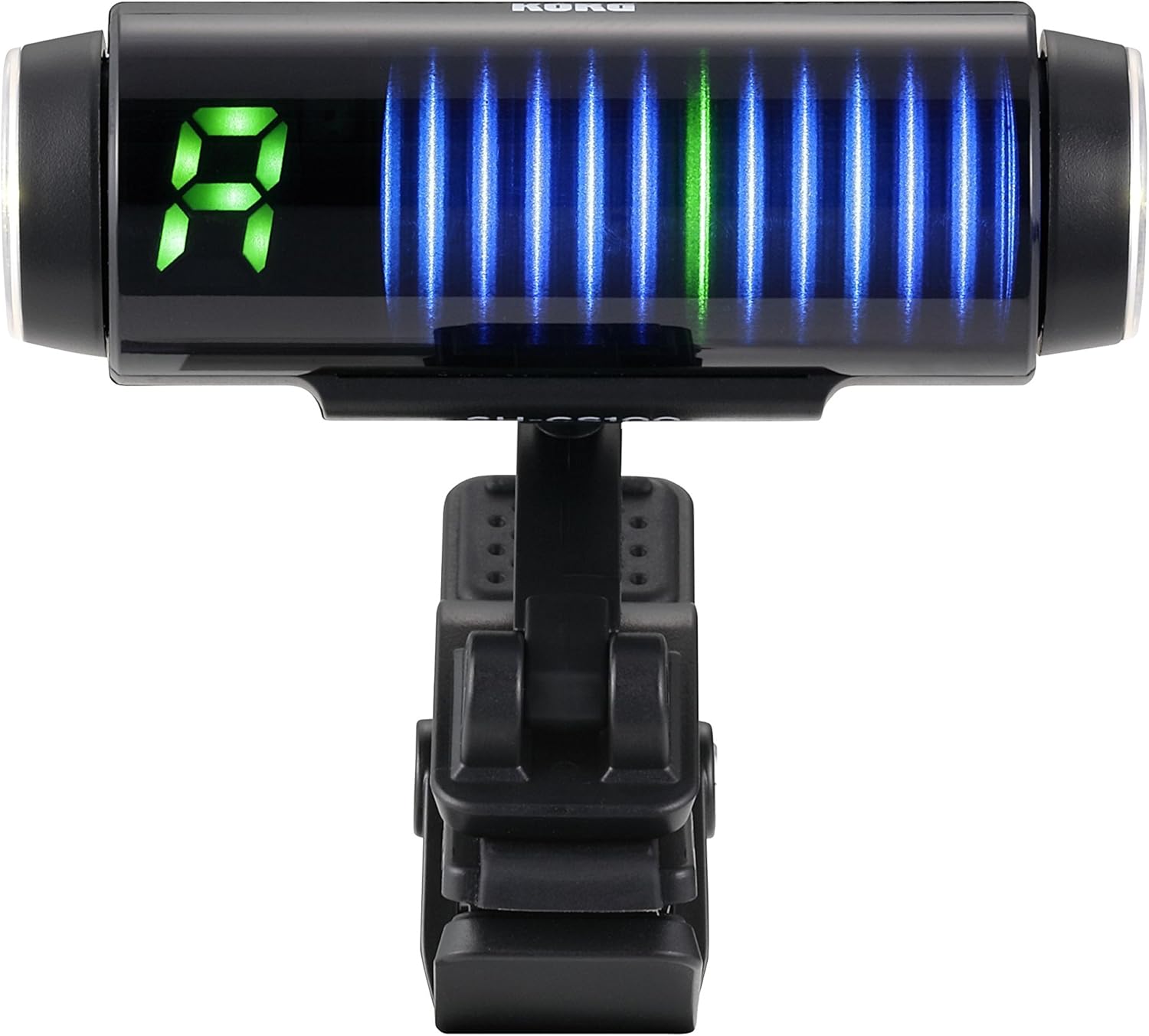
Image: The Korg SH-CS100 tuner attached to an instrument headstock, displaying the tuning interface.
- Hurungkeun/Pareuman:
Locate the power/mode wheel on the side of the tuner. Rotate the wheel to turn the unit on or off. A brief press or rotation may also cycle through display modes.
Parentah Operasi
- Milih Modeu Tuning:
The SH-CS100 typically operates in a chromatic mode, automatically detecting the note played. Some models may offer specific guitar or bass modes. Use the control wheel to cycle through available modes if applicable.
- Tuning Your Instrument:
Pluck a single string on your instrument. The tuner's display will show the detected note and indicate whether it is sharp, flat, or in tune. Adjust the tuning peg until the display shows the correct note and the indicator is centered, signifying accurate pitch.
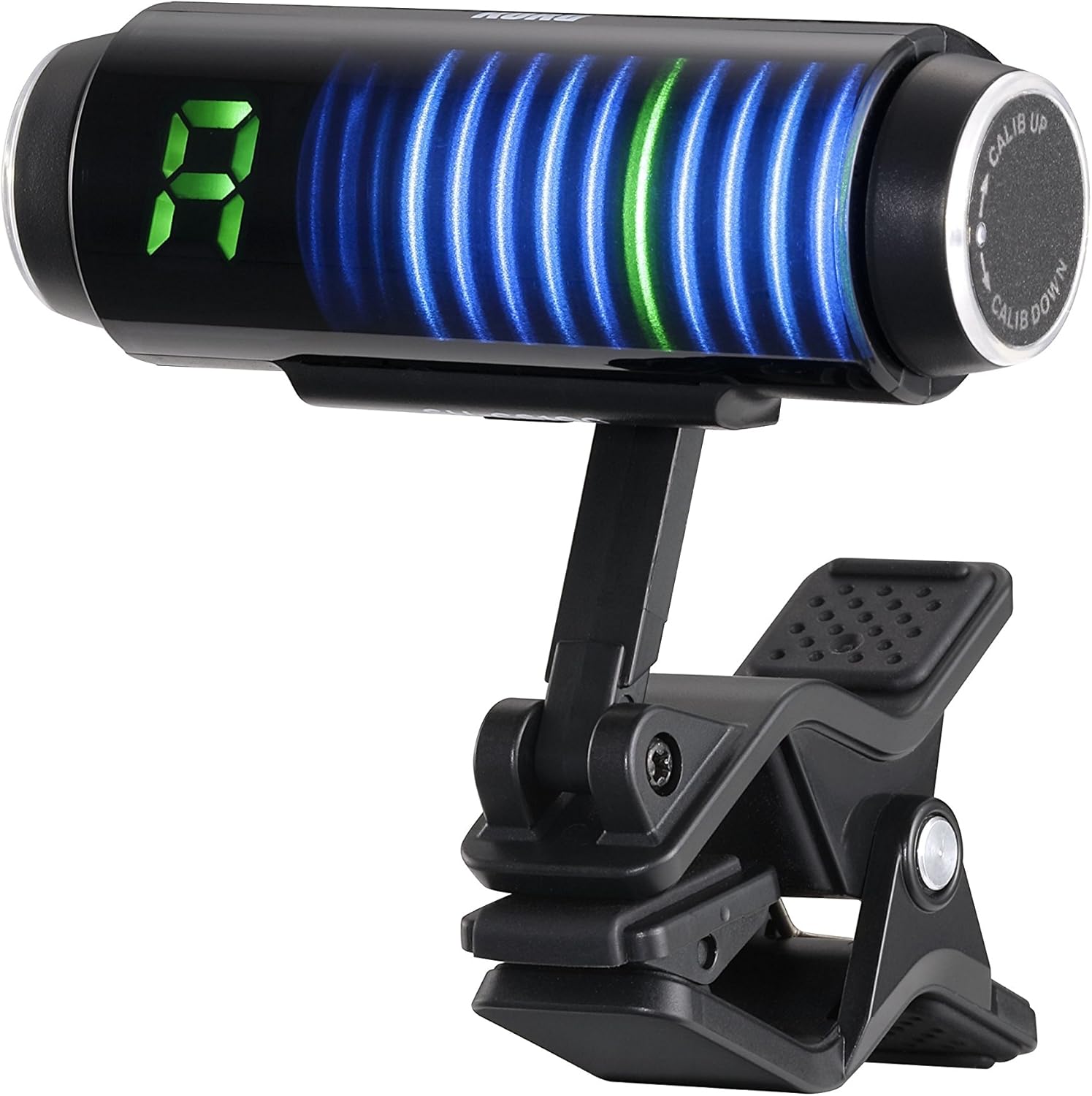
Gambar: Hareupeun view of the Korg SH-CS100 tuner display, showing a detected note and visual indicators for tuning accuracy.
- Interpretasi Tampilan:
The large LED display shows the note name (e.g., A, E, G). The vertical bar graph or strobe-like display indicates pitch deviation. When the bars are centered and stable, the note is in tune. Bars moving to the left indicate flat, and to the right indicate sharp.
- Calibrating Pitch (A4 Reference):
The standard concert pitch (A4) is typically 440 Hz. If you need to adjust this reference pitch, use the "CALIB UP" or "CALIB DOWN" functions, usually accessible via the control wheel, to set the desired A4 frequency.
Pangropéa
- beberesih: Use a soft, dry cloth to wipe the tuner's surface. Do not use abrasive cleaners or solvents.
- Ngagantian batré: When the display dims or the tuner becomes unresponsive, replace the AAA battery. Ensure correct polarity during installation.
- Panyimpenan: Store the tuner in a cool, dry place away from direct sunlight when not in use.
Pamérésan masalah
- Tuner henteu hurung:
Check if the AAA battery is correctly installed with the proper polarity. Replace the battery if it is depleted.
- Inaccurate or unstable tuning:
Ensure the tuner is securely clipped to the instrument's headstock. The clip must make good contact to pick up vibrations effectively. Avoid tuning in noisy environments that might interfere with vibration detection.
- Tampilanna taram atawa kedip-kedip:
This usually indicates a low battery. Replace the AAA battery.
- Difficulty operating the control wheel:
The control wheel may require a firm grip. Ensure your fingers are dry and clean for better traction. If the wheel is excessively stiff or loose, contact support.
spésifikasi
| Nomer modél | SH-CS100 |
| Akurasi Tuning | +/- 0.1 sén |
| Kahirupan batré | Kurang leuwih 100 jam |
| Jenis Batré | 1 x AAA (Lithium Metal or Alkaline) |
| Ukuran (L x W x H) | 2.52 x 1.93 x 2.6 inci (64 x 49 x 66 mm) |
| Beurat | 1.06 ons (30 gram) |
| Bahan Awak | Acrylnitril-Butadien-Styrol (ABS) |
| Warna | Hideung |
Émbaran jaminan
Korg products are typically covered by a limited manufacturer's warranty against defects in materials and workmanship. The specific terms and duration of the warranty may vary by region and product. Please retain your proof of purchase for warranty claims. For detailed warranty information, refer to the official Korg website or contact Korg customer support.
Ngarojong
For further assistance, technical support, or inquiries regarding your Korg SH-CS100 Sledgehammer Clip-on Guitar Tuner, please visit the official Korg websitus atanapi ngahubungi departemén layanan palangganna. Anjeun tiasa mendakan langkung seueur inpormasi sareng sumber daya di KORG Store on Amazon.


