1. Bubuka
This manual provides detailed instructions for the installation, operation, and maintenance of the GeoVision GV-MFD2501-6F 2MP Mini Fixed Dome IP Security Camera. Please read this manual thoroughly before using the product to ensure proper setup and functionality. Keep this manual for future reference.
1.1 Produk Leuwihview
The GV-MFD2501-6F is a compact 2-megapixel mini fixed dome IP camera designed for various surveillance applications. It features a 2.3mm lens, super low lux capabilities, and supports network connectivity for remote monitoring.
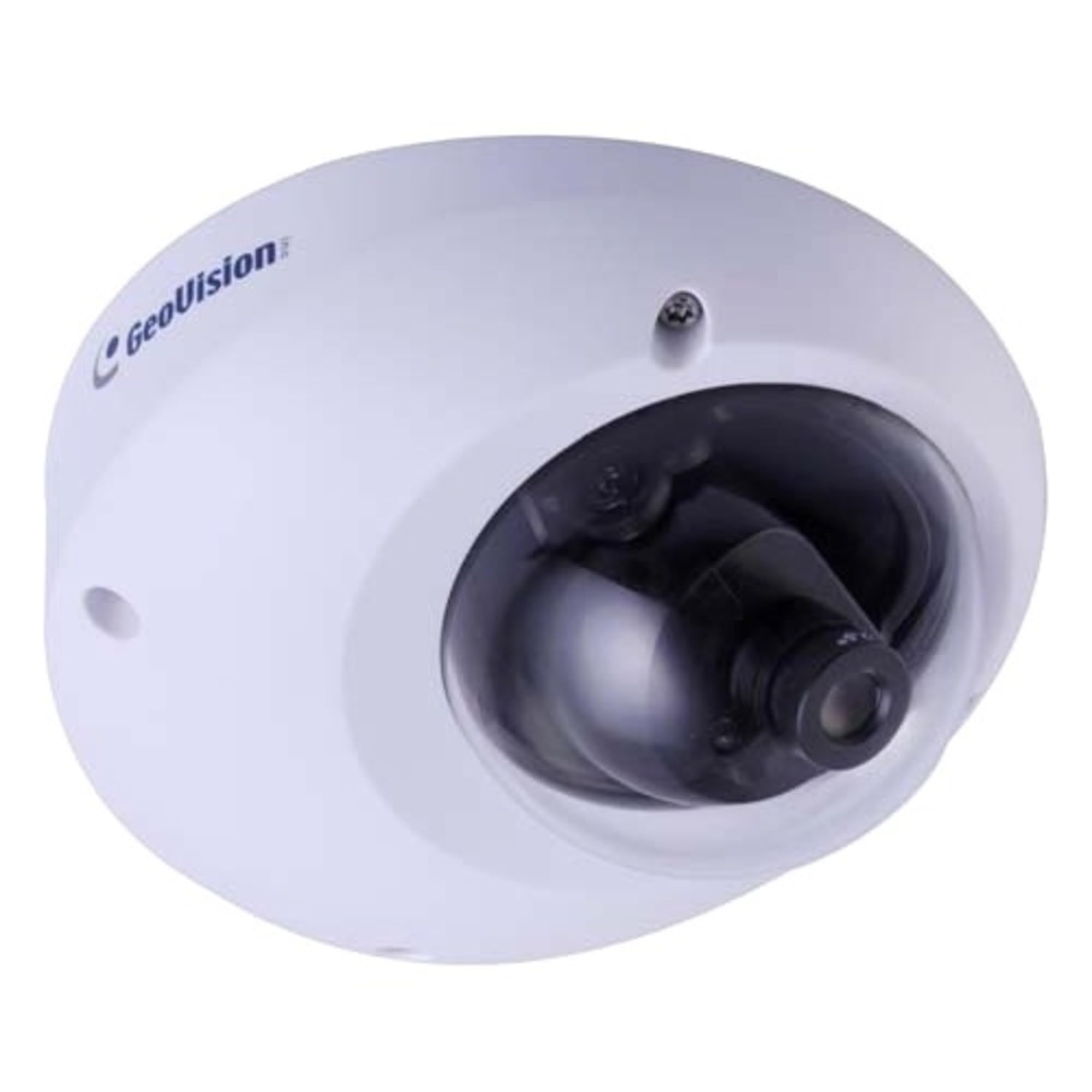
Figure 1.1: GeoVision GV-MFD2501-6F Mini Fixed Dome IP Security Camera. This image shows the compact design of the camera, highlighting its dome shape and lens.
1.2 Eusi pakét
Verify that all items are present in the package. If any items are missing or damaged, contact your dealer immediately.
- GV-MFD2501-6F IP Camera
- Pamasangan Sekrup
- Guide instalasi
- Software CD (or download link)
- Panyambung Waterproof (upami aya)
2. Émbaran Kasalametan
WARNING: To prevent fire or shock hazard, do not expose this unit to rain or moisture.
- Anggo ukur adaptor daya anu dikhususkeun pikeun alat ieu.
- Do not open the camera housing. Refer all servicing to qualified personnel.
- Avoid placing the camera in direct sunlight, near heat sources, or in areas with high humidity or dust.
- Pastikeun ventilasi ditangtoskeun sabudeureun kaméra.
- Pegatkeun sambungan kakuatan saméméh meresihan atawa ngalakukeun pangropéa.
3. Setélan
3.1 Instalasi fisik
The GV-MFD2501-6F is designed for indoor use. Choose a suitable mounting location that provides the desired field of view and is within reach of network and power cables.
- Nyiapkeun Surface Mounting: Anggo témplat pemasangan anu disayogikeun (upami kalebet) pikeun nandakeun liang bor.
- liang bor: Bor liang pilot pikeun screws ningkatna.
- Amankeun kaméra: Gantelkeun dasar kaméra ka permukaan ningkatna ngagunakeun screws disadiakeun.
- Saluyukeun Sudut: Loosen screws adjustment pikeun posisi lénsa kaméra pikeun nu dipikahoyong viewsudut nu tangtu, teras kencengkeun sekrup pikeun ngamankeunana.
Figure 3.1: Illustrative diagram of camera mounting. This image would typically show the steps for securing the camera to a ceiling or wall, including screw placement and cable routing.
3.2 Wiring jeung sambungan
Connect the camera to your network and power source.
- Kabel Ethernet: Connect an Ethernet cable from your network switch or router to the camera's RJ-45 port. If using Power over Ethernet (PoE), this single cable provides both power and data.
- Adaptor Daya (upami henteu nganggo PoE): If PoE is not available, connect a compatible 12V DC power adapter (not included) to the camera's power input port.
Figure 3.2: Diagram showing camera wiring connections. This image would illustrate how to connect the Ethernet cable and, if necessary, the power adapter to the camera's ports.
3.3 Konfigurasi Jaringan Awal
After physical installation and connection, configure the camera for network access.
- Daya Hurung: Connect the camera to power. The camera will perform a self-test.
- Panggihan kaméra: Use the GeoVision GV-IP Device Utility (available on the GeoVision website) to discover the camera on your local network. The utility will display the camera's IP address.
- Aksés Web panganteur: Buka a web panyungsi (contona, Chrome, Firefox) teras lebetkeun alamat IP kaméra dina bilah alamat.
- Lebet: Enter the default username (e.g., "admin") and password (e.g., "admin" or "1234"). You will be prompted to change the password upon first login for security.
- Setélan jaringan: Navigate to the network settings to configure IP address (DHCP or Static), subnet mask, gateway, and DNS settings as required by your network environment.
4. Parentah Operasi
Once configured, the camera can be accessed and managed through its web interface or compatible GeoVision VMS software.
4.1 Hirup View
Ti web antarmuka, arahkeun ka "Live View" section to see the real-time video feed from the camera. You can adjust video stream settings such as resolution, frame rate, and quality here.
4.2 Setélan Rékam
Configure recording schedules, motion detection recording, and continuous recording options. Recordings can be stored on a network-attached storage (NAS), local storage (if supported), or a GeoVision NVR/VMS.
4.3 Deteksi Gerak
Set up motion detection zones and sensitivity levels. When motion is detected, the camera can trigger recording, send email alerts, or activate other alarm outputs.
4.4 Aksés Jauh
To access the camera remotely, ensure your network router is configured for port forwarding (if not using a VPN or cloud service). Refer to your router's manual for port forwarding instructions. GeoVision also offers mobile applications for remote viewing.
5. Pangropéa
5.1 Ngabersihan Kaméra
Rutin ngabersihan lénsa kaméra sareng perumahan pikeun mastikeun kualitas gambar anu optimal. Paké lawon lemes, garing. Pikeun kokotor nekad, a rada damp lawon jeung detergent hampang bisa dipaké, dituturkeun ku lawon garing. Ulah make cleaners abrasive atawa pangleyur.
5.2 Apdet firmware
Pariksa GeoVision sacara berkala websitus pikeun apdet firmware. Pembaruan firmware tiasa nyayogikeun fitur anyar, perbaikan kinerja, sareng paningkatan kaamanan. Turutan parentah nu disadiakeun kalawan pakét update firmware taliti.
5.3 Manajemén Sandi
Regularly change your camera's password to a strong, unique password to prevent unauthorized access.
6. Cara ngungkulan
| Masalah | Mungkin Cukang lantaranana | Solusi |
|---|---|---|
| Teu aya daya pikeun kaméra | Power adapter unplugged or faulty; PoE not active. | Check power connections. Ensure PoE switch/injector is active. Test with a known good power source. |
| Taya feed video | Network cable disconnected; incorrect IP address; firewall blocking access. | Verify Ethernet cable connection. Use GV-IP Device Utility to find camera. Check network settings and firewall rules. |
| Henteu tiasa lebet | Incorrect username/password. | Ensure correct credentials. If forgotten, refer to the GeoVision website for password reset procedures (may require physical access). |
| Kualitas gambar henteu saé | Dirty lens; improper focus; low light conditions; incorrect video settings. | Clean the lens. Adjust focus if applicable. Ensure adequate lighting. Check resolution, frame rate, and compression settings. |
7. Spésifikasi
The following are key specifications for the GeoVision GV-MFD2501-6F camera:
- model: 84-MFD2501-6F1U
- Resolusi: 2 megapiksel
- Lensa: 2.3mm lensa Maneuh
- Konektipitas: Nirkabel Note: While "Wireless" is listed in specifications, this IP camera primarily uses wired Ethernet for reliable data transmission and PoE. Wireless functionality may refer to specific optional modules or control methods.
- kakuatan: PoE (Power over Ethernet) atanapi 12V DC (adaptor teu kalebet)
- ukuran: Approximately 21 x 18.6 x 9.3 cm (Parcel Dimensions)
- beurat: Approximately 487 g (Parcel Weight)
- Suhu operasi: (Inpormasi teu disayogikeun, kisaran suhu umumna nyaéta -10°C dugi ka 50°C)
- Pabrikan: GeoVision
8. Garansi jeung Rojongan
8.1 Émbaran jaminan
GeoVision products typically come with a limited warranty. For specific warranty terms and conditions, please refer to the warranty card included with your product or visit the official GeoVision websitus. Simpen bukti pameseran anjeun pikeun klaim garansi.
8.2 Rojongan Téknis
For technical assistance, product inquiries, or troubleshooting beyond this manual, please contact GeoVision customer support or your authorized GeoVision dealer. Visit the official GeoVision websitus (www.geovision.com.tw) for support resources, FAQs, and contact information.


