Bubuka
Thank you for choosing the Altec Lansing iMW475 Mini Life Jacket Bluetooth Speaker. This speaker is designed for portability and durability, featuring a rugged, compact, waterproof, dustproof, and shockproof design. It also floats, making it ideal for outdoor and water-related activities. This manual provides essential information for setting up, operating, and maintaining your speaker.
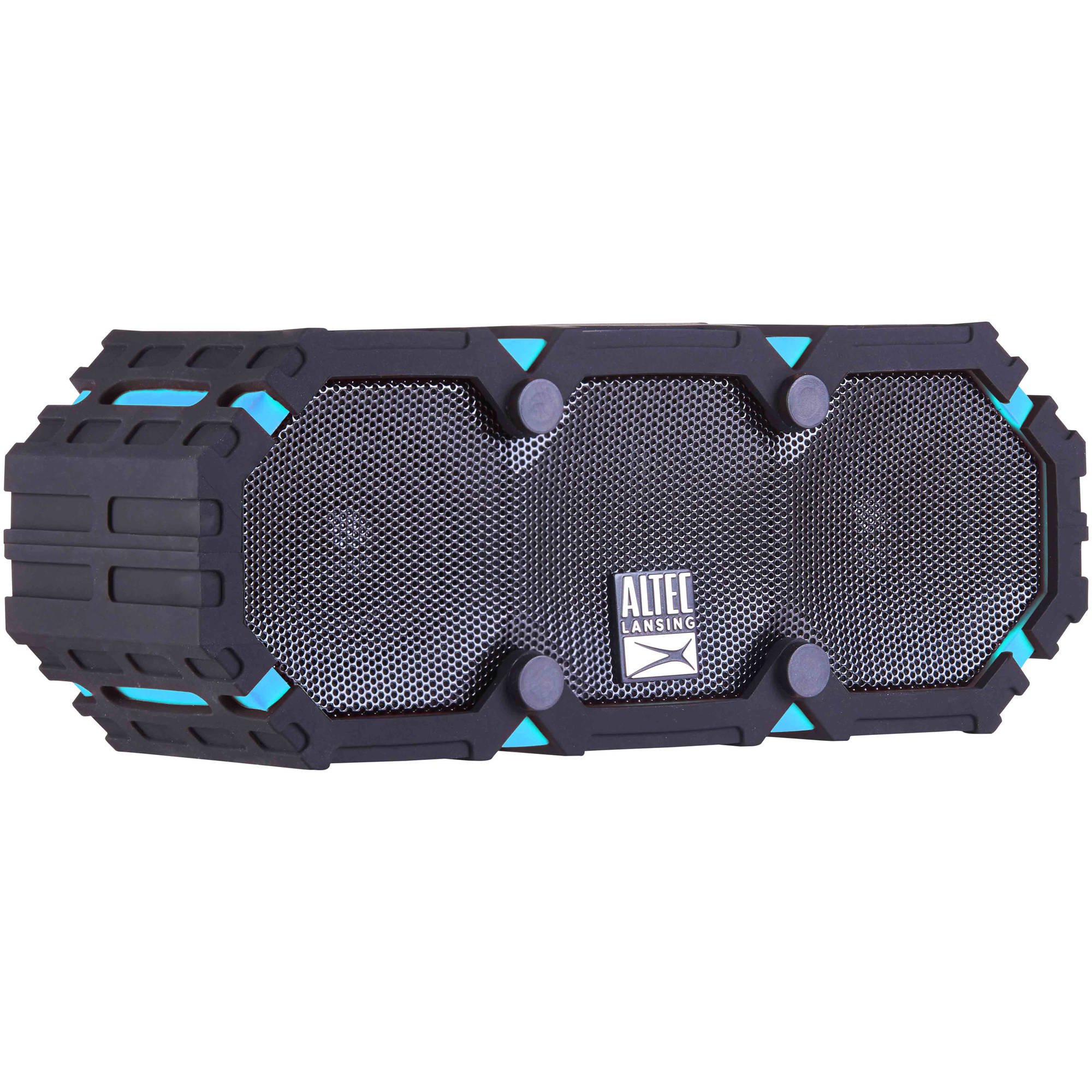
Image: The Altec Lansing iMW475 Mini Life Jacket Bluetooth Speaker, showcasing its compact, rugged design in black and blue.
Eusi pakét
- Altec Lansing iMW475 Mini Life Jacket Bluetooth Speaker
- Ningkatna Kurung
- USB Charging Cable (Note: Specific cable type not detailed in product data, typically Micro-USB or USB-C)
- Auxiliary Cable (Note: Not explicitly listed but common for such speakers)
- Pituduh Mimitian Gancang (Not explicitly listed but common)
Punten pastikeun sadaya item aya sateuacan neraskeun setelan.
Kontrol jeung Indikator
The speaker features intuitive controls for power, volume, and Bluetooth pairing. Specific button layouts may vary slightly, but common functions include:
- Tombol Daya: Pencét jeung tahan pikeun ngaktipkeun atawa mareuman speaker.
- Volume Kaluhur/Tombol Lagu Salajengna: Pencét pikeun ningkatkeun polumeu. Tahan pikeun skip ka lagu salajengna.
- Volume Turun/Tombol Lagu Saméméhna: Pencét pikeun ngirangan polumeu. Tahan pikeun muka lagu saméméhna.
- Tombol Maénkeun/Pareuman/Telepon: Press to play or pause audio. Press to answer or end a phone call. Hold to activate voice assistant (if supported by your device).
- Tombol Nyapasangkeun Bluetooth: Pencét jeung tahan pikeun ngasupkeun mode papasangan Bluetooth.
- Indikator LED: Displays power status, charging status, and Bluetooth connection status.
Refer to the quick start guide included with your product for a detailed diagram of button placement.
Disetél
1. Ngecas Speaker
Before first use, fully charge your Altec Lansing iMW475 speaker. A full charge provides approximately 10 hours of battery life.
- Locate the charging port, usually protected by a waterproof flap.
- Sambungkeun kabel ngecas USB nu disadiakeun ka port ngecas speaker urang.
- Sambungkeun tungtung kabel USB anu sanés ka adaptor kakuatan USB (teu kalebet) atanapi port USB komputer.
- The LED indicator will show the charging status (e.g., solid red while charging, off or green when fully charged).
- Once fully charged, disconnect the cable and ensure the waterproof flap is securely closed.
2. Papasangan Bluetooth
Pikeun nyambungkeun speaker anjeun ka alat nu diaktipkeun Bluetooth:
- Pastikeun speaker parantos dicas sareng dipareuman.
- Pencét terus tahan tombol Daya pikeun ngahurungkeun speaker. Indikator LED bakal kedip-kedip, nunjukkeun yén éta dina modeu pairing.
- Dina alat sélulér anjeun (smartphone, tablet, laptop), buka setélan Bluetooth.
- Milarian pikeun available devices. You should see "iMW475" or a similar name in the list.
- Select "iMW475" to connect. The LED indicator will turn solid when successfully paired.
- A voice prompt may confirm "You are now connected."
- Once paired, the speaker will automatically connect to the last paired device when turned on, if the device is within range (up to 30 feet or 9.14 meters).
Parentah Operasi
Maén Audio
- After successful Bluetooth pairing, open your preferred music application on your connected device.
- Start playing audio. The sound will be routed through your Altec Lansing iMW475 speaker.
- Use the Volume Up/Down buttons on the speaker or your connected device to adjust the audio level.
- Pencét tombol Puter/Pause pikeun ngareureuhkeun atanapi neraskeun puteran.
- Hold the Volume Up/Down buttons to skip tracks forward or backward.
Leungeun-Free Telepon
The speaker features an onboard microphone for hands-free communication.
- When a call comes in, the music will pause, and you will hear a ringtone through the speaker.
- Press the Play/Pause/Call button once to answer the incoming call.
- Speak clearly into the speaker's microphone.
- To end the call, press the Play/Pause/Call button once again.
- To reject an incoming call, press and hold the Play/Pause/Call button.
Ngagunakeun Input Auxiliary
For devices without Bluetooth, you can connect via the auxiliary input.
- Locate the auxiliary input port, usually protected by a waterproof flap.
- Connect one end of a 3.5mm auxiliary cable (not included) to the speaker's AUX port.
- Sambungkeun tungtung anu sanés kana jack headphone alat audio anjeun.
- The speaker will automatically switch to AUX mode, or you may need to press the Mode button (if available).
- Kontrol playback sareng polumeu tina alat audio nu disambungkeun.
Pangropéa
- beberesih: Ngusap spéker ku hipu, damp lawon. Ulah make cleaners abrasive atawa pangleyur.
- Perawatan waterproof: Ensure all port covers are securely closed before exposing the speaker to water to maintain its waterproof integrity. After exposure to saltwater or chlorinated water, rinse the speaker with fresh water and allow it to air dry completely.
- Panyimpenan: Simpen spéker dina tempat anu tiis sareng garing jauh tina sinar panonpoé langsung sareng suhu anu ekstrim.
- Perawatan batré: Pikeun manjangkeun umur batre, ulah miceun batre pinuh. Ngeusi batre spéker rutin, sanajan teu dipaké pikeun période nambahan.
Pamérésan masalah
| Masalah | Solusi |
|---|---|
| Speaker teu hurung. | Pastikeun batréna geus dieusian. Sambungkeun spiker ka sumber listrik nganggo kabel ngecas USB. |
| Teu aya sora ti panyatur. |
|
| Papasangan Bluetooth gagal. |
|
| Kualitas audio anu goréng atanapi distorsi. |
|
spésifikasi
- Ngaran modél: iMW475 Mini Life Jacket
- Tipe Speaker: Luar
- Fitur husus: Waterproof, Dustproof, Shockproof, Floats
- Konektipitas: Bluetooth
- Kisaran Bluetooth: Nepi ka 30 suku (9.14 méter)
- Kahirupan batré: Nepi ka 10 jam
- Sumber Daya: Battery and AC (via USB charging)
- Mode Kaluaran Audio: Stereo
- Daya Kaluaran Maksimum Speaker: 10 Watt
- Métode kontrol: Sora, Tombol
- Komponén Kaasup: Ningkatna Kurung
- Ukuran produk: 7 x 3 x 4.5 inci
- Beurat barang: 1 pon (16 ons)
- Tingkat tahan cai: Tahan cai
- UPC: 021331205841
Garansi sareng Rojongan
Altec Lansing products are designed for reliability and performance. For specific warranty information regarding your iMW475 Mini Life Jacket Bluetooth Speaker, please refer to the warranty card included with your purchase or visit the official Altec Lansing websitus.
For technical support, frequently asked questions, or to register your product, please visit the Altec Lansing support page or contact their customer service directly. Contact details are typically available on the manufacturer's websitus.
Catetan: Sarat jeung katangtuan garansi bisa béda-béda gumantung wilayah jeung padagang. Simpen bukti pameseran anjeun pikeun klaim garansi.


