
Bubuka
The Superior Electronics Freedom 2in1 is a universal programmable remote control designed to operate up to two different audio/video devices. This manual provides comprehensive instructions for setup, operation, maintenance, and troubleshooting to ensure optimal performance and longevity of your device.
Émbaran Kasalametan
- Do not expose the remote control to direct sunlight, heat sources, or extreme temperatures.
- Hindarkeun leupaskeun kadali jauh atanapi tunduk kana tabrakan anu kuat.
- Do not immerse the remote control in water or any other liquid.
- Jauhkeun batré tina jangkauan barudak. Lamun ditelek, neangan perhatian médis saharita.
- Buang batré anu dipaké nurutkeun peraturan lokal.
Eusi pakét
Punten parios yén sadaya barang aya dina pakét:
- Superior Electronics Freedom 2in1 Universal Remote Control
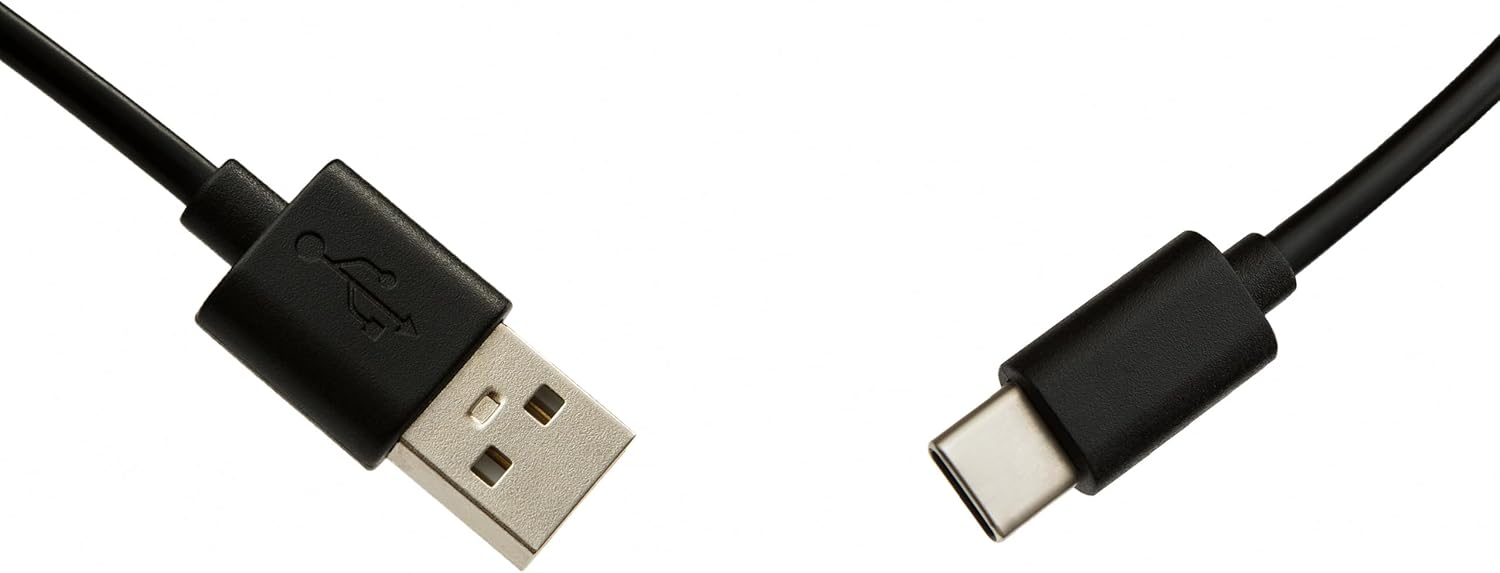
- USB-C Cable for programming
- Manual pangguna (dokumén ieu)
Disetél
1. Pamasangan batré
Remot kontrol ieu peryogi dua batré AAA (teu kalebet). Pikeun masangna:
- Buka tutup kompartemen batréna dina tonggong kadali jarak jauh.
- Selapkeun dua batré AAA, mastikeun polaritasna bener (+ jeung -).
- Tutup panutup kompartemen batré aman.
2. Ngaprogram Remote Control Anjeun
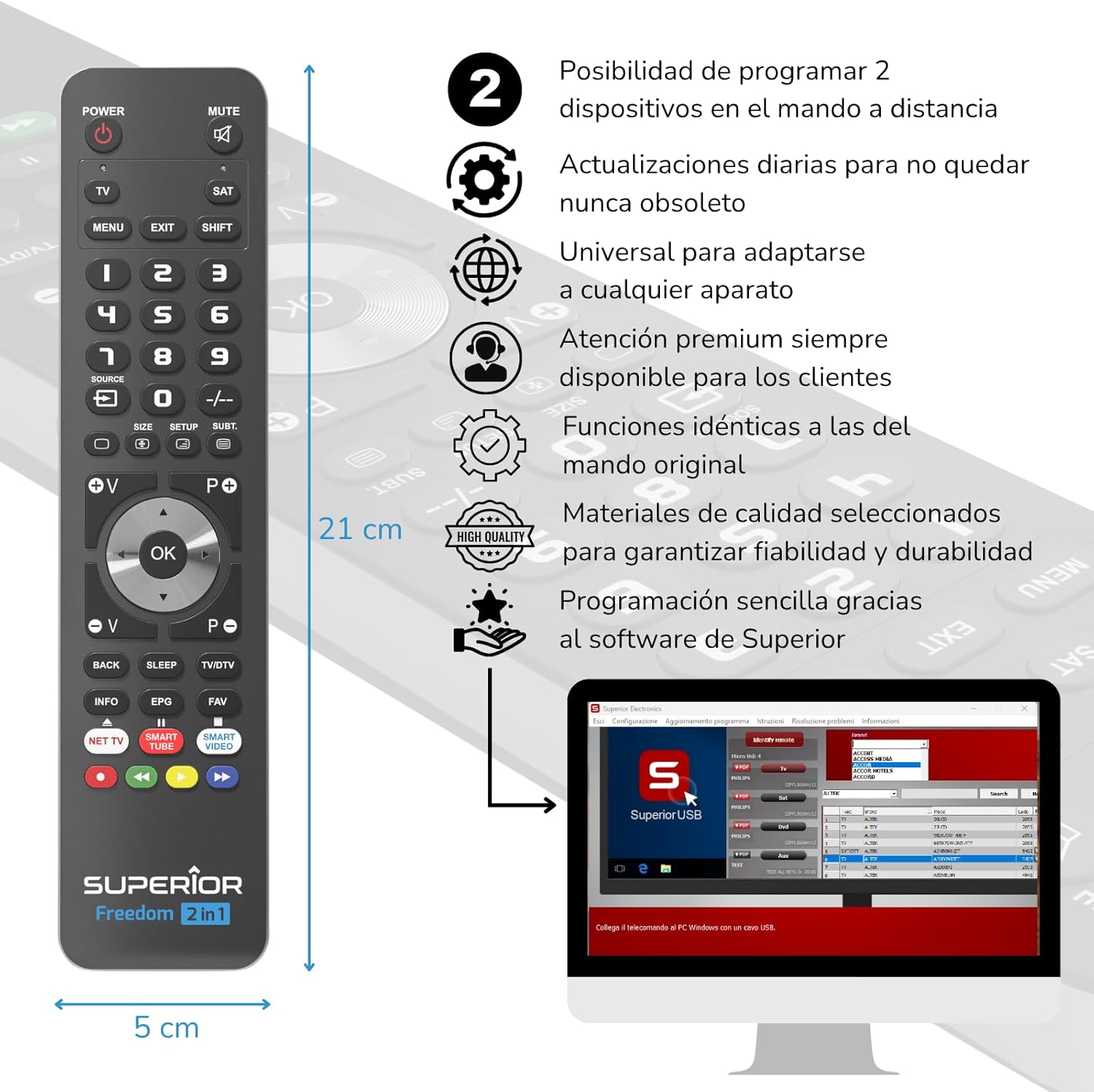
The Superior Electronics Freedom 2in1 remote control is programmable via a computer using the included USB-C cable and Superior's dedicated software. This allows for quick and accurate setup for a wide range of devices.
- Unduh parangkat lunak: Visit the official Superior Electronics website to download the latest programming software for your Freedom 2in1 remote.
- Sambungkeun Jauh: Connect the remote control to your computer using the provided USB-C cable.
- Ngajalankeun Software: Open the Superior programming software on your computer.
- Pilih Alat: Follow the on-screen instructions to select the brand and model of the device you wish to control (e.g., TV, SAT, DVD, Soundbar). The software utilizes a leading European database with over 260,000 compatible devices.
- Program: Initiate the programming process. Programming is typically completed in less than one minute by double-clicking the desired brand and model within the software.
- MAP Function: The dedicated MAP function allows you to recover the original remote control functions on the Superior Freedom keypad, ensuring all original functionalities are available.

Parentah Operasi
Once programmed, your Superior Electronics Freedom 2in1 remote control is ready for use. It can control up to two devices, such as TVs, Smart TVs, decoders, DVD players, projectors, and soundbars.

Tombol Fungsi Leuwihview:
- kakuatan: Ngahurungkeun atawa mareuman alat nu dipilih.
- Bisu: Ngajempékeun atanapi nganonaktipkeun audio.
- TV / SAT: Selects the device to be controlled (e.g., TV or Satellite receiver).
- MENU / KELUAR: Accesses or exits the device's menu.
- SHIFT: Activates secondary functions of certain buttons.
- 0-9: Tombol angka pikeun input saluran langsung.
- SUMBER: Changes the input source on your TV.
- +/-: Adjusts channel up/down or navigates through menus.
- SIZE / SETUP / SUBT.: Specific functions depending on the device.
- Volume (V+/-) / Channel (P+/-): Saluyukeun volume sareng robih saluran.
- Navigation (Up, Down, Left, Right, OK): Navigates ngaliwatan ménu jeung confirms selections.
- BACK / SLEEP / TV/DTV: Returns to previous screen, sets sleep timer, or switches between TV/Digital TV modes.
- INFO / EPG / FAV: Displays information, Electronic Program Guide, or Favorite channels.
- NET TV / SMART TUBE / SMART VIDEO: Dedicated buttons for smart TV applications.
- Tombol Warna (Beureum, Héjo, Konéng, Biru): Used for specific functions within menus or smart TV apps.
The maximum operating range of the remote control is 10 meters.
Pangropéa
beberesih
To clean the remote control, use a soft, dry cloth. Do not use abrasive cleaners, solvents, or chemical agents, as these may damage the surface or internal components.
Ngagantian batré
When the remote control's performance diminishes or it stops responding, it is likely time to replace the batteries. Follow the battery installation steps outlined in the Setup section.
Pamérésan masalah
- Jauh teu ngabales: Ensure batteries are correctly inserted and not depleted. Replace batteries if necessary.
- Device not controlling: Verify that the remote is pointed directly at the device's IR receiver. Ensure there are no obstructions between the remote and the device.
- Incorrect functions: The remote may not be programmed correctly for your specific device model. Re-program the remote using the Superior Electronics software and ensure you select the correct brand and model.
- Fungsi terbatas: If some functions are missing, use the MAP function in the programming software to ensure all original remote functions are mapped to the Freedom 2in1.
If issues persist after following these steps, please contact Superior Electronics customer support.
spésifikasi
| Nomer modél | SUPTUB002 |
| merek | Éléktronik Unggul |
| Diménsi | 23 x 5 x 1.5 cm |
| Beurat | 80 g |
| Batré Diperlukeun | 2 x AAA (teu kaasup) |
| Konektipitas | USB-C (for programming) |
| Maximum Devices Supported | 2 |
| Rentang maksimum | 10 méter |
| Alat nu cocog | TVs, Smart TVs, Decoders, DVD players, Projectors, Soundbars, Hi-Fi systems |
Garansi sareng Rojongan
Superior Electronics is committed to providing high-quality products and excellent customer service.
- Apdet parangkat lunak: Enjoy free and constant updates for your remote control's programming database, ensuring compatibility with new devices.
- Bantuan Pelanggan: Premium customer assistance is available 7 days a week to address any questions or issues you may encounter.
For further assistance, please visit the official Superior Electronics websitus atanapi ngahubungan rojongan customer maranéhanana langsung.