1. Bubuka
Thank you for choosing the iHome IH-M391C Comfort Wireless Optical Mouse. This device offers reliable wireless connectivity and precise optical tracking for an enhanced computing experience. Designed for comfort and ease of use, it requires no complex installation or synchronization, allowing for immediate plug-and-play functionality.
This manual provides essential information on setting up, operating, and maintaining your wireless mouse to ensure optimal performance.
2. Eusi Paket
Mangga parios eusi pakét pikeun mastikeun yén sadaya barang aya:
- iHome IH-M391C Comfort Wireless Optical Mouse
- USB Nano Panarima
- 2 x Batré AAA
3. Setélan
Follow these steps to set up your iHome wireless mouse:
- Pasang Batré: Locate the battery compartment on the underside of the mouse. Open the cover and insert the two AAA batteries, ensuring correct polarity (+/-). Close the battery compartment cover.
- Selapkeun Panarima Nano USB: Plug the USB nano receiver into an available USB port on your computer. Your computer will automatically detect and install the necessary drivers.
- Daya Hurung: Hurungkeun beurit nganggo saklar daya, biasana aya di handapeun.
The mouse is designed for plug-and-play operation and does not require manual synchronization or software installation.
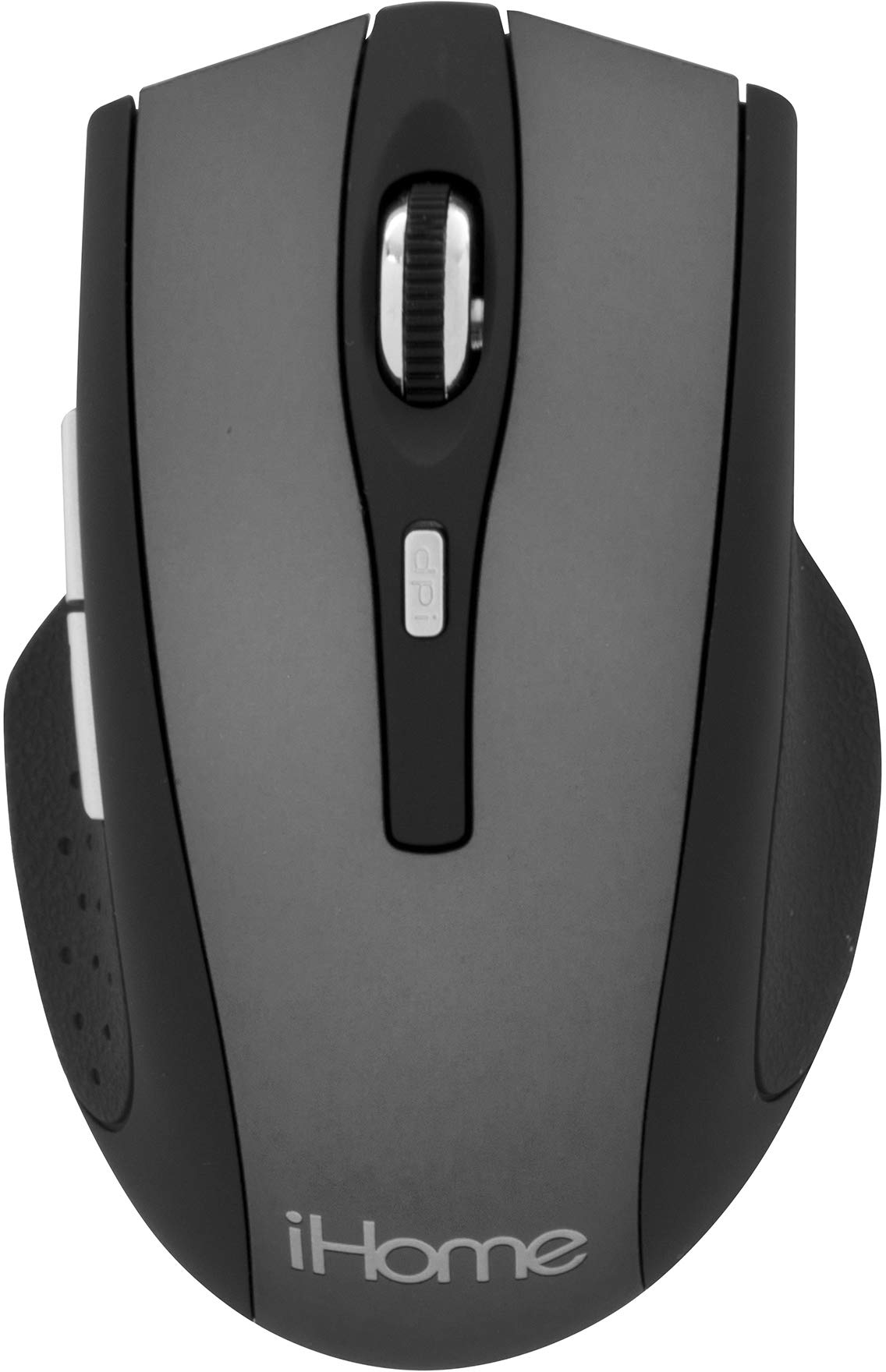
Image: The iHome IH-M391C Comfort Wireless Optical Mouse, showing its ergonomic design, along with the compact USB nano receiver and AAA batteries, ready for installation.
4. Parentah Operasi
The iHome IH-M391C mouse provides standard functionality for navigation and interaction with your computer:
- Klik Kénca: Pencét tombol kénca pikeun milih item, muka tautan, atanapi ngaktipkeun pungsi.
- Klik katuhu: Pencét tombol katuhu pikeun muka ménu kontéks atanapi aksés pilihan tambahan.
- Gulung kabayang: Gulung roda gulung ka luhur atanapi ka handap pikeun nganapigasi dokumén sareng web pages. The scroll wheel may also function as a middle click button for specific applications.
- Pelacakan Optik: The 1000 DPI optical sensor provides smooth and precise cursor control on most surfaces. For best performance, use on a clean, non-reflective surface.
- Kabebasan Nirkabel: Enjoy a clutter-free workspace with reliable wireless connectivity. The effective range may vary depending on environmental factors.
5. Pangropéa
Pikeun mastikeun umur panjang sareng kinerja optimal mouse anjeun, turutan pedoman perawatan ieu:
- beberesih: Use a soft, dry cloth to clean the exterior of the mouse. For the optical sensor, use a cotton swab lightly dampened with isopropyl alcohol to gently wipe away any dust or debris. Ensure the mouse is powered off before cleaning.
- Ngagantian batré: When the mouse performance degrades or it stops responding, replace the AAA batteries. Always use fresh batteries and dispose of old ones responsibly.
- Panyimpenan: When not in use for extended periods, turn off the mouse to conserve battery life. Store the mouse and USB nano receiver in a dry, cool place.
- Hindarkeun Kaayaan Ekstrim: Do not expose the mouse to extreme temperatures, humidity, or direct sunlight. Avoid dropping the mouse or subjecting it to strong impacts.
6. Cara ngungkulan
If you encounter issues with your iHome wireless mouse, refer to the following troubleshooting tips:
| Masalah | Solusi anu mungkin |
|---|---|
| Beurit teu ngabales |
|
| Kursor erratic atanapi luncat |
|
| Short wireless range or intermittent connection |
|
7. Spésifikasi
- model: IH-M391C
- Konektipitas: Nirkabel (Panarima Nano USB)
- Téknologi sénsor: Optik
- DPI: 1000
- Batré: 2 x AAA (kaasup)
- ukuran: Kira-kira 10.16 x 4.06 x 21.59 cm (4.0 x 1.6 x 8.5 inci)
- beurat: Kira-kira 113.4 g (4 oz)
- warna: kulawu
- Fitur husus: Nirkabel
8. Garansi jeung Rojongan
For warranty information or technical support, please refer to the documentation provided with your purchase or visit the official iHome websitus. Simpen bukti pameseran anjeun pikeun klaim garansi.


