
1. Bubuka
This instruction manual provides essential information for the proper installation and maintenance of the Jamara 38129 Rotor Blade Pack. These replacement blades are designed for the Jamara Invader Quadrocopter (model 038100) and the Observer 2.4 GHz Quadrocopter (model 038550). Please read this manual thoroughly before installation to ensure safe and correct operation of your quadrocopter.
2. Émbaran Kasalametan
- Pangawasan Dewasa: Pamasangan kedah dilakukeun ku déwasa atanapi di handapeun pangawasan déwasa.
- Ujung seukeut: Rotor blades can have sharp edges. Handle with care to avoid injury.
- Orientasi anu leres: Always ensure rotor blades are installed with the correct orientation (A or B) as specified by your quadrocopter's original manual to prevent flight instability.
- Pangikat Aman: Ensure all screws are securely fastened after installation. Loose blades can detach during flight, causing damage or injury.
- Kasaluyuan: Use only genuine Jamara replacement parts for optimal performance and safety.
- Watesan Umur: Not appropriate for children under the age of 3 years due to small parts and potential hazards.
3. Eusi Paket
The Jamara 38129 Rotor Blade Pack contains the following items:
- 4 x Rotor Blades (2x Type A, 2x Type B, or as specified by your quadrocopter model)
4. Setup jeung Instalasi
This section details the steps for replacing the rotor blades on your Jamara Invader Quadrocopter (038100) or Observer 2.4 GHz Quadrocopter (038550).
- Pareum listrik: Ensure your quadrocopter is powered off and the battery is disconnected before beginning any installation.
- Identify Damaged Blade: Locate the rotor blade that needs replacement.
- Hapus Old Blade: Carefully unscrew the small screw(s) holding the damaged blade to the motor shaft. Keep the screw(s) in a safe place. Gently remove the old blade.
- Identify New Blade Type: Rotor blades are typically marked with an "A" or "B" (or similar indicators) to denote their rotation direction and position on the quadrocopter. Match the new blade to the type of the blade you removed. Incorrect blade placement will prevent the quadrocopter from flying correctly.
- Pasang Blade Anyar: Place the correct new rotor blade onto the motor shaft, ensuring it sits flush.
- Sabeulah Aman: Use the screw(s) removed earlier to securely fasten the new blade to the motor shaft. Do not overtighten, but ensure it is firm enough to prevent wobbling.
- Repeat for Other Blades: If replacing multiple blades, repeat steps 2-6 for each.
- Pariksa Pra-Hiber: Before reconnecting the battery and powering on, manually check that all new blades are securely attached and can spin freely without obstruction.
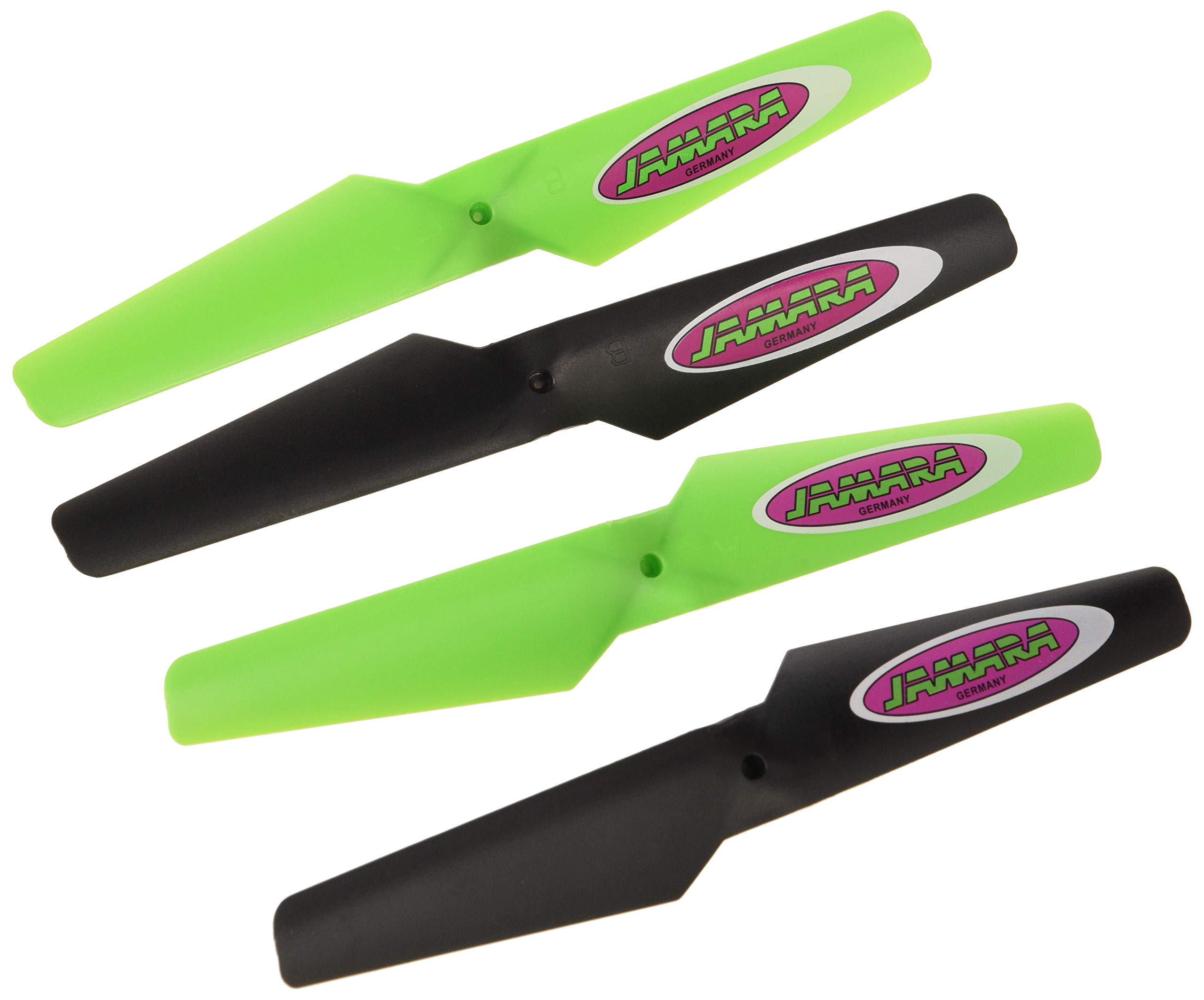
Image 1: Jamara 38129 Rotor Blade Pack. This image shows the four replacement rotor blades included in the pack, ready for installation.
5. Pertimbangan Operasi
While rotor blades themselves do not operate, their correct installation is crucial for the quadrocopter's flight performance. After replacing blades, always perform a test flight in a safe, open area to ensure stability and responsiveness. If the quadrocopter exhibits unusual behavior (e.g., tilting, excessive vibration), immediately land and re-check blade installation and orientation.
6. Pangropéa
- Inspeksi rutin: Periodically inspect all rotor blades for cracks, bends, or chips, especially after any hard landing or collision.
- beberesih: Keep blades clean from dirt, dust, and debris. Use a soft, dry cloth to wipe them down.
- Panyimpenan: Store spare blades in a safe place to prevent damage.
- ngagantian: Replace any damaged blade immediately. Even minor damage can significantly affect flight performance and safety.
7. Cara ngungkulan
| Masalah | Mungkin Cukang lantaranana | Solusi |
|---|---|---|
| Quadcopter unstable or flips on takeoff | Incorrect blade orientation (A/B blades swapped) or loose blades. | Verify each blade is installed on the correct motor and securely fastened. Refer to your quadrocopter's original manual for correct blade placement. |
| Excessive vibration during flight | Damaged, bent, or unbalanced blade. | Inspect all blades for damage. Replace any damaged blades. Ensure blades are clean and free of debris. |
| Reduced lift or poor flight performance | Worn or damaged blades. | Replace all worn or damaged blades with new ones from the Jamara 38129 pack. |
8. Spésifikasi
- Jumlah modél: 38129
- merek: Jamara
- Kasaluyuan: Jamara Invader Quadrocopter (038100), Jamara Observer 2.4 GHz Quadrocopter (038550)
- Isi Paket: 4 Pieces Rotor Blade Pack
- warna: Multiwarna
- Majelis Diperlukeun: No (for the blades themselves, but installation is required)
- Umur Minimum Pabrikan: 36 bulan (3 taun)
- Nomer Idéntifikasi Perdagangan Global (GTIN): 04042774396077
9. Garansi jeung Rojongan
For warranty information or technical support regarding your Jamara 38129 Rotor Blade Pack or compatible quadrocopters, please refer to the original product documentation that came with your quadrocopter or visit the official Jamara websitus. Simpen resi pameseran anjeun salaku bukti pameseran pikeun klaim garansi.
Pabrikan: Jamara (JAMXM)