Bubuka
This manual provides essential information for the safe and effective use of your Canon EOS Rebel T6s Digital SLR camera. Please read this manual thoroughly before using the camera and keep it in a safe place for future reference.
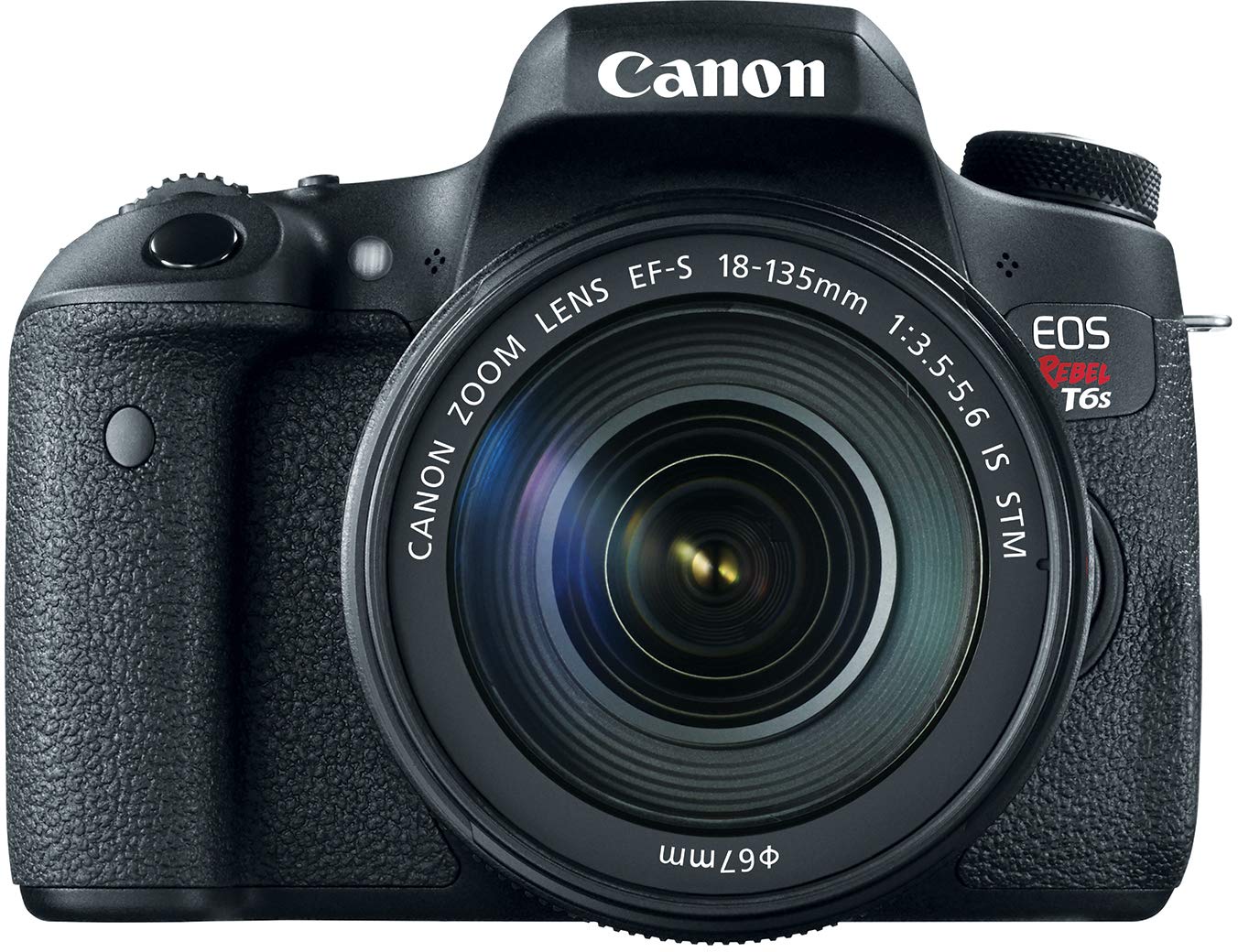
Figure 1: Canon EOS Rebel T6s camera with EF-S 18-135mm IS STM lens.
Naon dina Box
Verify that all the following items are included with your Canon EOS Rebel T6s camera kit:
- EOS Rebel T6s Body
- EF-S 18-135mm f/3.5-5.6 IS STM lénsa
- Batré LP-E17
- Batré carjer LC-E17
- Eyecup Ef
- Wide Strap EW-100DB V
- Interface Cable IFC-130U
- Cakram Solusi Digital EOS
- One Year Limited Warranty Card
Disetél
1. Ngecas Batré
Insert the provided Battery Pack LP-E17 into the Battery Charger LC-E17. Plug the charger into a power outlet. The charging indicator light will show the charging status. A fully discharged battery typically takes approximately 2 hours to charge. Ensure the battery is fully charged before initial use.
2. Nyelapkeun Batré sareng Kartu Mémori
Open the battery compartment cover located at the bottom of the camera. Insert the charged Battery Pack LP-E17 until it locks into place. Close the battery compartment cover.
Open the memory card slot cover on the side of the camera. Insert an SD/SDHC/SDXC (UHS-I compatible) memory card with the label facing the front of the camera until it clicks. Close the memory card slot cover.
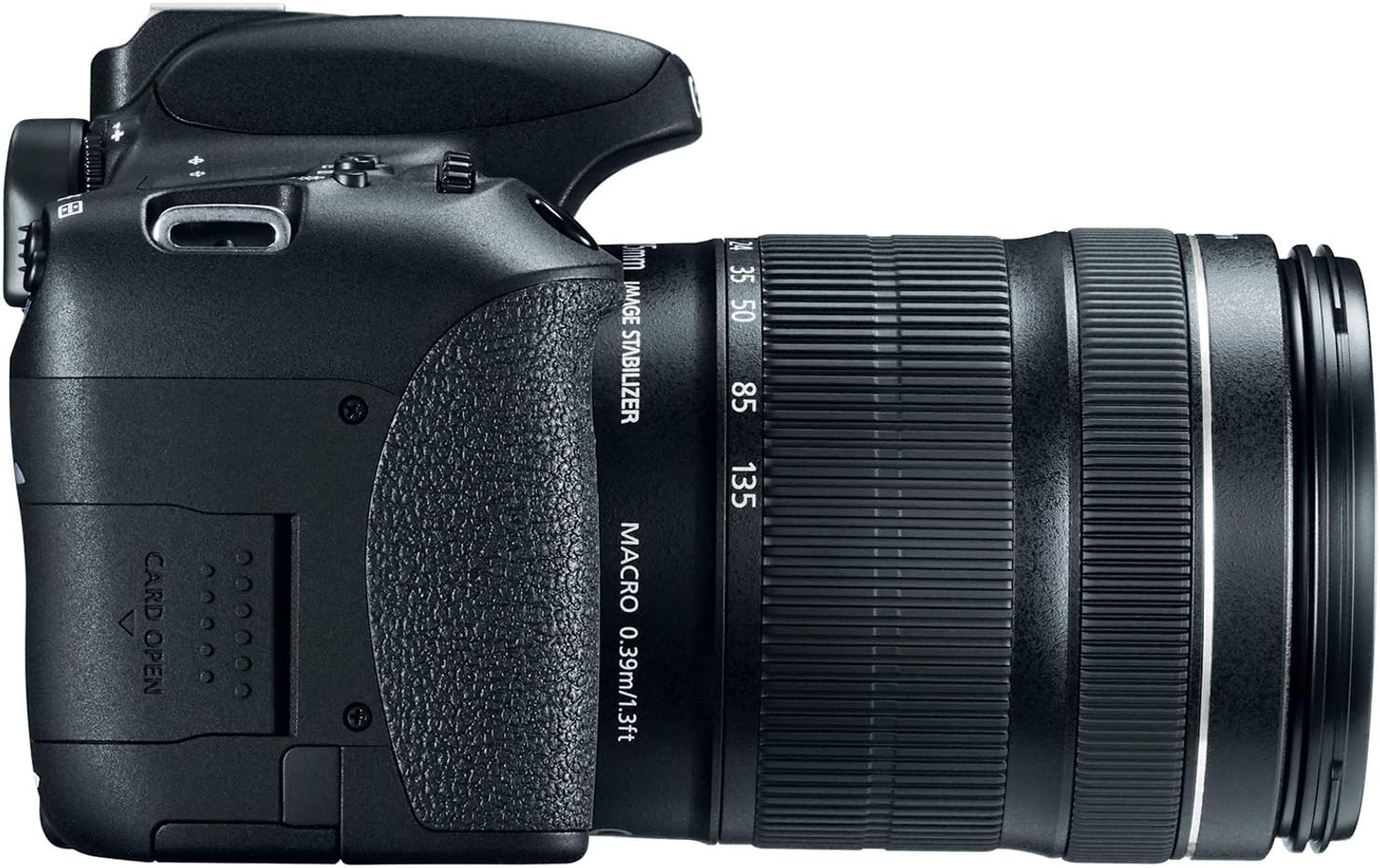
Figure 2: Memory card slot on the Canon EOS Rebel T6s.
3. Ngalampirkeun Lensa
Align the red or white index mark on the lens with the corresponding index mark on the camera body. Turn the lens clockwise until it clicks into place. To detach, press the lens release button and turn the lens counter-clockwise.

Figure 3: Camera body with lens mount visible.
Ngoperasikeun kaméra
Basic Controls and Displays
The EOS Rebel T6s features an intuitive control layout designed for ease of use.
- Top LCD Panel: Provides quick access to shooting information and settings without needing to view the rear screen. It is illuminated for low-light conditions.
- Quick Control Dial: Located for thumb access, this dial allows for rapid adjustment of settings and image review. It includes a multi-function lock switch.
- Vari-angle Touch Screen ClearView II LCD Monitor: A 3.0-inch capacitive touch screen that can be articulated for flexible shooting angles. It supports touch gestures for zooming and image navigation, and allows Touch AF for focus point selection and shutter release.

Figure 4: Rear controls and LCD screen.

Figure 5: Vari-angle LCD monitor in use.
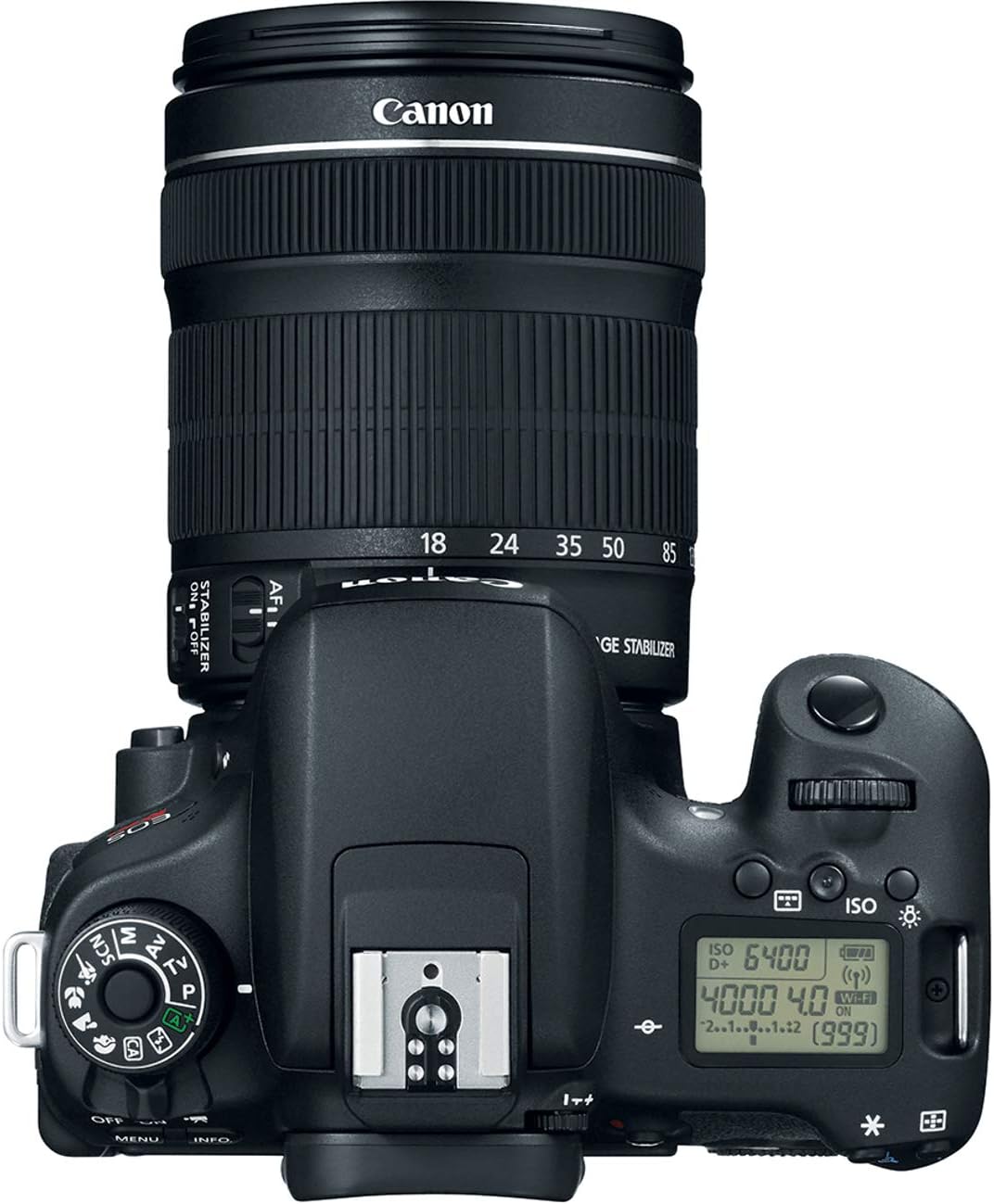
Figure 6: Top panel with LCD display.
Potret Gambar
- Sensor CMOS 24.2 Megapiksel: The APS-C sensor captures high-resolution images with an ISO sensitivity range of 100–12800 (expandable to H: 25600).
- Prosesor Gambar DIGIC 6: Enhances image quality, reduces noise in low light, and improves overall camera performance, including continuous shooting and in-camera distortion correction.
Sistem pokus otomatis
- 19-point All Cross-type AF System: Provides accurate focus, especially for moving subjects, whether shooting through the viewfinder or in Live View.
- Hybrid CMOS AF III: Pikeun Langsung View and video shooting, this system offers fast and accurate autofocus, maintaining focus on moving subjects. It operates smoothly and quietly with Canon STM lenses.
Shooting Modes and Features
- High-speed Continuous Shooting: Capture action at up to 5.0 frames per second.
- Advanced Scene Analysis: An updated system that detects light sources and adjusts exposure, focus, and color settings for optimal results. Features an RGB+IR sensor for enhanced accuracy, minimizing fluorescent light effects and improving skin tones.
- Electronic Level: Displayable in both the viewfinder and on the LCD monitor, useful for ensuring accurate horizontal orientation.
- Flash internal: The camera includes a built-in flash for additional illumination.

Figure 7: Camera with built-in flash activated.
Ngarékam pidéo
- EOS Full HD Movie Mode: Records high-quality Full HD videos (1080/30p) in MP4 format.
- HDR Movie Mode: Minimizes blown-out highlights in high-contrast scenes by combining alternately exposed frames.
- Movie Digital Zoom: Allows zooming from 3x to 10x during video recording.
- Built-in Stereo Microphone: Features automatic wind noise elimination.
Konektipitas
- Wi-Fi internal: Enables wireless transfer of photos to compatible smartphones and iOS devices using the Canon Camera Connect App.
- Built-in NFC (Near Field Communication): Facilitates seamless connection to compatible Android devices and the Canon Connect Station CS100 for easy photo and video transfer.
- Némbak Jarak Jauh: Control the camera remotely using a compatible smartphone or tablet via the Camera Connect App.
- Percetakan nirkabel: Print directly to compatible PictBridge (Wireless LAN) printers.
Creative Filters
The camera offers several creative filters that can be previewed before shooting, including Art Bold, Water Painting, Fisheye effect, Soft Focus, Toy Camera, Grainy Black and White, and Miniature effect, available for both stills and movie mode.
Pangropéa
To ensure the longevity and optimal performance of your Canon EOS Rebel T6s, follow these maintenance guidelines:
- Ngabersihan awak kaméra: Anggo kaén anu lembut sareng garing pikeun ngusap awak kaméra. Keur kokotor bandel, enteng dampen lawon jeung cai. Hindarkeun ngagunakeun pangleyur organik.
- Ngabersihan lensa: Use a lens blower to remove dust from the lens surface. For smudges, use a lens brush or a soft lens cloth with a small amount of lens cleaning fluid. Never touch the lens surface with your fingers.
- Sensor beberesih: If dust spots appear on your images, the image sensor may need cleaning. This can be done using the camera's built-in sensor cleaning function or by a qualified service technician. Avoid attempting to clean the sensor manually unless you are experienced.
- Panyimpenan: When not in use for extended periods, remove the battery and store the camera in a cool, dry, well-ventilated area, away from dust and direct sunlight.
Pamérésan masalah
This section addresses common issues you might encounter with your EOS Rebel T6s camera.
Kaméra Teu Hurung
- Pastikeun batre tos dicas pinuh sareng diselapkeun leres.
- Pariksa yén panutup kompartemen batré parantos ditutup pageuh.
Gambar Kabur
- Verify that the lens is properly attached and locked.
- Check the focus mode (AF/MF switch on the lens) and ensure the camera has achieved focus before shooting.
- In low light, use a higher ISO or a tripod to prevent camera shake.
Wi-Fi/NFC Connection Fails
- Ensure Wi-Fi/NFC is enabled in the camera's menu.
- Confirm that the Canon Camera Connect app is installed on your smart device.
- For NFC, ensure your device supports NFC and is positioned correctly against the camera's NFC mark.
Kahirupan batré goréng
- Frequent use of Live View, Wi-Fi, or flash can drain the battery faster.
- Mertimbangkeun purchasing an additional battery pack for extended shooting sessions.
- Pastikeun batréna tos dicas pinuh sateuacan dianggo.
spésifikasi
| Fitur | Spésifikasi |
|---|---|
| Ngaran modél | T6S |
| Nomer modél | 0020C003 |
| Resolusi Sénsor Poto | 24.2 MP (Resolusi Tetep Éféktif) |
| Ukuran Sénsor Poto | APS-C |
| Téhnologi Sénsor Poto | CMOS |
| Prosesor Gambar | DIGIC 6 |
| Sensitipitas ISO | 100–12800 (expandable to H: 25600) |
| Pokus otomatis | Sistem AF sadaya jinis silang 19 titik |
| Laju shooting kontinyu | Nepi ka 5.0 pigura per detik |
| Resolusi Video | Full HD 1080p (30fps) |
| Tipe tampilan | Vari-angle Touch Screen ClearView II LCD |
| Ukuran layar | 3 Inches (1.04 million dots) |
| Konektipitas | Built-in Wi-Fi, NFC, HDMI (Type C Mini), USB |
| Mountings cocog | Canon EF, Canon EF-S |
| Média Panyimpenan | SD/SDHC/SDXC (UHS-I cocog) |
| Item Beurat | 0.55 kg |
Émbaran jaminan
Your Canon EOS Rebel T6s camera comes with a Hiji Taun Garansi Terbatas. This warranty covers labor and parts for a period of one year from the date of purchase. Please refer to the warranty card included in your product packaging for full terms and conditions, including details on how to obtain service.
Rojongan Palanggan
For further assistance, technical support, or service inquiries, please contact Canon customer support through their official website or the contact information provided in your warranty documentation. You can also find additional resources, FAQs, and software downloads on the Canon support websitus.