
1. Bubuka
This manual provides essential instructions for the proper use and maintenance of your Phonak ComPilot II. The ComPilot II is a streaming accessory designed to enhance the functionality of your Phonak Venture series hearing aids by facilitating wireless connectivity to various audio sources.
Please read this manual thoroughly before operating the device to ensure optimal performance and longevity.
2. Produk Langkungview
The Phonak ComPilot II serves as an intermediary device, connecting your Phonak Venture series hearing aids to Bluetooth-enabled audio devices such as mobile phones, MP3 players, and computers. It allows for direct audio streaming into both hearing aids, improving clarity and listening experience.

Figure 1: Phonak ComPilot II device with integrated neck loop for wearing.
Fitur konci:
- New version of the original ComPilot, offering enhanced connectivity and performance.
- Compatible with Phonak Venture series hearing aids.
- Enables direct audio streaming from Bluetooth devices to both hearing aids.
- Includes a power charger for convenient recharging.

Figure 2: Package contents, showing the ComPilot II, instruction manual, and charging accessories.
3. Setélan
3.1. Ngecas Awal
- Connect the provided power charger to the ComPilot II charging port.
- Colokkeun carjer ka colokan listrik standar.
- Allow the device to charge fully before first use. The charging indicator light will change to indicate a full charge.
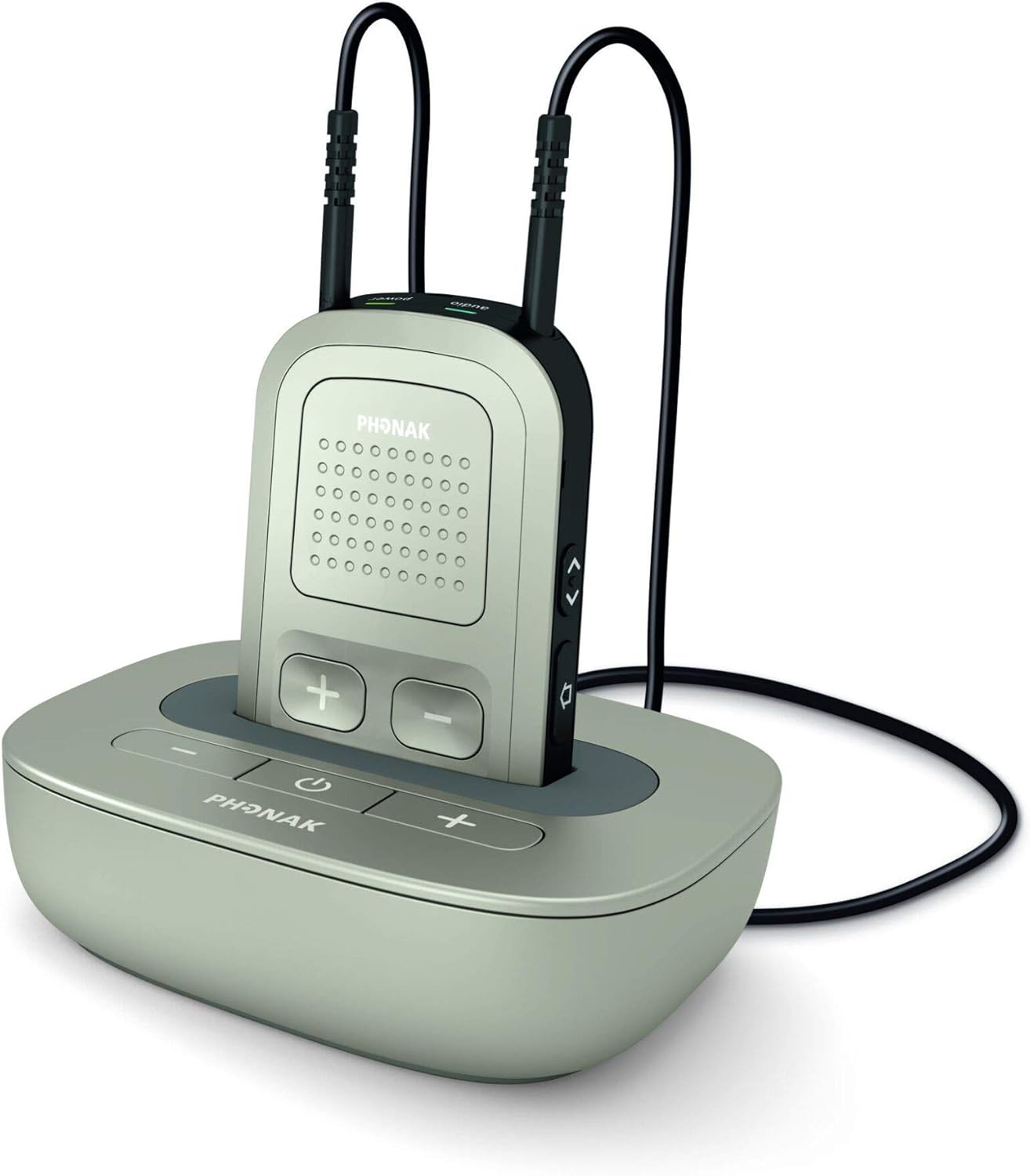
Figure 3: ComPilot II device in its charging cradle.
3.2. Pairing with Hearing Aids
The Phonak ComPilot II must be professionally paired with your Phonak Venture series hearing aids. This process typically requires specialized equipment and should be performed by a qualified hearing care professional or Phonak dealer. Please contact your audiologist or hearing aid specialist for assistance with pairing.
3.3. Nyapasangkeun sareng Alat Bluetooth
- Ensure your ComPilot II is charged and turned on.
- Activate Bluetooth on your desired audio device (e.g., smartphone, tablet).
- Put the ComPilot II into pairing mode (refer to the device's specific button sequence, usually by pressing and holding a dedicated Bluetooth button).
- Select "Phonak ComPilot II" from the list of available Bluetooth devices on your audio source.
- Once paired, audio from your device will stream directly to your hearing aids.
4. Parentah Operasi
4.1. Wearing the ComPilot II
The ComPilot II is designed to be worn around your neck using the integrated neck loop. Ensure the device is positioned comfortably for optimal microphone performance during phone calls.

Figure 4: ComPilot II showing the full length of the neck loop.
4.2. Audio Streaming
- Once paired, audio from your Bluetooth device will automatically stream to your hearing aids when the ComPilot II is active.
- Use the volume controls on the ComPilot II or your paired device to adjust the streaming volume.
4.3. Telepon Telepon
- When a call comes in on a paired phone, the ComPilot II will alert you.
- Press the designated button on the ComPilot II to answer or end a call.
- Your voice will be picked up by the ComPilot II's integrated microphone and transmitted to the caller.
5. Pangropéa
5.1. beberesih
- Wipe the ComPilot II regularly with a soft, dry cloth.
- Do not use cleaning agents, alcohol, or solvents, as these can damage the device.
- Avoid exposing the device to excessive moisture.
5.2. Panyimpenan
When not in use, store the ComPilot II in a cool, dry place, away from direct sunlight and extreme temperatures.
6. Cara ngungkulan
If you experience issues with your ComPilot II, please refer to the following common solutions:
| Masalah | Mungkin Cukang lantaranana | Solusi |
|---|---|---|
| No audio streaming to hearing aids. | ComPilot II not turned on, not charged, not paired with hearing aids, or not paired with audio device. | Ensure ComPilot II is on and charged. Verify professional pairing with hearing aids. Re-pair with Bluetooth audio device. |
| Audio cuts out intermittently. | Interference, low battery, or device too far from audio source. | Charge ComPilot II. Move closer to the audio source. Avoid environments with strong electromagnetic interference. |
| Cannot pair with a new Bluetooth device. | ComPilot II is not in pairing mode, or too many devices already paired. | Ensure ComPilot II is in pairing mode. Delete old pairings if necessary (refer to full user guide for specific steps). |
If the problem persists, please contact your hearing care professional for further assistance.
7. Spésifikasi
- Pabrikan: Phonak
- model: KomPilot II
- Kasaluyuan: Phonak Venture Series Hearing Aids
- Ukuran Paket: 4.2 x 3.9 x 2.3 inci
- Beurat barang: 7.2 ons
- Tanggal munggaran sayogi: 22 Nopémber 2014
8. Garansi jeung Rojongan
8.1. Émbaran jaminan
The Phonak ComPilot II comes with a Garansi perbaikan 1 taun ti tanggal dibeuli. Garansi ieu nyertakeun cacad manufaktur sareng gangguan dina panggunaan normal. Punten tahan bukti pameseran anjeun pikeun klaim garansi.
8.2. Kawijakan Balik
A Kawijakan mulang 30 dinten is applicable from the date of purchase. For details on returns, please refer to the retailer's specific return guidelines.
8.3. Rojongan Palanggan
For technical support, warranty claims, or further assistance, please contact your authorized Phonak dealer or hearing care professional. They are equipped to provide specialized support for your device.