1. Bubuka
The Weintek MT8100iE is a 10.2-inch Human Machine Interface (HMI) designed for industrial automation applications. It features an 800 x 480 TFT industrial-grade LCD and is built to fully support major PLCs such as Rockwell, Siemens, Mitsubishi, and Omron. This manual provides essential information for the proper installation, operation, and maintenance of your MT8100iE HMI.
2. Émbaran Kasalametan
Please read and understand all safety instructions before operating the device. Failure to comply may result in injury or damage to the equipment.
- Pastikeun catu daya parantos dicabut sateuacan ngalaksanakeun pamasangan atanapi pangropéa naon waé.
- Ngan tanaga anu mumpuni anu kedah masang sareng ngalayanan alat ieu.
- Do not expose the device to excessive moisture, dust, or extreme temperatures.
- Verify correct wiring and connections to prevent electrical hazards.
- The front panel is NEMA4/IP65 compliant, but ensure proper sealing during installation to maintain this rating.
3. Eusi Paket
Pastikeun yén sadaya item aya dina bungkusan:
- MT8100iE HMI Unit
- Mounting Brackets (4x)
- Panyambung kakuatan
- Manual pangguna (dokumén ieu)
- CD-ROM with EasyBuilder Pro Software (or download link)
4. Produk Langkungview
Familiarize yourself with the components and interfaces of the MT8100iE HMI.
4.1 Hareup View

Gambar 4.1: Hareupeun view of the MT8100iE HMI, showing the 10.2-inch TFT LCD touchscreen and the power indicator LED at the top left.
4.2 Samping View
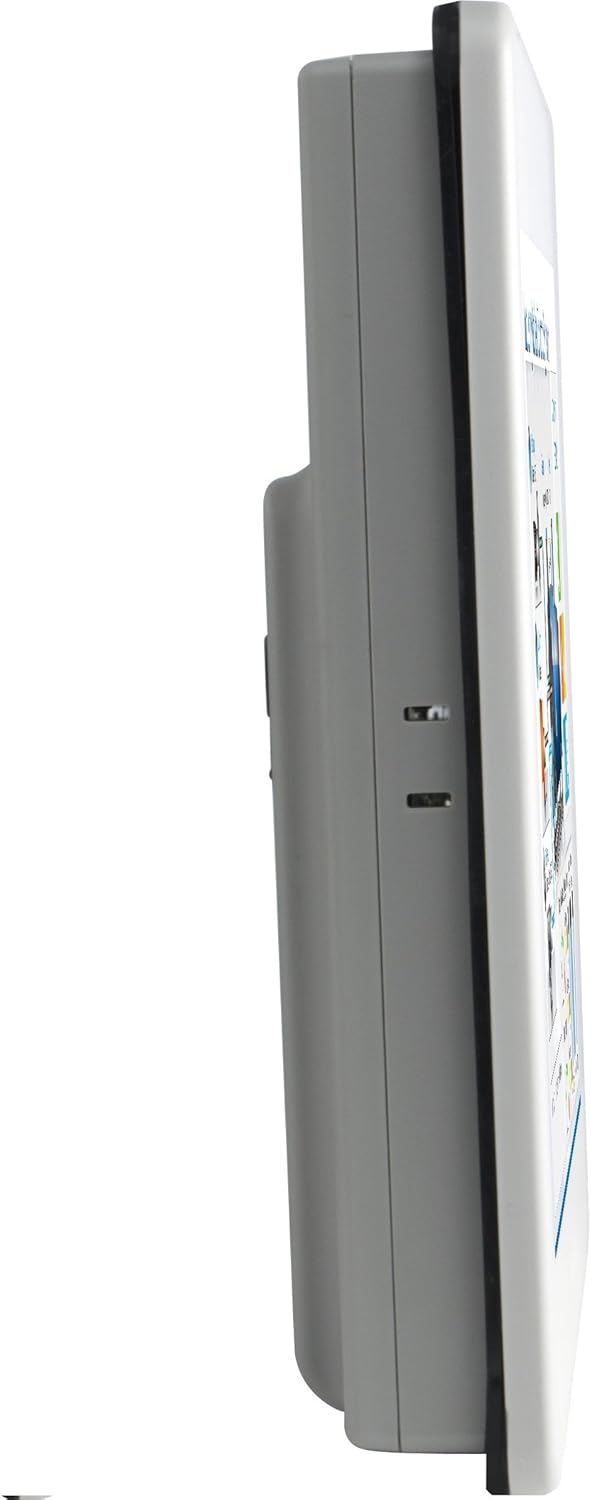
Gambar 4.2: Sisi profile of the MT8100iE, illustrating its compact form factor suitable for panel mounting.
4.3 Tukangeun View

Gambar 4.3: Tukangeun view of the MT8100iE, highlighting the mounting holes for panel installation, the fuse holder for power protection, and the system reset button.
4.4 Palabuhan Komunikasi

Gambar 4.4: Handap view of the MT8100iE, detailing the various communication ports including USB, Ethernet, COM1 (RS-232), and COM2 (RS-485 2W/4W).
5. Setélan
5.1 Pamasangan Panel
- Cut an opening in the control panel according to the dimensions provided in the installation guide (refer to the separate installation template for precise measurements).
- Insert the MT8100iE HMI into the cutout from the front.
- From the rear of the panel, insert the four mounting brackets into the slots on the HMI unit.
- Tighten the screws on the mounting brackets evenly until the HMI is securely fastened to the panel. Do not overtighten.
5.2 Sambungan Daya
- Connect a 24V DC power supply to the power input terminal block on the rear of the HMI.
- Ensure correct polarity (+ and -).
- Secure the connection firmly.
5.3 Sambungan Komunikasi
- palabuhan serial: Use the COM1 (RS-232) and COM2 (RS-485 2W/4W) ports to connect to PLCs or other serial devices. Refer to your PLC's documentation for specific wiring diagrams.
- Port Ethernet: Connect an Ethernet cable to the RJ45 port for network communication with PLCs or for remote access.
- Port USB: Use the USB host ports for connecting USB flash drives for project transfers or other peripherals.
6. Parentah Operasi
6.1 Powering On
Once all connections are secure, apply power to the HMI. The power indicator LED will illuminate, and the HMI will boot up, displaying the configured project.
6.2 Project Download
To load a new project or update an existing one:
- Create or modify your HMI project using the EasyBuilder Pro software on a PC.
- Connect the PC to the HMI via Ethernet or USB.
- In EasyBuilder Pro, use the 'Download' function to transfer the project to the HMI.
- The HMI will restart with the new project loaded.
6.3 Operasi layar rampa
The MT8100iE features a resistive touchscreen. Use your finger or a non-sharp stylus to interact with the on-screen elements such as buttons, input fields, and displays.
6.4 PLC Communication
The HMI is designed to communicate with various PLCs. Ensure the communication settings (protocol, baud rate, station ID, etc.) configured in your EasyBuilder Pro project match those of your connected PLC.
7. Pangropéa
Regular maintenance ensures optimal performance and longevity of your HMI.
- beberesih: Ngagunakeun lemes, damp cloth to clean the screen and casing. Do not use abrasive cleaners or solvents. Ensure no liquid enters the device.
- Pembaruan firmware: Periodically check the Weintek website for firmware updates to ensure your HMI has the latest features and bug fixes.
- Ngagantian sekering: If the HMI does not power on, check the fuse located on the rear panel. Replace it with a fuse of the same type and rating if necessary. Always disconnect power before replacing the fuse.
- Kaayaan Lingkungan: Pastikeun lingkungan operasi tetep aya dina kisaran suhu sareng kalembaban anu ditangtukeun pikeun nyegah karusakan.
8. Cara ngungkulan
Bagian ieu nyayogikeun solusi pikeun masalah umum anu anjeun tiasa patepang.
| Masalah | Mungkin Cukang lantaranana | Solusi |
|---|---|---|
| HMI teu hurung. | Teu aya catu daya, kabelna salah, sekeringna putus. | Check power connection, verify wiring polarity, replace fuse if blown. |
| Layar rampa teu ngaréspon. | Screen calibration issue, hardware fault. | Perform screen calibration (refer to EasyBuilder Pro documentation), contact support if issue persists. |
| Cannot communicate with PLC. | Incorrect communication settings, wrong cable, PLC offline. | Verify communication protocol, baud rate, and station ID in EasyBuilder Pro. Check cable connections. Ensure PLC is powered on and running. |
| Unduhan proyék gagal. | Network issue, incorrect IP address, firewall blocking. | Check network cable, verify HMI and PC IP addresses are in the same subnet. Temporarily disable firewalls for testing. |
9. Spésifikasi
| Fitur | Katerangan |
|---|---|
| Nomer modél | eMT3070A1WK |
| Ukuran layar | 10.2 inci |
| Resolusi | 800 x 480 |
| Rasio Aspék | 1.66:1 |
| Beungeut layar | Herang |
| Mémori | Diwangun-di 128 MB Flash Mémori |
| Jam Real-Time (RTC) | Sumuhun |
| Peunteun Panel hareup | NEMA4/IP65 Compliant |
| Palabuhan Serial | COM1 RS-232 / COM2 RS-485 (2W/4W) |
| Email Bewara | Status e-Mail notification feature |
10. Garansi jeung Rojongan
Weintek products are manufactured to high quality standards. For warranty information and technical support, please refer to the official Weintek websitus atanapi hubungi distributor resmi anjeun. Simpen resi pameseran anjeun salaku bukti pameseran pikeun klaim garansi.
For software downloads, drivers, and additional resources, visit the official Weintek support portal.


