
1. Bubuka
The Cooler Master CM Storm QuickFire Rapid-i is a mechanical gaming keyboard designed for performance and durability. It features full LED backlighting with ActivLite Technology, allowing for dynamic lighting effects and per-key customization. This keyboard is equipped with a 32-bit ARM processor for advanced lighting control without the need for software. Its tenkeyless form factor provides a compact design, ideal for gaming setups and travel.
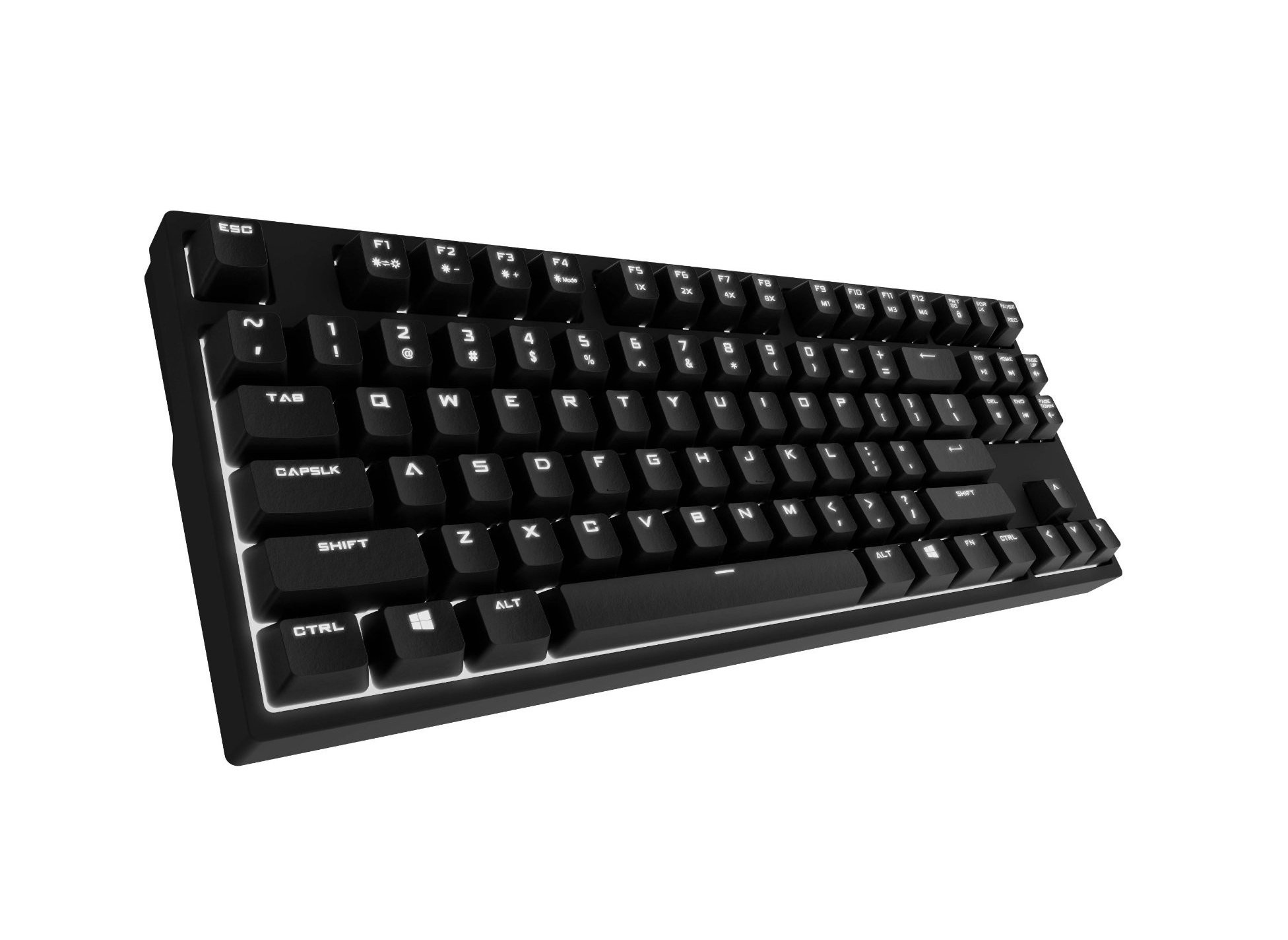
Image 1.1: Cooler Master CM Storm QuickFire Rapid-i Mechanical Gaming Keyboard.
2. Eusi Paket
Pastikeun yén sadaya item aya dina pakét anjeun:
- Cooler Master CM Storm QuickFire Rapid-i Keyboard
- 1.8m Detachable Braided USB Cable
- Manual pangguna (dokumén ieu)
3. Fitur Produk
- Fully Mechanical CHERRY MX Brown Keyswitches: Provides tactile feedback with low noise, optimized for gaming.
- Faktor Bentuk Tanpa Tenkey: Compact and ergonomic design for portability and improved mouse positioning.
- Fully White LED Backlit: Ensures visibility in low-light environments.
- ActivLite Technology: Features instant response and trailing light effects, powered by a 32-bit ARM processor.
- Individual Key Lighting: Allows saving up to 4 different lighting profiles pikeun sagala rupa aplikasi atawa kaulinan.
- 1.8m Detachable Braided Cable: Durable and convenient for transport.
- N-Konci Rollover: Registers an unlimited number of simultaneous keypresses, preventing ghosting.
4. Setélan
4.1 Nyambungkeun kibor
- Locate the detachable 1.8m braided USB cable.
- Connect the micro-USB end of the cable to the port on the back of the QuickFire Rapid-i keyboard.
- Sambungkeun tungtung kabel USB-A standar ka port USB anu sayogi dina komputer anjeun.
- The keyboard is plug-and-play compatible with Windows operating systems and should be recognized automatically.

Image 4.1: Connecting the detachable USB cable to the keyboard.
5. Parentah Operasi
5.1 Fungsi Keyboard Dasar
The QuickFire Rapid-i functions as a standard QWERTY keyboard. All keys perform their labeled actions. Special functions are typically accessed via the Function (Fn) key combined with other keys.
5.2 ActivLite Technology and LED Backlighting
The keyboard features fully white LED backlighting with ActivLite Technology, offering various lighting modes and effects. These effects are controlled directly from the keyboard using key combinations, without requiring software.
- Tanggapan instan: Keys light up immediately upon press.
- Trailing Effect: Keys remain lit for a short duration after being pressed, creating a trailing light effect.
- Penyesuaian Caang: Paké Fn + F1 (ngurangan kacaangan) sareng Fn + F2 (increase brightness) to adjust the LED intensity.
- Modeu cahaya: Cycle through various pre-programmed lighting modes using Fn + F3 ka Fn + F8. Refer to the keyboard's keycap legends for specific mode indicators.

Gambar 5.1: Example of LED backlighting on the QuickFire Rapid-i.
5.3 Per-Key Lighting and Profiles
The QuickFire Rapid-i allows users to customize individual key lighting and save up to 4 different profiles directly on the keyboard's onboard memory.
- Entering Customization Mode: Pencét Fn + F9 to enter the per-key lighting customization mode. The keyboard LEDs may flash to indicate this mode.
- Selecting Keys: Press any key you wish to toggle its LED on or off.
- Saving a Profile: Once your desired lighting pattern is set, press Fn + F10, Fn + F11, Fn + F12, atawa Fn + Print Screen to save the current lighting pattern to one of the four available profiles. The keyboard will confirm the save.
- Ngamuat Profile: To load a saved profile, kantun pencét Fn + F10, Fn + F11, Fn + F12, atawa Fn + Print Screen corresponding to the desired profile.
- Exiting Customization Mode: Pencét Fn + F9 again to exit customization mode.

Image 5.2: Customizing individual key lighting for a personalized profile.
5.4 Ngagulungkeun N-Key (NKRO)
The QuickFire Rapid-i supports N-Key Rollover, meaning every single keypress is registered accurately, regardless of how many keys are pressed simultaneously. This feature is crucial for fast-paced gaming where multiple commands might be executed at once.
6. Pangropéa
6.1 Ngabersihan kibor
- Pegatkeun sambungan keyboard tina komputer Anjeun sateuacan beberesih.
- Make kaen nu lemes, teu aya lint rada dampku cai atawa solusi beberesih hampang pikeun ngusap keycaps na chassis.
- Hindarkeun nyemprot cairan langsung kana kibor.
- Pikeun lebu sareng lebu antara konci, paké hawa anu dikomprés.
- Do not use harsh chemicals, abrasives, or solvents as they may damage the keyboard's finish or keycap legends.
6.2 Perawatan Kabel
- Avoid sharp bends or kinks in the detachable braided cable.
- When disconnecting, pull from the connector head, not the cable itself.
7. Cara ngungkulan
7.1 Kibor Teu Ngabales
- Pastikeun kabel USB disambungkeun sacara aman ka kibor sareng komputer.
- Coba sambungkeun kibor ka port USB anu béda dina komputer anjeun.
- Nguji keyboard dina komputer sejen pikeun ngaluarkeun masalah husus sistem.
- Balikan deui komputer anjeun.
7.2 LED Backlighting Not Working or Flickering
- Check if the brightness is set to minimum using Fn + F1. Increase brightness with Fn + F2.
- Ngaliwatan modeu cahaya nganggo Fn + F3 ka Fn + F8 to see if other modes function.
- Ensure you are not in a custom profile with all LEDs turned off. Try loading a different profile or resetting the lighting.
- Pegatkeun sambungan jeung sambungkeun deui kibor.
7.3 Keys Not Registering Correctly (Ghosting)
- The QuickFire Rapid-i features N-Key Rollover, which should prevent ghosting. If you experience this, ensure the keyboard is connected directly to a USB port on your computer, not through a hub.
- Ngabersihan kenop nu dimaksud sakumaha dijelaskeun dina bagian Pangropéa.
- Upami masalahna tetep, hubungi dukungan Cooler Master.
8. Spésifikasi
| merek | Master cooler |
| Ngaran modél | SGK-4040-GKCB1 (CHERRY MX Brown switch) |
| Nomer modél | SGK-4040-GKCM1-US |
| Pindah Tipe | CHERRY MX Brown (Tactile) |
| Téhnologi konektipitas | Kabel (Kabel USB anu tiasa dicabut) |
| Tata perenah kibor | QWERTY, Tenkeyless Form Factor |
| Lampu tukang | Fully White LED, ActivLite Technology, Per-Key Lighting |
| Prosesor | 32-bit ARM Processor |
| N-Konci Rollover | Dirojong |
| Panjang kabel | 1.8 meters (Braided, Detachable) |
| Sistim Operasi cocog | Windows |
| Ukuran produk (L x W x H) | 14.13" x 5.43" x 1.54" (35.89cm x 13.79cm x 3.91cm) |
| Item Beurat | 2.05 Pon (0.93 kg) |
| Bahan Kandang | palastik |
9. Garansi jeung Rojongan
9.1 Émbaran jaminan
The Cooler Master CM Storm QuickFire Rapid-i Mechanical Gaming Keyboard comes with a 12-garansi sasih ti tanggal dibeuli. Garansi ieu nyertakeun cacad manufaktur sareng masalah anu timbul tina panggunaan normal. Éta henteu nutupan karusakan anu disababkeun ku nyalahgunakeun, kacilakaan, modifikasi anu teu sah, atanapi pangropéa anu teu leres.
Punten tahan bukti pameseran anjeun pikeun klaim garansi.
9.2 Rojongan Téknis
For technical assistance, troubleshooting beyond this manual, or warranty inquiries, please visit the official Cooler Master support website or contact their customer service department. Contact information can typically be found on the Cooler Master official websitus.
Note: Product specifications and warranty terms are subject to change without prior notice.