1. Bubuka
This manual provides essential information for the safe and effective use of your Canon EOS Rebel T5 Digital SLR Camera Kit. The Canon EOS Rebel T5 is designed for capturing high-quality still images and Full HD video, featuring an 18.0 Megapixel CMOS sensor and a DIGIC 4 image processor. Its intuitive design makes it suitable for both beginners and experienced photographers.
2. Naon dina Box
Your Canon EOS Rebel T5 kit typically includes the following components:
- Canon EOS Rebel T5 Camera Body
- Canon EF-S 18-55mm f/3.5-5.6 IS II Standard Zoom Lens
- Pek batré
- Carjer batré
- Kabel Antarbeungeut (USB)
- Tali Lebar
- EOS Digital Solution Disk (Software)
- Instruksi Manual

Figure 2.1: Typical contents of the Canon EOS Rebel T5 kit.
3. Setélan
3.1 Ngalampirkeun Lénsa
- Cabut tutup awak tina kaméra sareng tutup lénsa tukang tina lensa.
- Sejajarkeun tanda indéks beureum dina lénsa sareng tanda indéks beureum dina awak kaméra.
- Hurungkeun lénsa saarah jarum jam nepi ka ngaklik kana tempatna.
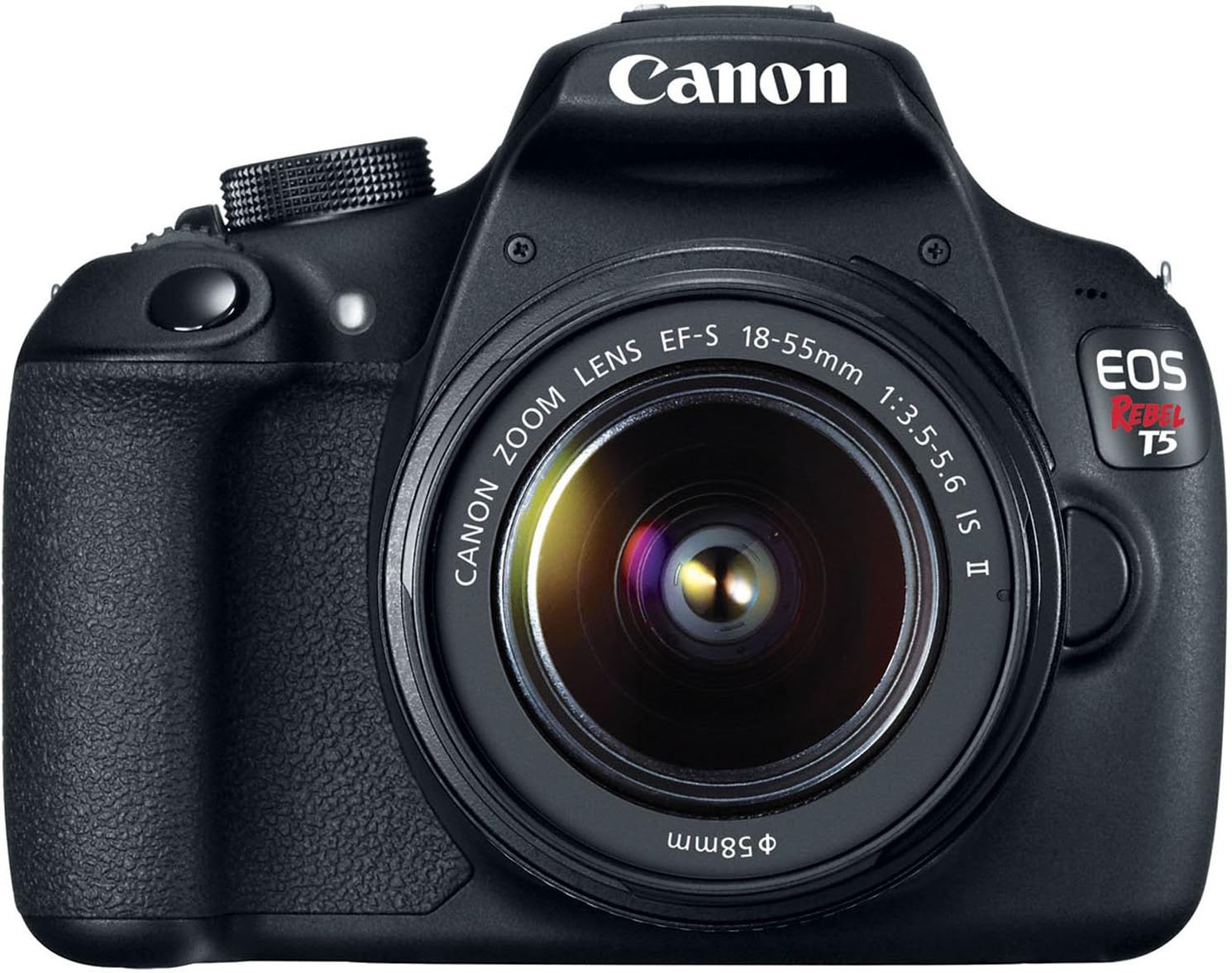
Gambar 3.1: Hareupeun view of the Canon EOS Rebel T5 with the EF-S 18-55mm lens.
3.2 Nyelapkeun Batré
- Buka panutup kompartemen batré dina handapeun kaméra.
- Insert the charged battery pack with the electrical contacts facing inward, ensuring it clicks into place.
- Tutup panutup kompartemen batré.
3.3 Nyelapkeun kartu SD
An SD card is required to store photos and videos. The SD card is not included with the kit and must be purchased separately. Open the SD card slot cover on the side of the camera and insert the SD card until it clicks. Ensure the card is inserted correctly to avoid damage.
Video 3.1: This video provides a visual guide on unboxing and basic setup, including attaching the lens and inserting the battery into the Canon EOS Rebel T5 Digital Camera.
4. Parentah Operasi
4.1 Daya Hurung/Pareuman
To power on the camera, rotate the power switch to the 'ON' position. To power off, rotate it to 'OFF'.
4.2 Modeu Dial
Modeu dial dina luhureun kaméra ngidinan Anjeun pikeun milih rupa-rupa modeu shooting:
- Basic Zone Modes: Fully automatic modes for simple point-and-shoot operation (e.g., Scene Intelligent Auto, Flash Off, Creative Auto, Portrait, Landscape, Close-up, Sports, Night Portrait).
- Creative Zone Modes: Provide more control over settings (e.g., Program AE (P), Shutter-priority AE (Tv), Aperture-priority AE (Av), Manual Exposure (M)).
- Movie Shooting Mode: For recording Full HD videos.

Gambar 4.1: Tukangeun view of the Canon EOS Rebel T5, highlighting the LCD and control layout.
4.3 Nyokot Poto
- Pilih modeu motret anu dipikahoyong nganggo kenop modeu.
- Tingali ngaliwatan viewfinder or use the LCD screen for Live View shooting.
- Press the shutter button halfway to activate the 9-point autofocus system and achieve focus.
- Pencét pinuh tombol jepret pikeun nyandak gambar.
4.4 Ngarékam Pidéo
Switch the mode dial to the movie shooting mode. Press the Live View shooting/Movie shooting button to start and stop recording. The camera supports Full HD video recording.
4.5 Ngagunakeun Flash Diwangun-di
In low-light conditions or when backlighting is present, the built-in flash can be used. In Basic Zone modes, the flash may pop up automatically. In Creative Zone modes, you can manually raise the flash by pressing the flash button.
Video 4.1: This video offers an honest review of the Canon T5, demonstrating various features and operational aspects of the camera.
5. Pangropéa
5.1 Perawatan lénsa
- Always keep the lens cap on when not in use to protect the front element.
- Use a lens brush or blower to remove dust, then gently wipe with a microfiber lens cloth. Avoid touching the lens surface with your fingers.
- For stubborn smudges, use a small amount of lens cleaning solution on a clean cloth.
5.2 Camera Body Care
- Lap awak kaméra ku lawon anu lemes sareng garing.
- Ulah ngalaan kaméra ka suhu ekstrim, kalembaban, atawa lebu.
- Ulah make pangleyur organik atawa agén beberesih kuat.
5.3 Perawatan Batré
- Charge the battery fully before first use and whenever the battery indicator is low.
- Simpen batré di tempat anu tiis sareng garing upami henteu dianggo.
- Cabut batré tina kaméra upami éta moal dianggo kanggo waktos anu panjang.
6. Cara ngungkulan
- "No card in camera" message: Ensure an SD card is inserted correctly and is not full or damaged.
- Autofocus is slow: In very low light or with subjects lacking contrast, autofocus may be slower. Try using the built-in flash or switching to manual focus.
- Kaméra teu hurung: Pariksa lamun batréna geus dieusi tur diselapkeun bener.
- Gambar kabur: Ensure the lens is clean, the camera is stable (use a tripod if necessary), and the correct focus mode is selected.
7. Spésifikasi
| Tipe sénsor | CMOS |
| Resolusi Sénsor Poto | 18 MP |
| Resolusi Video | FHD 1080p |
| Lensa | EF-S 18-55mm f/3.5-5.6 IS II standard zoom lens |
| Pokus otomatis | 9-titik Sistim AF |
| Laju shooting kontinyu | 3 FPS |
| Ukuran layar | 3 inci |
| Dirojong File Formatna | JPEG, RAW |
| Téhnologi konektipitas | Kabel, Nirkabel (Wi-Fi) |
| Item Beurat | 1 pon |
8. Garansi jeung Rojongan
8.1 Émbaran jaminan
This Canon EOS Rebel T5 camera kit comes with a 90-day limited warranty. Please retain your proof of purchase for any warranty claims.
8.2 Rojongan Palanggan
For further assistance, technical support, or service inquiries, please refer to the official Canon support website or contact their customer service department. Detailed contact information can typically be found in the included warranty card or on the manufacturer's websitus.


