1. Bubuka
The Walimex Pro VE/VC Excellence Studio Flash Trigger is designed for wireless control and triggering of Walimex Pro VE Excellence and VC Excellence series studio flashes. This device allows for convenient adjustment of flash power and modeling light settings directly from your camera, enhancing flexibility in studio environments.
fitur konci ngawengku:
- Wireless triggering and control up to 30 meters.
- 2.4 GHz transmitting frequency.
- 16 channels for interference-free operation.
- Ability to set up and control up to 4 groups of flashes.
- Synchronization rate of 1/200 second.
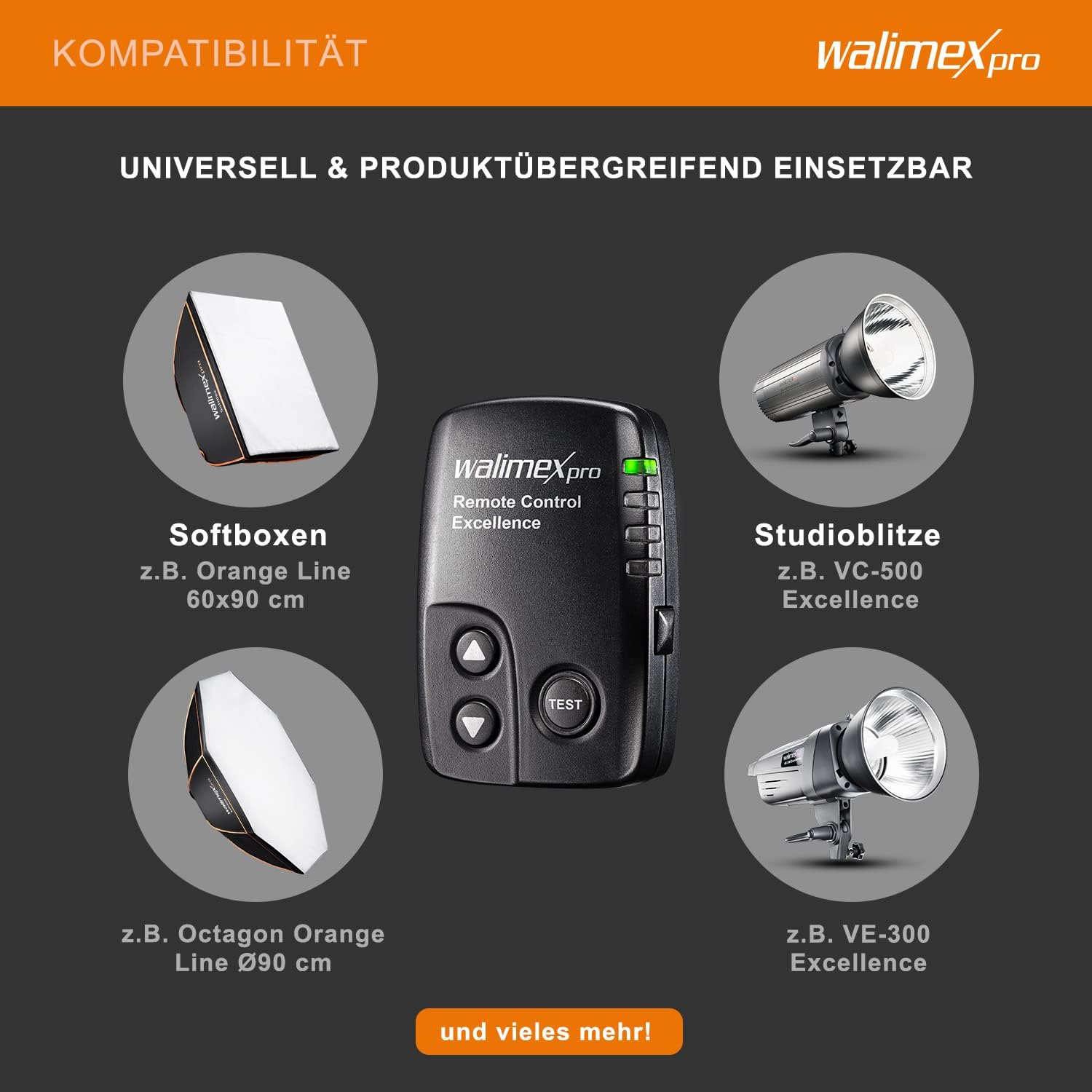
Image: The Walimex Pro Studio Flash Trigger is compatible with Walimex Pro studio flashes (e.g., VC-500 Excellence, VE-300 Excellence) and various softboxes (e.g., Orange Line 60x90cm, Octagon Orange Line Ø90cm).
2. Émbaran Kasalametan
- Ulah ngalaan alat ka cai atawa kalembaban luhur.
- Hindarkeun ngaragragkeun alatna atanapi mangaruhan kana tabrakan anu kuat.
- Ulah nyobian ngabongkar atawa ngalereskeun alat sorangan. Rujuk ka tanaga jasa anu mumpuni.
- Jauhkeun tina jangkauan barudak.
- Buang batré nurutkeun peraturan lokal.
3. Eusi Paket
Punten parios yén sadaya barang kalebet dina pakét anjeun:
- 1x Walimex Pro VE/VC Excellence Studio Flash Trigger
- 1x CR2032 3V Button Cell Battery (pre-installed or included separately)
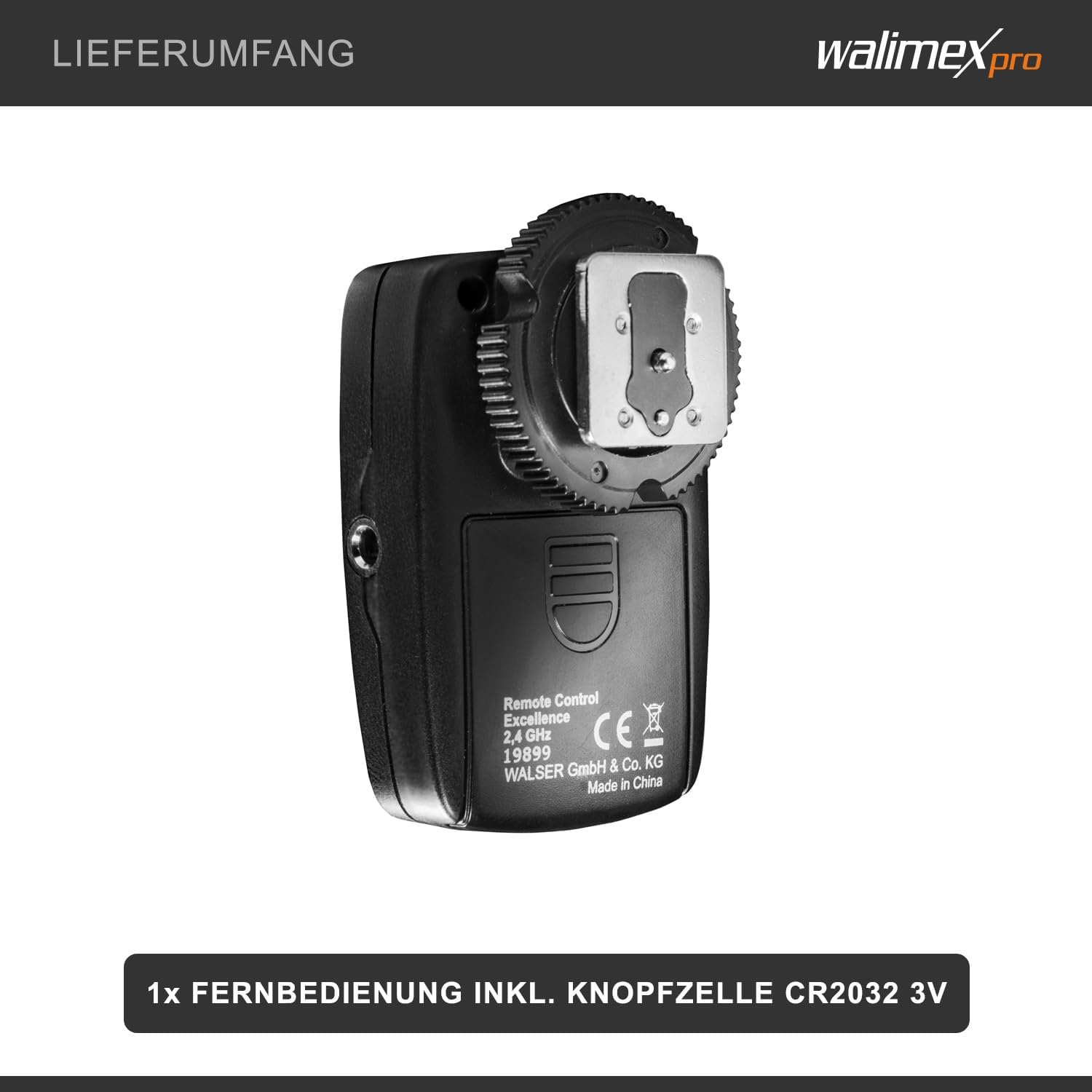
Image: The back of the Walimex Pro Studio Flash Trigger, indicating the battery compartment and model number (19899). The package includes one remote control and a CR2032 3V button cell battery.
4. Produk Langkungview
The Walimex Pro VE/VC Excellence Studio Flash Trigger is a compact device designed for ease of use. It features a hot shoe mount for secure attachment to your camera.
Kontrol sareng Indikator:
- Tombol Naék / Turun: Used for adjusting flash power, modeling light, and navigating channels/groups.
- Tombol TEST: Ngaaktipkeun lampu kilat tés.
- Indikator LED: Display current settings such as channel, group, and flash power level.
- Hot Shoe Contact: For mounting the trigger onto your camera's hot shoe.

Gambar: Hareupeun view of the Walimex Pro Remote Control Excellence, showing the control buttons (Up, Down, Test) and the display area for settings.
5. Setélan
5.1 Pamasangan batré
The trigger uses a CR2032 3V button cell battery. If not already installed, open the battery compartment on the back of the trigger and insert the battery with the positive (+) side facing up. Close the compartment securely.
5.2 Pemasangan dina Kaméra
- Slide the Walimex Pro Studio Flash Trigger onto your camera's hot shoe.
- Ensure it is securely seated. Some models may have a locking mechanism; engage it if present.

Gambar: Deukeut view of the hot shoe mount on the Walimex Pro Studio Flash Trigger, ready for attachment to a camera.
5.3 Pairing with Studio Flashes
The Walimex Pro VE Excellence and VC Excellence series flashes have the receiver built-in. Ensure your studio flashes are powered on and set to the same channel and group as your trigger. Refer to your flash unit's manual for specific instructions on setting channels and groups.
6. Operasi
6.1 Powering on / Pareum
The trigger typically powers on automatically when mounted on the camera's hot shoe and the camera is turned on. There is no dedicated power button. It enters a low-power standby mode when inactive.
6.2 Setting Channels and Groups
The trigger supports 16 channels and 4 groups. Use the Up/Down buttons to cycle through and select the desired channel and group. Ensure these settings match those on your Walimex Pro studio flashes for proper communication.
6.3 Adjusting Flash Power and Modeling Light
With the trigger, you can remotely adjust the flash power and modeling light of your connected studio flashes. Use the Up/Down buttons to increase or decrease the power levels. The display on the trigger will show the current setting. Pressing the TEST button will fire a test flash at the current settings.
6.4 Triggering the Flash
Once the trigger is mounted on your camera and paired with your studio flashes, simply press your camera's shutter button to trigger the flashes wirelessly.
7. Pangropéa
- Clean the trigger with a soft, dry cloth. Do not use liquid cleaners.
- Simpen alat ieu di tempat anu garing sareng bébas lebu nalika henteu dianggo.
- If the device will not be used for an extended period, remove the battery to prevent leakage.
8. Cara ngungkulan
8.1 Flashes Not Triggering
- Pariksa batré: Ensure the CR2032 battery in the trigger is correctly installed and has sufficient charge.
- Check Channel/Group: Verify that the trigger and all studio flashes are set to the same channel and group.
- Sambungan Sepatu Panas: Ensure the trigger is securely mounted on the camera's hot shoe.
- Daya Flash: Confirm that the studio flashes are powered on and not in standby mode.
- rentang: Ensure the trigger is within the operating range of 30 meters from the flashes.
8.2 Inconsistent Triggering
- gangguan: Move away from potential sources of 2.4 GHz interference (e.g., Wi-Fi routers, cordless phones).
- Tingkat batré: A low battery can cause inconsistent performance. Replace the battery.
- Halangan: Ensure there are no major physical obstructions between the trigger and the flashes.
9. Spésifikasi Téknis
| Fitur | Spésifikasi |
|---|---|
| Nomer modél | 19899 |
| Frékuénsi ngirimkeun | 2.4 GHz |
| Saluran | 16 |
| Grup | 4 |
| Max. Rentang Operasi | Kira-kira. 30 m |
| Synchronization Rate | 1 / 200s |
| Batré | CR2032 3V |
| Diménsi (HxWxL) | 3 x 4 x 6 cm |
| Beurat | Kira-kira. 25g |
| Tipe Pamasangan | Hot Shoe Gunung |

Image: Dimensions of the Walimex Pro Studio Flash Trigger, measuring 6 cm in length, 4 cm in width, and weighing approximately 25g.
10. Garansi jeung Rojongan
For warranty information and customer support, please refer to the documentation provided with your purchase or visit the official Walimex Pro websitus. Simpen bukti pameseran anjeun pikeun klaim garansi.


