Bubuka
The Topaz SignatureGem 1x5 (HID USB) is a compact electronic signature pad designed for capturing secure, legally binding electronic signatures. This device connects to your computer via a USB interface and is ideal for various applications requiring digital signature capture, such as retail point-of-sale, document signing, and identity verification. It comes bundled with software to facilitate integration and usage.

Figure 1: The Topaz SignatureGem 1x5 electronic signature pad, showing its compact design, integrated USB cable, and the included stylus for signature capture.
Setup sareng Instalasi
Follow these steps to set up your SignatureGem 1x5 electronic signature pad:
- Buka bungkus Alat: Carefully remove the signature pad, USB cable, and stylus from the packaging.
- Nyambung ka Komputer: Plug the USB cable from the SignatureGem pad into an available USB port on your computer. The device is HID (Human Interface Device) compliant, meaning it should be recognized automatically by most operating systems.
- Pasang Parangkat Lunak: The SignatureGem 1x5 requires specific software for full functionality and integration with your applications.
- Refer to the "Topaz Software Installation Guide" included in your package.
- Visit the official Topaz websitus (www.topazsystems.com) and navigate to the support or downloads section for your specific model (T-S261-HSB-R) to download the necessary drivers and software.
- Turutan pitunjuk dina layar anu disayogikeun ku pamasang.
- Pariksa Pamasangan: After software installation, test the device by opening a compatible application that supports Topaz signature pads to ensure it is recognized and functioning correctly.
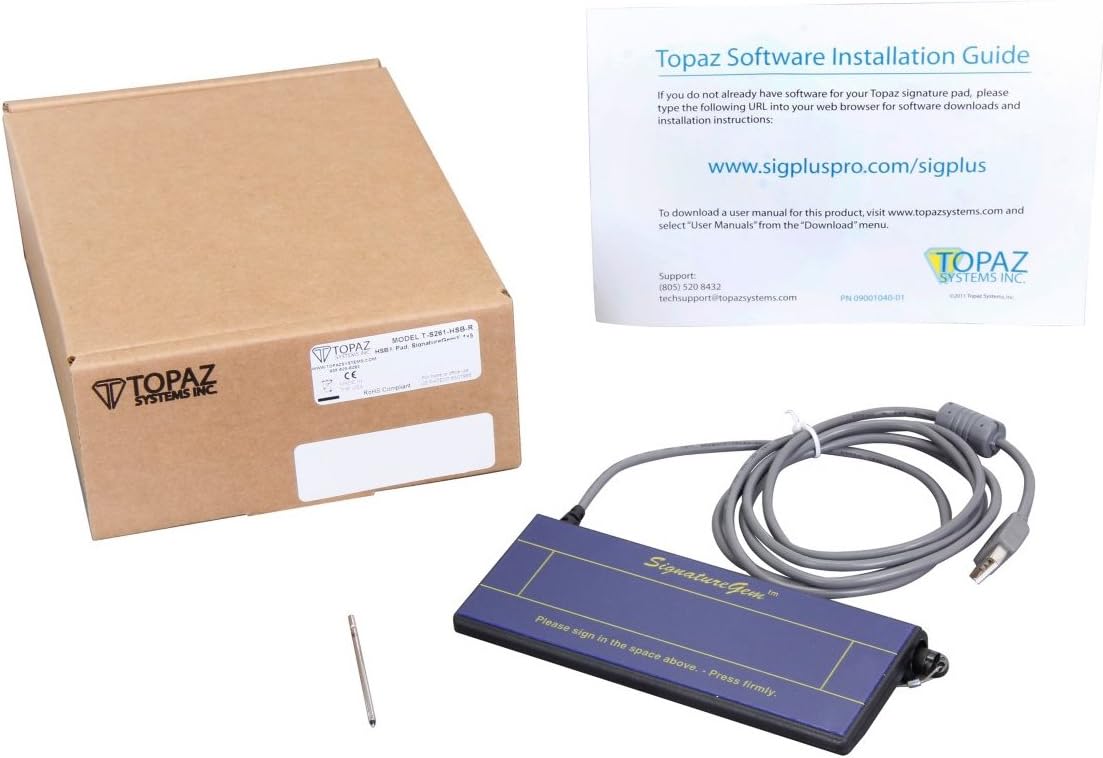
Figure 2: The SignatureGem 1x5 package contents, including the pad, its box, and the essential software installation guide, which directs users to the Topaz websitus pikeun ngundeur software.
Parentah Operasi
The SignatureGem 1x5 is designed for intuitive use. Here’s how to capture signatures:
- Prepare for Signing: Ensure the signature pad is connected and the necessary software or application is open and ready to receive a signature.
- Paké Stylus: Hold the provided stylus as you would a pen. The pad is pressure-sensitive, so apply normal writing pressure.
- Sign on the Pad: Sign directly on the active signing area of the pad. The pad surface is designed to mimic the feel of signing on paper. The text on the pad indicates: "Please sign in the space above. - Press firmly."
- Review and Accept: Once the signature is complete, it will typically appear on your computer screen within the application. Review the captured signature for accuracy. Most applications will have an "Accept" or "Confirm" button to finalize the signature.
- Clear Signature: If a signature needs to be re-done, most applications will provide an option to "Clear" or "Reset" the signature field, allowing for a new attempt.
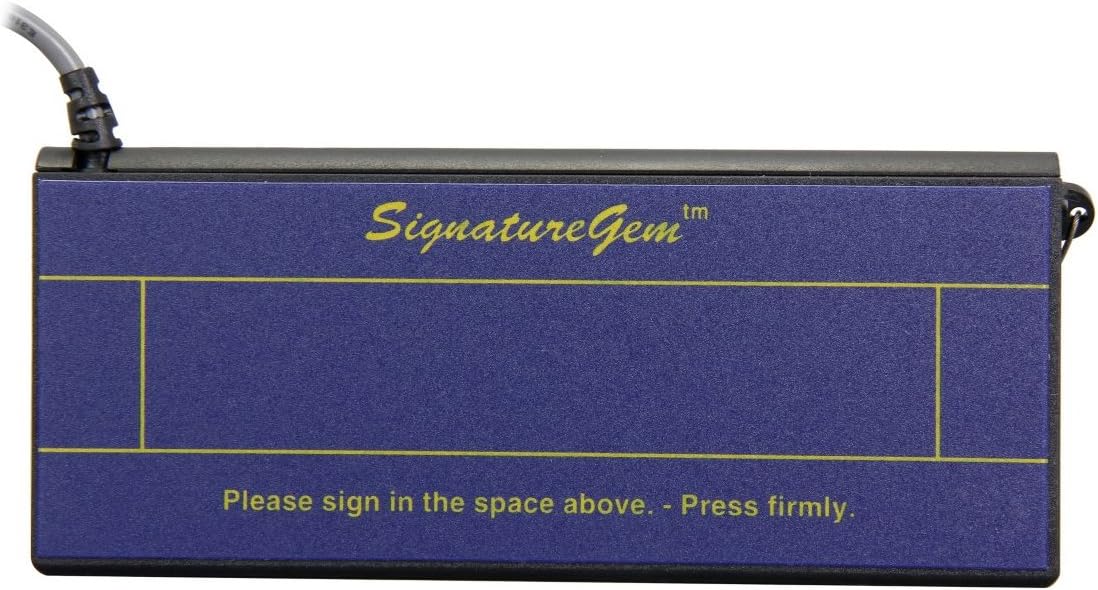
Gambar 3: A close-up view of the SignatureGem 1x5's signing surface, clearly showing the designated signing area and the instruction to "Please sign in the space above. - Press firmly."

Gambar 4: Sisi view of the SignatureGem 1x5, highlighting the integrated pen holder designed to secure the stylus when not in use, preventing loss and ensuring readiness.
Pangropéa
Proper maintenance ensures the longevity and optimal performance of your SignatureGem 1x5:
- Ngabersihan Permukaan: Make kaen nu lemes, teu aya lint rada dampened with water or a mild, non-abrasive cleaner to wipe the signing surface. Avoid harsh chemicals, abrasive materials, or excessive moisture, as these can damage the pad.
- Perawatan Stylus: Keep the stylus clean and free of debris. Ensure the stylus tip is not damaged, as this can affect signature capture accuracy. Replace the stylus if it becomes worn or damaged.
- Manajemén Kabel: Avoid bending or crimping the USB cable excessively. Store the cable neatly to prevent damage.
- Panyimpenan: When not in use, store the signature pad in a clean, dry environment, away from direct sunlight and extreme temperatures.
Pamérésan masalah
If you encounter issues with your SignatureGem 1x5, try the following troubleshooting steps:
| Masalah | Mungkin Cukang lantaranana | Solusi |
|---|---|---|
| Alat teu dipikawanoh ku komputer. | Loose USB connection, faulty USB port, missing/corrupt drivers. |
|
| No signature captured or signature is erratic. | Incorrect stylus usage, damaged stylus tip, software conflict, dirty pad surface. |
|
| Software issues or application not responding. | Outdated software, incorrect software configuration, operating system compatibility. |
|
spésifikasi
- Jumlah modél: T-S261-HSB-R
- Konektipitas: USB (HID)
- Ukuran produk: 9.3 x 6.6 x 2.8 inci
- Beurat barang: 11.2 ons
- Ukuran layar: 1 Inches (referring to the active signing area, not a display screen)
- Pedaran Beungeut Layar: Herang
- Voltage: 5 volt
- Total palabuhan USB: 1
- Fitur husus: Portabel
- Pabrikan: Topaz
- Titimangsa munggaran sadia: 12 Désémber 2013
Garansi sareng Rojongan
For warranty information, technical support, or further assistance with your Topaz SignatureGem 1x5, please contact Topaz Systems Inc. directly:
- Telepon rojongan: (803) 520-8413
- Email Rojongan Téknis: techsupport@topazsystems.com
- Websitus: www.topazsystems.com
Please have your model number (T-S261-HSB-R) and any relevant purchase information ready when contacting support.


