1. Bubuka
This manual provides instructions for the proper use and care of your Belkin Right-Angled Aux/Auxiliary Cable. This cable is designed to connect audio devices with a 3.5mm jack, such as smartphones, MP3 players, and portable speakers, to car stereos, home stereo systems, or other compatible audio inputs. Its right-angle connector and flat design enhance durability and ease of use.
2. Fitur Produk
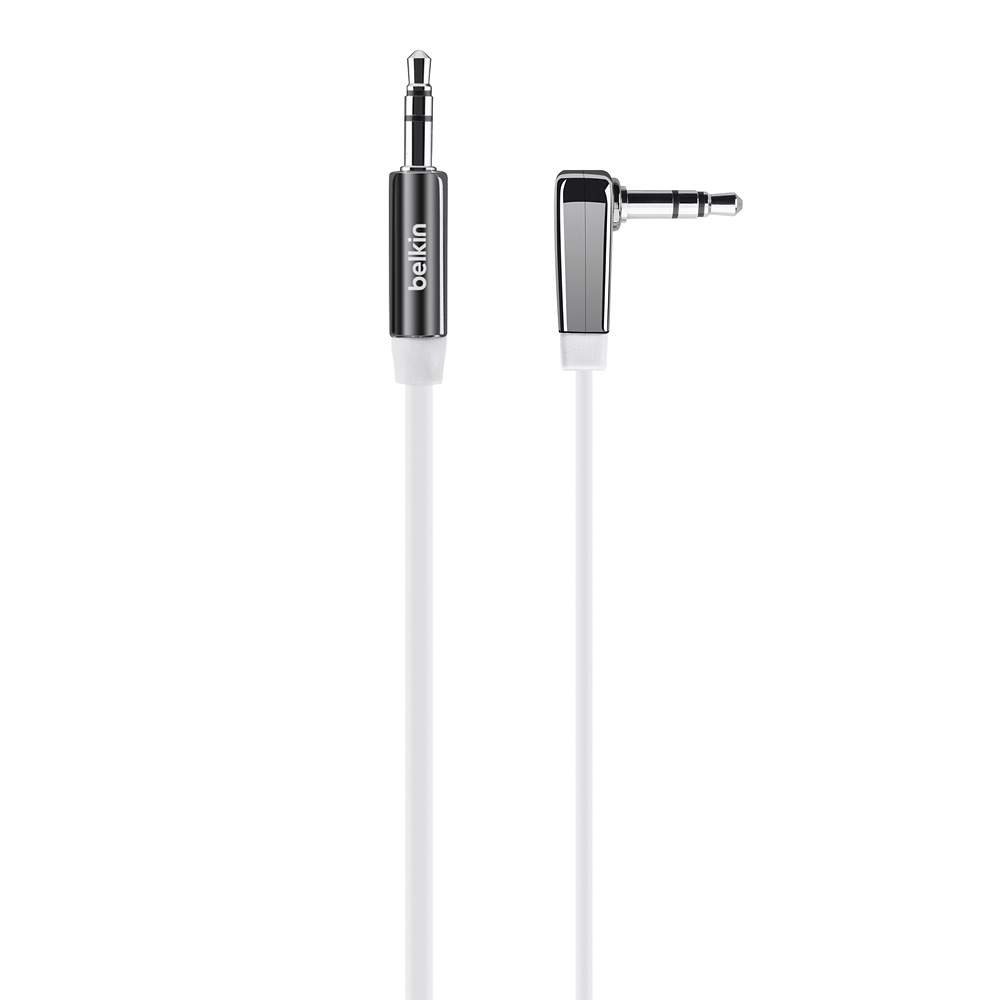
Gambar 1: Belkin Right-Angled Aux/Auxiliary Cable. This image shows the black, flat cable with its right-angled 3.5mm connector on one end and a straight 3.5mm connector on the other.
- Right-Angle 3.5mm Plug: Reduces stress on the cable and device port, allowing for a flush connection.
- Desain datar: Prevents tangles and makes storage easier.
- Chrome-Finished Plugs and Nickel-Plated Contacts: Ensures reliable connection and optimal audio signal transfer.
- Panjangna: 6 feet (approximately 1.8 meters) for flexible placement of connected devices.
- Kasaluyuan Universal: Works with any device featuring a standard 3.5mm audio jack.
3. Setup jeung Connection
Connecting your Belkin Aux/Auxiliary Cable is a straightforward process. Ensure both devices you intend to connect are powered off before making connections, if possible, to prevent any potential audio pops or damage.
- Identipikasi Port Audio: Locate the 3.5mm audio output jack on your source device (e.g., smartphone, tablet, MP3 player) and the 3.5mm audio input jack on your receiving device (e.g., car stereo, home speaker, sound card). These are typically labeled "AUX OUT," "HEADPHONE," or "LINE IN," "AUX IN" respectively.
- Connect Right-Angle End: Insert the right-angled 3.5mm connector of the cable into the audio output jack of your source device. The right-angle design is particularly useful for devices in tight spaces or where a straight connector might be prone to damage.
- Connect Straight End: Insert the straight 3.5mm connector of the cable into the audio input jack of your receiving device.
- Sambungan Aman: Ensure both connectors are fully inserted into their respective ports for a secure and stable audio connection.
4. Operasi
Once the cable is connected, follow these steps to begin audio playback:
- Power On Alat: Turn on both your audio source device and your receiving audio device.
- Pilih Input: On your receiving audio device (e.g., car stereo, home stereo), select the correct audio input source. This is usually labeled "AUX," "LINE IN," or similar. Refer to your receiving device's manual if you are unsure.
- Mimitian Playback: Begin playing audio from your source device (e.g., music, podcast, audiobook).
- Saluyukeun Volume: Adjust the volume on both your source device and your receiving device to a comfortable listening level. It is often recommended to set the source device's volume to about 75-80% and control the main volume from the receiving device.
5. Pangropéa sarta perawatan
To ensure the longevity and optimal performance of your Belkin Aux/Auxiliary Cable, follow these maintenance guidelines:
- Hindarkeun Bending Ekstrim: While the flat design helps prevent tangles, avoid sharp or excessive bends, especially near the connectors, as this can damage internal wiring.
- Toko anu leres: When not in use, coil the cable loosely. The flat design makes it easy to store without tangling.
- Tetep Bersih: Periodically wipe the cable with a soft, dry cloth. If connectors appear dirty, gently clean them with a cotton swab lightly dampdilebur ku alkohol isopropil, pastikeun garing pisan sateuacan dianggo.
- Nanganan kalayan ati-ati: Always grasp the plug itself when inserting or removing the cable, rather than pulling on the cable wire.
- Kaayaan Lingkungan: Ulah nepi ka kabel kakeunaan suhu anu ekstrim, sinar panonpoé langsung salami waktos anu lami, atanapi kalembaban anu kaleuleuwihi.
6. Cara ngungkulan
If you experience issues with your Belkin Aux/Auxiliary Cable, refer to the following common problems and solutions:
| Masalah | Mungkin Cukang lantaranana | Solusi |
|---|---|---|
| Taya Sora |
|
|
| Poor Sound Quality (Static, Distortion) |
|
|
| Sound Only from One Channel |
|
|
7. Spésifikasi
| Fitur | Rincian |
|---|---|
| merek | Belkin |
| Nomer modél | AV10128bt06 |
| Tipe Panyambung | 3.5mm ka 3.5mm |
| Alat nu cocog | Smartphone, Speaker, Car Stereo, Home Stereo |
| Warna | Hideung |
| Panyambung Génder | Jalu ka Jalu |
| Wangun Kabel | Datar |
| Panjang kabel | 6 kaki (kira-kira 1.8 méter) |
| Item Beurat | 1.62 ons (kira-kira 46 gram) |
| Dimensi produk | 1.07 x 4.04 x 6.13 inci (ukuran bungkusan) |
| Pamakéan jero rohangan / outdoor | Jero rohangan, Luar |
8. Garansi jeung Rojongan
Kanggo inpormasi ngeunaan garansi produk, dukungan téknis, atanapi layanan palanggan, mangga buka situs resmi Belkin. websitus atanapi ngahubungi dukungan palangganna sacara langsung. Simpen resi pameseran anjeun salaku bukti pameseran pikeun klaim garansi naon waé.
Belkin Resmi Websitus: www.belkin.com


