Produk Leuwihview
The TECKNET Wireless Bluetooth Headset Model 71994 is designed for seamless audio communication and entertainment. It features Bluetooth 5.2 technology, allowing connection to two devices simultaneously. The headset incorporates advanced noise suppression for clear calls and offers an ergonomic design for extended comfort.
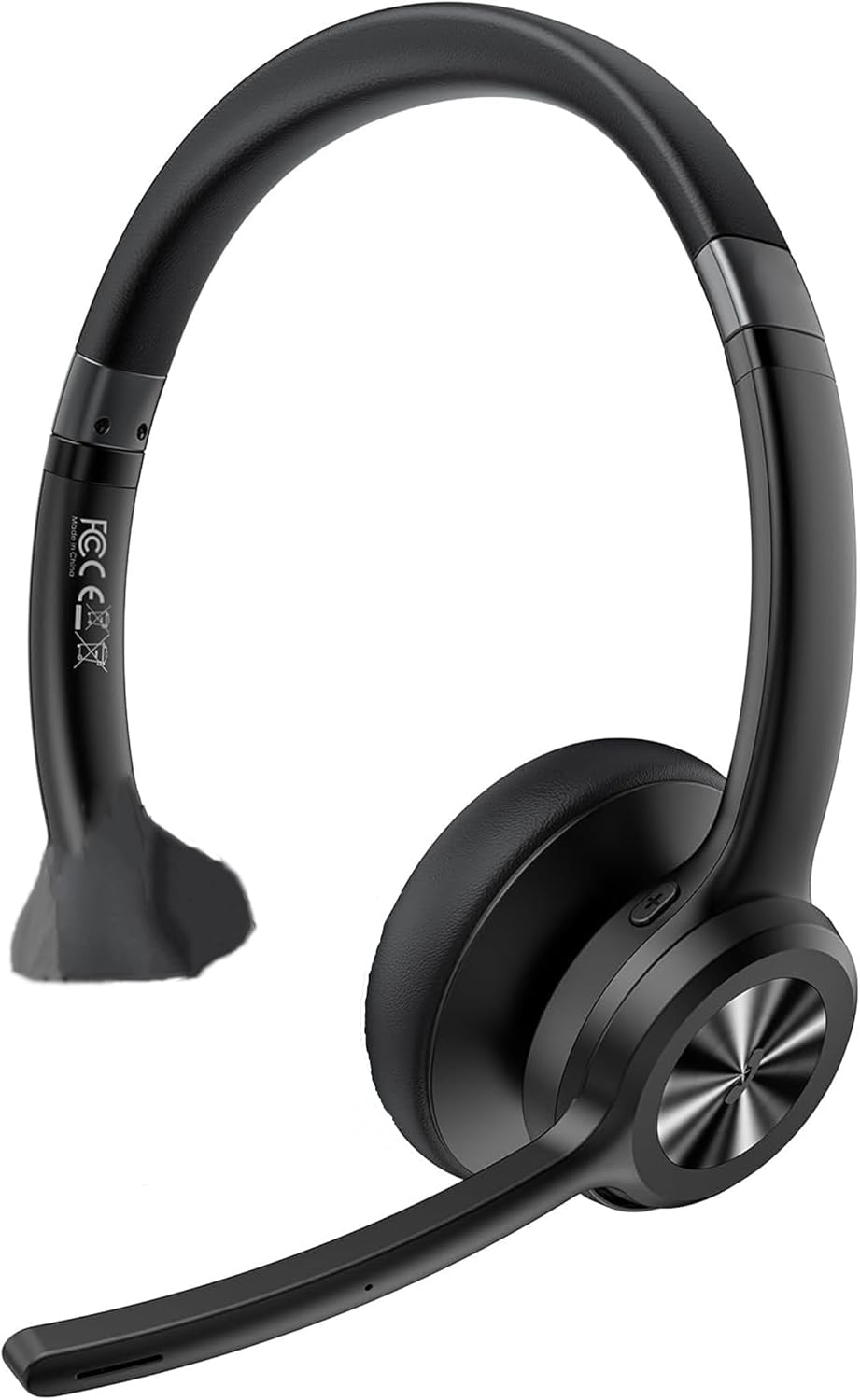
Image: TECKNET Bluetooth Headset Model 71994, showing the over-ear design with an adjustable microphone boom.
Disetél
1. Ngecas Headsét
Before initial use, fully charge the headset. Connect the charging cable to the headset's charging port and a compatible USB power source. A full charge typically takes approximately 1.5 hours.
2. Powering on / Pareum
- Daya Hurung: Pencét jeung tahan tombol Daya nepi ka lampu indikator hurung.
- Pareum listrik: Pencét jeung tahan tombol Daya nepi ka lampu indikator pareum.
3. Papasangan Bluetooth
The headset supports Bluetooth 5.2 for stable connections and dual-device pairing.
- Pastikeun headset pareum.
- Pencét terus tahan tombol Daya salila kira-kira 5-7 detik nepi ka lampu indikator kedip-kedip biru jeung beureum, nunjukkeun modeu pairing.
- On your device (smartphone, computer, tablet), enable Bluetooth and search for available devices.
- Select "TECKNET Headset 71994" from the list of found devices.
- Sakali nyambung, lampu indikator bakal robah jadi biru polos atawa biru kedip-kedip laun.
- To pair a second device, disable Bluetooth on the first device temporarily, put the headset back into pairing mode, and connect the second device. Then, re-enable Bluetooth on the first device; the headset should automatically reconnect to both.
Operasi Headset
Kadali Langkungview
- Penyesuaian volume: Use the dedicated volume buttons (+) and (-) on the headset.
- Kontrol lagu: Use the next/previous track buttons to skip songs during music playback.
- Manajemén Telepon: Press the Multifunction button to answer/end calls. Press and hold to reject a call.
- Mikropon bisu: Press the Mute button on the microphone boom to mute or unmute your microphone during a call. The microphone can be rotated 270 degrees for optimal positioning.
- Modeu sora: The headset features three specialized sound modes (Pop, Bass, Vocal). Use the Multifunction button (or a dedicated sound mode button if present) to cycle through these modes to optimize audio for music, movies, or calls.
Dual-Device Functionality
The headset can maintain connections with two Bluetooth devices simultaneously. This allows for seamless switching between audio sources, such as listening to music on a smartphone and taking a call on a computer without re-pairing.
Pangropéa
beberesih
- Ngusap headsét nganggo kaén anu lembut sareng garing.
- Ulah make cleaners abrasive atawa pangleyur.
- Tetep port ngecas bébas tina lebu jeung lebu.
Panyimpenan
Simpen headset di tempat anu tiis, garing, sareng jauh tina sinar panonpoé langsung sareng suhu anu ekstrim. Ulah neundeun barang-barang beurat dina headset.
Perawatan batré
To prolong battery life, avoid fully discharging the headset frequently. Charge the headset regularly, even if not in use for extended periods.
Pamérésan masalah
- Headset teu hurung: Pastikeun headset tos dicas. Sambungkeun ka sumber daya teras cobian deui.
- Teu tiasa dipasangkeun sareng alat: Make sure the headset is in pairing mode (flashing blue and red). Ensure Bluetooth is enabled on your device and it is within the 15m (49ft) range. Try restarting both the headset and your device.
- Taya sora atawa kualitas audio goréng: Check the volume levels on both the headset and your connected device. Ensure the headset is selected as the audio output device. Move closer to your device to avoid interference.
- Mikropon teu jalan: Ensure the microphone is not muted. Check microphone settings on your connected device to ensure the headset is selected as the input device.
- Sambungan intermiten: Reduce the distance between the headset and your device. Avoid obstacles that may block the Bluetooth signal.
spésifikasi
| Nomer modél | 71994 |
| Vérsi Bluetooth | 5.2 |
| Range nirkabel | Up to 15m (49ft) indoors |
| Waktu Ngobrol | Nepi ka 40 jam |
| Waktos Puterkeun Musik | Nepi ka 50 jam |
| Waktu sayaga | Nepi ka 720 jam |
| Waktu Ngecas | Kurang leuwih 1.5 jam |
| Mikropon | 270° rotating, noise-suppression chip |
| Kasaluyuan | Computers, MacBooks, smartphones, tablets, iPhones (Windows, Mac, Linux, Android, iOS) |
| Dimensi produk | 4.72 x 0.77 x 7.28 inci |
| Item Beurat | 7 ons (0.2 Kilogram) |
| Warna | Hideung |
Garansi sareng Rojongan
Émbaran jaminan
This TECKNET Bluetooth Headset Model 71994 is covered by a 36-month warranty from the date of purchase. This warranty covers manufacturing defects and workmanship under normal use.
Rojongan Palanggan
For technical assistance, warranty claims, or further inquiries, please contact TECKNET customer support. Refer to the product packaging or the official TECKNET websitus pikeun inpo kontak panganyarna.


