
1. Bubuka
This manual provides essential information for the safe and efficient operation of your Sharp KC-A50EU-W Air Purifier. This device is designed to improve indoor air quality by filtering dust, pollen, mold spores, and odors, while also offering humidification using Plasmacluster ion technology. Please read these instructions thoroughly before use and retain them for future reference.
Émbaran Kasalametan penting
- Salawasna mastikeun unit disimpen dina stabil, permukaan datar.
- Ulah ngahalangan asupan hawa atawa liang haseup.
- Jauhkeun unit tina cai sareng Uap.
- Cabut colokan unit sateuacan ngabersihkeun atanapi ngalakukeun perawatan naon waé.
- Ulah nyobian ngalereskeun unit sorangan. Kontak tanaga jasa mumpuni.
2. Produk Langkungview
The Sharp KC-A50EU-W is an advanced air purifier and humidifier designed for rooms up to 38 m². It features Plasmacluster ion technology to neutralize airborne pollutants and a multi-stage sistem filtration.

Gambar 2.1: Hareupeun view of the Sharp KC-A50EU-W Air Purifier, showing the main body and air outlet.
Fitur konci:
- Téknologi Ion Plasmacluster: Releases positive and negative ions to clean the air.
- Fungsi Humidification: Adds moisture to the air for improved comfort.
- High Air Circulation: Efficiently processes air in rooms up to 38 m².
- Multi-stage Saringan: Includes a HEPA filter for fine particles and an odor filter.
- Operasi sepi: Designed for minimal noise output.
3. Setélan
3.1 Ngabongkar bungkusan
- Sacara saksama cabut pembersih hawa tina bungkusanna.
- Cabut sadaya bahan pelindung sareng kantong plastik.
- Pariksa heula bisi aya karusakan nalika pangiriman. Upami ruksak, ulah dianggo sareng hubungi padagang anjeun.
3.2 Nempatkeun
For optimal performance, place the air purifier in a location where air can circulate freely. Avoid placing it directly against walls or furniture. Ensure it is on a flat, stable surface. The unit is suitable for floor areas up to 24 square meters (as per specifications, though product description states 38m², use the more conservative spec for placement advice).

Gambar 3.1: Samping view of the air purifier, showing the air intake grille. Ensure this area is unobstructed.
3.3 Pamasangan Filter
Before first use, ensure all filters are correctly installed and any protective plastic packaging has been removed from them. Refer to the maintenance section for detailed filter handling.
4. Parentah Operasi
The control panel allows you to manage the various functions of your air purifier.

Gambar 4.1: Close-up of the control panel, showing buttons for power, fan speed, Plasmacluster, and humidification.
4.1 Daya Hurung/Pareuman
- Colokkeun kabel listrik kana stop kontak listrik anu cocog (220V).
- Pencét éta ON/OFF button to turn the unit on. The unit will start in a default mode.
- Pencét éta ON/OFF tombol deui pikeun mareuman unit.
4.2 Fan Speed adjustment
Ngagunakeun éta Kipas Gancang button to cycle through different fan settings (e.g., Low, Medium, High, Auto). The current setting will be indicated on the display or by indicator lights.
4.3 Plasmacluster Ion Operation
Pencét éta CLEAN ION SHOWER ON button to activate the Plasmacluster ion generator. This function helps to remove airborne viruses, bacteria, and odors. An indicator light will confirm activation.
4.4 Fungsi Humidification
- Pastikeun tank cai dieusian ku cai bersih.
- Pencét éta CLEAN AIR & HUMIDIFY ON button to activate the humidification function.
- The unit will automatically maintain a comfortable humidity level.
- The humidity level may be displayed on the control panel.
4.5 Konci budak
To prevent accidental operation, press and hold the KUNCI ANAK button for 3 seconds to activate or deactivate the child lock function.
5. Pangropéa
Regular maintenance ensures optimal performance and extends the life of your air purifier. Always unplug the unit before cleaning or performing maintenance.
5.1 Filter beberesih sarta ngagantian
The Sharp KC-A50EU-W uses multiple filters that require periodic cleaning or replacement.
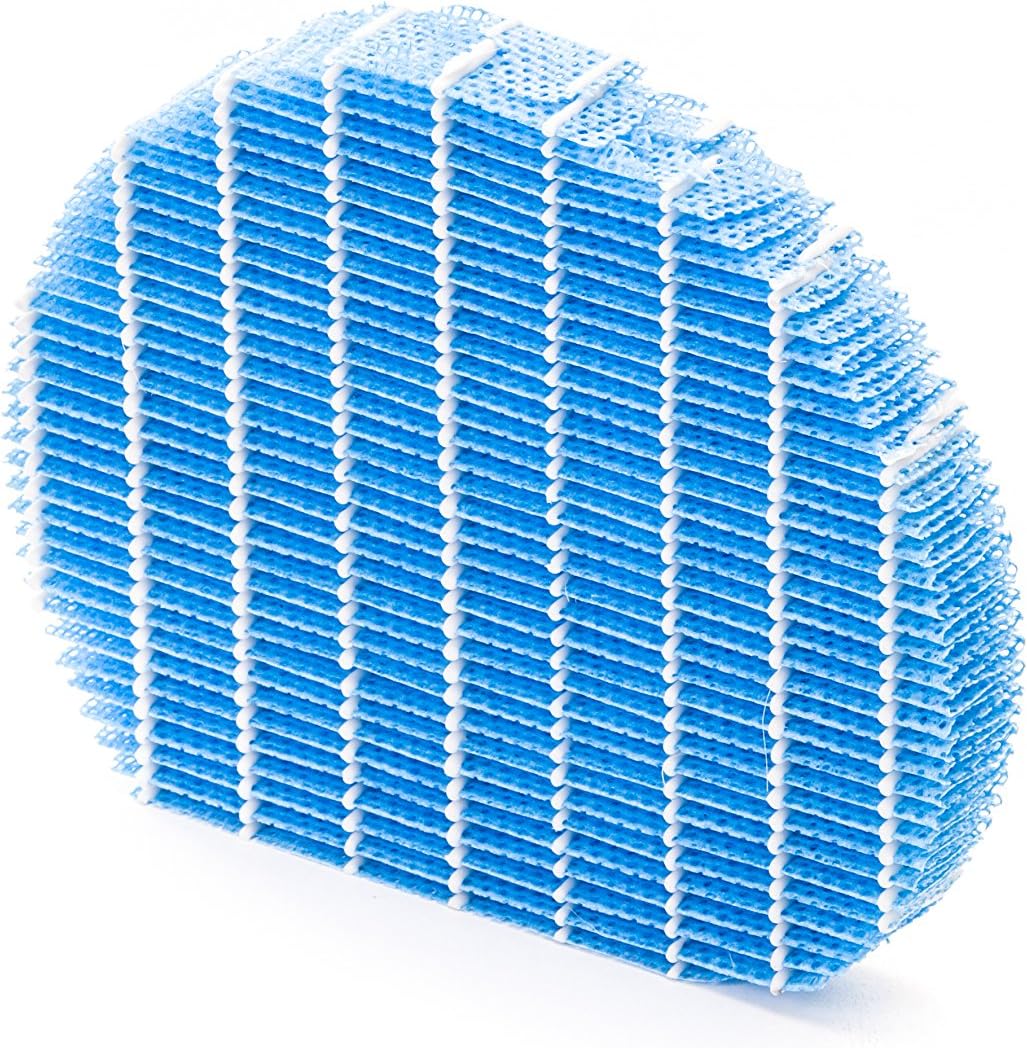
Gambar 5.1: Example of a humidifying filter component, which requires regular cleaning.
- Pra-filter: Clean regularly (e.g., monthly) by vacuuming or washing with water. Allow to dry completely before reinstallation.
- Saringan HEPA: This filter captures fine dust and allergens. It cannot be washed and must be replaced. The replacement interval can vary, but typically ranges from 2 to 5 years depending on usage and air quality. Monitor the filter's condition; if it appears significantly discolored (e.g., black instead of white), replace it immediately.
- Deodorizing Filter (Activated Carbon): This filter removes odors. It can often be washed periodically (e.g., every few months) to refresh its effectiveness. Allow to dry completely. Replace when odors persist after cleaning.
- Filter pelembab: If using the humidification function, clean the humidifying filter and its tray at least every 4 weeks to prevent mold and bacteria growth. Use a mild detergent and rinse thoroughly.
5.2 beberesih tank cai
For units with humidification, clean the water tank regularly (e.g., weekly) to prevent mineral buildup and bacterial growth. Use a soft brush and mild detergent, then rinse thoroughly with clean water.
5.3 beberesih exterior
Ngusap bagian luar unit kalayan lemes, damp lawon. Ulah make cleaners abrasive atawa pangleyur.
6. Cara ngungkulan
If you encounter issues with your Sharp KC-A50EU-W, refer to the following common problems and solutions.
| Masalah | Mungkin Cukang lantaranana | Solusi |
|---|---|---|
| Unit teu hurung. | Kabel listrik teu nyambung kalawan bener; teu aya daya dina stop kontak. | Pastikeun kabel listrikna dipasang pageuh. Pariksa stop kontakna nganggo alat anu sanés. |
| kinerja purifikasi hawa goréng. | Filters are dirty or clogged; filters incorrectly installed. | Clean or replace filters as per maintenance instructions. Ensure filters are installed correctly. |
| Humidification not working or low output. | Water tank is empty; humidifying filter is dirty or clogged. | Refill the water tank. Clean the humidifying filter and tray. |
| Noise mahiwal ti unit. | Obstruction in fan; unit not on a level surface. | Check for any foreign objects near the fan. Place the unit on a stable, level surface. |
| Persistent odors. | Deodorizing filter is saturated or needs cleaning/replacement. | Clean or replace the deodorizing filter. |
Lamun masalah persists sanggeus nyobian solusi ieu, mangga ngahubungan rojongan customer.
7. Spésifikasi
- Jumlah modél: KC-A50EU-W
- Pabrikan: Seukeut
- warna: Bodas
- Ukuran produk (L x W x H): 24 x 69 x 2.5 cm
- Beurat barang: 9.2 kg (9200 Gram)
- Sumber Daya: 220V
- Jenis saringan: HEPA
- Wewengkon Lantai Disarankeun: 24 méter pasagi
- Tingkat Noise: 49 desibel
- Bahan: palastik
- Negara asal: Jepang
8. Garansi jeung Rojongan
Kanggo inpormasi garansi sareng dukungan palanggan, mangga tingal kartu garansi anu kalebet dina produk anjeun atanapi kunjungan ka Sharp resmi websitus pikeun wewengkon Anjeun. Simpen resi pameseran anjeun salaku bukti pameseran.