1. Produk Langkungview
The Genelec 8050B is a powerful and highly accurate bi-amplified reference monitoring system designed for professional audio environments. It delivers high Sound Pressure Levels (SPL) across a very wide frequency response, making it an ideal monitoring tool for large recording studios, mastering suites, post-production houses, and broadcasting facilities.
Key design elements include the all-aluminium Minimum Diffraction Enclosure (MDE) and the advanced Directivity Control Waveguide (DCW), which together ensure outstanding frequency balance and stable, neutral sound imaging. The 8050B also incorporates Genelec's Intelligent Signal Sensing (ISS) circuitry, which automatically switches the monitor to standby mode when no audio input is detected, contributing to energy efficiency.

Gambar 1: Hareupeun view of the Genelec 8050B monitor, showcasing its sleek grey aluminum enclosure and black speaker cones.
2. Fitur konci
- All-aluminium Minimum Diffraction Enclosure (MDE): Designed to minimize cabinet edge diffraction, providing a flat frequency response and precise imaging.
- Advanced Directivity Control Waveguide (DCW): Optimizes the directivity of the monitor, ensuring a wide and controlled listening area with accurate sound reproduction.
- Genelec Intelligent Signal Sensing (ISS) circuitry: Automatically puts the monitor into a low-power standby mode when no audio signal is detected, conserving energy.
- bi-ampDesain anu didamel: Papisah amplifiers for the woofer and tweeter ensure optimal performance and dynamic range.
- High SPL Output: Capable of producing high sound pressure levels suitable for demanding professional applications.
- Tanggapan Frékuénsi Lebar: Delivers accurate sound reproduction across a broad frequency range, from deep bass to clear highs.
3. Setup Guide
3.1 Ngabongkar sareng Inspeksi
Carefully remove the monitor from its packaging. Inspect the unit for any signs of damage during transit. Retain the original packaging for future transportation or storage.
3.2 Nempatkeun
Optimal placement is crucial for accurate monitoring. Position the monitors symmetrically in your listening environment, forming an equilateral triangle with the listening position. Ensure the tweeters are at ear level.
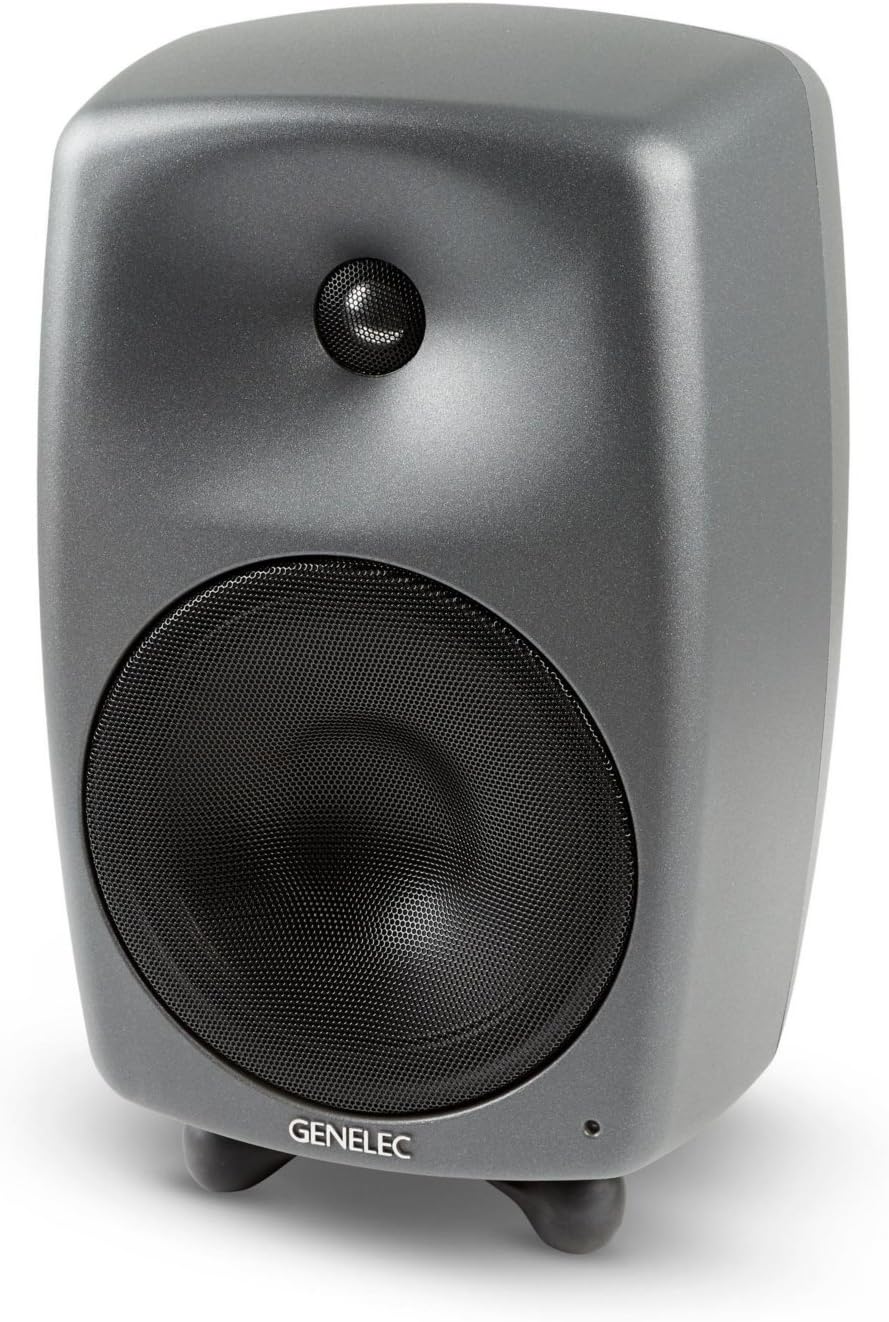
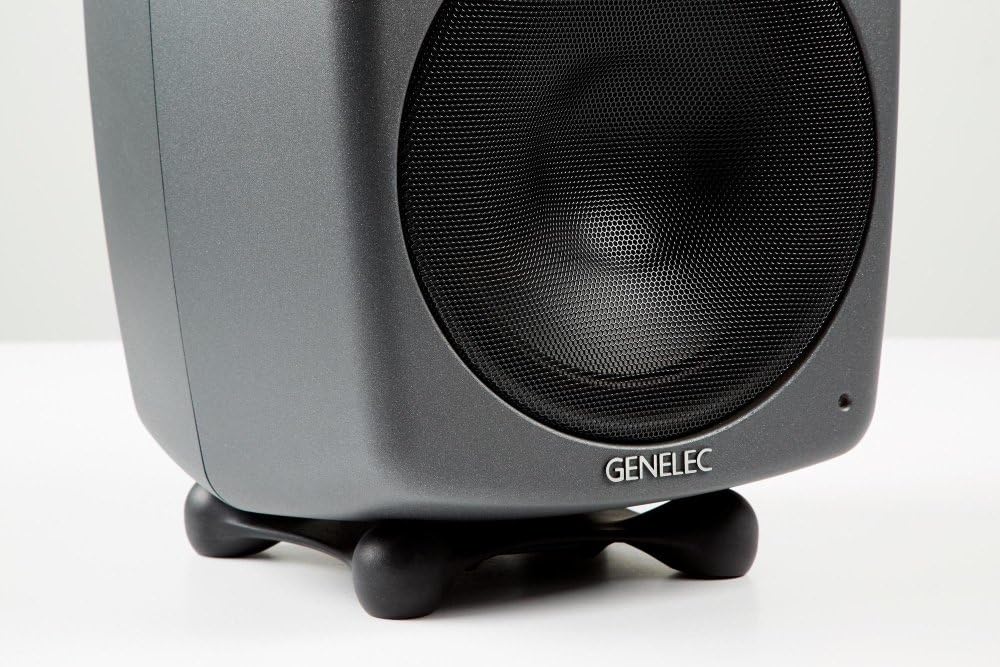
Figure 2: The Genelec 8050B monitor positioned on a flat surface, demonstrating its stable base for tabletop mounting.
The 8050B comes with an Iso-Pod™ stand, which allows for tilting the monitor to aim the acoustic axis precisely at the listening position and provides acoustic isolation from the mounting surface.
angka 3: Tutup-up view of the Iso-Pod™ stand, designed to provide isolation and adjustable tilt for optimal acoustic alignment.
3.3 Sambungan
Connect the audio source to the XLR input connector on the rear panel of the 8050B. Ensure all connections are secure before powering on the unit.
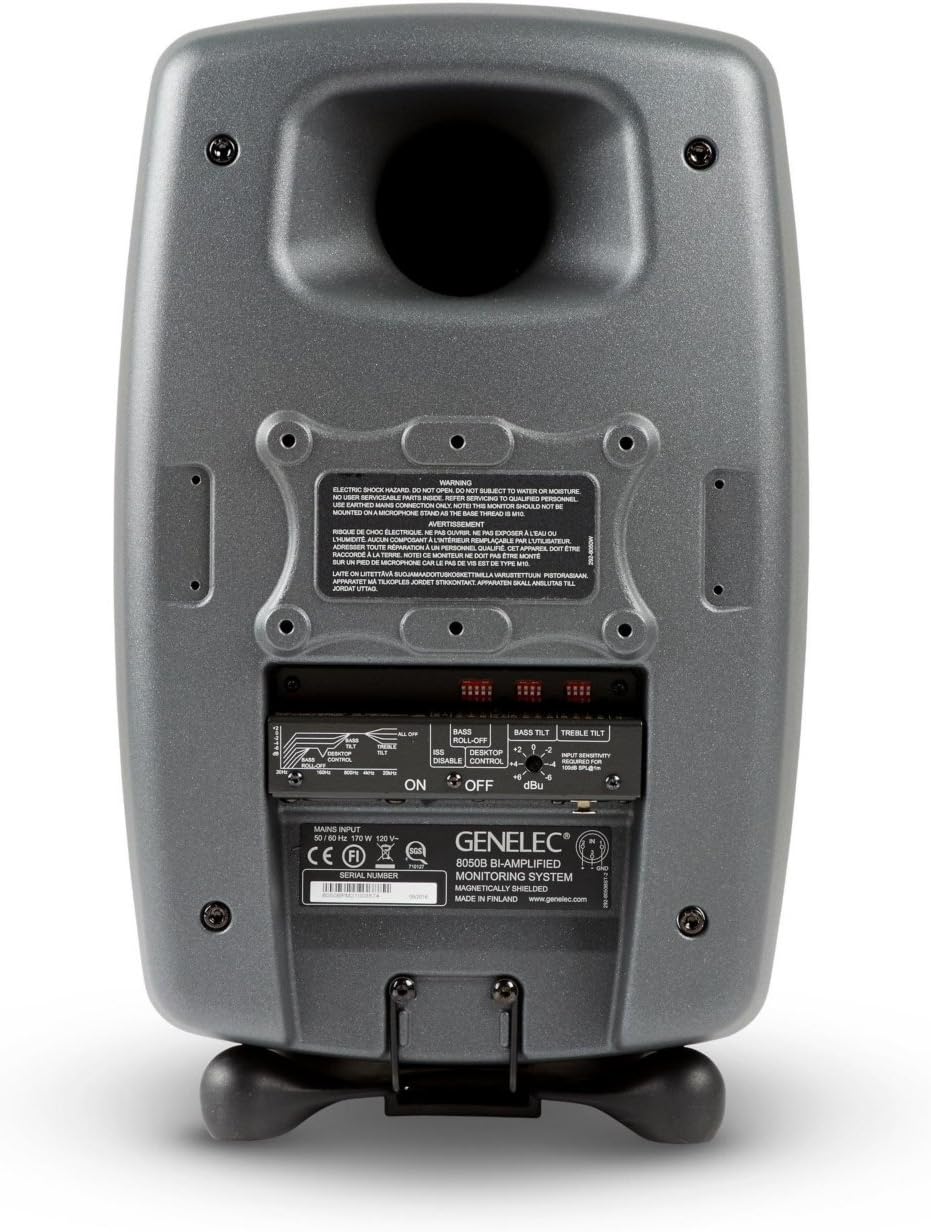
Figure 4: Rear panel of the Genelec 8050B, illustrating the XLR input, power switch, and acoustic control switches.
Connect the power cable to the IEC mains inlet and then to a suitable power outlet. The 8050B supports standard mains voltages as indicated on the rear panel.
4. Operasi
4.1 Powering on / Pareum
To power on the monitor, flip the main power switch located on the rear panel to the 'ON' position. A small LED indicator on the front of the monitor will illuminate, indicating power status.
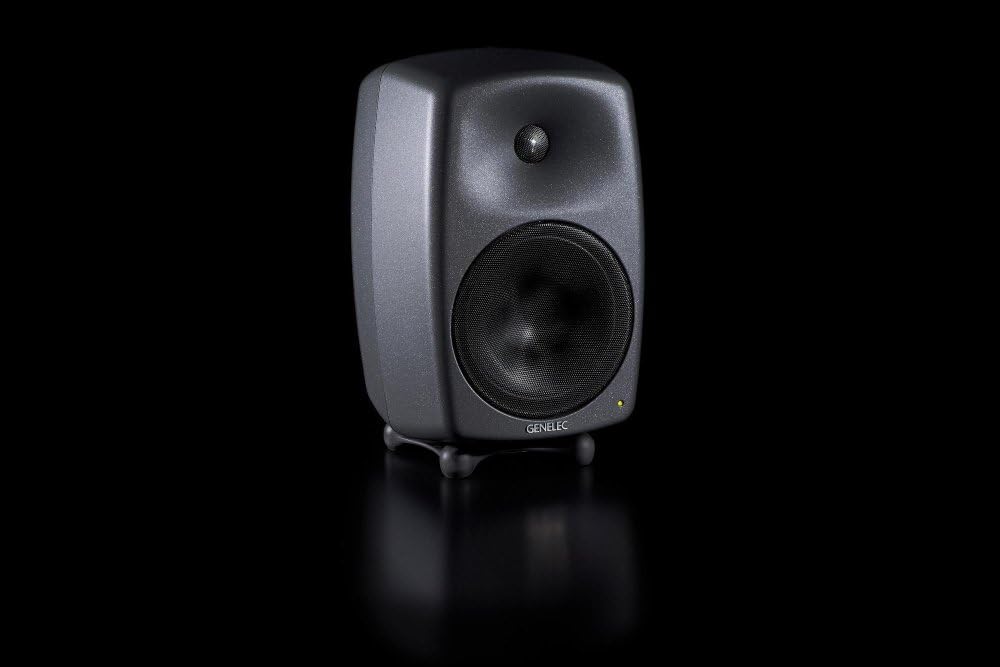
Figure 5: The Genelec 8050B with its front power indicator light illuminated, signifying active operation.
4.2 Intelligent Signal Sensing (ISS)
The ISS feature automatically detects when the monitor has not received an audio signal for a certain period (approximately 60 minutes) and switches it to a low-power standby mode. When an audio signal is detected again, the monitor will automatically power back on. This feature can be enabled or disabled via a switch on the rear panel.
4.3 Acoustic Controls
The rear panel of the 8050B features several switches for acoustic adjustments, allowing you to tailor the monitor's response to your specific listening environment. These include:
- Bass Roll-Off: Adjusts the low-frequency response, useful for compensating for room acoustics or when used with a subwoofer.
- Desktop Control: Reduces bass frequencies that can be exaggerated when monitors are placed on a large desk surface.
- Dengdekkeun Bass: Provides a gradual attenuation of the bass response below 100 Hz.
- Tilt Treble: Nyaluyukeun réspon frékuénsi luhur.
- Sensitipitas Input: Allows matching the monitor's input level to the output level of your audio source.
Refer to Figure 4 for the location of these controls on the rear panel.
5. Pangropéa
To ensure the longevity and optimal performance of your Genelec 8050B monitors, follow these maintenance guidelines:
- beberesih: Use a soft, dry cloth to clean the exterior surfaces of the monitor. Do not use abrasive cleaners, solvents, or waxes.
- Lebu: Regularly dust the speaker cones and vents to prevent accumulation that could affect performance.
- Ventilasi: Ensure that the rear panel and any ventilation openings are not obstructed to allow for proper heat dissipation.
- Panyimpenan: If storing the monitors for an extended period, use the original packaging to protect them from dust and physical damage.
6. Cara ngungkulan
| Masalah | Mungkin Cukang lantaranana | Solusi |
|---|---|---|
| Taya sora tina monitor |
|
|
| Sora distort |
|
|
| Sora dengung atawa ngahiung |
|
|
7. Spésifikasi Téknis
| Spésifikasi | Rincian |
|---|---|
| Ngaran modél | 8050 BPM |
| Tipe Speaker | bi-Amplified Monitor |
| Tipe Pamasangan | Tabletop |
| Bahan | alumunium |
| Speaker AmpTipe Lification | Aktif |
| Kaluaran Wattage | 270 Watt |
| Réspon Frékuénsi | 25 KHz (Upper limit, typical for monitor systems) |
| Téhnologi konektipitas | XLR |
| Ukuran produk (L x W x H) | 40.01 x 38.86 x 59.94 cm |
| Item Beurat | 14.4 kg |
| Komponén Kaasup | Gunung isolasi |
8. Garansi jeung Rojongan
Genelec products are manufactured to the highest standards and are designed for reliable operation. For specific warranty terms and conditions, please refer to the warranty card included with your product or visit the official Genelec websitus. Simpen bukti pameseran anjeun pikeun klaim garansi.
For technical support, service, or further information, please contact Genelec customer support or your authorized Genelec dealer. You can find contact details on the official Genelec websitus: www.genelec.com


