
Bubuka
This manual provides essential information for the safe and efficient use of your LG 42LM3400 42-inch 3D 1080p LED LCD TV. Please read it thoroughly before operating the television and retain it for future reference.
The LG 42LM3400 features a 42-inch Full HD 1080p LED display, offering a resolution of 1920 x 1080 pixels. It incorporates Direct LED backlighting and the Triple XD Engine for enhanced picture quality. This model also supports 3D viewing and includes a Resolution Upscaler.
Parentah Kasalametan penting
- Sumber Daya: Connect the TV only to an AC power source as indicated on the label. Ensure the power cord is securely plugged into the outlet and the TV.
- Ventilasi: Ulah meungpeuk bukaan ventilasi. Ngidinan spasi nyukupan sabudeureun TV pikeun aliran hawa ditangtoskeun pikeun nyegah overheating.
- Cai sareng Uap: Do not expose the TV to rain or moisture. Do not place objects filled with liquids, such as vases, on or near the TV.
- beberesih: Cabut TV tina stop kontak témbok sateuacan beberesih. Anggo kaén anu lemes sareng garing pikeun beberesih. Ulah make cleaners cair atawa cleaners aerosol.
- panempatan: Teundeun TV dina permukaan datar anu stabil. Hindarkeun nempatkeunna dina sinar panonpoé langsung atanapi caket sumber panas.
- Palayanan: Entong nyobian ngalayanan produk ieu nyalira. Rujuk sadayana ngalayanan ka tanaga jasa anu mumpuni.
Eusi pakét
Pastikeun yén sadaya item aya dina bungkusan:
- LG 42LM3400 42-inch LED LCD TV
- Ngadeg TV
- Kadali jauh
- Kabel listrik
- Manual pangguna (dokumén ieu)
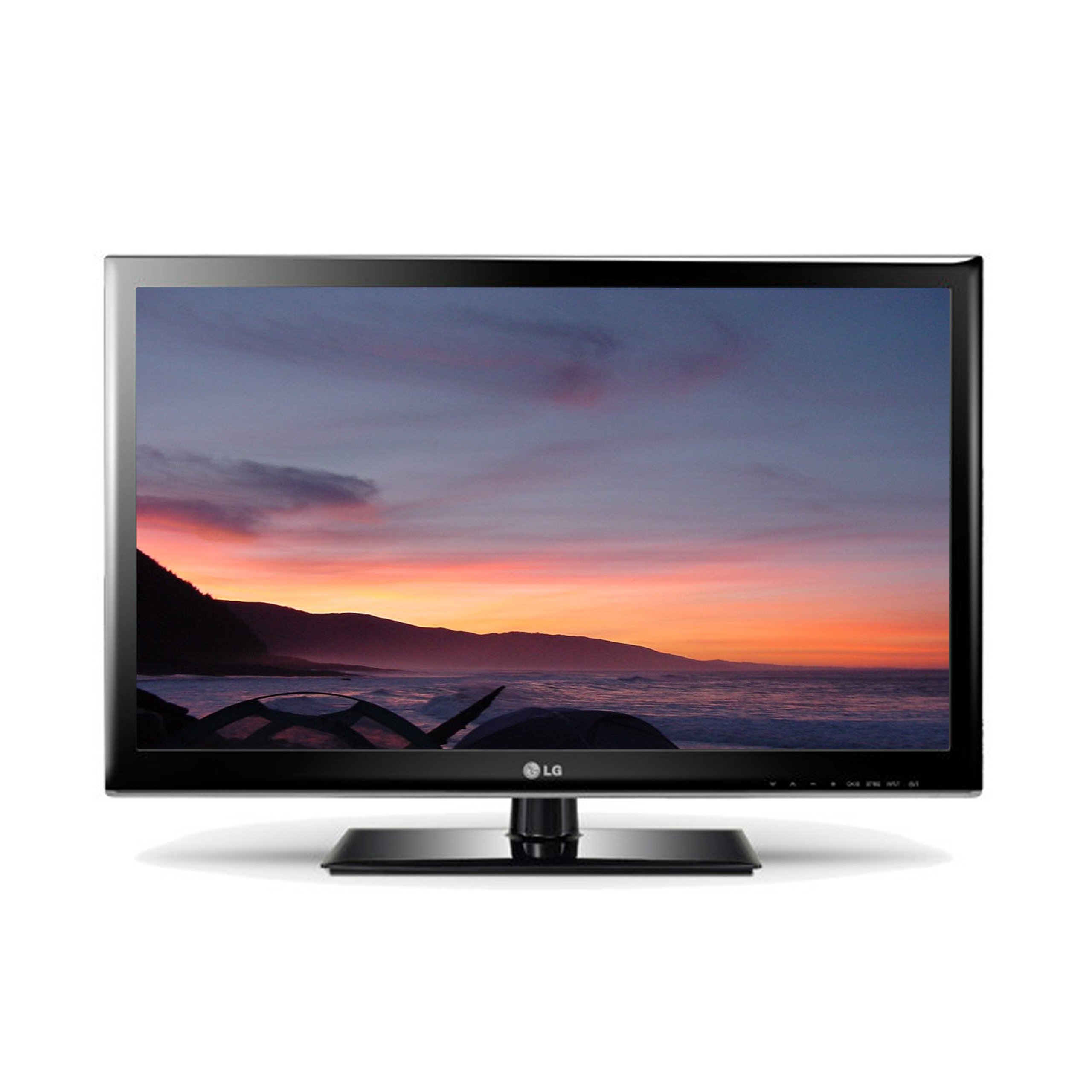
Image: The LG 42LM3400 TV shown with its included stand.
Guide Setup
Ngalampirkeun Stand
- Carefully place the TV screen-down on a soft, flat surface (e.g., a blanket or foam) to prevent damage.
- Sejajarkeun dasar nangtung sareng liang pamasangan di handapeun TV.
- Ngamankeun stand kana TV ngagunakeun screws disadiakeun. Pastikeun sadaya screws tightened pageuh.
- Angkat TV sacara saksama teras teundeun dina permukaan datar anu stabil.
Pamasangan témbok (Opsional)
If you choose to wall mount your TV, ensure you use a VESA-compliant wall mount kit appropriate for the TV's size and weight. Follow the instructions provided with your wall mount kit. Remove the stand before wall mounting.
Nyambungkeun Alat éksternal
The LG 42LM3400 offers various connection ports for external devices:
- Port HDMI: Connect Blu-ray players, game consoles, cable/satellite boxes, or other HDMI-enabled devices using HDMI cables.
- Antenna/Kabel Input: Connect an antenna or cable TV signal to the RF input port.
- Optik Digital Audio Out: For connecting to a soundbar or home theater system with an optical audio input.
- Port USB: Pikeun nyambungkeun alat panyimpenan USB ka view poto, video, atawa ngadengekeun musik.
Ngoperasikeun TV Anjeun
Fungsi Dasar
- Hurungkeun/Pareuman: Pencét tombol Daya dina remot kontrol atanapi TV pikeun ngahurungkeun atanapi mareuman TV.
- Pilihan Saluran: Use the CH ▲/▼ buttons to change channels or enter channel numbers directly using the numeric buttons.
- Kontrol volume: Use the VOL +/- buttons to adjust the volume level.
- Pilihan Input: Press the INPUT button to cycle through available input sources (HDMI, AV, Component, TV).
Ngagunakeun Remote Control
The remote control allows you to access all TV functions. Point the remote control directly at the TV's remote sensor. Ensure there are no obstructions between the remote control and the TV.
Using 3D Features
Your LG 42LM3400 TV supports 3D viewing. To experience 3D content:
- Ensure you are watching 3D-compatible content (e.g., a 3D Blu-ray movie).
- Wear the passive 3D glasses provided or compatible LG passive 3D glasses.
- The TV should automatically detect 3D content. If not, you may need to manually activate 3D mode through the TV's picture settings menu.
Smart TV and Internet Services
The LG 42LM3400 provides access to various internet services. Connect your TV to your home network via an Ethernet cable or a compatible Wi-Fi adapter (sold separately) to access features such as:
- Web Pangotektak
- Streaming applications like Hulu and Netflix
Navigate these services using your remote control. An on-screen keyboard will appear for text input.
Perawatan sareng Pangropéa
- Ngabersihan layar: Ngusap layar nganggo kaén anu lembut sareng teu aya serat. Pikeun tanda pengkuh, enteng dampBilas lawon ku cai atanapi pembersih layar khusus, teras langsung usap dugi ka garing. Ulah nyemprotkeun cairan langsung kana layar.
- beberesih Kabinet: Ngusap kabinét TV ku kaén anu lembut sareng garing. Ulah make cleaners abrasive atawa pangleyur.
- Debu: Regularly dust the ventilation openings to prevent dust buildup, which can affect performance.
- Panyimpenan: Upami nyimpen TV kanggo waktos anu lami, cabut tina stop kontak teras tutup pikeun ngajaga tina lebu. Simpen di tempat anu tiis sareng garing.
Pitunjuk Ngungkulan
Sateuacan ngahubungi layanan palanggan, tingali tabel di handap ieu pikeun masalah sareng solusi umum:
| Masalah | Mungkin Cukang lantaranana / Solusi |
|---|---|
| Taya Daya | Ensure the power cord is securely plugged into the TV and the wall outlet. Check if the outlet is functional. |
| Taya Gambar, tapi Sora Aya Hadir | Check the input source. Ensure the external device (e.g., cable box) is powered on and connected correctly. |
| Taya Sora, tapi Gambar Aya | Check the volume level. Ensure Mute is not activated. Verify audio cable connections for external devices. |
| Remote Control Teu Gawé | Ganti batréna. Pastikeun teu aya halangan antara jauh sareng sénsor TV. |
| 3D Effect Not Visible | Ensure you are watching 3D content and wearing compatible 3D glasses. Check 3D settings in the TV menu. |
Spésifikasi teknis
| Fitur | Spésifikasi |
|---|---|
| Ngaran modél | 42LM3400 |
| Ukuran layar | 42 inci |
| Téknologi tampilan | LED |
| Resolusi | 1080p (1920 x 1080) |
| Refresh Laju | 60 Hz |
| Tipe tampilan | LED langsung |
| Fitur husus | Flat Screen, 3D Capable |
| Dirojong jasa Internét | Browser, Hulu, Netflix |
| Téhnologi konektipitas | Yes (Internet connectivity) |
| Métode kontrol | Kadali jauh |
| Tipe Tuner | ATSC |
| Item Beurat | 40 pon |
| Produsén | LG |
Émbaran jaminan na Rojongan Palanggan
For specific warranty details regarding your LG 42LM3400 TV, please refer to the warranty card included with your product or visit the official LG websitus. Sarat jeung kaayaan jaminan bisa rupa-rupa dumasar wewengkon sarta pangecér.
If you encounter issues that cannot be resolved using the troubleshooting guide, or require further assistance, please contact LG Customer Support. Contact information can typically be found on the LG official websitus atanapi dina dokuméntasi produk Anjeun.