Bubuka
This manual provides comprehensive instructions for the operation and maintenance of your new Sharp Aquos LCD TV Remote Control, model RRMCGA535WJSA. This genuine Sharp remote transmitter is designed to provide seamless control over your compatible Sharp Aquos LCD TV models. Please read this manual thoroughly before use to ensure proper functionality and to maximize your viewpangalaman.
Émbaran Kasalametan
Mangga perhatikeun pancegahan kaamanan di handap ieu:
- Do not expose the remote control to direct sunlight, high humidity, or extreme temperatures.
- Hindarkeun leupaskeun kadali jauh atanapi tunduk kana tabrakan anu kuat.
- Do not attempt to disassemble or modify the remote control. This may void the warranty and cause damage.
- Jauhkeun batré tina jangkauan barudak. Lamun ditelek, neangan perhatian médis saharita.
- Buang batré anu dipaké nurutkeun peraturan lokal. Ulah dibakar.
Eusi pakét
Pastikeun yén sadaya item aya dina bungkusan:
- Sharp Aquos LCD TV Remote Control (Model: RRMCGA535WJSA)
- Manual Pitunjuk (dokumén ieu)
Note: Batteries are typically not included and must be purchased separately.
Produk Leuwihview
Familiarize yourself with the buttons and features of your remote control.

Gambar 1: Hareupeun View tina Remote Control
This image displays the front of the Sharp Aquos remote control, showing all primary buttons including power, input selection, channel, volume, numeric keypad, and navigation controls. The Sharp and Aquos logos are visible at the bottom.
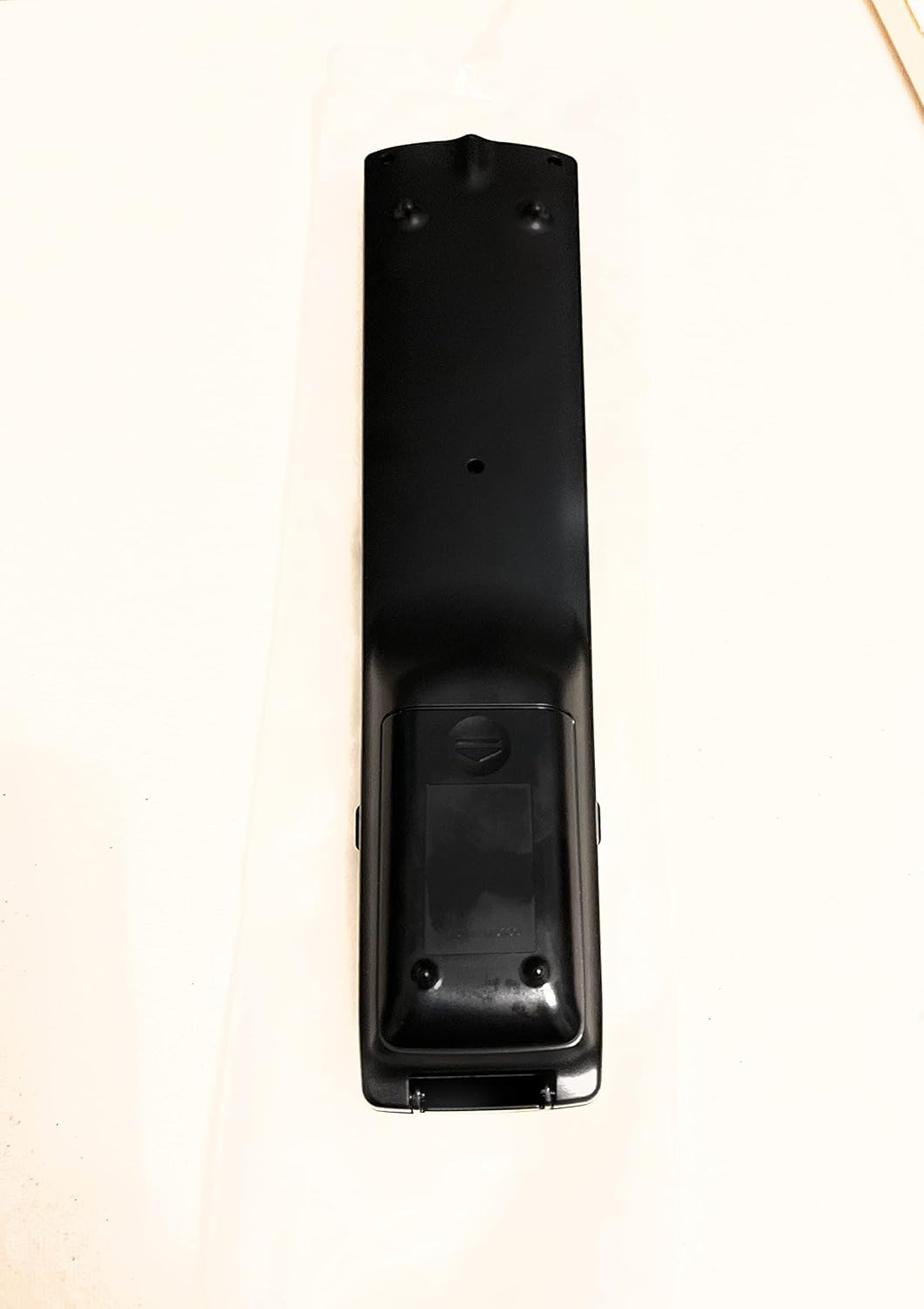
Gambar 2: Balik View tina Remote Control
This image shows the rear side of the Sharp Aquos remote control, highlighting the smooth, ergonomic design and the battery compartment cover.

Figure 3: Remote Control with Battery Compartment Open
This image illustrates the Sharp Aquos remote control with its battery compartment cover slid open, revealing the space for battery insertion.

Figure 4: Close-up of Hidden Panel
This close-up image shows the lower section of the Sharp Aquos remote control with its hinged panel opened, revealing additional function buttons such as SLEEP, AUDIO, AV MODE, and CC (Closed Caption).
Fungsi Tombol:
| Tombol | Fungsi |
|---|---|
| POWER | Ngahurungkeun atawa mareuman TV. |
| INPUT / SOURCE | Selects the input source (e.g., HDMI, AV, Component). |
| CH +/- | Ngarobah saluran TV kaluhur atanapi kahandap. |
| VOL +/- | Saluyukeun tingkat polumeu. |
| BISA | Ngajempékeun atanapi nganonaktipkeun sora TV. |
| MENU | Opens the TV's on-screen menu. |
| Asupkeun | Confirms selections within the menu. |
| Navigation Arrows (Up/Down/Left/Right) | Navigates ngaliwatan pilihan ménu. |
| EXIT / RETURN | Exits the current menu or returns to the previous screen. |
| Papan tombol angka (0-9) | Langsung ngasupkeun nomer saluran. |
| SARE (under hidden panel) | Sets the TV to turn off automatically after a set period. |
| AUDIO (under hidden panel) | Selects audio modes or tracks. |
| AV MODÉ (under hidden panel) | Adjusts picture and sound settings for different content types. |
| CC (Katerangan Tertutup) (under hidden panel) | Turns closed captions on or off. |
Disetél
Pamasangan batré:
- Panggihan kompartemen batréna di tukangeun remot kontrol (tingali Gambar 2).
- Slide the battery compartment cover downwards to open it (refer to Figure 3).
- Insert two (2) AAA batteries (not included), ensuring the positive (+) and negative (-) terminals align correctly with the indicators inside the compartment.
- Geser panutup kompartemen batré deui kana tempatna nepi ka klik aman.
Note: Always use new batteries of the same type. Do not mix old and new batteries, or different types of batteries.
Parentah Operasi
Operasi dasar:
- Hurungkeun/Pareuman: Pencét éta POWER button to turn your Sharp Aquos TV on or off.
- Kontrol volume: Pencét éta VOL+ tombol pikeun ngaronjatkeun volume na VOL- pikeun ngirangan polumeu.
- Pilihan Saluran: Ngagunakeun éta CH + or CH - buttons to change channels sequentially. Alternatively, use the numeric keypad to directly enter a channel number.
- Pilihan Sumber Input: Pencét éta INPUT or SUMBER button to cycle through available input sources (e.g., HDMI 1, HDMI 2, AV, Component).
- Jempé: Pencét éta BISA button to temporarily silence the TV audio. Press again to restore sound.
Napigasi Menu:
- Pencét éta MENU button to display the TV's on-screen menu.
- Ngagunakeun éta Panah Navigasi (Up, Down, Left, Right) to move through menu options.
- Pencét éta Asupkeun button to select a highlighted option or confirm a setting.
- Pencét éta KALUAR or PULIH button to close the menu or go back to the previous menu level.
Advanced Functions (Hidden Panel):
Some advanced functions are located under a hinged panel at the bottom of the remote control (refer to Figure 4). Gently open this panel to access buttons such as:
- SARE: Nyetél timer pikeun TV otomatis pareum.
- AUDIO: Adjusts audio settings or selects audio tracks.
- MODE AV: Cycles through preset picture and sound modes (e.g., Standard, Movie, Game).
- CC (Close Caption): Ngahurungkeun atanapi mareuman caption tutup.
Pangropéa
beberesih:
To clean the remote control, wipe it gently with a soft, dry cloth. Do not use liquid cleaners, abrasive cleaners, or chemical solvents, as these may damage the surface or internal components.
Ngagantian batré:
Replace batteries when the remote control's response becomes sluggish or stops working. Follow the battery installation steps outlined in the "Setup" section. Always replace both batteries at the same time.
Pamérésan masalah
| Masalah | Mungkin Cukang lantaranana | Solusi |
|---|---|---|
| Kadali jauh teu jalan. | Batré paéh atanapi teu leres diselapkeun. | Ganti batréna ku anu énggal, pastikeun polaritasna leres (+/-). |
| Rentang kadali jauh goréng. | Weak batteries; obstruction between remote and TV; infrared sensor on TV is blocked. | Replace batteries. Ensure no objects are blocking the line of sight between the remote and the TV's IR sensor. |
| Tombol-tombol khusus teu ngaréspon. | Dirt or debris under the button; internal malfunction. | Clean the remote control. If the issue persists, the remote may require replacement. |
| TV not responding to any remote commands. | TV is unplugged or turned off; TV's IR sensor is faulty. | Ensure the TV is powered on and plugged in. Test with another remote if available. Consult TV's manual for IR sensor location. |
spésifikasi
| Fitur | Rincian |
|---|---|
| Nomer modél | RRMCGA535WJSA |
| merek | Seukeut |
| Alat nu cocog | Sharp Aquos LCD Televisions (various models, see product title for list) |
| Téhnologi konektipitas | Infrabeureum (IR) |
| Sumber Daya | 2 x Batré AAA (teu kalebet) |
| Ukuran (Kira-kira.) | 8.8 x 2.4 x 0.9 inci (Pakét Dimensi) |
| Beurat (Kira-kira.) | 4 ons |
| Fitur husus | Ergonomic design, Hidden function panel |
Garansi sareng Rojongan
Bantahan Hukum:
This item is provided in new condition. Please note that this item is offered "as is" as it is past its original manufacturer's warranty period. Any implied warranties are disclaimed to the fullest extent permitted by law.
Rojongan Palanggan:
For further assistance or inquiries regarding your Sharp Aquos LCD TV, please refer to your television's original instruction manual or visit the official Sharp support website. For issues specifically with this replacement remote control, please contact the seller from whom it was purchased.


