Bubuka
Hatur nuhun pikeun meuliasing the Sharp R-642(IN) W Microwave Oven with Grill. This manual provides essential information for the safe and efficient operation, maintenance, and troubleshooting of your appliance. Please read these instructions thoroughly before use and retain them for future reference.
Produk Leuwihview
The Sharp R-642(IN) W is a 20-liter freestanding microwave oven featuring both microwave and grill functions. It offers 800 watts of microwave power and 1000 watts of grill power, along with 6 preset automatic programs and 5 adjustable power levels for versatile cooking. The appliance is designed for countertop installation and includes a user-friendly LED display.

Gambar 1: Hareupeun view of the Sharp R-642INW microwave oven with its door open, revealing the interior cavity and glass turntable.
Parentah Kasalametan penting
To reduce the risk of fire, electric shock, injury to persons, or exposure to excessive microwave energy when using your appliance, follow basic precautions, including:
- Baca sadaya parentah sateuacan nganggo alat.
- Ulah nyobian ngajalankeun oven ieu kalawan panto muka sabab ieu bisa ngakibatkeun paparan ngabahayakeun kana énergi gelombang mikro.
- Ulah panas cair atawa kadaharan séjénna dina wadah disegel sabab bisa ngabeledug.
- Ngan ngawenangkeun barudak ngagunakeun oven tanpa pangawasan lamun parentah nyukupan geus dibikeun ku kituna anak geus bisa ngagunakeun oven dina cara aman tur understands bahaya tina pamakéan teu bener.
- Entong nganggo bahan kimia korosif atanapi uap dina alat ieu.
- Entong jalankeun alat ieu upami aya kabel atanapi colokan anu ruksak, upami teu jalan leres, atanapi upami parantos ruksak atanapi turun.
- Pastikeun alatna dibumikeun leres.
- Salawasna nganggo cookware microwave-aman.
Instalasi jeung Setup
Proper installation is crucial for the safe and efficient operation of your microwave oven. Follow these guidelines:
- Ngabongkar bungkusan: Remove all packing materials and accessories. Inspect the oven for any damage such as dents or a broken door. Do not install if damaged.
- panempatan: Place the microwave oven on a flat, stable surface strong enough to hold its weight. Ensure adequate ventilation by leaving at least 10 cm of space at the back, 20 cm at the top, and 5 cm on each side.
- Sambungan Daya: Plug the oven into a properly installed and grounded 230V, 50Hz power outlet. Do not use extension cords.
- Pamasangan Turntable: Place the roller ring in the center of the oven floor. Place the glass turntable on top of the roller ring, ensuring it sits securely.
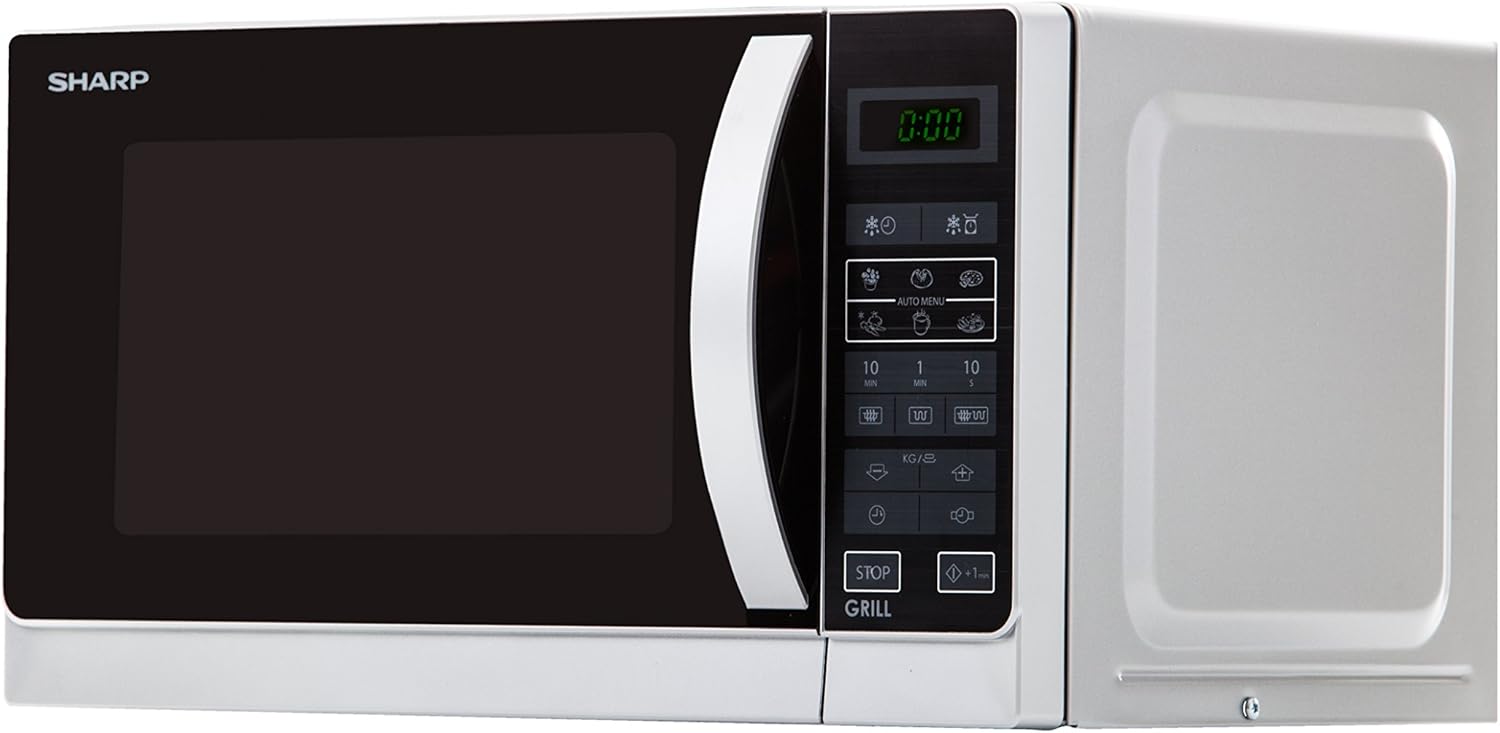
Gambar 2: Diagram illustrating the external dimensions of the Sharp R-642INW microwave oven, including width, height, and depth, for proper placement.
Parentah Operasi
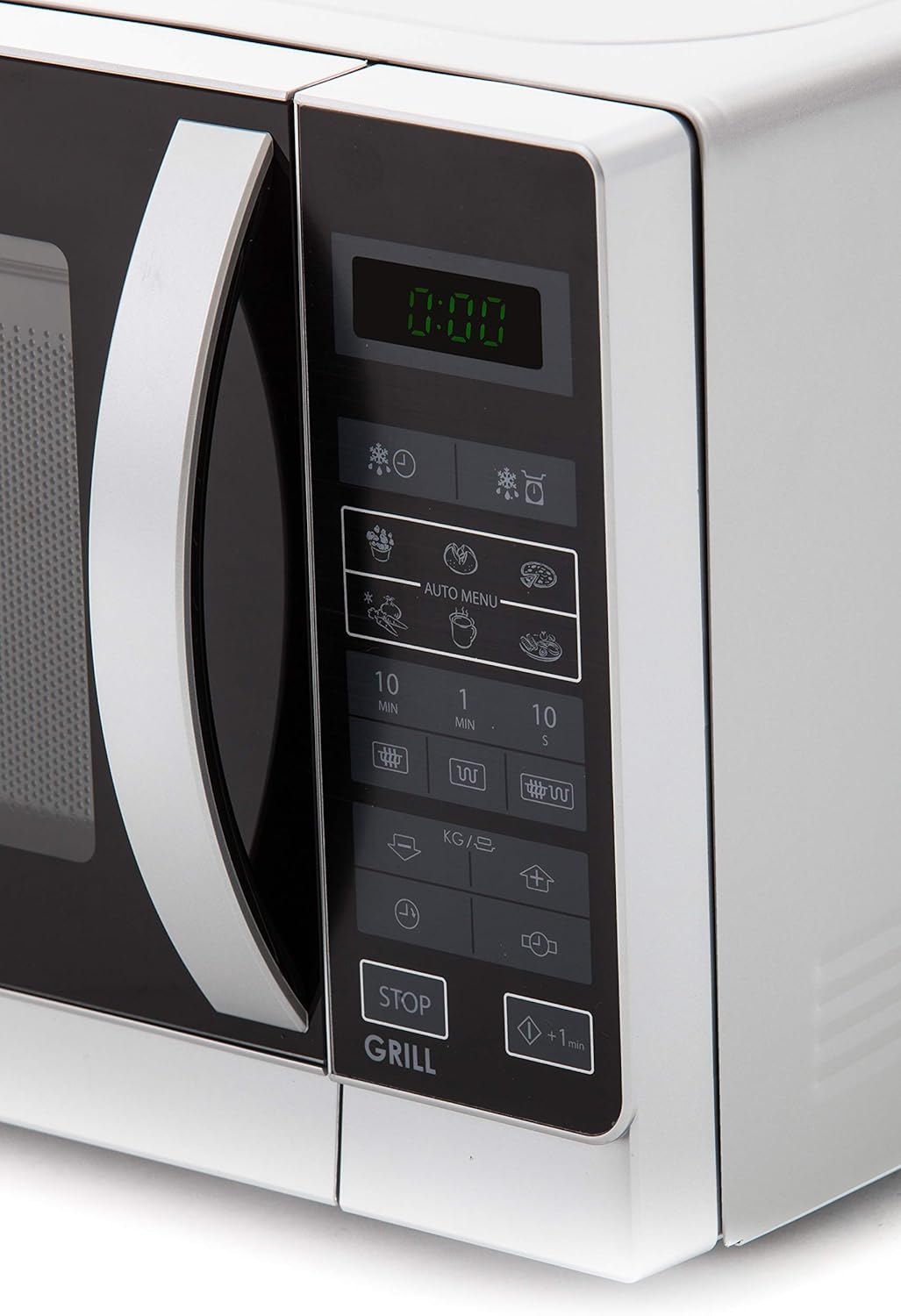
The Sharp R-642(IN) W features an intuitive digital control panel. Familiarize yourself with the buttons and display for optimal use.

Gambar 3: Diwincik view of the Sharp R-642INW microwave oven's digital control panel, showing buttons for power levels, auto menus, and time settings.
Nyetél Jam
- Pencét tombol "Jam" sakali.
- Anggo tombol angka pikeun ngasupkeun waktos ayeuna (contona, 12:30).
- Pencét tombol "Jam" deui pikeun mastikeun.
Masak gelombang mikro
- Teundeun dahareun dina wadah microwave-aman dina turntable jeung nutup panto.
- Press the "Microwave" button repeatedly to select the desired power level (e.g., 100%, 80%, 50%, 30%, 10%).
- Use the "10 MIN", "1 MIN", or "10 SEC" buttons to set the cooking time.
- Pencét tombol "Mimitian" pikeun ngamimitian masak.
Grill Masak
- Teundeun dahareun dina rak grill (lamun disadiakeun) atawa piring tahan panas dina turntable nu.
- Pencét tombol "Grill".
- Use the "10 MIN", "1 MIN", or "10 SEC" buttons to set the grilling time.
- Pencét tombol "Start" pikeun ngamimitian grilling.
Masak Kombinasi (Microwave + Panggangan)
This model supports combination cooking. Refer to the control panel for specific combination modes (e.g., C-1, C-2) and their corresponding power distribution. Follow these general steps:
- Teundeun dahareun dina wadah anu cocog.
- Press the "Combi" button (or equivalent) repeatedly to select the desired combination mode.
- Set the desired cooking time using the time buttons.
- Pencét "Mimitian".
Program otomatis
The oven includes 6 preset automatic programs for common foods:
- Jagong beledug
- Kentang
- Pizza
- Sayuran
- Inuman
- Plate Dishes
- Pencét tombol "Menu Otomatis" sababaraha kali pikeun milih program anu dipikahoyong.
- Use the "KG/LB" button or number pads to select the weight or quantity.
- Pencét "Mimitian".
Pangropéa jeung beberesih
Bebersih sareng pangropéa teratur bakal mastikeun umur panjang sareng kinerja optimal tina oven microwave anjeun.
- Luar: Ngusap luar nganggo iklanamp lawon jeung detergent hampang. Ngahindarkeun cleaners abrasive.
- Interior: Clean the interior cavity after each use. For stubborn food splatters, place a bowl of water with lemon slices inside and microwave for 2-3 minutes to loosen residue, then wipe clean.
- Panto jeung Segel: Keep the door seals and adjacent parts clean. Do not use harsh abrasive cleaners or sharp metal scrapers to clean the oven door glass since they can scratch the surface, which may result in shattering of the glass.
- Turntable sareng Roller Ring: The glass turntable and roller ring can be removed and washed in warm soapy water or in a dishwasher. Ensure they are completely dry before placing them back in the oven.
Gambar 4: Di jero view of the Sharp R-642INW microwave oven, highlighting the removable glass turntable and interior lighting, which should be kept clean.
Pamérésan masalah
If you encounter issues with your microwave oven, refer to the table below for common problems and their solutions.
| Masalah | Mungkin Cukang lantaranana | Solusi |
|---|---|---|
| Oven moal ngamimitian | Kabel listrik henteu dipasang; Panto teu ditutup leres; Fuse ditiup atawa circuit breaker tripped. | Pastikeun kabel listrik dicolokkeun sacara aman; Tutup panto pageuh; Pariksa sekering rumah tangga atawa reset circuit breaker. |
| Dahareun teu pemanasan | Incorrect cooking time/power level set; Door not closed properly; Microwave-safe cookware not used. | Adjust cooking time and power level; Close the door firmly; Use appropriate microwave-safe dishes. |
| Meja puteran henteu diputer | Turntable atanapi roller ring teu diposisikan leres; Uing handapeun puteran. | Reposition turntable and roller ring; Clean any debris from under the turntable. |
| Grill teu jalan | Fungsi grill teu dipilih; Setel waktos anu salah. | Ensure "Grill" button is pressed; Set appropriate grilling time. |
Lamun masalah persists sanggeus nyobian solusi ieu, mangga ngahubungan rojongan customer.
Spésifikasi teknis
| Fitur | Spésifikasi |
|---|---|
| Nomer modél | R-642INW |
| Tipe | Oven microwave kalawan grill |
| Tipe Pamasangan | Countertop |
| Kapasitas | 20 liter |
| Kaluaran kakuatan gelombang mikro | 800 Watt |
| Grill Power Kaluaran | 1000 Watt |
| Voltage | 230 volt |
| Diménsi Produk (W x D x H) | 43.95 cm x 25.8 cm x 35.8 cm |
| Item Beurat | 11.4 kg |
| Warna | pérak |
| Fitur husus | Digital Control, 6 Auto Programs, 5 Power Levels |
Garansi sareng Rojongan
For warranty information, please refer to the warranty card included with your product packaging or visit the official Sharp websitus. Simpen resi pameseran anjeun salaku bukti pameseran.
For technical support, service, or spare parts, please contact your local Sharp authorized service center. Contact details can typically be found on the Sharp regional websitus atanapi dina dokuméntasi produk Anjeun.