1. Bubuka
Hatur nuhun pikeun meuliasing the Taurus Alpatec Babel RC Tower Fan. This manual provides important information regarding the safe operation, installation, maintenance, and troubleshooting of your new appliance. Please read this manual thoroughly before use and retain it for future reference.
The Taurus Alpatec Babel RC is a 45W tower fan designed for efficient air circulation, featuring 3 speed settings, 3 operating modes (Normal, Breeze, Night), a 7.5-hour timer, oscillation function, and convenient remote control. Its compact design and integrated handle make it easy to move and store.
2. Parentah Kasalametan penting
Salawasna turutan pancegahan kaamanan dasar nalika nganggo alat-alat listrik pikeun ngirangan résiko kahuruan, kejutan listrik, sareng tatu.
- Baca sadaya parentah sateuacan nganggo kipas.
- Pastikeun voltage dituduhkeun dina labél rating pakait jeung vol mains Anjeuntage.
- Ulah neuleumkeun kipas, colokan, atawa ari dina cai atawa cairan séjén.
- Cabut colokan tina stop kontak upami teu dianggo, sateuacan beberesih, atanapi sateuacan pindah tempat.
- Entong ngoperasikeun alat naon waé nganggo kabel atanapi colokan anu ruksak, atanapi saatos alatna teu tiasa dianggo atanapi parantos ruksak dina cara naon waé.
- Jauhkeun kipas tina jangkauan barudak sareng piaraan.
- Ulah selapkeun ramo atawa objék asing kana sagala bukaan kipas.
- Ulah make di luar.
- Teundeun kipas dina datar, permukaan datar.
- Ensure the fan grilles are not blocked.
3. Komponén produk
Familiarize yourself with the main parts of your Taurus Alpatec Babel RC Tower Fan:
- Panel Kontrol sareng tampilan LED
- Hawu outlet hawa
- Dasar
- Kabel listrik
- Remote Control (with dedicated storage slot)
- Pakem Ngalaksanakeun Terpadu

Gambar 3.1: Hareupeun view of the Taurus Alpatec Babel RC Tower Fan, showing its sleek design and control panel.

Gambar 3.2: Sisi view of the tower fan, highlighting its slim profile and stable base.
4. Setup jeung Majelis
The Taurus Alpatec Babel RC Tower Fan comes largely pre-assembled. Follow these steps for initial setup:
- Ngabongkar bungkusan: Cabut kipas tina bungkusna kalayan ati-ati. Simpen bungkusna kanggo disimpen atanapi diangkut engké.
- Rakitan Dasar (upami diperyogikeun): Some models may require attaching the base. Align the base with the bottom of the fan body and secure it using the provided screws. Ensure it is firmly attached for stability.
- panempatan: Place the fan on a firm, level surface, away from curtains or other objects that could obstruct airflow. Ensure there is adequate space around the fan for optimal performance and oscillation.
- Sambungan Daya: Colokkeun kabel listrik kana stop kontak listrik standar (240V).

Gambar 4.1: Tukangeun view of the fan, showing the integrated carry handle for easy portability.
5. Parentah Operasi
Your Taurus Alpatec Babel RC Tower Fan can be operated using the control panel on top of the unit or the included remote control.
5.1 Control Panel jeung Remote Control

Figure 5.1: Close-up of the fan's control panel, showing buttons for power, speed, mode, timer, and oscillation.

Figure 5.2: A hand holding the remote control, which can be stored in a dedicated slot on the fan's top panel.
The remote control offers the same functionalities as the control panel for convenient operation from a distance. Ensure the remote control is pointed towards the fan's control panel for effective communication.
5.2 Fungsi
- Hurungkeun/Pareuman: Pencét éta Kakuatan tombol (
 ) pikeun ngahurungkeun atanapi mareuman kipas.
 - Setélan laju: Pencét éta Laju button to cycle through 3 speed settings: Low, Medium, High. The current speed will be indicated on the LED display.
- Modeu Operasi: Pencét éta Modus button to select from 3 modes:
- Normal: Aliran hawa anu konstan dina kecepatan anu dipilih.
- Angin: Simulasi angin alami kalayan kecepatan kipas anu béda-béda.
- Night (Sleep): Beroperasi dina kecepatan anu langkung handap sareng langkung sepi pikeun bobo anu teu kaganggu.
- Osilasi: Pencét éta Osilasi button to activate or deactivate the automatic oscillation function, which distributes air across a wider area.
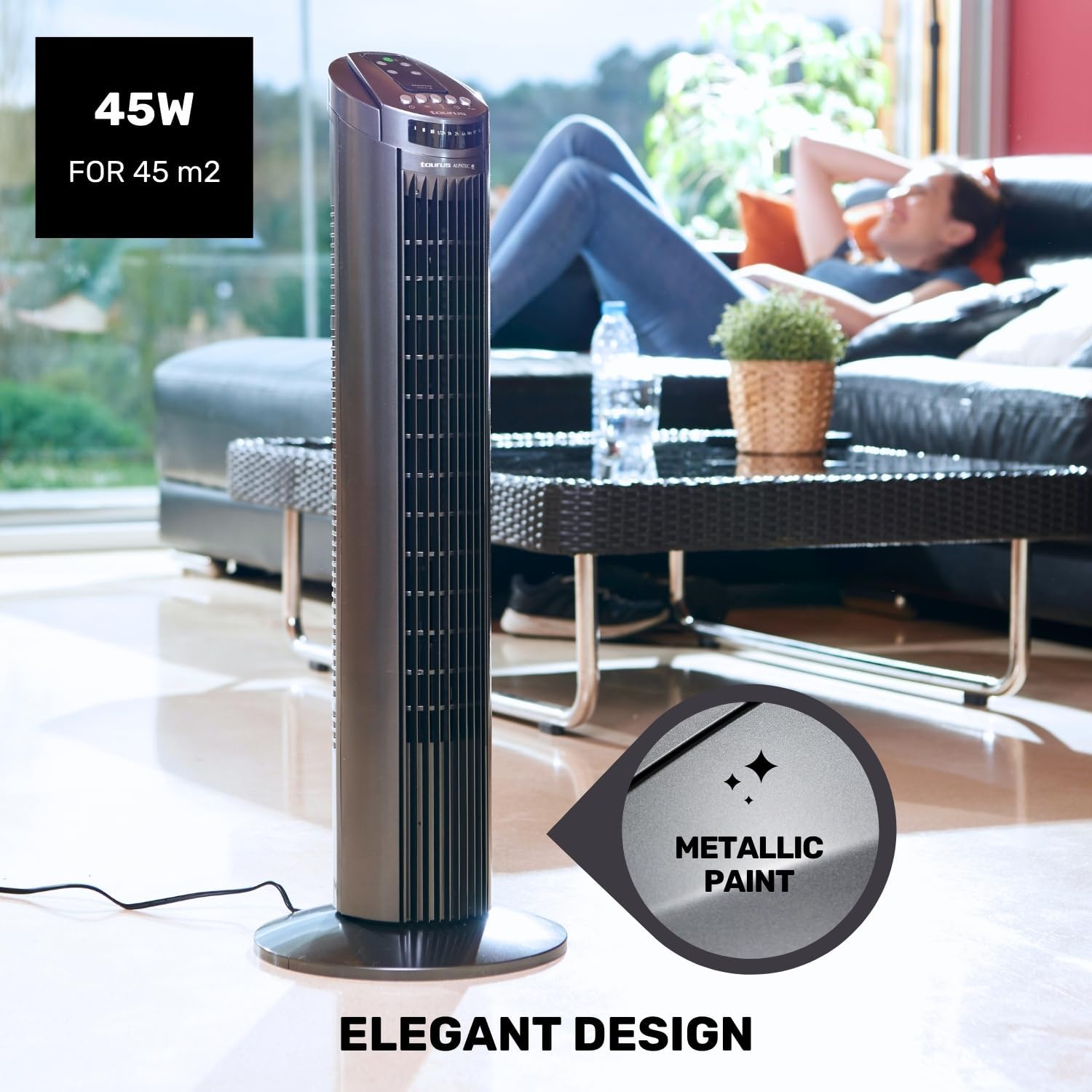
Figure 5.3: The fan in oscillation mode, showing the wide air distribution.
- Timer: Pencét éta Timer button to set the fan to automatically turn off after a specified period. The timer can be set up to 7.5 hours. Each press typically adds 0.5 hours or 1 hour, depending on the model's increment.

Figure 5.4: The fan operating in Night mode, designed for quiet performance during sleep.

Figure 5.5: Illustration of the different airflow modes: Normal, Breeze, and Night.
6. Pangropéa jeung beberesih
Beberesih sareng perawatan anu rutin bakal ngabantosan manjangkeun umur kipas anjeun sareng mastikeun kinerja anu optimal.
- Sateuacan beberesih: Sok cabut kipas tina stop kontak sateuacan beberesih.
- Bersihan Luar: Ngusap permukaan luar kipas kalayan lemes, damp lawon. Ulah nganggo pembersih atanapi pangleyur anu abrasif, sabab ieu tiasa ngaruksak permukaan.
- Ngabersihan grille: Use a vacuum cleaner with a brush attachment to remove dust from the air inlet and outlet grilles. This helps maintain efficient airflow.
- Panyimpenan: Lamun teu dipaké pikeun période nambahan, nyimpen kipas dina bungkusan aslina dina tiis, tempat garing.
7. Cara ngungkulan
If you experience issues with your fan, please refer to the following common problems and solutions:
| Masalah | Mungkin Cukang lantaranana | Solusi |
|---|---|---|
| Kipas angin teu hurung. | Taya catu daya. Tombol daya teu dipencet. | Pastikeun kipas dicolokkeun kana stop kontak anu tiasa dianggo. Pencét tombol Daya dina panel kontrol atanapi jauh. |
| Aliran hawa lemah. | Grilles diblokir ku lebu. Kipas dina setélan speed low. | Clean the air inlet and outlet grilles. Ningkatkeun kagancangan kipas. |
| Osilasi teu jalan. | Pungsi osilasi pareum. | Pencét tombol Osilasi pikeun ngaktipkeun. |
| Kadali jauh teu jalan. | Batré pareum atawa salah dipasang. Halangan antara remote jeung kipas. | Ganti batré sareng pastikeun polaritasna leres. Ensure a clear line of sight to the fan's control panel. |
If the problem persists after trying these solutions, please contact Taurus customer support.
8. Spésifikasi produk
| Fitur | Spésifikasi |
|---|---|
| Nomer modél | 947245000 (Babel RC) |
| merek | Kaurus |
| Kakuatan | 45 Watt |
| Voltage | 240V |
| Jumlah Speeds | 3 |
| Modeu Operasi | Normal, Breeze, Night |
| Timer | Nepi ka 7.5 Jam |
| Osilasi | Sumuhun |
| Ukuran (L x W x H) | 26 x 26 x 75.5 cm (10.2 x 10.2 x 29.7 inci) |
| Beurat bersih | 2.6 kg (5.7 lbs) |
| Bahan | palastik |
| Warna | kulawu |
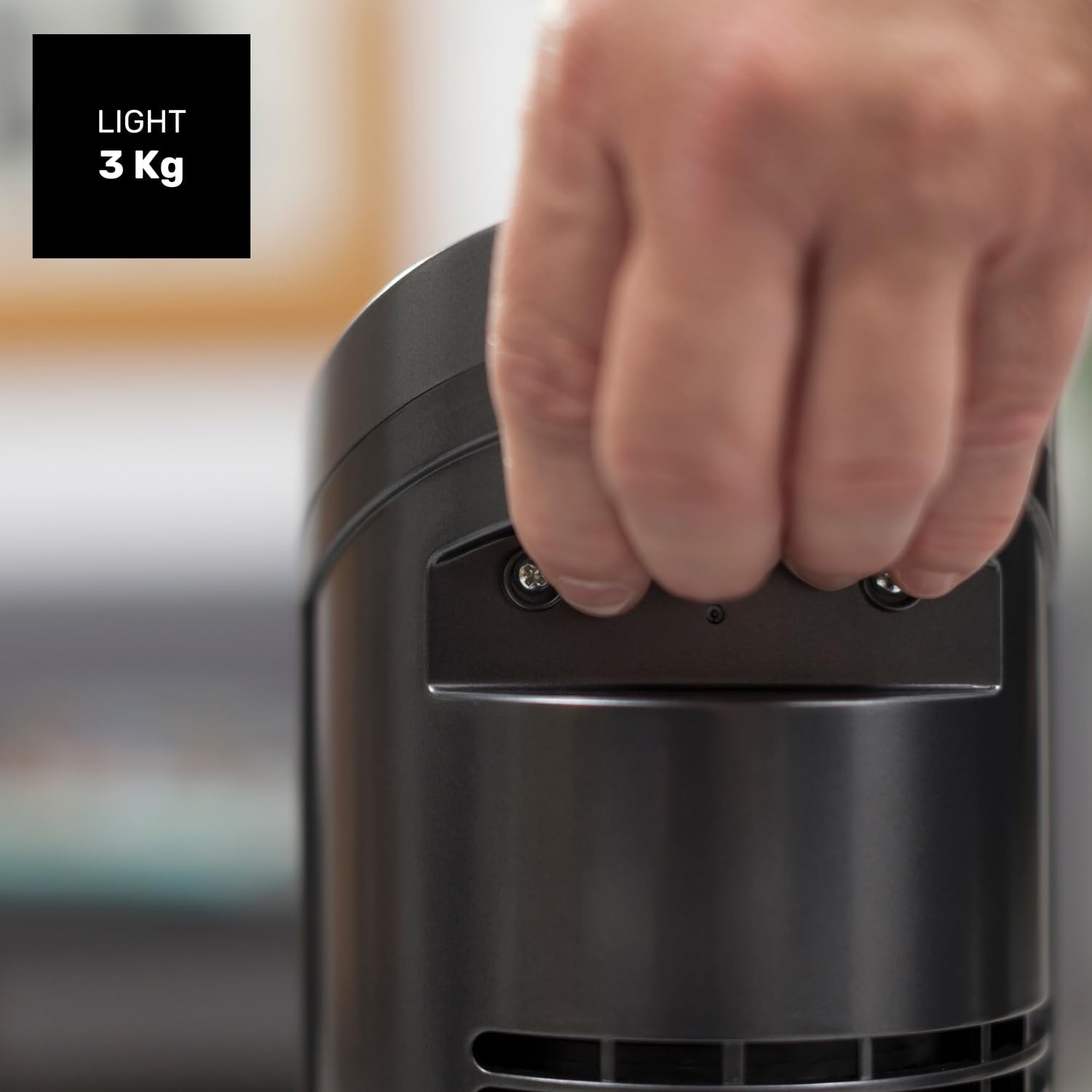
Figure 8.1: Diagram showing the dimensions of the Taurus Alpatec Babel RC Tower Fan.
9. Garansi jeung Rojongan
Taurus products are manufactured to high-quality standards. For information regarding warranty coverage, please refer to the warranty card included with your purchase or visit the official Taurus websitus. Simpen bukti pameseran anjeun pikeun klaim garansi.
For technical support, spare parts, or service inquiries, please contact Taurus customer service through their official channels. You can find contact information on the Taurus websitus atanapi dina bungkusan produk Anjeun.
Sumberdaya Online: For additional information and product registration, visit the official Taurus websitus: www.taurus-home.com
10. Pembuangan Ramah Lingkungan
This symbol on the product or its packaging indicates that this product shall not be treated as household waste. Instead, it shall be handed over to the applicable collection point for the recycling of electrical and electronic equipment. By ensuring this product is disposed of correctly, you will help prevent potential negative consequences for the environment and human health, which could otherwise be caused by inappropriate waste handling of this product. For more detailed information about recycling of this product, please contact your local city office, your household waste disposal service or the shop where you purchased the product.


