Bubuka
This manual provides essential information for the safe and effective operation of your Laserliner SoundTest-Master 082.070A Noise Level Meter. Please read these instructions carefully before using the device and keep them for future reference. The SoundTest-Master 082.070A is designed for precise measurement of noise levels, featuring integrated long-term memory and PC connectivity for comprehensive documentation.
Parentah Kasalametan
- Always operate the device within its specified environmental conditions.
- Ulah ngalaan alat ka suhu ekstrim, kalembaban, atawa sinar panonpoé langsung.
- Hindarkeun ngaragragkeun alatna atanapi mangaruhan kana tabrakan anu kuat.
- Ulah nyobian muka atanapi ngarobih alat. Perbaikan ngan ukur kedah dilakukeun ku jalmi anu diidinan.
- Jauhkeun alat tina médan magnét anu kuat.
- Ensure the microphone is clean and free from obstructions for accurate measurements.
Produk Leuwihview
The Laserliner SoundTest-Master 082.070A is a handheld noise level meter equipped with a sensitive electret condenser microphone and a clear, illuminated display. It features various controls for measurement settings and data management.

Gambar 1: Hareupeun view of the SoundTest-Master 082.070A, showing the display, microphone with windshield, and control buttons.
Komponén konci:
- Electret Condenser Microphone: For capturing sound. Includes a removable windshield.
- Témbongkeun cahayana: Shows measurement values, settings, and status.
- Tombol kontrol: Power, Setup, Max, Record, A/C weighting, Fast/Slow time weighting, Level adjustment, Data send.
- Kaluaran analog: DC and AC outputs for external connections.
- Antarmuka RS232: Optoisolated port for PC connection and data transfer.
Disetél
1. Pamasangan batré
The device requires batteries for operation. Ensure correct polarity when inserting batteries into the compartment, typically located on the rear of the unit.
2. Mimiti Power-On
Pencét éta Kakuatan button to turn on the device. The display will illuminate and show initial readings.
3. Windshield Attachment
Attach the removable windshield to the microphone to minimize wind noise interference during outdoor measurements.
Parentah Operasi
1. Pangukuran Dasar
- Hurungkeun alat nganggo Kakuatan kancing.
- Point the microphone towards the sound source.
- The current noise level will be displayed in decibels (dB).
2. Frequency Weighting (dB(A), dB(C))
Ngagunakeun éta A/C button to switch between frequency weighting curves:
- dB (A): Simulates the human ear's response to sound, commonly used for environmental noise measurements.
- dB(C): Provides a flatter response, suitable for measuring peak sound pressure levels or low-frequency noise.
3. Time Weighting (Fast/Slow)
Pencét éta CEPAT/LEUN tombol pikeun milih bobot waktu anu dipikahoyong:
- FAST (125 ms): For measuring rapidly changing noise levels.
- SLOW (1 second): For measuring average noise levels over a longer period, suitable for stable noise sources.
4. Data Logging and PC Connection
The device features a long-term recording function with 16,000 memory points and real-time logging capabilities when connected to a PC.
- Internal Data Logging: Pencét éta RECORD button to start/stop internal data recording. The device can store up to 16,000 measurement points.
- Sambungan PC: Connect the device to a computer using the provided RS232 cable.
- Parangkat lunak: Install the provided software on your PC. This software allows for real-time data display, analysis, and download of recorded data.
- Ngirimkeun Data: Ngagunakeun éta Ngirimkeun DATA button to initiate data transfer to the connected PC.
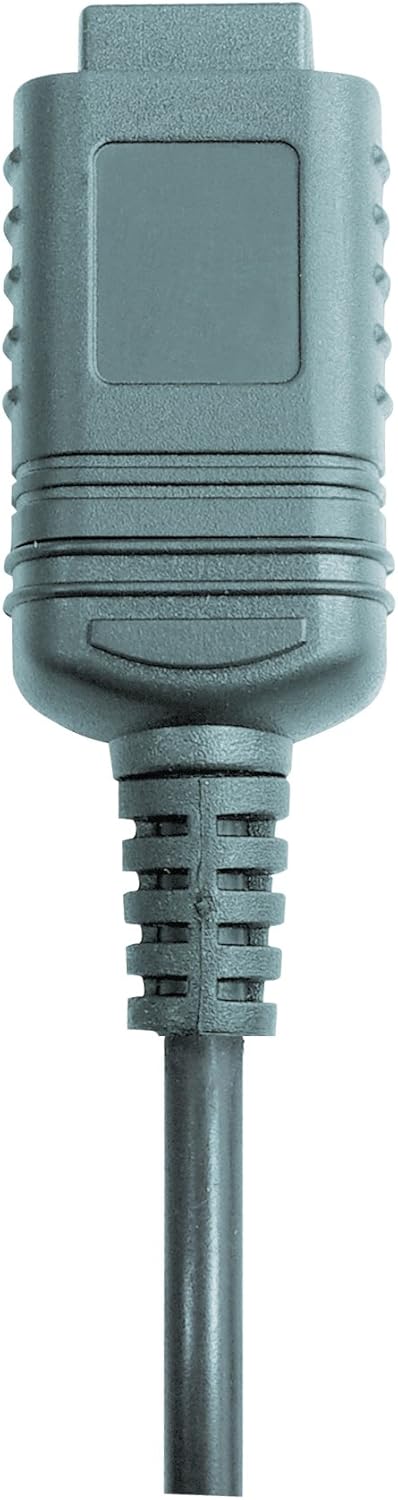

Gambar 2: RS232 cable connectors used for connecting the SoundTest-Master to a PC.
5. Kalibrasi
The device can be calibrated and adjusted using a standard noise level calibrator (94 dB / 1 kHz). Refer to the calibrator's instructions for the specific calibration procedure.
Pangropéa
1. beberesih
- Lap alat casing ku lawon anu lemes sareng garing.
- Ulah make cleaners abrasive atawa pangleyur.
- Ensure the microphone is kept clean and free of dust or debris.
2. Panyimpenan
When not in use, store the SoundTest-Master in its protective case in a cool, dry place, away from direct sunlight and extreme temperatures. Remove batteries if storing for extended periods.
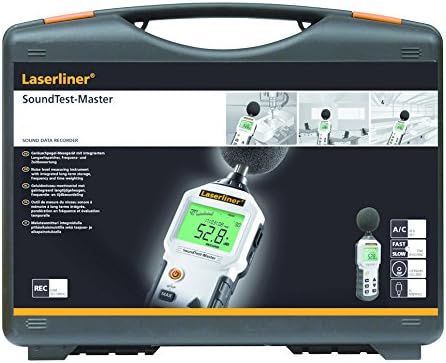
Gambar 3: The SoundTest-Master 082.070A stored in its protective carrying case.
Pamérésan masalah
| Masalah | Mungkin Cukang lantaranana | Solusi |
|---|---|---|
| Alat teu hurung. | Batré paéh atawa salah dipasang. | Ganti batré, mastikeun polaritasna bener. |
| Bacaan teu akurat. | Microphone obstructed or dirty; device needs calibration. | Clean microphone; perform calibration with a standard calibrator. |
| No data transfer to PC. | Incorrect cable connection; software not installed or configured. | Check RS232 cable connection; ensure PC software is correctly installed and running. |
| Layarna redup atanapi teu tiasa dibaca. | Low battery power; display backlight off. | Replace batteries; check device settings for backlight control. |
spésifikasi
| Fitur | Rincian |
|---|---|
| Ngaran modél | SoundTest-Master |
| Nomer Bagian | 082.070A |
| Produsén | Umarex |
| merek | laserliner |
| Timbangan Frékuénsi | dB(A), dB(C) |
| Waktos Timbangan | FAST (125 ms), SLOW (1 second) |
| Memori Data | 16,000 titik ukur |
| Panganteur | Optoisolated RS232 |
| Kaluaran analog | DC jeung AC |
| Kalibrasi | Adjustable with 94 dB / 1 kHz standard calibrator |
| Mikropon | Sensitive electret condenser with removable windshield |
| tampilan | Illuminated, clear display |
| Item Beurat | 1.18 Kilogram (2.6 pon) |
| Dimensi produk | 10.33 x 5.51 x 13.78 inci |
| Bahan | Metal (Frame, Barrel) |
| Warna | Hideung jeung kulawu |
| Batré Diperlukeun | Yes (not included, type not specified in data) |
Garansi sareng Rojongan
For warranty information and technical support, please refer to the documentation included with your purchase or visit the official Laserliner websitus.


