Bubuka
This manual provides comprehensive instructions for the setup, operation, and maintenance of your Logitech Stereo Headset H150. Designed for clear communication and comfortable use, this headset is ideal for voice and video calls on compatible devices.

Figure 1: Logitech Stereo Headset H150, Cloud White model.
Fitur konci
- Full Stereo Sound: Experience clear and crisp audio for internet calls and music.
- Mikropon Ngabolaykeun Bising: Ngurangan noise latar pikeun transmisi sora jelas.
- Desain adjustable: Features an adjustable headband and comfortable foam ear cups for a personalized fit.
- Versatile Microphone Placement: The rotating microphone boom can be positioned for optimal voice pickup or moved out of the way when not in use. It can be worn on either the left or right side.
- Kontrol In-Line: Conveniently adjust volume and mute the microphone directly from the headset cable.
- Simple Connectivity: Connects via standard 3.5 mm audio jacks for broad compatibility.
Parentah Setup
- Identipikasi Port Audio: Locate the 3.5 mm audio input (microphone) and output (headphone) jacks on your computer or laptop. These are typically color-coded (pink for microphone, green for headphones) or marked with corresponding icons.
- Sambungkeun Headset: Plug the pink 3.5 mm jack from the headset into your computer's microphone input port. Plug the green 3.5 mm jack from the headset into your computer's headphone output port.
- Pangenal Sistim: Your computer should automatically detect the headset. If not, check your operating system's sound settings to ensure the Logitech H150 is selected as the default audio input and output device.
- Penyesuaian Volume Awal: Use the in-line volume control on the headset cable to set an initial comfortable listening level.
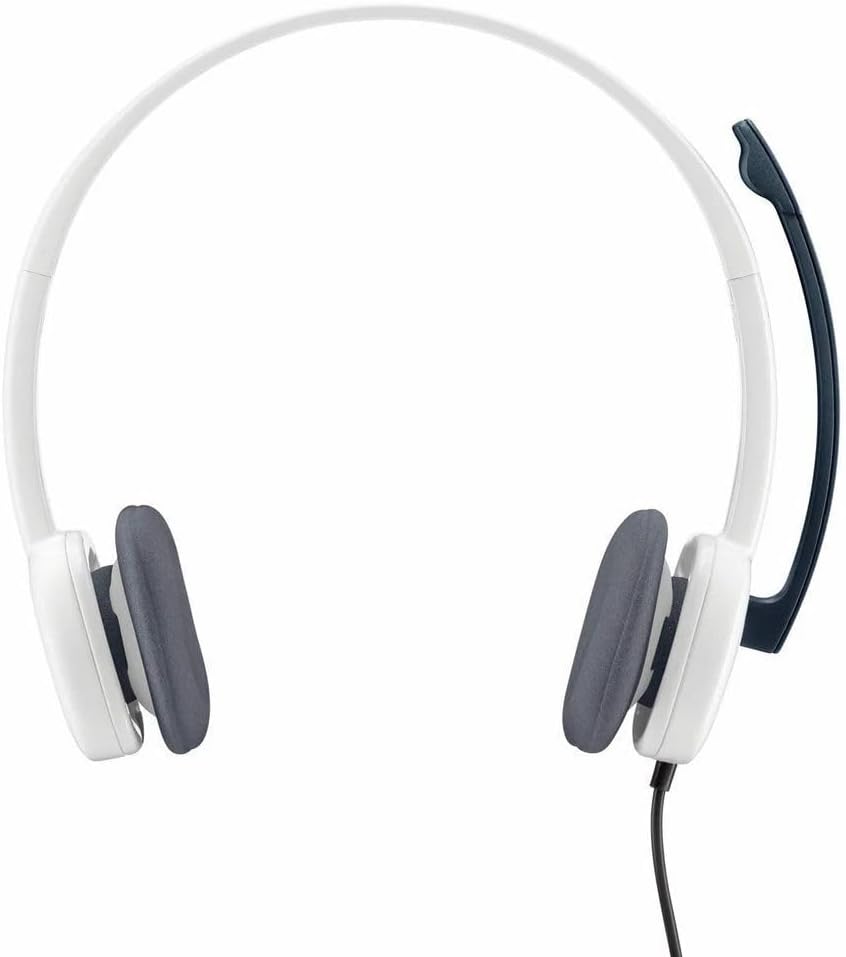
Figure 2: The headset features standard 3.5mm audio jacks for universal connectivity.
Parentah Operasi
Nyaluyukeun Headsét
- ikat sirah: Gently slide the ear cups up or down along the headband to achieve a comfortable and secure fit on your head.
- Mikropon Boom: The microphone boom can be rotated 270 degrees. Position it near your mouth for optimal voice clarity during calls. When not in use, rotate it upwards and out of the way. The microphone can be worn on either the left or right side of your head.
Using In-Line Controls
The in-line control unit on the headset cable provides quick access to audio functions:
- Kontrol volume: Use the volume dial or buttons (if present) to increase or decrease the listening volume.
- Mikropon bisu: Press the mute button to temporarily disable the microphone. Press it again to unmute.

Figure 3: The headset features an adjustable headband and a rotating microphone for user comfort and versatility.
Video Produk Resmi
Video 1: A seller demonstrates the features and usage of a headset with a microphone, highlighting its comfort and functionality for various applications.
Pangropéa
- beberesih: Use a soft, dry cloth to wipe down the headset, including the ear cups and microphone. Avoid using harsh chemicals or abrasive materials.
- Panyimpenan: Store the headset in a clean, dry place away from extreme temperatures and direct sunlight. Avoid tangling the cable to prevent damage.
- Perawatan kabel: Do not pull on the cable to disconnect the headset. Always grasp the plug firmly.
Pamérésan masalah
- Henteu aya sora:
- Ensure both 3.5 mm jacks are fully inserted into the correct ports on your computer.
- Check the in-line volume control on the headset and your computer's master volume settings.
- Verify that the headset is selected as the default playback device in your computer's sound settings.
- Mikropon Teu Gawé:
- Ensure the microphone mute button on the in-line control is not activated.
- Verify the pink 3.5 mm jack is fully inserted into the correct microphone input port.
- Check that the headset is selected as the default recording device in your computer's sound settings.
- Kualitas Audio goréng:
- Pastikeun sadaya sambungan aman.
- Test the headset on another device to rule out a computer-specific issue.
- Adjust the microphone boom position for better voice clarity.
spésifikasi
| Ngaran modél | H150 |
| Nomer Modél Item | 981-000349 |
| merek | Logitech |
| Warna | Awan Bodas |
| Téhnologi konektipitas | Kabel (Jack 3.5 mm) |
| Panempatan Ceuli | Dina Ceuli |
| Bahan | busa |
| Tipe Kontrol | In-line Volume Control, Microphone Mute |
| Alat nu cocog | Desktops, Laptops (Windows OS) |
| Item Beurat | 7.8 ons (0.49 pon) |
| Dimensi produk | 9.37 x 2.75 x 7.75 inci |
| Tingkat Résistansi Cai | Henteu Tahan Cai |
Garansi sareng Rojongan
For warranty information, technical support, or further assistance, please visit the official Logitech support website or refer to the user documentation included with your product.
Anjeun oge bisa nganjang ka Toko Logitech di Amazon kanggo langkung seueur detil produk.


