1. Produk Langkungview
The Logitech Wireless Mouse M305 is designed for comfort and convenience, featuring an ergonomic design with a soft rubber grip and a compact Nano-receiver. This manual provides instructions for setting up, operating, and maintaining your mouse.
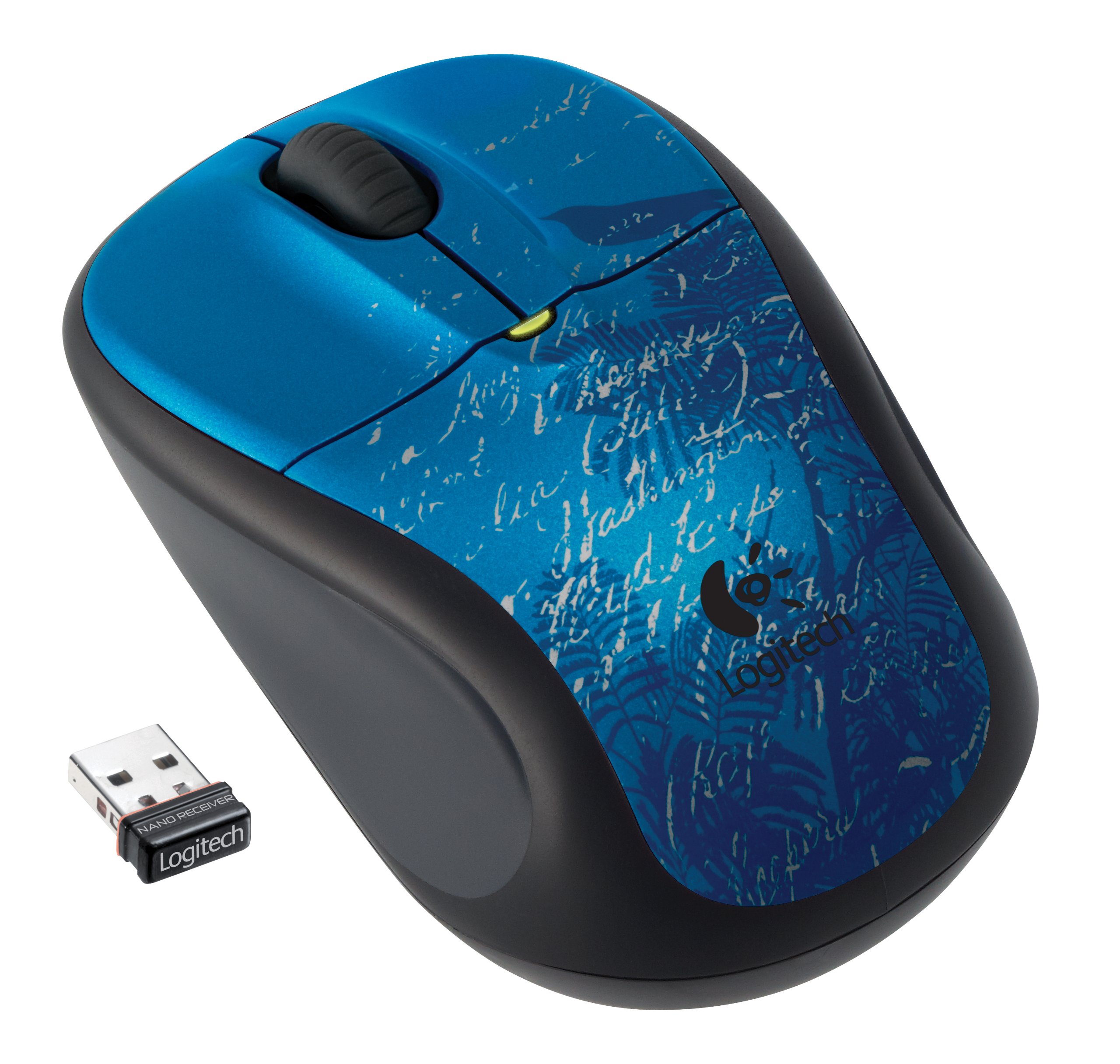
Image: Logitech Wireless Mouse M305 (Indigo Scroll) with its Nano receiver. The mouse features a blue design with white scroll patterns and a bird silhouette.
2. Parentah Setup
2.1. Pamasangan batré
- Panggihan kompartemen batré dina underside beurit.
- Buka panutup kompartemen batré.
- Selapkeun hiji batré AA, mastikeun polaritasna bener (+/-).
- Tutup panutup kompartemen batré.
- Turn on the mouse using the On/Off switch located on the bottom.
2.2. Connecting the Nano-Receiver
- Locate the USB Nano-receiver. It is typically stored inside the battery compartment or packaged separately.
- Plug the Nano-receiver into an available USB port on your computer.
- Komputer anjeun kedahna sacara otomatis ngadeteksi sareng masang panggerak anu diperyogikeun. Prosés ieu tiasa nyandak sababaraha waktos.
- Sakali drivers dipasang, beurit siap dianggo.

Image: The compact Nano receiver plugged into a laptop's USB port, demonstrating its small size.

Image: The Nano receiver shown next to a US nickel coin, highlighting its small, unobtrusive design.
3. Parentah Operasi
The Logitech Wireless Mouse M305 provides standard mouse functionality with enhanced comfort and precision.
3.1. Fungsi Dasar
- Tombol Klik-Kenca: Dianggo pikeun milih barang, muka files, sareng ngalaksanakeun paréntah.
- Tombol Klik Katuhu: Dianggo pikeun ngaksés menu kontéks sareng pilihan tambahan.
- Gulung kabayang: Dianggo pikeun ngagulung dokumén sareng web pages. The scroll wheel may also function as a middle-click button for specific applications.
3.2. Ergonomics and Tracking
The mouse features an ergonomic design with a soft rubber grip for comfortable use over extended periods. Its high-definition optical tracking (1000 dpi) ensures responsive and smooth cursor control on various surfaces.

Gambar: Sisi view of the Logitech Wireless Mouse M305, illustrating its contoured shape and soft rubber side grips designed for comfort.
3.3. Manajemén kakuatan
To conserve battery life, the mouse includes an On/Off switch on its underside. It also features intelligent battery management, allowing for months of use from a single AA battery.
4. Pangropéa
4.1. Ngagantian batré
When the mouse's performance degrades or the battery indicator light (if present) signals low power, replace the AA battery by following the installation steps in Section 2.1.
4.2. beberesih
Pikeun ngabersihkeun beurit anjeun, anggo lawon anu lemes sareng garing. Pikeun kokotor anu bandel, anggo lawon anu rada garingamp cloth can be used, ensuring no moisture enters the internal components. Avoid using harsh chemicals or abrasive cleaners.
5. Cara ngungkulan
If you encounter issues with your Logitech Wireless Mouse M305, try the following troubleshooting steps:
- Beurit Teu Ngabales:
- Ensure the mouse is turned on using the On/Off switch.
- Pariksa batréna. Ganti upami diperyogikeun.
- Ensure the Nano-receiver is securely plugged into a working USB port. Try a different USB port.
- Balikan deui komputer anjeun.
- Gerakan Kursor Erratic:
- Ngabersihan sensor optik dina underside beurit.
- Pastikeun anjeun nganggo beurit dina permukaan anu cocog. Hindarkeun permukaan anu mantul pisan atanapi transparan.
- Check for interference from other wireless devices. Move the receiver closer to the mouse or away from other electronics.
- Masalah sambungan:
- If the connection is frequently lost, try re-pairing the mouse with the receiver using Logitech's connection utility software (if available for your operating system).
6. Spésifikasi
| Fitur | Rincian |
|---|---|
| Nomer modél | 910-002462 |
| Dimensi produk | 8.25 x 3.5 x 5.88 inci |
| Item Beurat | 4.8 ons |
| Batré | 1 batré AA (kaasup) |
| Téhnologi konektipitas | Nirkabel (2.4 GHz) |
| Téhnologi Deteksi Gerakan | Optik (1000 dpi) |
| Produsén | Logitech, Inc |
7. Garansi jeung Rojongan
For warranty information and technical support, please refer to the documentation included with your product or visit the official Logitech websitus. Logitech nyayogikeun dukungan palanggan sareng sumber daya pikeun produkna.
Logitech Official Websitus: www.logitech.com


