Bubuka
This manual provides comprehensive instructions for the Verbatim 2.4G Wireless Mini Travel Optical Mouse, Model 97471. It covers setup, operation, maintenance, and troubleshooting to ensure optimal performance and longevity of your device. This ultra-compact wireless mouse is designed for portability and ease of use with notebooks and netbooks.

Image: The Verbatim 2.4G Wireless Mini Travel Optical Mouse in blue, shown with its compact Nano receiver.
Eusi pakét
Pastikeun yén sadaya item aya dina bungkusan:
- Verbatim 2.4G Wireless Mini Travel Optical Mouse
- Nano USB Panarima
- Batré 1x AAA
- Gancang Mimitian Guide
Sarat Sistim
The Verbatim 2.4G Wireless Mini Travel Optical Mouse is compatible with the following operating systems:
- Windows XP, Vista, Windows 7, and higher
- Mac OS X 10.1 sareng langkung luhur
- Linux kernel 2.6 and higher
A free USB 1.1 or 2.0 port is required for the Nano USB Receiver.
Parentah Setup
1. Pasang Batré
- Teangan tempat panutup kompartemen batré dina underside beurit.
- Geser lalaunan atawa angkat panutup pikeun muka kompartemen.
- Insert the included AAA battery, ensuring the positive (+) and negative (-) terminals align correctly with the markings inside the compartment.
- Ganti panutup kompartemen batré nepi ka ngaklik aman kana tempatna.

Image: The underside of the mouse with the battery compartment open, showing the AAA battery and the Nano receiver stored inside.
2. Connect the Nano USB Receiver
- Remove the Nano USB receiver from its storage slot within the mouse's battery compartment (if stored there).
- Plug the Nano USB receiver into an available USB port on your computer.
- Komputer anjeun kedahna sacara otomatis ngadeteksi sareng masang panggerak anu diperyogikeun. Prosés ieu tiasa nyandak sababaraha waktos.
Parentah Operasi
Ngahurungkeun/Pareuman
The mouse typically powers on automatically when the receiver is connected and the mouse is moved. To conserve battery life, ensure the mouse is turned off when not in use. A power switch is usually located on the underside of the mouse.
Dasar Paké
- Tombol kénca: Primary click function, used for selecting items, opening links, etc.
- Tombol katuhu: Fungsi klik sekundér, biasana muka menu kontéks.
- Gulung kabayang: Gulung ka luhur atanapi ka handap pikeun nganapigasi dokumén sareng web pages. The scroll wheel may also function as a middle button when pressed.
Pangropéa
Ngagantian batré
When the mouse performance degrades or stops responding, it is likely time to replace the AAA battery. Follow the battery installation steps outlined in the Setup section.
beberesih
Pikeun ngabersihkeun beurit anjeun, anggo lawon anu lemes, garing, sareng henteu ngaganggu. Pikeun kokotor anu bandel, radaampen the cloth with water. Avoid using harsh chemicals, solvents, or abrasive cleaners, as these can damage the mouse's surface or internal components.
Pamérésan masalah
| Masalah | Solusi |
|---|---|
| Beurit teu ngabales |
|
| Gerakan kursor teu teratur atanapi luncat-luncat |
|
| Receiver not detected by computer |
|
spésifikasi
| Fitur | Rincian |
|---|---|
| Nomer modél | 97471 |
| Dimensi produk | Ukuran 3 x 2 x 1.25 inci (L x W x H) |
| Item Beurat | 2.4 ons |
| Téhnologi konektipitas | 2.4GHz Wireless |
| Téhnologi Deteksi Gerakan | Optik |
| Jenis Batré | 1x AAA (included) |
| Panganteur | USB 2.0 (cocog sareng USB 1.1) |

Gambar: luhur-handap view of the Verbatim Mini Travel Mouse showing its approximate dimensions of 3 inches length and 2 inches width.
Émbaran jaminan
Produk Verbatim ieu ditutupan ku 1-Taun jaminan kawates from the date of purchase. This warranty covers defects in materials and workmanship under normal use. For full terms and conditions, please refer to the official Verbatim warranty documentation or contact customer support.
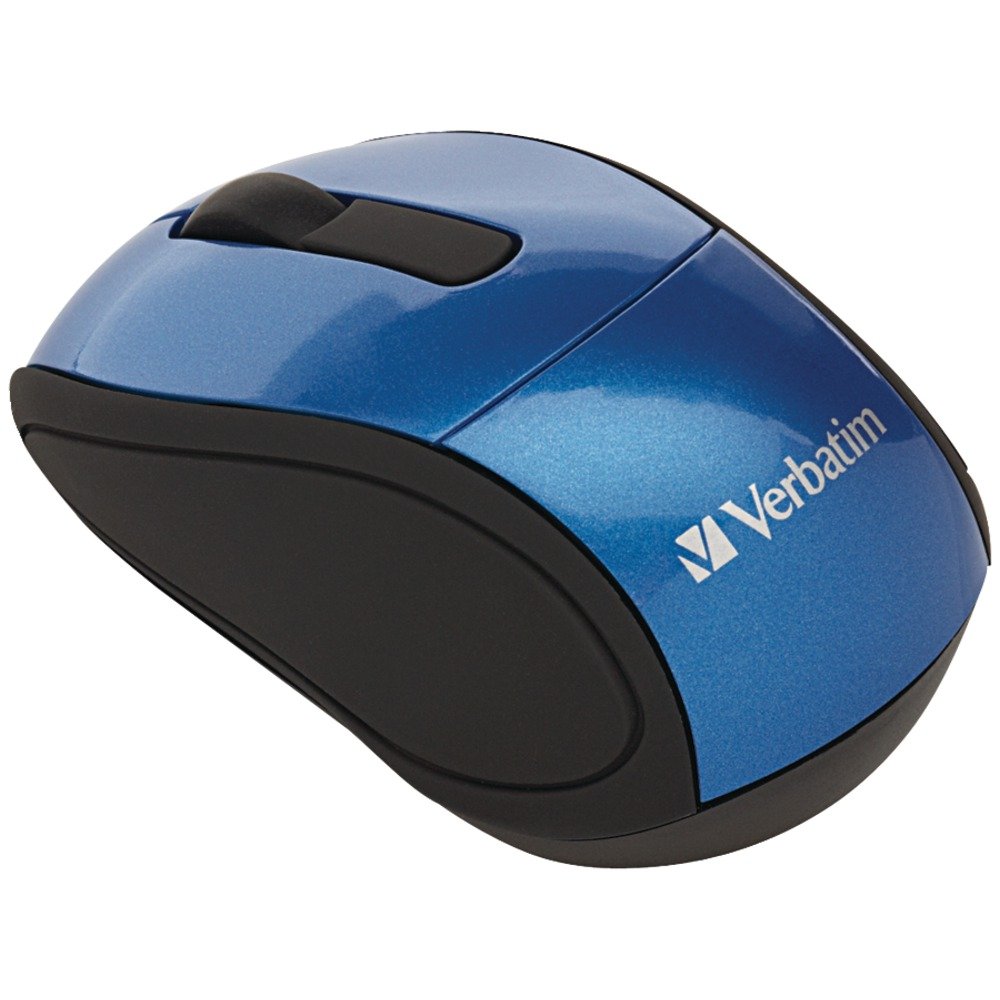
Image: A blue circular badge indicating a "1-Year Limited Warranty".
Ngarojong
For further assistance, technical support, or warranty claims, please visit the official Verbatim website or contact their customer service department. Contact information can typically be found on the Verbatim websitus atawa dina Guide Mimitian Gancang kaasup kalayan produk Anjeun.