
1. Bubuka
This manual provides essential information for the proper setup, operation, and maintenance of your Cisco Scientific Atlanta IPN330HD Internet Set Top Box. Please read this manual thoroughly before using the device.
2. Émbaran Kasalametan
- Pastikeun alat disimpen dina permukaan datar anu stabil.
- Ulah ngalaan alat ka cai atawa kaleuleuwihan Uap.
- Ulah meungpeuk bukaan ventilasi pikeun nyegah overheating.
- Paké ngan adaptor kakuatan disadiakeun kalawan alat.
- Cabut kabel listrik nalika hujan badag atawa nalika teu dianggo dina waktu anu lila.
3. Eusi Paket
Pastikeun yén sadaya item aya dina bungkusan:
- Cisco Scientific Atlanta IPN330HD Set Top Box
- Adaptor kakuatan
- Remote Control (upami kalebet)
- Kabel HDMI (upami kalebet)
Note: Specific cable inclusions may vary.
4. Produk Langkungview
The IPN330HD is an Internet Protocol Set Top Box designed for digital television services. It features various connectivity options for integration with your home entertainment system.
4.1 Panel payun
The front panel typically includes status indicators and an IR receiver for the remote control.
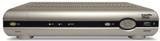
Gambar: Hareupeun view of the Cisco Scientific Atlanta IPN330HD Set Top Box. This image displays the device's front panel, which typically features power indicators and an infrared receiver for remote control commands.
4.2 Sambungan Panel Rear
The rear panel provides all necessary ports for connecting the set top box to your television and network.
- Kaluaran HDMI: For high-definition video and audio connection to a compatible TV.
- Component Video Output (YPbPr): For high-definition video connection to older TVs.
- Coaxial (RF) Output: For standard definition video and audio connection.
- Composite Video Output (RCA): For standard definition video connection.
- Kaluaran S-Video: For enhanced standard definition video connection.
- Audio Outputs (RCA L/R): For analog stereo audio.
- Port Ethernet: For network connection (if applicable for your service).
- Input kakuatan: Pikeun nyambungkeun adaptor kakuatan.
5. Setélan
Follow these steps to connect your IPN330HD Set Top Box:
- Position the Set Top Box: Place the device on a flat, stable surface near your television, ensuring adequate ventilation.
- Nyambung ka TV:
- For best quality, connect an HDMI cable from the Kaluaran HDMI on the set top box to an Masukan HDMI dina TV Anjeun.
- Alternatively, use Component, S-Video, Coaxial, or Composite cables based on your TV's available inputs.
- Connect to Network (if required): If your service provider requires an Ethernet connection, connect an Ethernet cable from the Port Ethernet on the set top box to your home network router or wall jack.
- Sambungkeun Kakuatan: Colokkeun adaptor kakuatan kana Input kakuatan on the set top box, then plug the other end into a wall outlet.
- Daya Hurung: Turn on your television and select the correct input source (e.g., HDMI 1, Video 2) that corresponds to your set top box connection. The set top box should power on automatically or can be turned on using the remote control.
- Aktivasina Layanan: penting: This unit requires activation from your service provider. It will not function out of the box without proper activation. Contact your service provider to register and activate the device.
6. Parentah Operasi
Once activated by your service provider, you can begin using your IPN330HD Set Top Box.
- Hurungkeun/Pareuman: Use the power button on the remote control or the front panel to turn the device on or off.
- Napigasi Saluran: Use the CH+/CH- buttons or the number pad on your remote control to change channels.
- Kontrol volume: Use the VOL+/VOL- buttons on your remote control to adjust the audio volume.
- Aksés Menu: Press the "Menu" button on your remote to access on-screen guides, settings, and other features provided by your service provider.
- Fitur Interaktif: Explore interactive features and on-demand content as offered by your service provider.
7. Pangropéa
- beberesih: Use a soft, dry cloth to clean the exterior of the set top box. Do not use liquid cleaners or aerosols.
- Ventilasi: Pastikeun yén bukaan ventilasi teu ngahalangan pikeun nyegah overheating.
- Pembaruan firmware: Firmware updates are typically managed by your service provider. Do not attempt manual updates unless instructed.
8. Cara ngungkulan
Upami anjeun mendakan masalah, tingal solusi umum ieu:
| Masalah | Solusi anu mungkin |
|---|---|
| Taya Gambar / Sora |
|
| Device Not Working Out of Box | This device requires activation by your service provider. Contact them to register the unit and enable service. It will not function without this step. |
| Kadali Jauh Teu Ngabales |
|
| Freezing Picture/Signal Loss |
|
9. Spésifikasi
| Fitur | Rincian |
|---|---|
| Nomer modél | IPN330HD |
| Produsén | Cisco (Scientific Atlanta) |
| Konektipitas | HDMI, Component, Coaxial, Composite, S-Video outputs |
| Jenis produk | Internet Protocol Set Top Box |
| Kahiji Sadia | 11 Oktober 2010 |
10. Important Notes on Activation
Please be aware that the Cisco Scientific Atlanta IPN330HD Set Top Box is designed to work with specific service providers and requires activation. This unit will not function as a standalone device or "out of the box" without being provisioned and activated by your digital TV service provider. Technical support for activation and service-related issues must be obtained directly from your service provider.
11. Garansi jeung Rojongan
Specific warranty details for this product are typically provided by your service provider at the time of service activation or purchase. For technical support, service-related inquiries, or warranty claims, please contact your digital TV service provider directly. The manufacturer does not provide direct technical support for end-users of this device.


