1. Bubuka
The Seagate FreeAgent GoFlex 320 GB USB 2.0 Portable External Hard Drive is designed for easy storage, backup, and encryption of your digital files. This ultra-portable drive serves as the core of the GoFlex Storage System, offering a customizable experience. It features standard USB 2.0 connectivity and can be upgraded to USB 3.0, FireWire 800, or eSATA with appropriate GoFlex upgrade cables. This manual provides detailed instructions to help you get the most out of your device.
2. Setélan
2.1 Ngabongkar Alat
Sacara saksama miceun sadaya komponén tina bungkusan. Kotak kedah ngandung:
- Seagate FreeAgent GoFlex 320 GB Portable External Hard Drive
- kabel sambungan USB 2.0
- Pituduh Mimitian Gancang (upami kalebet)
2.2 Nyambungkeun drive
The Seagate FreeAgent GoFlex drive is a plug-and-play device, requiring no additional software installation for basic operation.
- Connect the small end of the provided USB 2.0 cable to the corresponding port on the Seagate FreeAgent GoFlex drive.
- Connect the larger end of the USB 2.0 cable to an available USB 2.0 port on your computer.
- The drive will be automatically detected by your operating system and appear as a removable storage device.
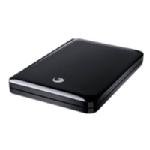
Image: The Seagate FreeAgent GoFlex 320 GB USB 2.0 Portable External Hard Drive with its USB cable connected, ready for use.
3. Ngoperasikeun Alat
3.1 Mindahkeun Data
Sakali disambungkeun, anjeun tiasa nyéred tur ngaleupas files to and from the drive just like any other storage device. The USB 2.0 interface provides efficient data transfer speeds for typical file operasi.
3.2 Backup and Encryption Software
The drive comes with preloaded backup and encryption software. Refer to the on-drive documentation or Seagate's official website for instructions on installing and utilizing this software to secure and back up your important data.
3.3 Upgradability
The Seagate FreeAgent GoFlex system allows for interface upgrades. You can enhance the drive's connectivity by purchasing and pairing it with appropriate GoFlex upgrade cables for USB 3.0, FireWire 800, or eSATA. This also enables access to content over a network or on a TV when combined with other GoFlex products.
4. Pangropéa
- Ngahapus Aman: Salawasna kaluarkeun drive tina sistem operasi komputer anjeun kalayan aman sateuacan nyabut kabel USB pikeun nyegah karusakan data.
- Perlindungan fisik: Avoid dropping or subjecting the drive to physical shock, as this can damage the internal components and lead to data loss.
- beberesih: Anggo kaén anu lembut sareng garing pikeun ngabersihan bagian luar drive. Ulah make cleaners cair atawa pangleyur.
- Suhu: Store and operate the drive within recommended temperature ranges to ensure longevity.
- Nyadangkeun biasa: Periodically back up critical data from your external drive to another location (e.g., cloud storage, another hard drive) for added security.
5. Cara ngungkulan
If you encounter issues with your Seagate FreeAgent GoFlex drive, consider the following:
- Drive Teu Dipikawanoh: Pastikeun kabel USB nyambung pageuh kana drive sareng komputer. Cobi nganggo port USB anu béda atanapi kabel USB anu béda. Pareuman terus hurungkeun deui komputer anjeun.
- Laju Transfer Lambat: Verify that you are using a USB 2.0 port (or higher if upgraded). Close any unnecessary applications running in the background. Ensure your computer's drivers are up to date.
- Masalah Aksés Data: If the drive is recognized but files are inaccessible, run a disk check utility provided by your operating system. Avoid formatting the drive unless all data has been backed up or is not needed.
- Ruksakna Fisik: If the drive has been dropped or shows signs of physical damage, discontinue use and contact Seagate support.
6. Spésifikasi
| Fitur | Rincian |
|---|---|
| merek | Seagate |
| Nomer modél | STAB320400 |
| Kapasitas Panyimpenan Digital | 320 GB |
| Téhnologi konektipitas | USB 2.0 (Upgradable to USB 3.0, FireWire 800, eSATA) |
| Faktor Bentuk Hard Disk | 2.5 inci |
| Dimensi produk | 4.39 x 3.19 x 0.57 inci |
| Item Beurat | 5.3 ons |
| Warna | Hideung |
| Fitur husus | Portabel |
| Alat nu cocog | Desktop (and other devices with appropriate GoFlex adapters) |
| Tanggal Kahiji Sadia | 31 Méi 2011 |
7. Garansi jeung Rojongan
The Seagate FreeAgent GoFlex 320 GB USB 2.0 Portable External Hard Drive comes with a 2-Taun jaminan kawates. For warranty claims, technical support, or additional product information, please visit the official Seagate support websitus atanapi ngahubungan layanan palanggan maranéhna. Simpen bukti pameseran anjeun pikeun validasi jaminan.


