1. Parentah Kasalametan penting
Please read and understand all safety instructions before operating the Wolfcraft 7089000 Tacocraft Type 053 Stapler. Failure to follow these instructions may result in injury or damage to the tool.
- Perlindungan panon: Always wear appropriate eye protection (safety glasses) when operating the stapler to prevent eye injuries from flying staples or debris.
- Perlindungan leungeun: Consider wearing work gloves to protect your hands during operation.
- Surface Gawé Stabil: Ensure the workpiece is stable and securely held before stapling.
- Tetep Jelas: Keep hands and other body parts away from the stapling area.
- Pakem anu leres: Maintain a firm grip on the stapler during use.
- Staple Direction: Never point the stapler at yourself or others. Ensure staples are directed only into the intended material.
- Barudak sareng Panyusun: Jaga murangkalih sareng jalma anu aya dina jarak anu aman ti tempat damel.
- Correct Staples: Use only the specified staple types and sizes (Type 053, 4-14mm) for this stapler.
- Panyimpenan: Store the stapler in a dry, secure place out of reach of children when not in use.
2. Produk Langkungview
The Wolfcraft 7089000 Tacocraft Type 053 Stapler is a robust manual stapler designed for various fastening tasks, including redecoration, upholstery, and general bonding applications. It features a durable metal housing and adjustable impact power for versatile use.

Gambar 2.1: The Wolfcraft 7089000 Tacocraft Type 053 Stapler. This image displays the stapler's robust metal construction, ergonomic handle, and staple magazine.
Fitur konci:
- Durable metal body for enhanced stability and longevity.
- Adjustable impact power for adapting to different materials and staple lengths.
- Hinged magazine for quick and easy staple changes.
- Integrated staple lift mechanism.
- Compatible with Type 053 staples (4-14mm) and Type 064 nails (14mm).
3. Setélan
3.1 Ngamuat Staples
To load staples into your Wolfcraft stapler, follow these steps:
- Ensure the stapler is not pointed at anyone or anything.
- Locate the staple magazine release mechanism, typically at the rear or bottom of the stapler.
- Open the magazine. The hinged design allows for easy access.
- Insert a strip of Type 053 staples (4-14mm) into the magazine with the staple points facing forward.
- Tutup majalah anu aman dugi ka ngaklik kana tempatna.

Gambar 3.1: The Wolfcraft stapler shown with a pack of compatible Type 053 staples. Ensure the correct staple type and size are used for optimal performance.
4. Parentah Operasi
4.1 Adjusting Impact Power
The Wolfcraft 7089000 features adjustable impact power. This allows you to control the force with which staples are driven, making it suitable for various materials and ensuring proper penetration without damaging the workpiece. Locate the adjustment knob, usually at the top or rear of the stapler, and turn it to increase or decrease the impact force as needed.
4.2 Stapling Procedure
Once staples are loaded and impact power is adjusted:
- Position the stapler firmly against the material where the staple is to be driven. Ensure the stapler is perpendicular to the surface for best results.
- Press down on the handle with a firm, even pressure until the staple is fully driven into the material.
- Release the handle and lift the stapler from the workpiece.
4.3 Larapna Examples
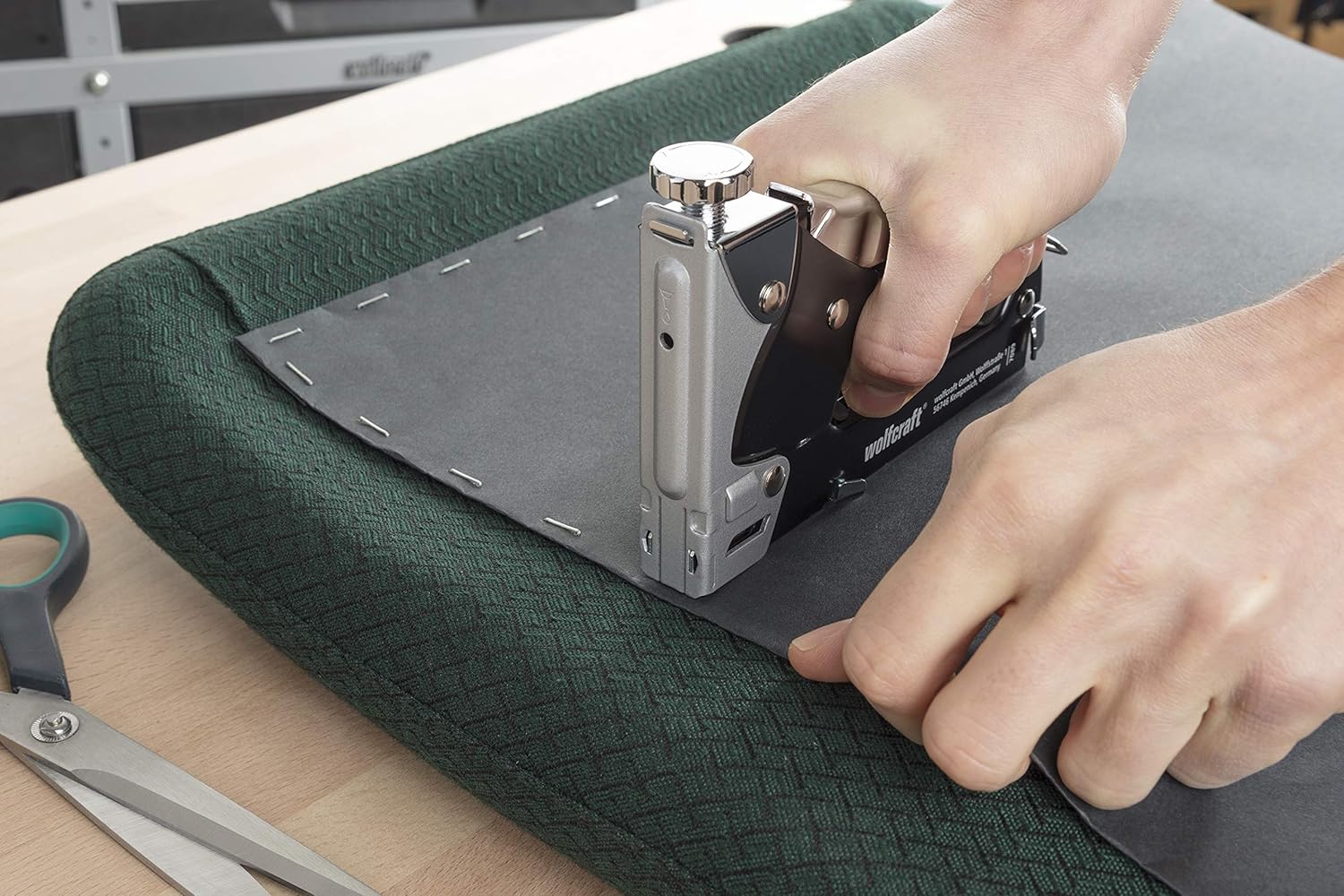
Gambar 4.1: Using the stapler for upholstery work. The stapler is shown securing fabric to a chair frame, demonstrating its suitability for redecoration tasks.

Gambar 4.2: Applying staples to stretch canvas onto a frame. This illustrates the stapler's precision for craft and artistic applications.

Gambar 4.3: Securing fabric to the underside of a table. The stapler's design allows for effective use in various orientations and tight spaces.
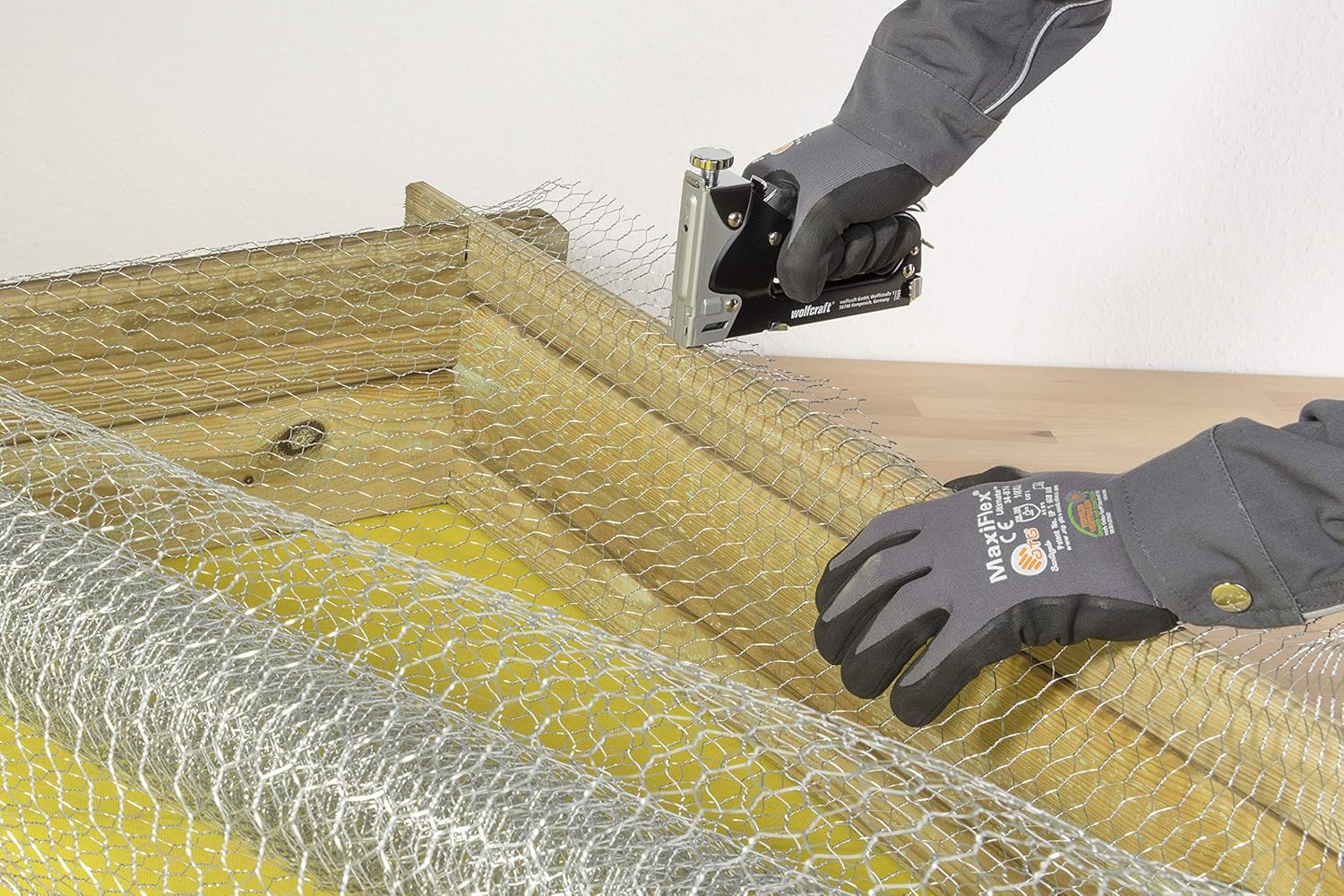
Gambar 4.4: Fastening wire mesh to a wooden frame. This demonstrates the stapler's capability for securing tougher materials.
5. Pangropéa
Regular maintenance ensures the longevity and optimal performance of your Wolfcraft stapler.
- beberesih: Periodically clean the stapler, especially the staple channel and firing mechanism, to remove dust, debris, or adhesive residue. Use a dry cloth or a soft brush. Avoid using harsh chemicals or solvents.
- Lubrication: Lightly lubricate moving parts with a few drops of machine oil if the action becomes stiff. Do not over-lubricate.
- Panyimpenan: Store the stapler in a clean, dry environment. Keep it away from excessive moisture or extreme temperatures.
- Pamariksaan: Before each use, inspect the stapler for any signs of damage, loose parts, or wear. Do not use a damaged tool.
6. Cara ngungkulan
If you encounter issues with your Wolfcraft stapler, refer to the following common problems and solutions:
| Masalah | Mungkin Cukang lantaranana | Solusi |
|---|---|---|
| Staples teu némbak | Empty magazine, jammed staples, incorrect staple size. | Check staple supply and reload. Clear any jammed staples. Ensure correct staple type (Type 053) and size (4-14mm) are used. |
| Staples not fully penetrating material | Impact power too low, hard material, worn driver blade. | Increase impact power setting. Apply more pressure to the stapler. Ensure the material is suitable for stapling. If issue persists, contact support. |
| Staples jamming frequently | Incorrect staple size, bent staples, debris in magazine. | Use only recommended staples. Inspect staples for damage before loading. Clean the staple magazine and channel. |
| Stapler handle is stiff | Lack of lubrication, internal debris. | Apply a small amount of machine oil to moving parts. Clean internal mechanisms if accessible. |
7. Spésifikasi
| Fitur | Spésifikasi |
|---|---|
| Nomer modél | 7089000 |
| Jinis pabukon | Tipe 053 |
| Panjang Staples | 4 - 14 mm |
| Jenis kuku | Tipe 064 |
| Panjang kuku | 14 mm |
| Bahan Awak | logam |
| Item Beurat | 1.21 pon (kira-kira 0.55 kg) |
| Dimensi produk | 1.61 x 7.48 x 7.68 inci (kira-kira 4.1 x 19 x 19.5 cm) |
| Daya adjustable | Sumuhun |
8. Garansi jeung Rojongan
For warranty information, product registration, or further technical assistance, please refer to the official Wolfcraft website or contact their customer support directly. Always provide your product model number (7089000) when seeking support.
You can find additional product information and support resources by visiting the Wolfcraft product page: Wolfcraft 7089000 Product Page


