1. Bubuka
This manual provides essential information for the safe and efficient installation, operation, and maintenance of the Siemens MICROMASTER 420 Drive, model 6SE6420-2UD21-5AA1. The MICROMASTER 420 is a versatile variable frequency drive (VFD) designed for a wide range of industrial applications, offering precise motor control and energy efficiency. Please read this manual thoroughly before attempting any procedures.
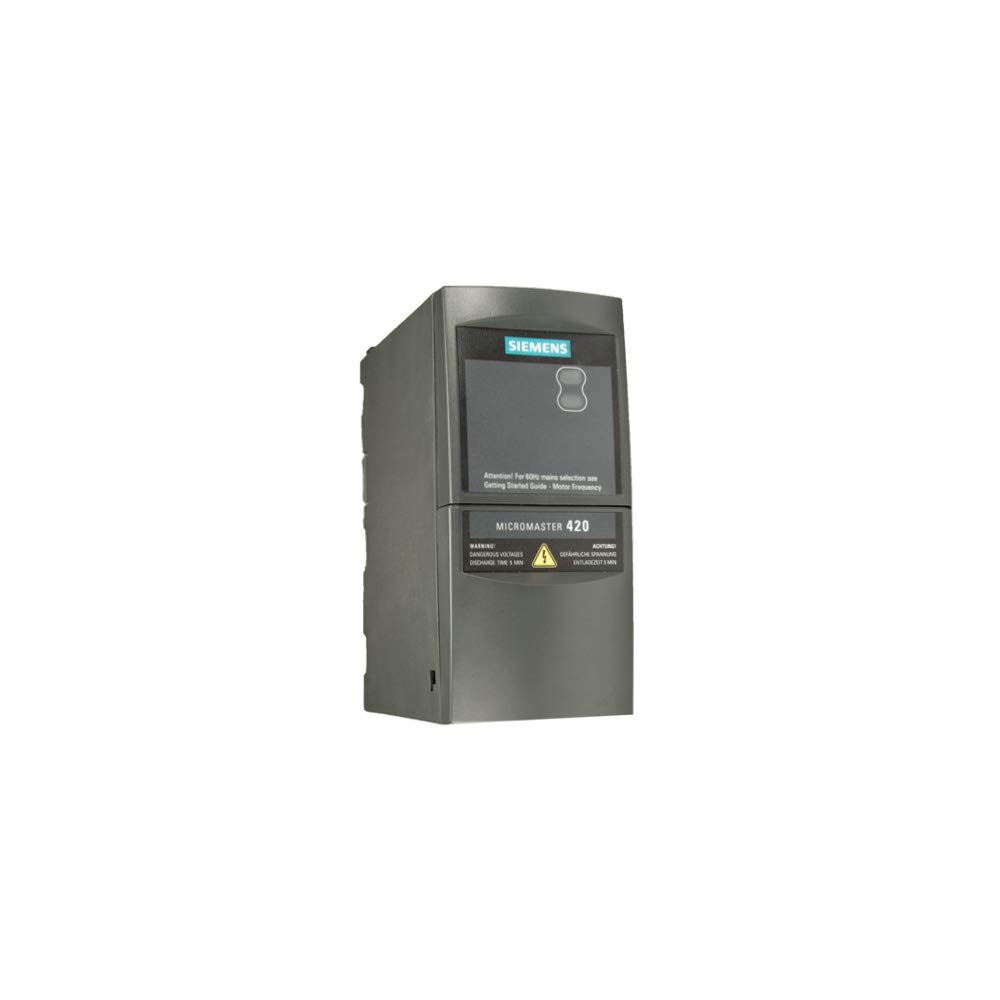
Figure 1: Siemens MICROMASTER 420 Drive (Model 6SE6420-2UD21-5AA1). This image shows the front and top view of the compact, gray industrial drive unit, featuring the Siemens logo and product labeling.
2. Émbaran Kasalametan
PERHATOSAN: Improper installation or operation of this equipment can result in severe personal injury or property damage. Only qualified personnel should install, operate, and maintain this device. Always disconnect power before working on the drive or connected equipment.
- Pastikeun sadaya kode listrik lokal sareng nasional diturutan.
- Ulah ngoperasikeun drive upami komponénna ruksak.
- Verify correct grounding connections.
- Hindarkeun kontak sareng bagian listrik hirup.
- The drive contains capacitors that can remain charged even after power is disconnected. Wait for the discharge time specified in the technical data before touching any components.
3. Setélan
3.1 Instalasi fisik
Mount the MICROMASTER 420 Drive vertically on a flat, stable surface in an environment free from excessive dust, moisture, and vibration. Ensure adequate ventilation to prevent overheating. Refer to the product dimensions for proper spacing.
- Posisi Pasang: Vertical mounting is recommended for optimal cooling.
- Clearance: Maintain specified clearances around the drive for airflow.
- Lingkungan: Install in a clean, dry location within the specified operating temperature range.
3.2 Sambungan Listrik
All electrical connections must be performed by a qualified electrician. Ensure the main power supply is disconnected and locked out before making any connections.
- Power Input (L1, L2, L3): Connect the incoming AC power supply (480 Volts) to the designated input terminals.
- Kaluaran Motor (U, V, W): Connect the motor leads to the drive's output terminals.
- Grounding (PE): Connect the protective earth ground to the designated grounding terminal. Ensure a low-impedance connection.
- Terminal kontrol: Connect control signals (e.g., start/stop, speed reference) as required by your application. Refer to the detailed wiring diagrams in the complete technical manual.
3.3 Konfigurasi Awal
After electrical connections are complete, power up the drive. The initial setup typically involves setting basic motor parameters and application-specific settings. This can be done via the optional operator panel or through communication interfaces.
- Motor Data: Input motor nominal voltage, arus, frékuénsi, jeung laju.
- Application Parameters: Configure acceleration/deceleration times, minimum/maximum frequencies, and control modes.
- Test Run: Perform a low-speed test run to verify motor rotation and basic functionality.
4. Ngoperasikeun Drive
The MICROMASTER 420 Drive offers various operating modes. The specific method of operation depends on the control configuration (e.g., local control panel, external terminals, fieldbus communication).
- Mimitian / eureun: Initiate and halt motor operation using the configured control source.
- Kontrol laju: Adjust the motor speed via analog input, digital input, or communication interface.
- Ngawaskeun: Observe operational parameters such as motor current, frequency, and speed on the display (if equipped).
5. Pangropéa
Regular maintenance ensures the longevity and reliable operation of the MICROMASTER 420 Drive. Always disconnect power before performing any maintenance tasks.
- beberesih: Periodically clean the drive's cooling fins and fan (if present) to ensure proper heat dissipation. Use compressed air or a soft brush.
- Pariksa sambungan: Inspect all electrical connections for tightness and signs of corrosion.
- Pariksa Lingkungan: Ensure the operating environment remains within specified limits (temperature, humidity, dust).
- Panggantian Kipas: If the cooling fan shows signs of wear or failure, replace it according to Siemens guidelines.
6. Cara ngungkulan
This section provides guidance for resolving common issues. For complex problems, consult the full technical manual or contact Siemens support.
| Masalah | Mungkin Cukang lantaranana | Solusi |
|---|---|---|
| Drive teu bisa dihurungkeun. | Teu aya daya input; Sekring putus; Kasalahan internal. | Check power supply; Inspect fuses; Contact support if internal fault suspected. |
| Motor teu hurung. | Incorrect control signal; Motor parameters not set; Overload. | Verify control wiring; Check motor parameters; Reduce load or check motor sizing. |
| Drive trips on fault. | Overcurrent; Overvoltage; Overtemperature; External fault. | Note fault code from display; Refer to manual for specific fault remedies; Check motor and load. |
Catetan: The drive's display will show specific fault codes. Consult the comprehensive Siemens MICROMASTER 420 manual for a complete list of fault codes and their detailed troubleshooting steps.
7. Spésifikasi
Key technical specifications for the Siemens MICROMASTER 420 Drive (Model 6SE6420-2UD21-5AA1):
- Jumlah modél: 6SE6420-2UD21-5AA1 (MM420)
- merek: SIEMENS
- Masukan Voltage: 480 volt
- Daya kaluaran: 1.5 KW
- Beurat barang: 2.2 pon
- Ukuran produk (L x W x H): 7.09 x 6.3 x 8.27 inci
- Sumber Daya: Other (typically 3-phase AC industrial power)
- Pabrikan: Siemens
- ASIN: B002QHY506
8. Garansi jeung Rojongan
For information regarding the product warranty, please refer to the official Siemens warranty statement provided with your purchase or visit the Siemens industrial automation websitus. Sarat jeung kaayaan jaminan bisa rupa-rupa dumasar wewengkon jeung produk.
For technical support, service, or spare parts, please contact your local Siemens representative or authorized distributor. You can find contact information on the official Siemens websitus.


