
Produk Leuwihview
This manual provides instructions for the Allparts GS-3379-010 Chrome Button Screws. These screws are designed to securely hold tuner buttons on musical instrument keys, typically guitars. Each pack contains six chrome-finished screws, measuring 5/8" in length with a #4-48 thread, ensuring a reliable connection for your tuning mechanisms.
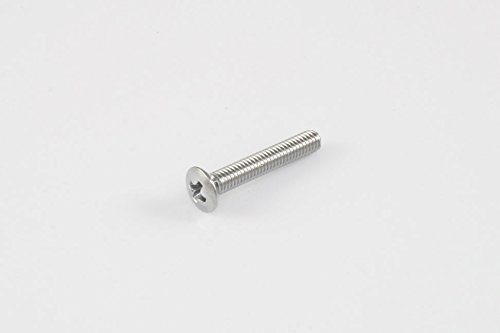
Image: A single Allparts GS-3379-010 chrome button screw, representative of the product included in the pack of six.
Guide instalasi
Follow these steps to properly install the Allparts GS-3379-010 button screws:
- Persiapan: Ensure the tuner mechanism and button are clean and free from debris. Identify the screw hole on the tuner button designed to attach it to the tuner shaft.
- Alignment: Carefully align the tuner button with the tuner shaft. The screw hole on the button should align with the corresponding threaded hole on the tuner shaft.
- Lebetkeun: Insert one Allparts GS-3379-010 screw into the aligned hole.
- tightening: Using an appropriate Phillips head screwdriver, gently turn the screw clockwise to tighten.
- Aman Fit: Tighten until the button is firmly secured to the tuner shaft, but avoid over-tightening, which can strip the threads or damage the button or tuner. The screw should be snug, preventing any wobble of the button.
- Ulang deui: Repeat the process for all other tuner buttons requiring installation.
Fungsionalitas
The Allparts GS-3379-010 screws serve to fasten the tuner button to the tuning machine post. Once installed, they ensure the button remains securely attached, allowing for precise and stable tuning of your instrument. The fully threaded design provides a strong grip, minimizing the chance of the button becoming loose during use.
Perawatan sareng Panjang Umur
To ensure the longevity and proper function of your screws:
- Inspeksi rutin: Periodically check the screws for any signs of loosening. If a screw feels loose, gently tighten it with an appropriate screwdriver.
- beberesih: Wipe the screws with a soft, dry cloth to remove dust or grime. Avoid abrasive cleaners that could damage the chrome finish.
- Pencegahan korosi: Store your instrument in a controlled environment to minimize exposure to excessive humidity, which can lead to corrosion of metal parts.
- Hindarkeun Over-tightening: Always use appropriate force when tightening to prevent stripping the screw head or threads.
Masalah umum
- Issue: Tuner button feels loose after installation.
- Solusi: Gently re-tighten the screw. If the screw continues to loosen, inspect the threads on both the screw and the tuner shaft for damage. If threads are stripped, replacement of the screw or tuner may be necessary.
- Issue: Screw head is stripped.
- Solusi: This usually occurs from using an incorrect screwdriver size or over-tightening. If the screw head is stripped, it will be difficult to remove or tighten. Use a screw extractor tool if removal is required, and replace the screw with a new one.
- Issue: Screw does not fit the tuner button.
- Solusi: Verify that the screw size (5/8" #4-48) is compatible with your specific tuner model. Different tuners may require different screw sizes. Consult your tuner's specifications or manufacturer for compatibility.
Spésifikasi produk
| Fitur | Rincian |
|---|---|
| merek | Allparts |
| Nomer modél | GS-3379-010 |
| kuantitas | 6 Screws per pack |
| Exterior Finish | Chrome |
| Tipe Sirah | Button (Phillips head) |
| Item Beurat | 0.02 Pounds (per pack) |
| Panutup Thread | Pinuh Threaded |
| Ngaran Ukuran | 5/8" #4-48 |
| UPC | 645208033087 |
| ASIN | B002HFEN36 |
Garansi sareng Rojongan
Specific warranty information for Allparts GS-3379-010 screws is not provided in the product details. For warranty inquiries or technical support, please contact Allparts directly or refer to their official websitus kanggo inpormasi paling anyar.