Bubuka
This manual provides essential instructions for the safe and effective operation of your Microlife WS100 Digital Body Fat Analyzer Weight Scale. Please read this manual thoroughly before using the device and retain it for future reference. The Microlife WS100 is designed to measure body weight, body fat percentage, jeung massa otot.
Émbaran Kasalametan
- Do not use this device if you have a pacemaker or other electronic medical implant.
- Pregnant women should consult their doctor before using this device.
- Ensure the scale is placed on a hard, flat surface for accurate measurements. Avoid carpets or uneven floors.
- Do not use the scale on wet or slippery surfaces to prevent falls.
- Jauhkeun alat tina jangkauan barudak.
- Ulah ngabongkar atanapi nyobian ngalereskeun alat sorangan. Kontak rojongan customer lamun masalah timbul.
Disetél
1. Ngabongkar sareng Inspeksi Awal
Carefully remove the Microlife WS100 scale from its packaging. Inspect the device for any signs of damage. If any damage is observed, do not use the scale and contact your retailer.
2. Pamasangan batré
The Microlife WS100 scale comes with batteries included. Locate the battery compartment on the underside of the scale. Open the compartment cover and ensure the batteries are correctly inserted according to the polarity indicators (+/-). Close the battery compartment securely.
3. Kalibrasi Awal
Before first use or after moving the scale, it is recommended to perform an initial calibration. Place the scale on a hard, flat surface. Briefly step onto the scale, then step off. The display will show "0.0" or a similar indication, confirming calibration.
4. Pamaké Profile Setup (for Body Fat Analysis)
To utilize the body fat and muscle mass analysis features, you must set up a user profile. Refer to the detailed instructions in the "Operating Instructions" section for setting up user profiles, including age, gender, and height.
Parentah Operasi
1. Pangukuran Beurat Dasar
- Tempatkeun timbangan dina permukaan anu datar sareng teuas.
- Lengkah onto skala tataranjang suku jeung nangtung kénéh.
- Your weight will be displayed on the screen. The scale will automatically turn off after a few seconds.
2. Body Fat and Muscle Mass Measurement
For body composition analysis, ensure your user profile geus diatur.
- Press the "SET" button to enter user selection mode.
- Use the arrow buttons to select your user number (P1, P2, etc.).
- Lengkah kana timbangan bari teu maké sapatu, pastikeun dampal suku anjeun aya dina éléktroda logam.
- Stand still until the measurements (weight, body fat percentage, persen massa otottage) are displayed sequentially.
- The scale will automatically store the data and turn off.
3. Ngalihkeun Unit Ukur
The unit switch button (usually located on the underside of the scale) allows you to toggle between kilograms (kg) and pounds (lb). Press this button to select your preferred unit before taking a measurement.
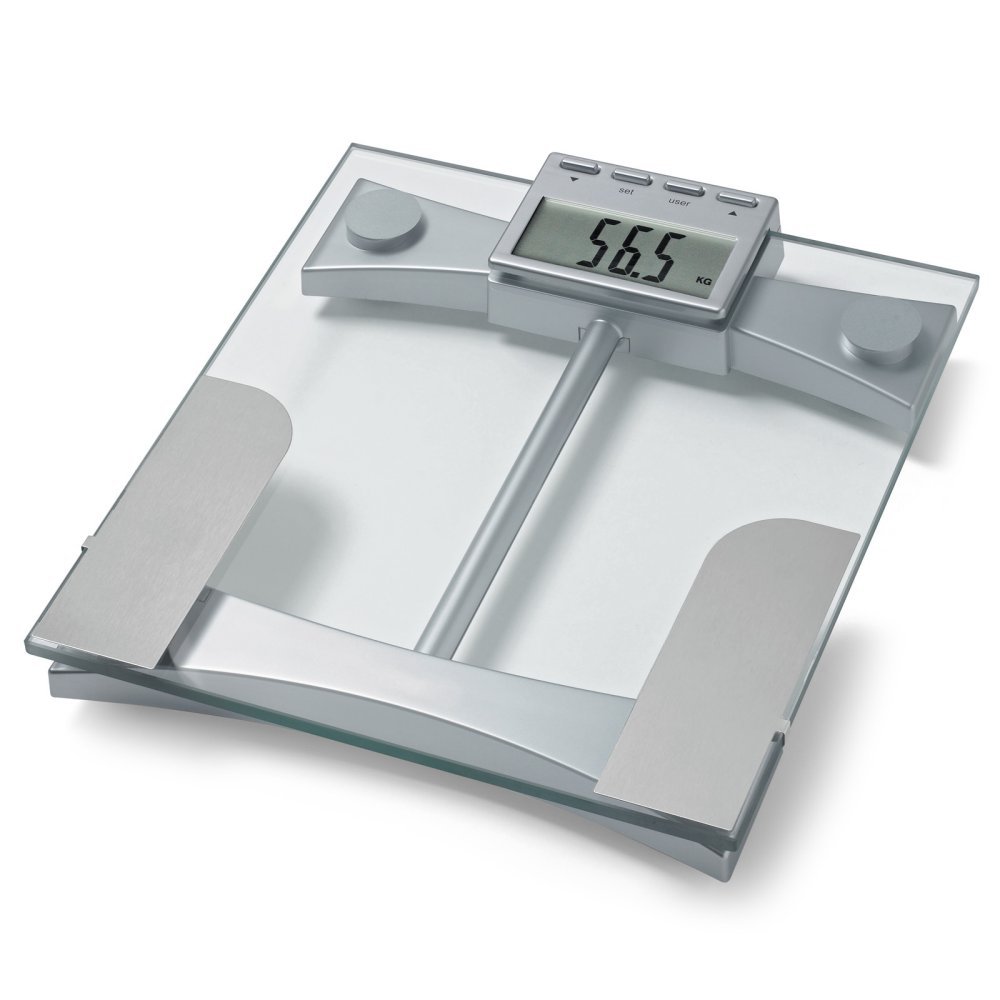
Gambar 1: Puncak view of the Microlife WS100 scale. Note the display area and the metallic electrodes for body composition analysis. Ensure feet are placed correctly on these electrodes for accurate readings.
Pangropéa
1. Cleaning the Scale
Ngusap beungeut skala ku lemes, damp cloth. Do not use abrasive cleaners or immerse the scale in water. Avoid harsh chemicals that may damage the surface or electronic components.
2. Panyimpenan
Simpen timbangan di tempat anu tiis sareng garing, jauh tina sinar panonpoé langsung sareng suhu anu ekstrim. Hindarkeun neundeun barang beurat dina timbangan nalika henteu dianggo.
3. Ngagantian batré
When the display shows a "Lo" indicator, it is time to replace the batteries. Open the battery compartment on the underside of the scale, remove the old batteries, and insert new ones of the same type, observing correct polarity. Dispose of old batteries responsibly.
Pamérésan masalah
| Masalah | Mungkin Cukang lantaranana | Solusi |
|---|---|---|
| "Lo" ditampilkeun | Daya batre lemah. | Ganti batréna ku nu anyar. |
| "Err" ditampilkeun | Kaleuwihan beban atanapi kasalahan pangukuran. | Ensure the scale is not overloaded. Step off and then back on the scale. Ensure stable footing. |
| Bacaan teu akurat | Scale on uneven surface, not calibrated, or user profile lepat. | Place scale on a hard, flat surface. Perform initial calibration. Verify user profile settings (age, height, gender). |
| Taya pintonan | Batteries incorrectly installed or completely drained. | Pariksa polaritasna batré. Ganti batré upami diperlukeun. |
spésifikasi
- model: WS100
- merek: Microlife
- Jenis tampilan: Digital
- Fitur husus: Body Fat, Bodyweight, Muscle Mass
- Bahan: palastik
- warna: Hideung
- Sumber Daya: Batré (kaasup)
- Ukuran produk: 31.75 x 7.62 x 37.47 cm (12.5 x 3 x 14.75 inci)
- Beurat barang: 2.99 kg (6.59 lbs)
- GTIN/UPC: 642632841233
Garansi sareng Rojongan
For warranty information or technical support, please refer to the warranty card included with your product or visit the official Microlife websitus. Ulah nyobian ngalereskeun alat sorangan, sabab ieu tiasa ngabatalkeun garansi.


