1. Bubuka
The Xantrex Link Pro Battery Monitor (Model 84-2031-00) is an advanced battery monitoring system designed to provide accurate and comprehensive information about your battery bank's status. It measures current in and out of the battery to calculate the State of Charge (SOC), voltage, jeung amp-hours consumed or remaining. This manual provides detailed instructions for the installation, operation, and maintenance of your Link Pro Battery Monitor.
2. Émbaran Kasalametan
Please read and understand all safety instructions before installing or operating the Xantrex Link Pro Battery Monitor. Failure to follow these instructions may result in electric shock, fire, or serious injury.
- Pastikeun sadaya sumber daya dicabut sateuacan dipasang atanapi diropéa.
- Installation should be performed by qualified personnel familiar with electrical systems.
- Anggo alat pelindung pribadi (PPE), kalebet kacamata kaamanan sareng sarung tangan insulasi.
- Ulah ngantepkeun unit ieu ka cai atanapi kalembaban anu kaleuleuwihi.
- Verify correct wiring polarity to prevent damage to the unit and connected equipment.
3. Eusi Paket
Pastikeun yén sadaya item anu didaptarkeun di handap kalebet kana pakét anjeun:
- Xantrex 84-2031-00 Link Pro Battery Monitor Unit
- Pamasangan Hardware
- Manual pangguna (dokumén ieu)
- Obeng leutik
4. Pamasangan
The Link Pro Battery Monitor is designed for easy integration into existing electrical systems. Proper wiring is crucial for accurate readings and safe operation.
4.1 Pasang Unit
The unit has a compact, round design, making it suitable for panel installation. Ensure sufficient space behind the mounting surface for wiring connections.
- Choose a dry, protected location away from direct sunlight and extreme temperatures.
- Cut a circular opening in the mounting panel according to the provided template.
- Secure the Link Pro unit using the supplied mounting hardware.
4.2 Sambungan Wiring
The Link Pro monitors battery activity via a shunt. Connect the monitor to your battery bank and shunt according to the wiring diagram provided in the full product documentation.
penting: While the unit comes with a screwdriver for connections, ensure you use appropriate gauge wiring for your application. A 16-gauge wire is often suitable for signal connections, but power connections may require heavier gauge.
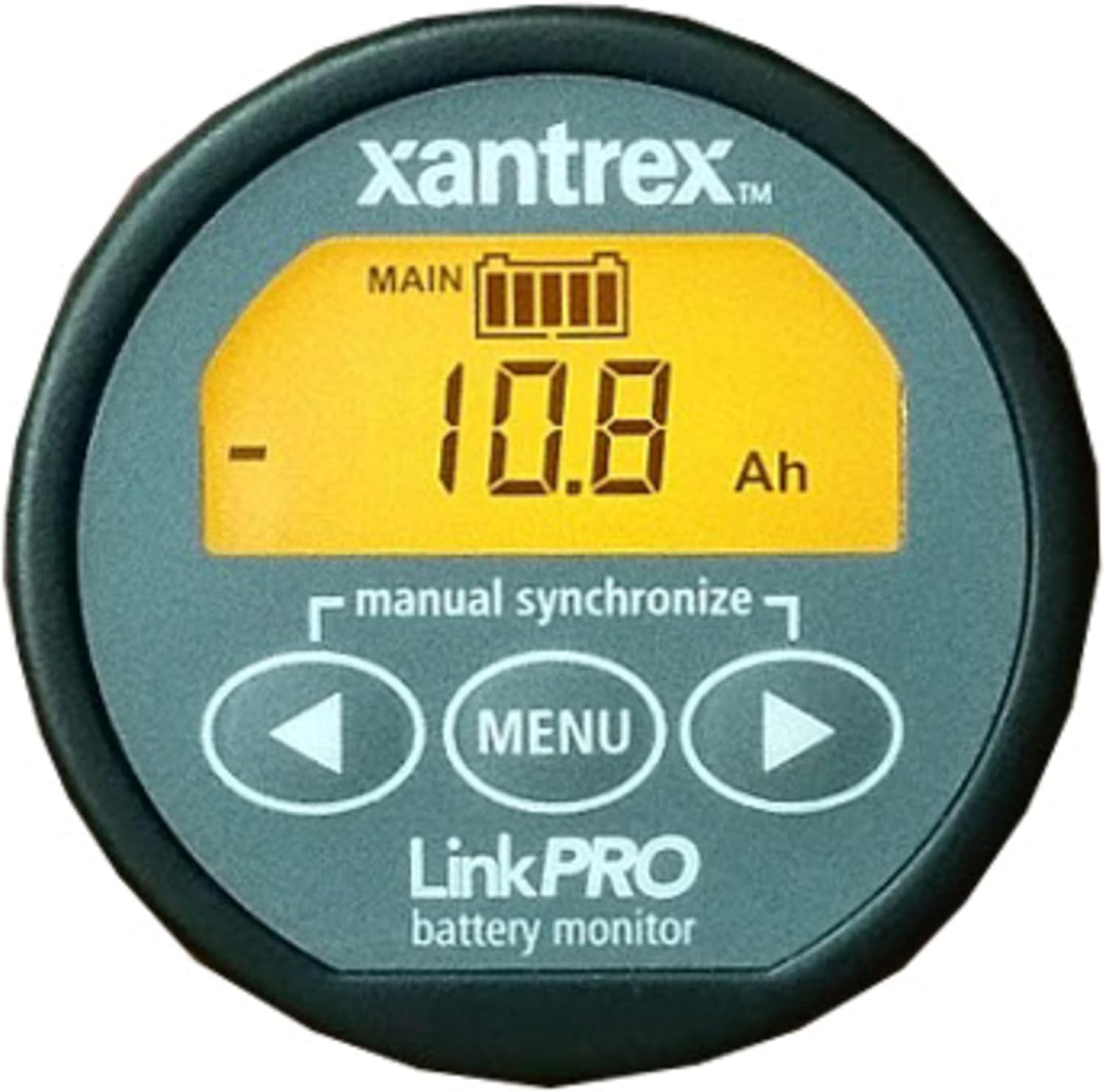
Gambar 1: Hareupeun view of the Xantrex Link Pro Battery Monitor, displaying battery status and control buttons.
5. Parentah Operasi
The Link Pro Battery Monitor provides real-time data through its clear display and intuitive controls.
5.1 Pidangkeunview
The main display shows critical battery parameters. As seen in Figure 1, the display typically shows the main battery bank status, including a battery icon, numerical value (e.g., 10.8 Ah), and units (e.g., Ah for Amp- jam).
5.2 Navigasi sareng Setélan
Use the control buttons located below the display to navigate through different screens and access settings:
- Left Arrow Button (◀): Used to scroll through display screens or decrease values in settings.
- Tombol MENU: Used to enter the menu, confirm selections, or exit a menu.
- Right Arrow Button (▶): Used to scroll through display screens or increase values in settings.
Commonly displayed information includes:
- Voltage (V): Vol batré ayeunatage.
- Ayeuna (A): Amps flowing into or out of the battery.
- Amp-hours (Ah): Amp-hours consumed or remaining.
- State of Charge (SOC): Persentage tina kapasitas batré sésana.
5.3 Singkronisasi
For accurate State of Charge readings, it is important to synchronize the monitor. This is typically done by bringing the main battery bank to a full charge. The display includes a "manual synchronize" indicator, suggesting a manual synchronization option is available through the buttons.
6. Pangropéa
The Xantrex Link Pro Battery Monitor requires minimal maintenance to ensure long-term performance.
- Keep the display clean using a soft, dry cloth. Avoid abrasive cleaners.
- Périodik pariksa sagala sambungan kabel pikeun tightness sarta korosi.
- Ensure the unit is not exposed to extreme temperatures or direct water spray.
7. Cara ngungkulan
If you encounter issues with your Link Pro Battery Monitor, refer to the following common problems and solutions:
| Masalah | Mungkin Cukang lantaranana | Solusi |
|---|---|---|
| Teu aya tampilan/Pareuman | No power to the unit; loose wiring. | Check power connections and ensure battery voltage aya dina jangkauan operasi. |
| Bacaan teu akurat | Incorrect calibration; shunt wiring issues; battery not fully charged for synchronization. | Perform a full battery charge and synchronize the monitor. Verify shunt connections. |
| Tombol teu ngaréspon | Gangguan parangkat lunak samentawis; karusakan fisik. | Try power cycling the unit. If problem persists, contact Xantrex support. |
For more detailed troubleshooting, refer to the complete product manual or contact Xantrex customer support.
8. Spésifikasi
Key specifications for the Xantrex Link Pro Battery Monitor:
- Jumlah modél: 84-2031-00
- Ukuran produk: 14 x 12 x 10 inches (Packaging dimensions, actual unit is smaller and round)
- Beurat barang: 11.2 ons
- Fitur tampilan: Nirkabel
- Pabrikan: Xantrex
- Sadia munggaran: 1 Oktober 2001
Note: Product dimensions listed are for the package. The unit itself is designed for panel mounting.
9. Garansi jeung Rojongan
For warranty information, technical support, or service inquiries, please contact Xantrex customer service. Refer to the official Xantrex websitus atanapi dokuméntasi anu kalebet dina pameseran anjeun pikeun kéngingkeun detil kontak sareng syarat garansi anu pangénggalna.
Resmi Xantrex Websitus: www.xantrex.com


