1. Bubuka
This manual provides instructions for the Insignia 7" Widescreen LCD Digital Photo Frame, model NS-DPF7WA-09. This device allows you to display digital photos from memory cards or its internal memory, offering various slideshow options and display settings. It features a 7-inch TFT-LCD screen with a 16:9 widescreen aspect ratio, 800 x 480 resolution, and 500:1 contrast ratio for clear image presentation.
Please read this manual thoroughly before operating your digital photo frame to ensure proper use and to maximize its features.
2. Eusi Paket
Pastikeun yén sadaya item aya dina bungkusan:
- Insignia 7" Widescreen LCD Digital Photo Frame
- Kadali jauh
- Adaptor kakuatan
- Manual Pamilik (dokumén ieu)
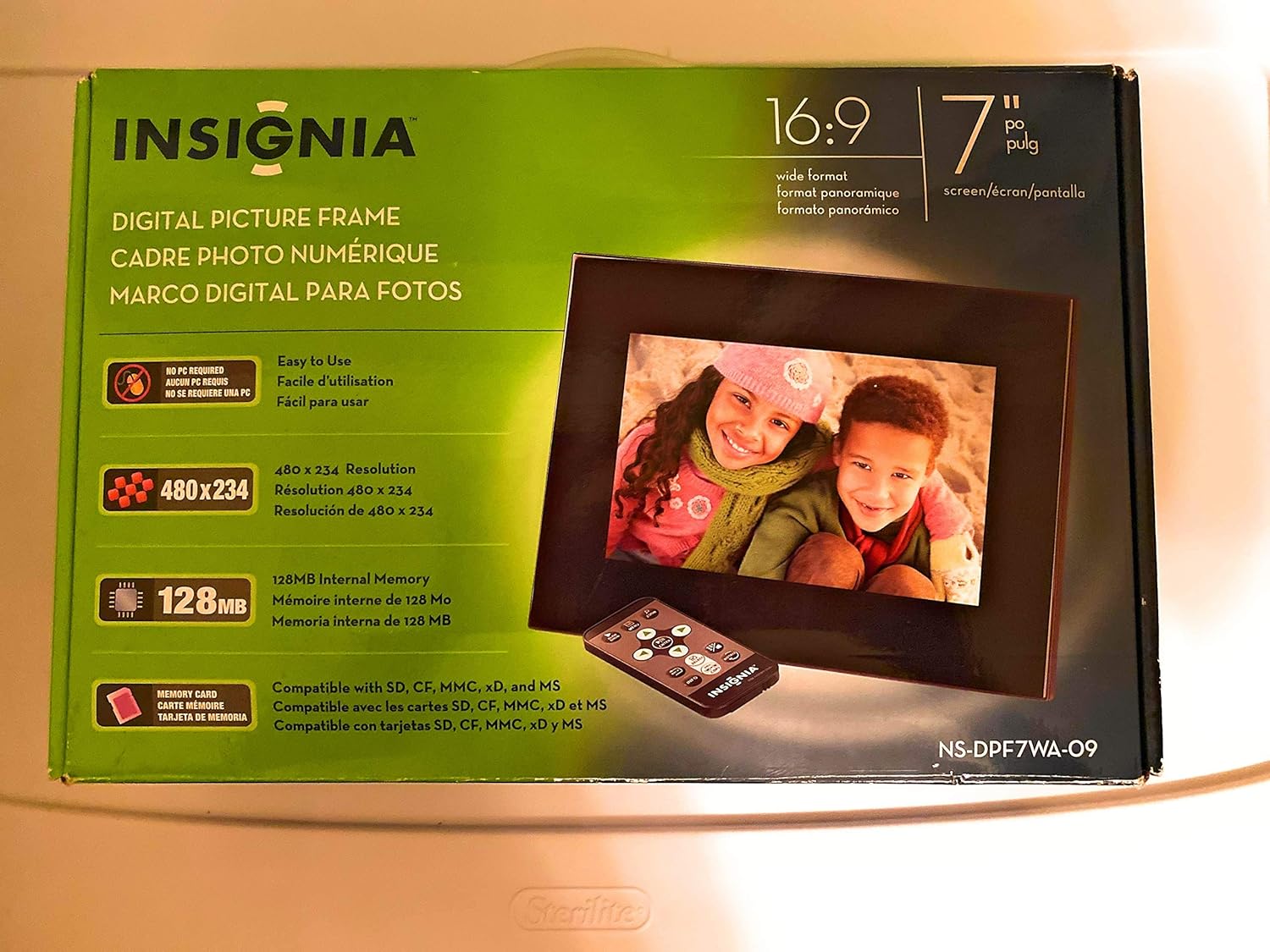
Image 1: Retail packaging of the Insignia 7" Widescreen LCD Digital Photo Frame, highlighting key features like screen size, resolution, internal memory, and supported memory card types.
3. Setélan
3.1 Positioning the Frame
The digital photo frame includes a multiple-position adjustable stand. Adjust the stand to achieve an optimal viewing angle for your desired location.
3.2 Sambungan Daya
- Connect the power adapter to the DC IN port on the back of the digital photo frame.
- Colokkeun tungtung adaptor daya anu sanésna kana stop kontak listrik standar.
- The frame will typically power on automatically or enter standby mode.
3.3 Nyelapkeun Kartu Memori
The frame supports various memory card formats. Locate the memory card slot(s) on the side or back of the frame.
- Supported formats include: Secure Digital (SD), Secure Digital High Capacity (SDHC), microSD, Memory Stick (MS), Memory Stick PRO Duo, MultiMediaCard (MMC), and xD-Picture Card.
- Insert the memory card gently into the appropriate slot until it clicks into place. Ensure the card is inserted in the correct orientation.

Image 2: The Insignia 7" Widescreen LCD Digital Photo Frame unboxed, showing the frame, remote control, and a portion of the manual. This view helps identify the physical components.
4. Parentah Operasi
4.1 Jauh Control Leuwihview
The included remote control provides full functionality for navigating menus and controlling playback. Ensure the remote's battery is functional. A small tray on the back of the digital photo frame is provided for remote storage.
4.2 Playing a Slideshow
The digital photo frame can play slideshows from either an inserted memory card or its 128MB internal memory.
- Pilih Sumber: Use the remote control to navigate to the main menu and select your desired photo source (e.g., "Memory Card" or "Internal Memory").
- Start Slideshow: Once the source is selected, the frame will typically begin a slideshow automatically.
- Setélan pintonan slaid: Access the settings menu to customize slideshow options, including:
- Transitional Styles: Choose from multiple visual effects between photos.
- Kacepetan variabel: Adjust the duration each photo is displayed.
4.3 Adjusting Photo View
Within the slideshow or photo browsing mode, you can often adjust how individual photos are displayed. Options may include zoom, rotate, or fit-to-screen. Refer to the on-screen menu for specific controls.
4.4 Changing Display Settings
The frame's settings menu allows you to modify various display parameters:
- Caang/Kontras: Adjust screen brightness and contrast for optimal viewdina kaayaan cahaya anu béda.
- Rasio Aspék: Configure how images are scaled to fit the 16:9 widescreen display.
- Otomatis Pareum: Enable or disable the auto power off feature, which conserves energy by turning off the frame after a period of inactivity.
- Kaping/Waktu: Setel tanggal sareng waktos ayeuna.
5. Pangropéa
- Ngabersihan layar: Use a soft, lint-free cloth to gently wipe the LCD screen. For stubborn smudges, slightly dampBilas lawon ku cai atanapi larutan pembersih layar anu dirancang pikeun éléktronik. Hindarkeun bahan kimia anu keras atanapi bahan anu abrasif.
- Ngabersihkeun pigura: Wipe the exterior of the frame with a soft, dry cloth.
- Panyimpenan: Upami henteu dianggo salami lami, simpen pigura di tempat anu tiis sareng garing, jauh tina sinar panonpoé langsung sareng suhu anu ekstrim.
- adaptor kakuatan: Ensure the power adapter cable is not bent or damaged.
6. Cara ngungkulan
If you encounter issues with your Insignia digital photo frame, refer to the following common solutions:
| Masalah | Solusi |
|---|---|
| Pigura teu hurung. |
|
| Kadali jauh henteu ngaréspon. |
|
| Photos are not displaying or appear distorted. |
|
| Slideshow transitions are slow or clumpy. |
|
7. Spésifikasi
| Fitur | Rincian |
|---|---|
| Nomer modél | NS-DPF7WA-09 |
| Ukuran layar | 7 inci |
| Tipe tampilan | TFT-LCD |
| Rasio Aspék | 16: 9 Layar lega |
| Resolusi | 800 x 480 (SVGA) |
| Babandingan Kontras | 500:1 |
| Mémori internal | 128 MB |
| Dirojong Kartu Mémori | Secure Digital (SD), Secure Digital High Capacity (SDHC), microSD, Memory Stick (MS), Memory Stick PRO Duo, MultiMediaCard (MMC), xD-Picture Card |
| Dimensi produk | 2.2 x 9.2 x 6.5 inci |
| Item Beurat | 1.2 pon |
| Sumber Daya | Adaptor Daya (kaasup) |
| Batré Kadali Jauh | 1 batré Litium Metal (diperlukeun) |
8. Garansi jeung Rojongan
Kanggo inpormasi garansi atanapi dukungan téknis, mangga tingali kartu garansi anu kalebet dina produk anjeun atanapi kunjungi dukungan resmi Insignia. websitus. Simpen resi pameseran anjeun pikeun klaim jaminan.
Dukungan Online: www.insigniaproducts.com/support


