
1. Bubuka
Hatur nuhun pikeun meuliasing the Sony BC-CS2A AA/AAA NI-MH Battery Charger. This manual provides essential information for the safe and efficient operation of your charger. Please read it thoroughly before use and retain it for future reference.
This charger is designed to recharge Sony Ni-MH (Nickel-Metal Hydride) AA and AAA batteries. It offers a reliable solution for powering your compatible electronic devices.
2. Émbaran Kasalametan
Pikeun nyegah kahuruan, kejutan listrik, atanapi karusakan produk, punten perhatikeun pancegahan kaamanan ieu:
- Use only with specified Ni-MH rechargeable batteries. Do not attempt to charge alkaline, carbon-zinc, or other battery types, as this may cause leakage, rupture, or explosion.
- Ulah ngabongkar, ngarobih, atanapi nyobian ngalereskeun carjer. Serahkan sadaya servis ka petugas servis anu mumpuni.
- Ulah ngantepkeun carjer ka hujan, kalembaban, atanapi suhu anu ekstrim.
- Ensure the charger is connected to a power outlet with the correct voltage (240 Volts as per specifications).
- Jauhkeun tina jangkauan barudak.
- Cabut colokan carjer tina stop kontak listrik nalika teu dianggo atanapi sateuacan beberesih.
- Ulah ngajalankeun carjer lamun geus ruksak sagala cara.
3. Eusi Paket
Pastikeun yén sadaya item aya dina pakét anjeun:
- 1 x Sony BC-CS2A Battery Charger
4. Setélan
- Buka bungkus carjer: Carefully remove the Sony BC-CS2A charger from its packaging.
- Nyambung ka Daya: Plug the charger's power cord into a standard electrical outlet (Type A - 2 pin, North American). Ensure the outlet voltage matches the charger's specifications (240 Volts).
- Nyiapkeun batré: Ensure the batteries you intend to charge are Ni-MH type and are free from damage or corrosion.
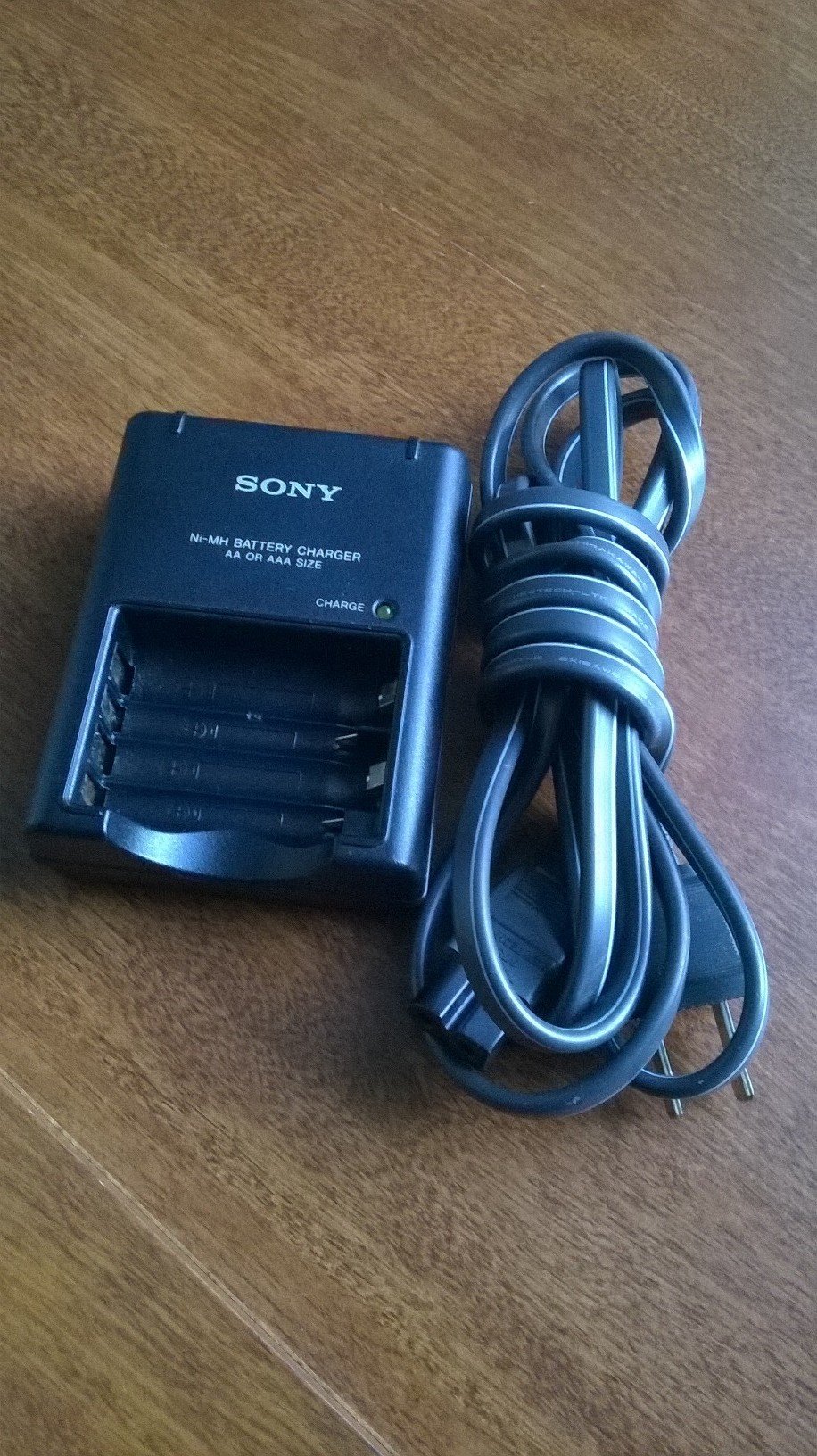
Image showing the Sony BC-CS2A AA/AAA NI-MH Battery Charger, designed for charging two AA or AAA Ni-MH batteries simultaneously.
5. Parentah Operasi
5.1 Ngecas Batré
- Selapkeun Batré: Carefully insert one or two AA or AAA Ni-MH batteries into the charging slots, ensuring correct polarity (+ and - ends match the markings on the charger). The charger is designed to charge two batteries at a time.
- Indikator ngecas: Once batteries are correctly inserted and the charger is plugged in, the charging indicator light(s) will illuminate. The color or state of the light indicates the charging status. Typically, a steady light indicates charging in progress.
- Parantosan: The charging time will vary depending on the battery capacity and discharge level. The indicator light may change or turn off when charging is complete. Refer to the specifications for approximate charging times.
- Cabut Batré: Once charging is complete, unplug the charger from the power outlet and carefully remove the charged batteries.
5.2 Catetan penting
- The charger is designed for slow, thorough charging, which can help extend battery life.
- It is normal for batteries to become warm during charging.
- Do not leave batteries in the charger for extended periods after charging is complete.
6. Pangropéa
- beberesih: Disconnect the charger from the power source before cleaning. Use a soft, dry cloth to wipe the exterior of the charger. Do not use liquid cleaners or solvents.
- Panyimpenan: Simpen carjer di tempat anu tiis sareng garing, jauh tina sinar panonpoé langsung sareng suhu anu ekstrim nalika henteu dianggo.
- Perawatan batré: For optimal battery life, avoid fully discharging Ni-MH batteries before recharging.
7. Cara ngungkulan
| Masalah | Mungkin Cukang lantaranana | Solusi |
|---|---|---|
| Lampu indikator charger teu hurung. |
|
|
| Batteries do not charge fully or hold a charge. |
|
|
8. Spésifikasi
| Nomer modél | BC-CS2A |
| merek | Sony |
| Jenis Batré cocog | AA/AAA Ni-MH |
| Masukan Voltage | 240 volt |
| Wattage | 2.5 watt |
| Tipe Colokkeun Daya | Type A - 2 pin (North American) |
| Komponén Kaasup | 1 carjer |
| Portabel | Sumuhun |
9. Garansi jeung Rojongan
For warranty information or technical support, please refer to the documentation provided at the time of purchase or visit the official Sony support websitus. Simpen bukti pameseran anjeun pikeun klaim garansi.