
Bubuka
Hatur nuhun pikeun meuliasing the Optimus F-1230 12-Inch Oscillating 3-Speed Table Fan. This manual provides essential information for the safe and efficient operation, maintenance, and care of your new fan. Please read these instructions thoroughly before use and retain them for future reference.

Figure 1: Optimus F-1230 12-Inch Oscillating 3-Speed Table Fan, White.
Parentah Kasalametan penting
- Baca sadaya pitunjuk sateuacan nganggo kipas ieu.
- Entong nganggo kipas nganggo kabel atanapi colokan anu rusak. Piceun kipas atawa balik deui ka fasilitas layanan otorisasi pikeun ujian jeung / atawa perbaikan.
- Ulah ngajalankeun ari handapeun karpét. Ulah nutupan ari ku karpet lémparan, runners, atawa panutup sarupa. Atur tali jauh ti wewengkon lalulintas sarta dimana eta moal tripped leuwih.
- Always unplug the fan when moving it, cleaning, or when not in use.
- Do not insert fingers or any foreign objects into the grille openings.
- Do not use this fan near windows, in wet areas, or where it may come into contact with water.
- Pastikeun kipas disimpen dina permukaan datar anu stabil pikeun nyegah tipping.
Eusi pakét
Upon opening the package, ensure all components are present and undamaged. The Optimus F-1230 fan typically includes the following parts:
- Fan Motor Unit with Base and Control Panel
- Grille hareup
- Grille tukang
- Kipas Agul
- Grille Retaining Nut
- Sabeulah Panahan Cap

Figure 2: Components of the Optimus F-1230 Table Fan.
Parentah Majelis
The Optimus F-1230 fan is designed for no-tool assembly. Follow these steps to set up your fan:
- Pasangkeun Gril Tukang: Align the rear grille with the motor housing, ensuring the alignment pins on the motor housing fit into the corresponding holes on the rear grille. Secure it with the grille retaining nut by turning clockwise.
- Pasang Fan Blade: Slide the fan blade onto the motor shaft, making sure the notch on the blade aligns with the pin on the shaft. Secure it with the blade retaining cap by turning counter-clockwise.
- Pasangkeun Gril Hareup: Place the front grille over the rear grille, aligning the clips. Snap the front grille into place, ensuring it is securely fastened around the entire circumference.
- Posisi kipas: Place the assembled fan on a stable, flat surface.
Parentah Operasi
Once assembled, your Optimus F-1230 fan is ready for use. Ensure the fan is plugged into a standard 120V AC electrical outlet.
Kakuatan jeung Speed Setélan
The fan features a 4-position push button switch located on the base for controlling power and speed:
- Press the appropriate button to select one of the 3 setélan speed (Low, Medium, High).
- Press the 'OFF' button to turn the fan off.
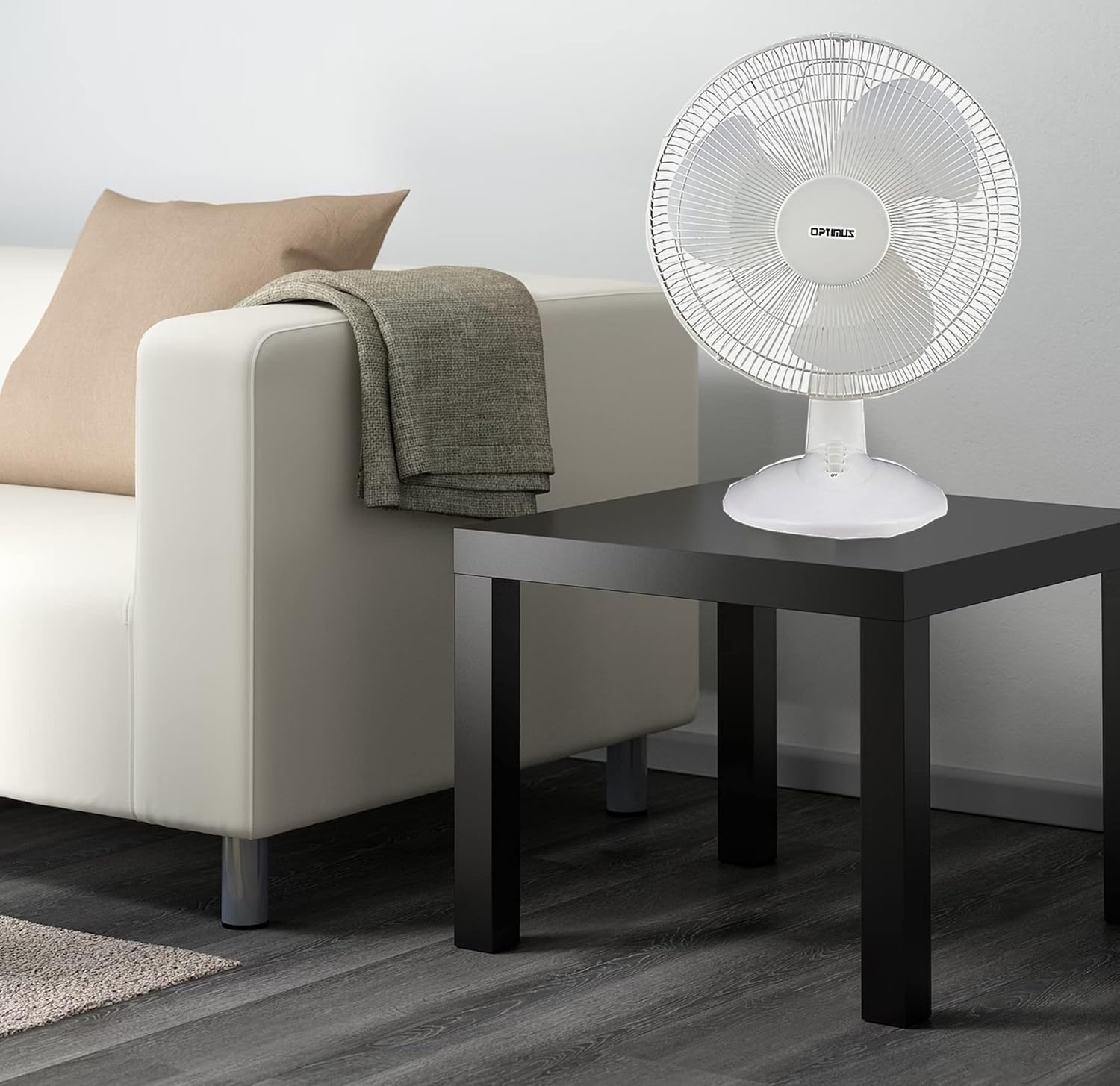
Figure 3: 4-Position Push Button Switch for speed control.
Fungsi Osilasi
The fan offers a full room of directional 90-degree oscillation to distribute air across a wider area:
- To start oscillation, push down the oscillation knob located on top of the motor housing.
- To stop oscillation and direct airflow in a fixed position, pull up the oscillation knob.
Adjustable Tilt/Angle Head
The fan head can be adjusted vertically to direct airflow precisely where needed:
- To adjust the tilt, gently push the fan head up or down to the desired angle. The fan head will remain in the selected position.

Figure 4: Adjustable tilt/angle head for vertical airflow adjustment.
Pangropéa jeung beberesih
Regular cleaning and maintenance will ensure optimal performance and extend the life of your fan.
beberesih
- Sok cabut kipas tina stop kontak sateuacan beberesih.
- Ngagunakeun lemes, damp lawon pikeun ngusap surfaces exterior kipas. Ulah make cleaners abrasive atawa pangleyur.
- To clean the fan blades, you may need to carefully remove the front grille. Refer to the assembly instructions in reverse order for safe removal and reattachment.
- Pastikeun sadaya bagian parantos garing sateuacan nyolokkeun kipas deui.
Panyimpenan
Lamun teu dipaké pikeun période nambahan, nyimpen kipas dina tiis, tempat garing, preferably dina bungkusan aslina, ngajaga tina lebu jeung karuksakan.
Pamérésan masalah
Upami kipas anjeun henteu jalan kalayan leres, tingali masalah sareng solusi umum ieu:
- Kipas teu hurung:
- Pastikeun yén kabel listrik dicolokkeun sacara aman kana stop kontak listrik.
- Check if the outlet is receiving power by plugging in another appliance.
- Verify that the speed control button is pressed to an 'ON' setting (1, 2, or 3).
- kipas angin ribut:
- Pastikeun kipas disimpen dina permukaan anu stabil sareng rata.
- Check for any loose parts or obstructions within the fan grilles or around the blades.
- Clean the fan blades and grilles to remove any dust buildup that might cause imbalance.
- Fan does not oscillate:
- Ensure the oscillation knob on top of the motor housing is pushed down.
Lamun masalah persists sanggeus nyobian solusi ieu, mangga ngahubungan rojongan customer.
spésifikasi
| merek | Optimus |
| Nomer modél | F-1230 |
| Desain kipas listrik | Méja Fan |
| Warna | Bodas |
| Sumber Daya | Kabel Listrik |
| Jumlah Speeds | 3 |
| Fitur husus | Ngayun |
| Tipe Pamasangan | Tabletop Gunung |
| Tipe Controller | Tombol Control |
| Wattage | 50 watt |
| Voltage | 120 volt |
| Item Beurat | 4.95 pon |
| Jenis Bahan | palastik |
| Pamakéan jero rohangan / outdoor | jero rohangan |
Garansi sarta Rojongan Palanggan
Émbaran jaminan
This Optimus F-1230 fan comes with a Bagian 1 Taun sareng Buruh warranty. Please retain your proof of purchase for any warranty claims.
Rojongan Palanggan
For technical assistance, troubleshooting not covered in this manual, or warranty service, please contact Optimus Enterprises. The manufacturer's contact information is: SEATTLE, WA, 98109 US.
You may also visit the official Optimus websitus pikeun sumber rojongan tambahan.