1. Bubuka
Jane's F/A-18 Simulator is a personal computer flight simulation game developed by Electronic Arts. This simulation focuses on the F/A-18E Super Hornet, a carrier-based, multi-role attack fighter. This manual provides essential information for installing, operating, and maintaining the software, along with troubleshooting common issues.

Figure 1.1: Front cover of Jane's F/A-18 Simulator game box.
2. Sarat Sistim
To ensure optimal performance and compatibility, review the following system requirements before installation:
- Sistem operasi: Windows 98SE or later. Note that the game may exhibit glitches on Windows XP and is generally not compatible with Windows 7 or newer operating systems.
- Prosesor: Minimum Pentium III. A higher-end Pentium III processor is recommended for running the simulation at higher resolutions (e.g., 1024x768) and detail levels.
- Kartu grafik: Requires a compatible graphics card. Performance may vary significantly with detail settings.
- Mémori (RAM): Sufficient RAM for the specified operating system and game.
- Panyimpenan: Adequate hard drive space for installation.
For slower machines, it may be necessary to reduce detail levels and run the game at a lower resolution to achieve acceptable frame rates.
3. Setup jeung Instalasi
Follow these steps to install Jane's F/A-18 Simulator on your computer:
- Insert the game disc into your computer's CD-ROM or DVD-ROM drive.
- If the installer does not launch automatically, navigate to "My Computer" or "This PC," locate your disc drive, and double-click the setup or install executable file.
- Follow the on-screen prompts to complete the installation process. This typically involves accepting the license agreement, choosing an installation directory, and selecting components.
- Once installation is complete, you may be prompted to restart your computer. It is recommended to do so.
- Before launching the game, ensure your graphics drivers are up to date for optimal performance.
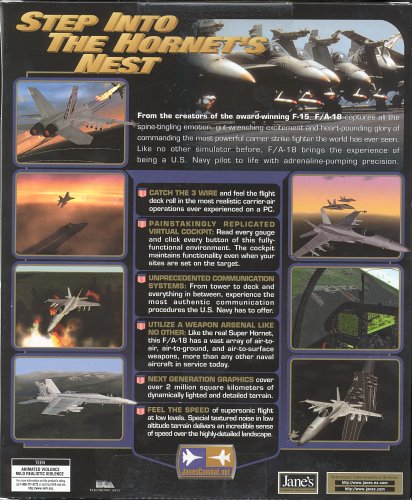
Figure 3.1: Back of the game box detailing key features and system highlights.
4. Parentah Operasi
4.1 General Gameplay
Jane's F/A-18 Simulator places you in the cockpit of the F/A-18E Super Hornet. The game emphasizes realistic carrier operations and air combat scenarios. The campaign features variable elements, though it is largely scripted. Training missions are available, and additional community-created training content can be found online.
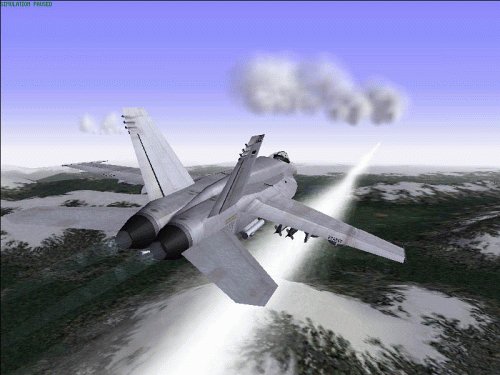
Figure 4.1: An F/A-18 aircraft in flight during a sunset mission.
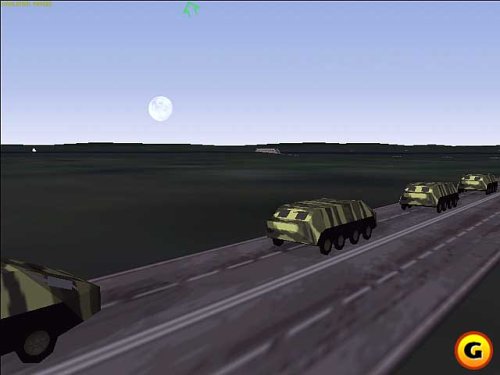
Gambar 4.2: Kelample of ground environment and vehicles within the simulation.
4.3 Controls and Cockpit
The simulation supports various input methods, including keyboard and joystick. The cockpit is fully 3D, providing a comprehensive array of instruments and displays. While the avionics appear simple, they contain a significant amount of information. Some functions within the 3D cockpit may be challenging to read or interact with directly, requiring reliance on keyboard or joystick inputs.
Gambar 4.3: Interior view of the F/A-18 cockpit, showing various displays and controls.
4.4 Flight Model and Weapons
The flight model is designed for realism, accurately simulating the fly-by-wire nature of the F/A-18. This means the aircraft's control surfaces are adjusted by computer, which can affect how the aircraft responds, particularly during extended periods of controlled flight. The simulation includes a wide array of accurately modeled weapons.

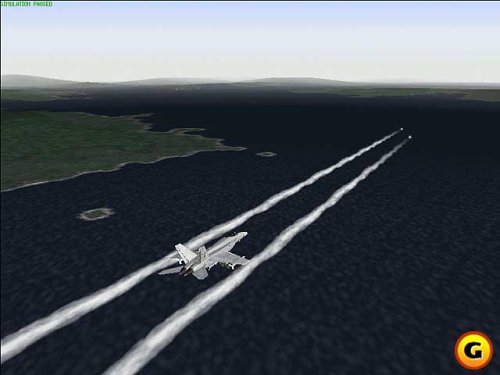
Figure 4.4: An F/A-18 aircraft in flight, demonstrating its maneuverability.
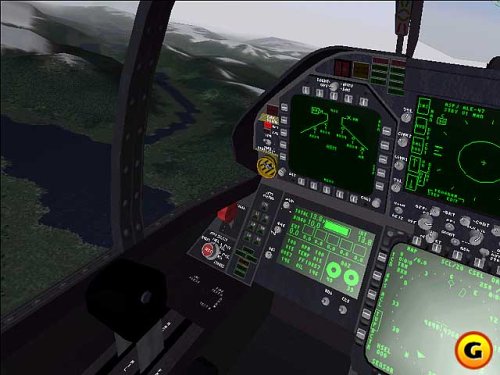
Figure 4.5: An F/A-18 in a combat scenario, with an explosion visible.
Gambar 4.6: Tukangeun view of the F/A-18 aircraft in flight.
4.5 Carrier Operations
A significant aspect of the simulation involves carrier take-offs and landings. Mastering these operations, including wire trap landings, is crucial for successful missions. The game provides a strong sense of "home" with the carrier, adding to the immersive experience.
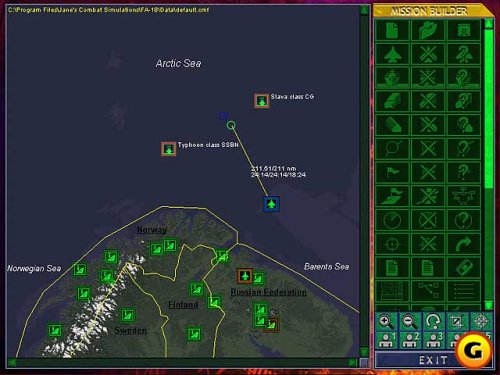
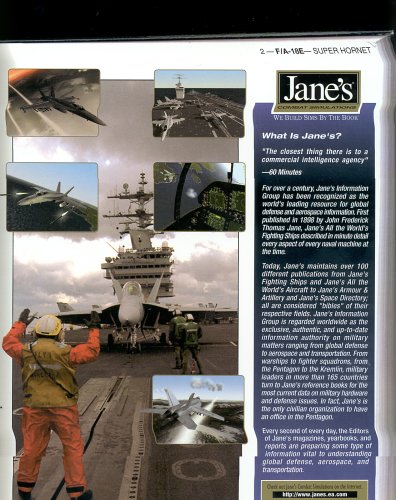
Figure 4.7: An F/A-18 positioned on an aircraft carrier deck, ready for launch.
4.6 Mission Editor
The game includes both a campaign editor and a mission editor, allowing users to create custom scenarios and campaigns. While these tools can be complex and may require external resources for full understanding, they offer extensive customization possibilities.
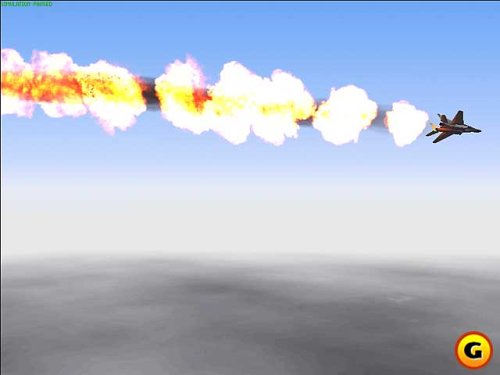
Figure 4.8: Screenshot of the mission builder interface, displaying a tactical map.
5. Pangropéa
Proper care of your game software and system can help ensure continued enjoyment:
- Perawatan Cakram: Keep the game disc clean and free of scratches. Store it in its original case when not in use.
- Apdet Sistim: Ensure your operating system and graphics drivers are regularly updated to maintain compatibility and performance, especially for older software.
- Kasaluyuan Sistim: As this is an older title, be aware of potential compatibility issues with newer operating systems. Consider running the game in a compatible environment (e.g., a virtual machine or a dual-boot setup with Windows 98SE) if experiencing issues on modern systems.
6. Cara ngungkulan
This section addresses common issues encountered with Jane's F/A-18 Simulator:
- Masalah kasaluyuan:
- The game is known to be incompatible with Windows 7 and later operating systems. It may also be glitchy on Windows XP. For best results, use Windows 98SE.
- If running on a newer OS, try compatibility modes available in your operating system settings.
- Low Frame Rate / Poor Performance:
- Increasing cockpit detail significantly reduces frame rate. Reduce cockpit detail for smoother performance.
- Lower the overall graphics detail settings and screen resolution (e.g., below 1024x768) to improve frame rate on less powerful systems.
- Ensure your graphics drivers are updated.
- Rudder Functionality:
- The rudder control in the simulation is noted to be largely ineffective, often resulting in only a slight, transient wobble rather than proper yaw control. This is a known limitation of the software.
- This limitation can make precise maneuvers, such as carrier wire trap landings, more challenging.
- Unreadable HUD Text:
- The Head-Up Display (HUD) text can be difficult to read, even at lower resolutions. There is no significant improvement at 640x480 unless anti-aliasing is disabled.
- Community modifications may exist to address this issue.
7. Spésifikasi
| Fitur | Rincian |
|---|---|
| ASIN | B00002CF81 |
| UPC | 014633140200 |
| Nomer Modél Item | 14020 |
| Produsén | Seni Éléktronik |
| Item Beurat | 11.2 ons |
| Ukuran Paket | 9.8 x 7.6 x 1.6 inci |
| Jinis Barang | Kaulinan pidéo |
| Dipeunteun | rumaja |
| Tanggal Kahiji Sadia | 1 April 1996 |
8. Garansi jeung Rojongan
Information regarding specific warranty terms for Jane's F/A-18 Simulator is not available in this document. For general support related to Electronic Arts products, please refer to the official Electronic Arts website or their customer support channels. Due to the age of this product, direct manufacturer support may be limited.
Community forums and fan sites may offer additional resources, troubleshooting tips, and modifications for continued enjoyment of the simulation.


