Bubuka
Welcome to the world of portable gaming with your Nintendo Game Boy Color. This manual will guide you through the essential steps to set up, operate, and maintain your system, ensuring an enjoyable gaming experience.
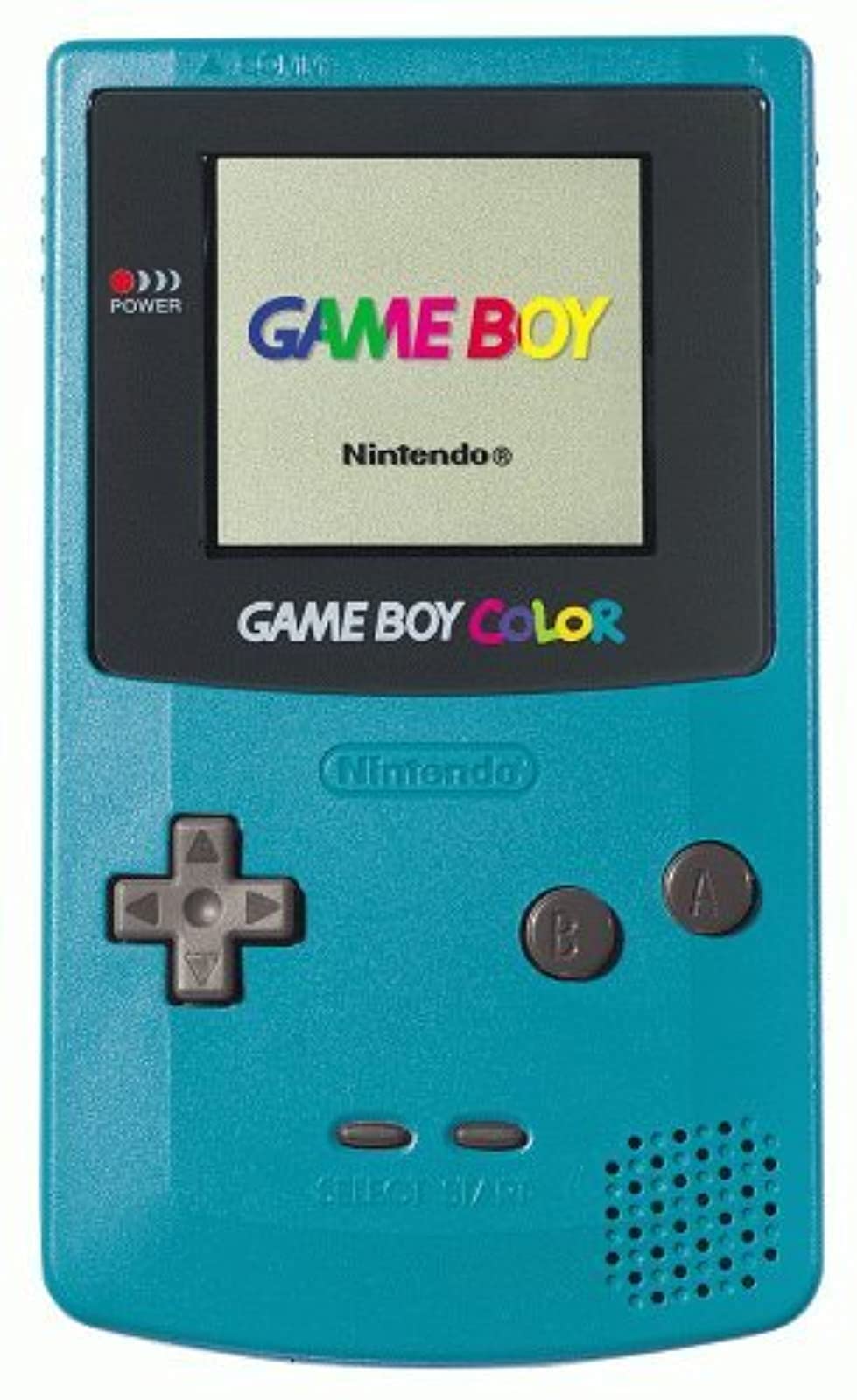
Gambar: Hareupeun view of the Teal Game Boy Color console, displaying the "GAME BOY" and "Nintendo" logos on its screen, with the D-pad, A/B buttons, Start/Select buttons, and speaker visible.
Disetél
1. Pamasangan batré
The Game Boy Color requires two (2) AA batteries for operation. Follow these steps to install them:
- Locate the battery compartment cover on the back of the Game Boy Color unit.
- Geser panutupna ka handap pikeun nyabutna.
- Pasangkeun dua batré AA, pastikeun terminal positif (+) sareng négatif (-) saluyu sareng indikator di jero kompartemen.
- Ganti panutup kompartemen batré ku cara ngageser ka luhur nepi ka ngaklik kana tempatna.

Gambar: Balik view of the Teal Game Boy Color console with the battery cover open, revealing two AA batteries correctly inserted. The model number CGB-001 is visible on the label.
2. Nyelapkeun Kartrid Kaulinan
To play a game, insert a Game Boy or Game Boy Color cartridge into the slot at the top of the unit. Push it firmly until it clicks into place.
3. Ngahurungkeun
Locate the power switch on the top left side of the unit. Slide it to the "ON" position. The power indicator light (red LED) will illuminate, and the Nintendo logo will appear on the screen.
Operating Your Game Boy Color
Kadali dasar
- Pad arah (D-Pad): Located on the left side, used for movement and menu navigation.
- Tombol: Typically used for confirming selections or performing primary actions in games.
- Tombol B: Typically used for canceling selections or performing secondary actions in games.
- Tombol START: Used to pause games or confirm selections.
- Tombol PILIH: Used for various in-game functions or menu navigation.
- Volume Dial: Located on the right side of the unit, rotate to adjust sound output.
- Jack headphone: Located at the bottom, for private listening with 3.5mm headphones.
Maén Kaulinan
Once powered on with a game cartridge inserted, the game will automatically load. Follow the on-screen instructions and use the controls as described above to play.
Pareuman Pareuman
To turn off the system, slide the power switch to the "OFF" position. Always power off the system before removing a game cartridge.
Pangropéa
Ngabersihan Konsol
Use a soft, dry cloth to wipe the exterior of the Game Boy Color. Do not use liquid cleaners or solvents, as they may damage the unit. For the screen, use a soft, lint-free cloth. Avoid scratching the screen surface.
Perawatan batré
- Cabut batré upami unit moal dianggo kanggo waktos anu panjang pikeun nyegah bocor.
- Ulah campur batré heubeul jeung anyar, atawa tipena béda accu.
- Buang batré anu dipaké sacara tanggung jawab nurutkeun peraturan lokal.
Panyimpenan
Store your Game Boy Color in a cool, dry place away from direct sunlight and extreme temperatures. Keep it free from dust and moisture.
Pamérésan masalah
| Masalah | Mungkin Cukang lantaranana | Solusi |
|---|---|---|
| Sistem henteu hurung. |
|
|
| Kaulinan henteu muka atanapi nampilkeun grafik anu teu teratur. |
|
|
| Taya sora atawa sora low. |
|
|
| Screen is dark or difficult to see. |
|
|
spésifikasi
- Jumlah modél: CGB-001
- ukuran: 5.1 x 3 x 1.1 inci (kira-kira)
- beurat: 7.4 ons (tanpa batré)
- Sumber Daya: 2 x Batré AA
- tampilan: Reflective STN LCD, 160x144 pixels, 56 simultaneous colors from a palette of 32,768
- CPU: prosésor 8-bit
- Sora: 4-channel stereo sound (via headphones), mono speaker
- Cartridge Slot: Compatible with Game Boy and Game Boy Color cartridges
- Tanggal paleupasan: 18 Nopémber 1998
Garansi sareng Rojongan
Specific warranty information for this product is not provided in this manual. For details regarding warranty coverage, repairs, or additional support, please refer to the original product packaging or contact Nintendo customer support directly.
You can visit the official Nintendo store for more information: Toko Nintendo.


